1. Inngangur
This manual provides essential instructions for the setup, operation, and maintenance of your Mercusys TP-Link MW300RE Wireless Wifi Extender. This device is designed to expand your existing wireless network coverage, eliminating Wi-Fi dead zones and improving signal strength in areas previously difficult to reach.
The MW300RE features a compact design, three external antennas with MIMO technology for enhanced performance, and a smart signal indicator to assist with optimal placement. It supports a single band speed of 300 Mbps and can also function as a wireless adapter via its Ethernet port.
2. Vöru lokiðview
The Mercusys MW300RE is a wall-plug Wi-Fi range extender. Below are its key components and features:
- Ytri loftnet: Three adjustable antennas for optimal signal reception and transmission.
- Rafmagnstengi: Integrated power plug for direct wall outlet connection.
- WPS/Endurstillingarhnappur: Used for quick setup (WPS) and factory reset.
- Merki LED: A multicolor LED indicator that helps determine the best location for the extender.
- Ethernet tengi: Allows wired connection for devices or to function as a wireless adapter.
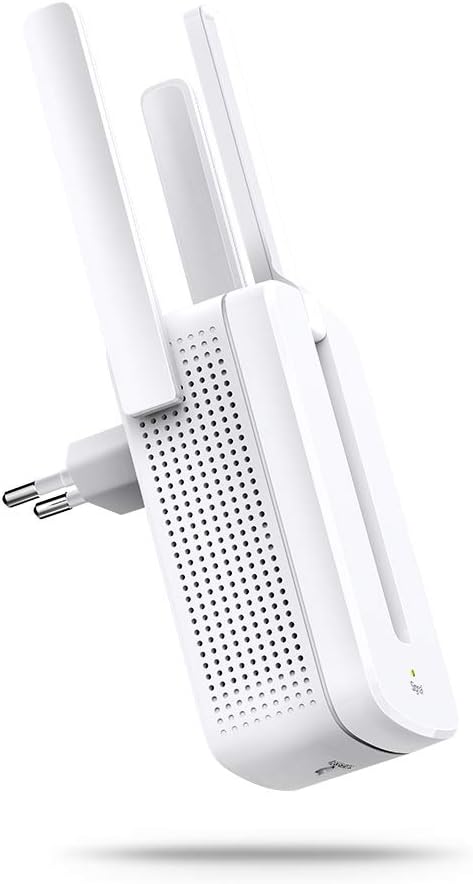
Mynd 2.1: Framan view of the Mercusys MW300RE Wireless Wifi Extender, highlighting its three external antennas.

Mynd 2.2: Til baka view of the Mercusys MW300RE, showing the integrated power plug and product information label.

Mynd 2.3: Framan view of the extender, showing the signal indicator light at the bottom.
3. Uppsetning
The Mercusys MW300RE can be set up quickly using the WPS (Wi-Fi Protected Setup) button or through a web vafra.
3.1. Quick Setup using WPS Button
- Kveikt á: Plug the MW300RE into an electrical outlet near your main router. Wait for the Power LED to turn solid.
- Ýttu á WPS á leiðinni: Ýttu á WPS hnappinn á aðal Wi-Fi leiðinni þinni.
- Ýttu á WPS á útvíkkaranum: Within two minutes, press the WPS button on your MW300RE extender.
- Staðfesting á tengingu: The Signal LED on the extender should change color (e.g., solid green or orange) to indicate a successful connection. If it does not, try repositioning the extender closer to the router and repeat the steps.

Mynd 3.1: Visual guide for WPS button setup, illustrating the sequence of pressing WPS on both the router and the extender.
3.2. Uppsetning með Web Browser (Alternative Method)
- Tengjast við útvíkkara: Plug the MW300RE into an electrical outlet. Connect your computer or mobile device to the extender's default Wi-Fi network (e.g., "Mercusys_Extender").
- Aðgangur Web Tengi: Opna a web browser and enter the default management address (usually
mwlogin.netor an IP address like192.168.1.254). - Innskráning: Búðu til innskráningarlykilorð þegar þú ert beðinn um það.
- Fylgdu leiðbeiningum á skjánum: The setup wizard will guide you through selecting your main Wi-Fi network and configuring the extender's settings.
- Flytja útbreiddur: Once configured, unplug the extender and move it to a location between your router and the Wi-Fi dead zone. Ensure the Signal LED indicates a good connection (e.g., solid green).
4. Notkun framlengingartækisins
After successful setup, the MW300RE will extend your Wi-Fi coverage. Here's how to ensure optimal operation:
4.1. Besta staðsetningin
The location of your extender is crucial for performance. Use the Smart Signal Indicator LED to find the best spot:
- Gegnstætt grænt: Góð tenging. Framlengirinn er á kjörstað.
- Einfalt appelsínugult/rautt: Weak connection. Move the extender closer to your router.
- Slökkt: No connection. Move the extender closer to your router or check the power.
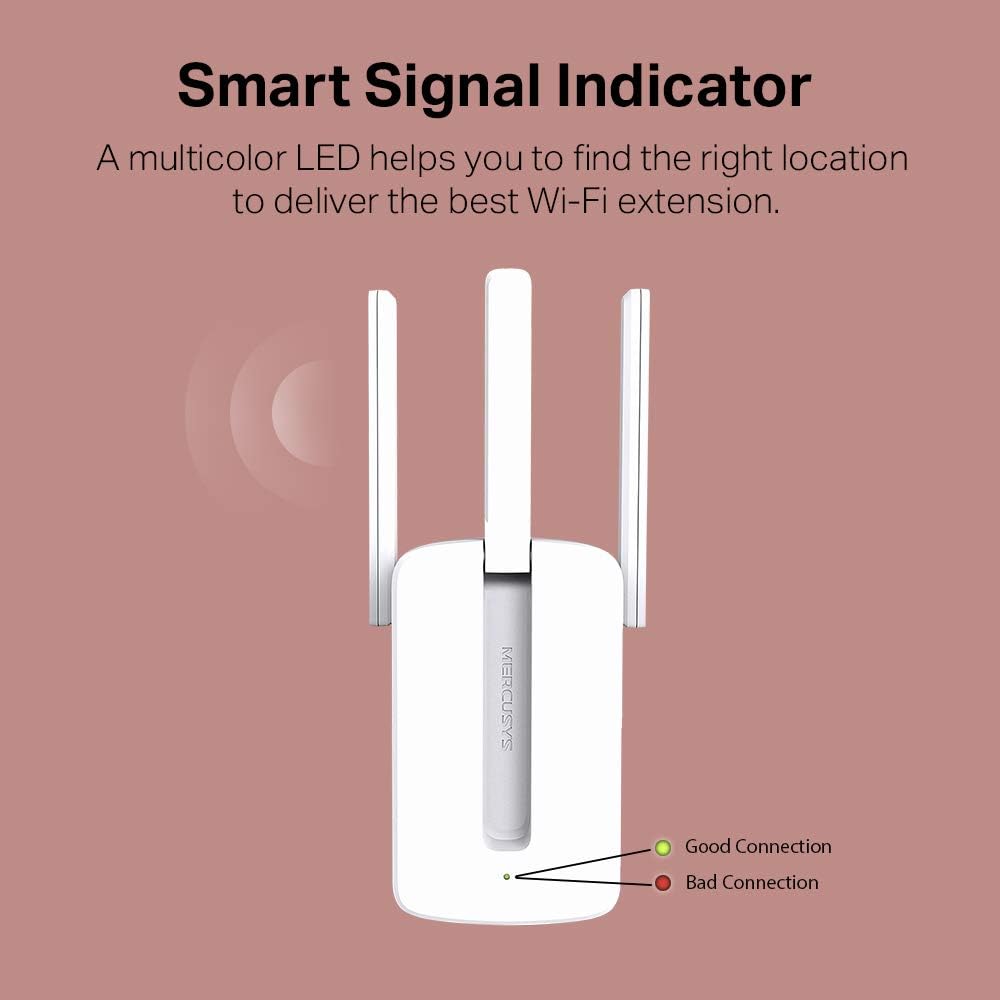
Mynd 4.1: Explanation of the Smart Signal Indicator LED colors for optimal placement.

Mynd 4.2: Illustration of the MW300RE extending Wi-Fi coverage to eliminate dead zones in a home environment.
4.2. Notkun Ethernet-tengisins
The Ethernet port on the MW300RE allows you to connect a wired device, such as a desktop computer, gaming console, or smart TV, to your Wi-Fi network. This functions as a wireless adapter for that device, providing a stable wired connection while still extending Wi-Fi wirelessly.
5. Viðhald
To ensure the longevity and optimal performance of your Mercusys MW300RE, follow these maintenance guidelines:
- Halda hreinu: Þurrkið tækið reglulega með mjúkum, þurrum klút. Forðist að nota fljótandi hreinsiefni eða úðabrúsa.
- Loftræsting: Ensure the ventilation holes are not blocked. Do not place the device in enclosed spaces or cover it with cloth.
- Umhverfisskilyrði: Operate the device within its specified temperature and humidity ranges. Avoid direct sunlight, excessive heat, or moisture.
- Uppfærsla vélbúnaðar: Check the official Mercusys website periodically for firmware updates. Updating firmware can improve performance, add features, and fix bugs.
- Power Cycle: If you experience persistent issues, try power cycling the device (unplug it, wait 10 seconds, then plug it back in).
6. Bilanagreining
If you encounter problems with your MW300RE, refer to the following common issues and solutions:
- No Internet Access after Connecting to Extender:
- Gakktu úr skugga um að aðalleiðarinn þinn hafi aðgang að internetinu.
- Check the Signal LED on the extender. If it's off or red, reposition the extender closer to the router.
- Prófaðu að endurræsa bæði routerinn og útvíkkarann.
- Ensure the extender is configured correctly. If necessary, perform a factory reset and reconfigure.
- Veikt merki eða hægur hraði:
- Relocate the extender to an optimal position, using the Signal LED as a guide (solid green indicates a good connection).
- Ensure there are no major obstructions (thick walls, metal objects, large appliances) between the router, extender, and your devices.
- Minimize interference from other electronic devices operating on the 2.4 GHz band (e.g., microwaves, cordless phones).
- WPS uppsetning mistekst:
- Ensure your router supports WPS and that WPS is enabled.
- Press the WPS button on your router and then on the extender within two minutes.
- Ef WPS heldur áfram að bila, notaðu þá web browser setup method (Section 3.2).
- Forgot Management Password:
- Perform a factory reset on the extender. With the extender powered on, use a pin to press and hold the Reset button for about 5 seconds until the LEDs flash. The extender will revert to factory default settings, and you can set a new password during re-setup.
7. Tæknilýsing
| Eiginleiki | Smáatriði |
|---|---|
| Vörumerki | MERCUSYS |
| Fyrirmynd | MW300RE V4.0 |
| Framleiðandi | TP-Link |
| Vörumál | 7.48 x 10.15 x 7.58 cm |
| Þyngd | 110 g |
| Þráðlaus staðalbúnaður | 802.11n |
| Gagnaflutningshraði | 300 Mbps |
| Frequency Band Class | Single Band (2.4 GHz) |
| Loftnet | 3 External Antennas with MIMO Technology |
| Sérstakir eiginleikar | LED Indicator, Access Point Mode |
| Ethernet tengi | 1x 10/100 Mbps Ethernet Port |
| Samhæf tæki | Beini |
| Kerfiskröfur | Microsoft Windows 98SE, NT, 2000, XP, Vista or Windows 7, 8, 10, Mac OS, NetWare, UNIX or Linux |
| Innifalið íhlutir | MW300RE 300 Mbps Wi-Fi Range Extender, Quick Installation Guide |
8. Ábyrgð og stuðningur
For warranty information, technical support, and additional resources, please refer to the official Mercusys website or the documentation included with your product. You can typically find FAQs, troubleshooting guides, and contact information for customer service there.
The product is manufactured by TP-Link. For the most up-to-date support, visit the Mercusys support page.


