Inngangur
Thank you for choosing the Varmilo Minilo VXB67 65% Bluetooth Mechanical Keyboard. This manual provides detailed instructions for setting up, operating, and maintaining your new keyboard. The VXB67 offers a compact 65% layout, dual-mode connectivity (wired USB-C and Bluetooth), and a comfortable typing experience with Varmilo EC Daisy V2 switches and durable ABS double-shot keycaps. It also features a Type-Cool sound dampening structure for a clear typing sound.

Image: The Varmilo Minilo VXB67 keyboard, showcasing its compact design and color scheme.
Innihald pakka
Vinsamlegast athugið innihald pakkans til að ganga úr skugga um að allir hlutir séu til staðar:
- Varmilo Minilo VXB67 Mechanical Keyboard
- USB-C kapall
- Keycap Puller
- Switch Puller
- Rykhlíf
- Notendahandbók (þetta skjal)

Image: The Varmilo Minilo VXB67 keyboard alongside its USB-C cable, keycap puller, switch puller, and a clear dust cover.
Uppsetning
1. Þráðlaus tenging
- Finndu USB-C tengið á lyklaborðinu.
- Tengdu annan endann á meðfylgjandi USB-C snúrunni við lyklaborðið.
- Tengdu hinn endann á USB-C snúrunni við lausa USB tengi á tölvunni þinni.
- Stýrikerfið þitt mun sjálfkrafa þekkja lyklaborðið.
2. Bluetooth-tenging
The VXB67 keyboard can connect to up to 3 devices via Bluetooth.
- Gakktu úr skugga um að lyklaborðið sé hlaðið eða tengt í gegnum USB-C.
- Turn on Bluetooth on your device (computer, tablet, or smartphone).
- Á lyklaborðinu, ýttu á og haltu inni Fn key and one of the Bluetooth keys (Q, W, eða E) for 3-5 seconds to enter pairing mode. The indicator light will flash.
- On your device, search for Bluetooth devices and select "Varmilo VXB67" (or similar) from the list.
- Þegar parað er við lyklaborðið hættir vísirinn að blikka og lýsir stöðugt.
- Repeat for up to two additional devices using the other Bluetooth keys.
3. Adjusting Keyboard Angle
The keyboard features 3-level adjustable kickstands on the bottom to customize your typing angle for comfort.

Image: The underside of the keyboard, highlighting the foldable kickstands for ergonomic adjustment.
Video: Demonstrates the features of the Varmilo Minilo Eucalyptus keyboard, including the adjustable kickstands and multi-device connectivity.
Notkunarleiðbeiningar
1. Skipti á lyklaborði og rofa
The VXB67 features hot-swappable switches, allowing you to change switches without soldering. Use the provided keycap and switch pullers for this process.
- Að fjarlægja lyklaborð: Use the keycap puller to gently grip the keycap and pull upwards.
- Að fjarlægja rofa: Use the switch puller to carefully grip the top and bottom clips of the switch and pull upwards.
- Uppsetning rofa: Stilltu pinnunum á nýja rofanum saman við götin á prentplötunni. Ýttu fast niður þar til rofinn smellpassar. Gakktu úr skugga um að pinnarnir séu ekki beygðir.
- Að setja upp lyklaborð: Place the keycap over the switch stem and press down gently until it is secure.
Video: Demonstrates the process of changing switches and keycaps on the Varmilo Minilo 67 keyboard.
2. Baklýsingastjórnun
The keyboard features white LED backlighting. Use the following key combinations to control the backlight:
- Fn + \ |: Cycle through backlight effects.
- Fn + ↑: Auka birtu baklýsingarinnar.
- Fn + ↓: Minnkaðu birtu baklýsingarinnar.
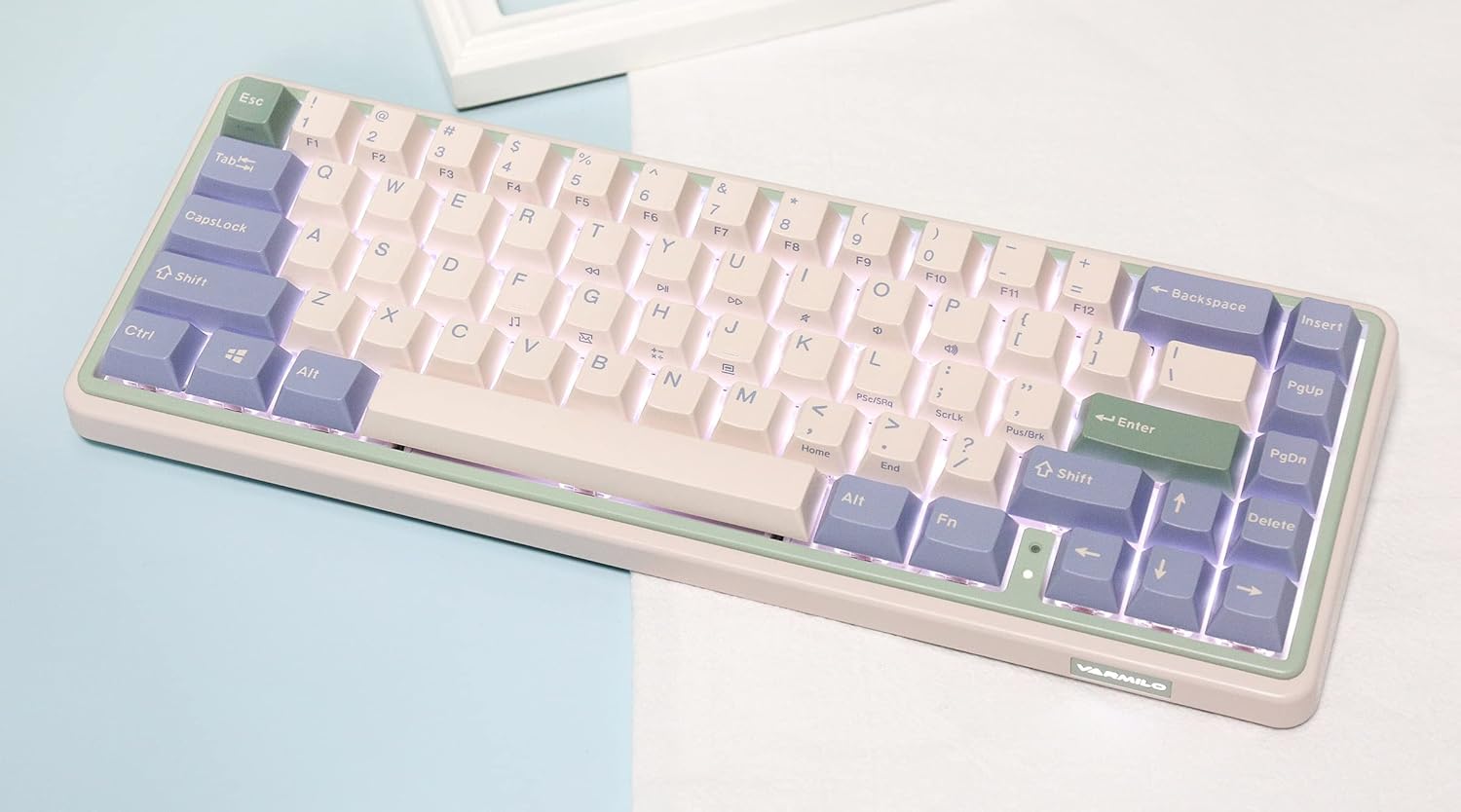
Image: The Varmilo Minilo VXB67 keyboard illuminated by its white LED backlighting.
3. Skipti milli margra tækja
To switch between paired Bluetooth devices:
- Ýttu á Fn+Q til að skipta yfir í Bluetooth tæki 1.
- Ýttu á Fn + W til að skipta yfir í Bluetooth tæki 2.
- Ýttu á Fn+E til að skipta yfir í Bluetooth tæki 3.
The keyboard will quickly connect to the selected device.
Viðhald
- Þrif: Use a soft, dry cloth to wipe the keyboard surface. For deeper cleaning, remove keycaps using the provided keycap puller and use compressed air to clear debris.
- Rafhlaða hleðsla: Connect the keyboard via the USB-C cable to a power source (computer USB port or USB wall adapter). The Escape key will light up while charging and flash when the battery is low.
- Geymsla: When not in use, store the keyboard in a cool, dry place. Use the provided dust cover to protect it from dust and spills.
Úrræðaleit
- Lyklaborðið svarar ekki (með snúru):
- Gakktu úr skugga um að USB-C snúran sé vel tengd bæði við lyklaborðið og tölvuna.
- Prófaðu annað USB tengi á tölvunni þinni.
- Prófaðu aðra USB-C snúru.
- Lyklaborðið svarar ekki (Bluetooth):
- Gakktu úr skugga um að kveikt sé á Bluetooth í tækinu þínu.
- Gakktu úr skugga um að lyklaborðið sé hlaðið.
- Fara aftur í pörunarstillingu (Fn + Q/W/E) and attempt to re-pair with your device.
- Forget the device on your computer/tablet/phone and try pairing again.
- Lyklar skrá sig ekki:
- Ensure the keycap and switch are properly seated. Remove and re-install if necessary.
- If using hot-swappable switches, ensure the switch pins are not bent.
- Baklýsing virkar ekki:
- Athugaðu stillingar fyrir birtu baklýsingar (Fn + ↑/↓).
- Gakktu úr skugga um að lyklaborðið sé ekki í lágorkustöðu.
Tæknilýsing
| Fyrirmynd | VXB67 |
| Skipulag | 65% (67 lyklar) |
| Tengingar | Bluetooth 5.0, USB-C snúrutenging |
| Rofar | Varmilo EC Daisy V2 (Hot-swappable) |
| Lyklakippur | 1.5mm thick ABS Double Shot |
| Baklýsing | Hvítt LED |
| Rafhlöðugeta | 3400mAh |
| Samhæf tæki | PC (and other Bluetooth-enabled devices) |
| Efni | Akrýlónítríl bútadíen stýren (ABS) |
| Mál | U.þ.b. 15 x 2.5 x 7 cm (miðað við stærð pakkans) |
| Þyngd | 3.21 pund |
Ábyrgð og stuðningur
For warranty information and technical support, please refer to the official Varmilo websíðuna eða hafið samband við söluaðila. Geymið kaupkvittunina vegna ábyrgðarkröfu.
Varmilo embættismaður Websíða: www.varmilo.com


