1. Inngangur
The Baseus AcmeJoy 4-Port Type-C HUB Adapter is designed to expand the connectivity of your USB-C enabled devices. It provides multiple ports for efficient data transfer, power delivery, and peripheral connections, enhancing your productivity and device versatility.
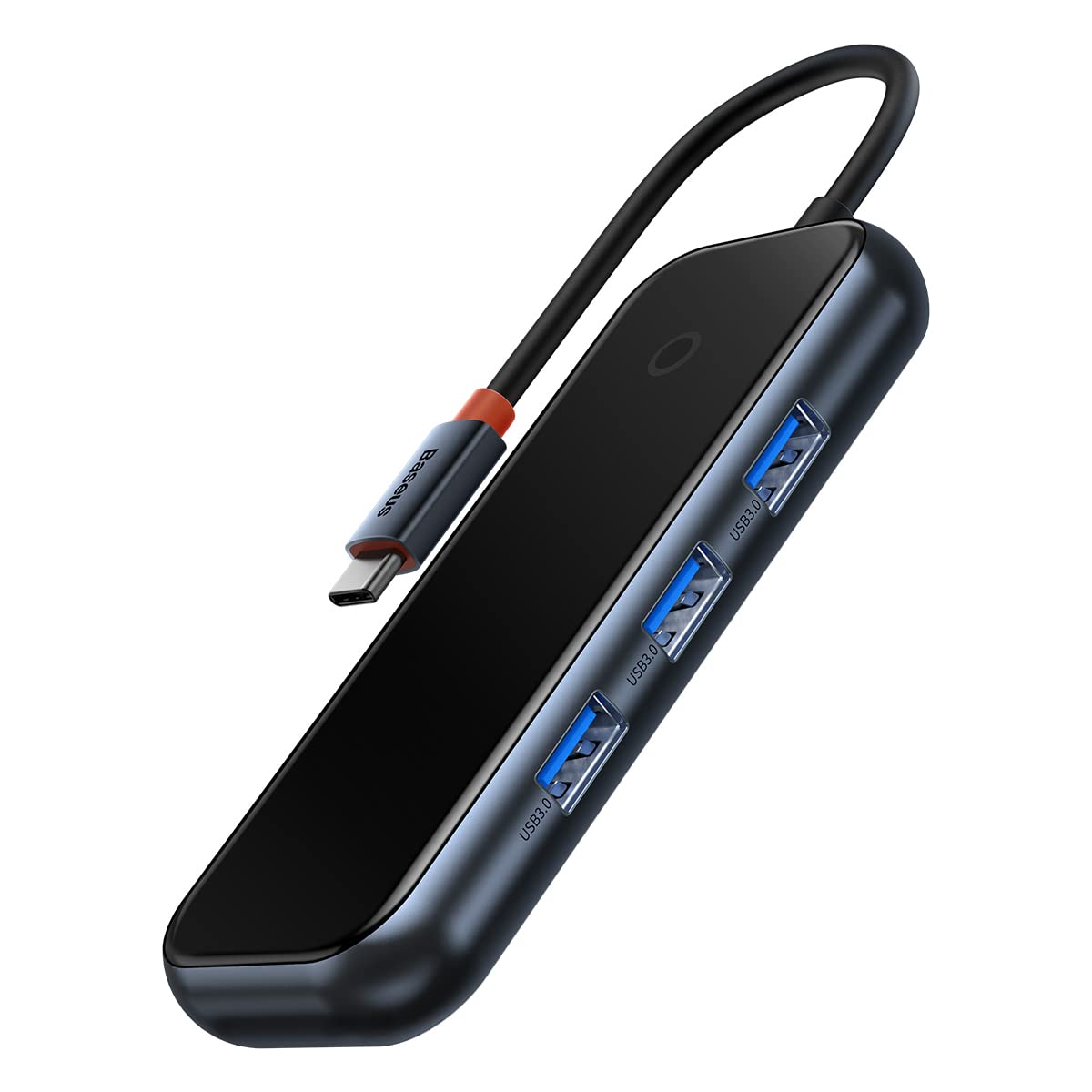
Image: The Baseus AcmeJoy 4-Port Type-C HUB Adapter, showcasing its compact design and integrated Type-C cable.
2. Vöru lokiðview
This hub features a robust design with essential ports for modern computing needs. It offers a plug-and-play experience, requiring no additional drivers for most operating systems.
- 3x USB 3.0 tengi: For connecting various USB peripherals such as flash drives, keyboards, mice, and external hard drives.
- 1x Type-C PD & Data Port: A versatile port supporting both Power Delivery (PD) for charging your host device and high-speed data transfer.

Mynd: A view of the Baseus AcmeJoy hub highlighting its three USB 3.0 ports and one Type-C PD & Data port, emphasizing its plug-and-play functionality.
Image: An illustration depicting the internal circuit protections of the Baseus AcmeJoy hub, ensuring safe and stable operation for connected devices.
3. Uppsetningarleiðbeiningar
- Tengdu miðstöðina: Insert the integrated Type-C connector of the Baseus AcmeJoy hub into an available USB-C port on your laptop, tablet, or smartphone.
- Tengja jaðartæki: Plug your USB devices (e.g., USB flash drives, external hard drives, mouse, keyboard) into the three USB 3.0 ports on the hub.
- Power and Data (Optional): If your host device requires charging or you need additional data transfer capabilities, connect a compatible Type-C power adapter and/or data cable to the Type-C PD & Data port on the hub. This port supports up to 100W Power Delivery.
The hub is designed for plug-and-play operation, meaning it should be recognized automatically by your device without the need for driver installation.
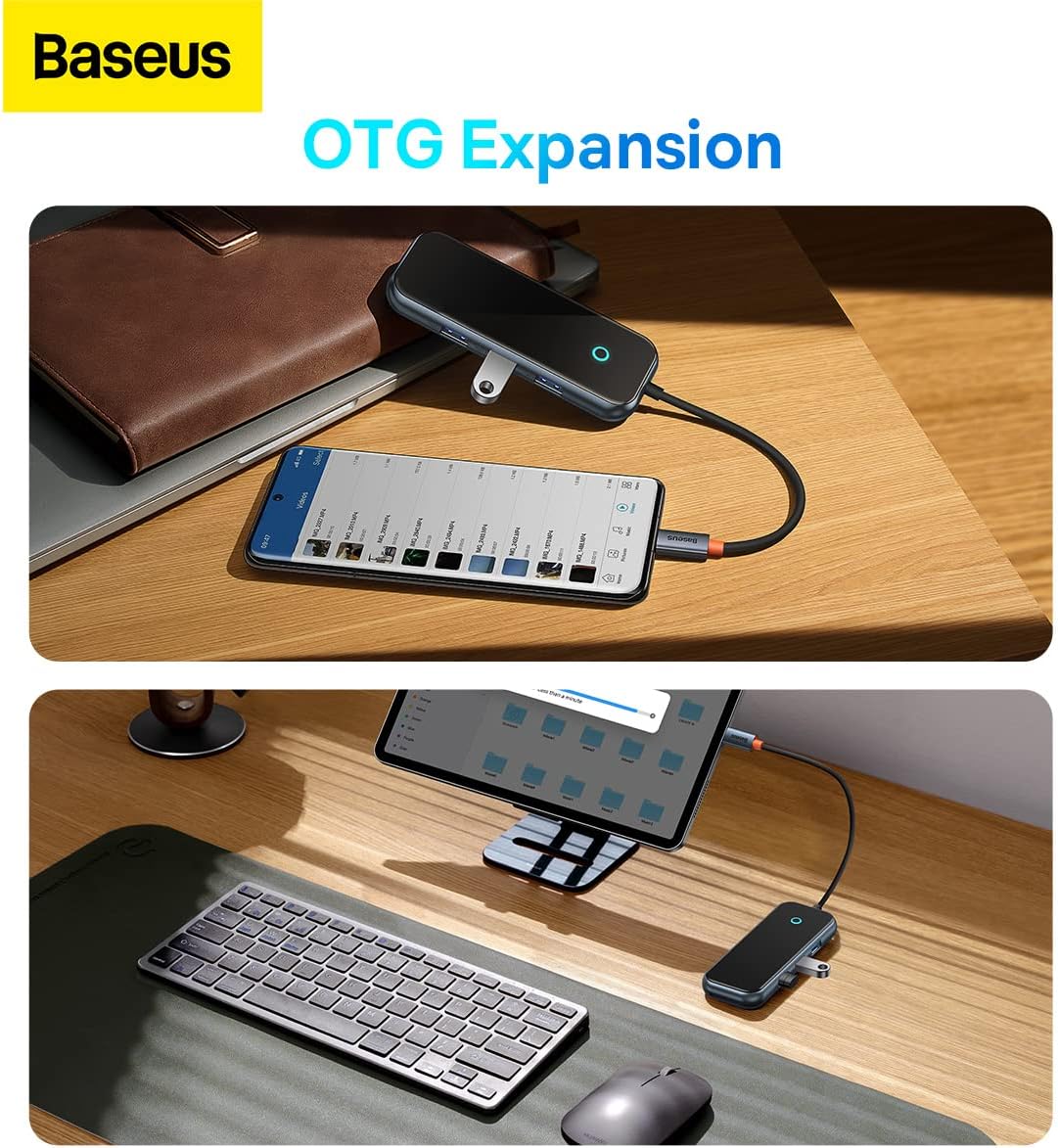
Image: The Baseus AcmeJoy hub connected to a smartphone and a tablet, demonstrating its On-The-Go (OTG) expansion capabilities for mobile devices.
4. Notkunarleiðbeiningar
Once connected, the Baseus AcmeJoy hub functions as an extension of your device's connectivity. Below are guidelines for using its features:
4.1. USB 3.0 gagnaflutningur
- Connect any USB 3.0 or USB 2.0 compatible device to the USB-A ports.
- These ports support data transfer speeds of up to 500 MB/s, allowing for quick transfers of large files.

Image: A laptop connected to the Baseus AcmeJoy hub, which is then connected to an external hard drive, illustrating high-speed data transmission at 500MB/s.
4.2. Type-C Power Delivery (PD) and Data
- The dedicated Type-C port supports Power Delivery up to 100W, enabling fast charging for your compatible laptop or device while using the hub.
- This port also supports data transfer at speeds up to 500 MB/s, allowing you to connect Type-C peripherals or storage devices.

Image: The Baseus AcmeJoy hub connected to a laptop, demonstrating its 100W PD fast charging capability from a power bank and 500MB/s data transmission to an external drive via its 2-in-1 Type-C port.
5. Viðhald
To ensure the longevity and optimal performance of your Baseus AcmeJoy hub, follow these maintenance guidelines:
- Þrif: Use a soft, dry cloth to clean the surface of the hub. Avoid using liquid cleaners or abrasive materials.
- Geymsla: Geymið miðstöðina á köldum, þurrum stað fjarri beinu sólarljósi og miklum hita.
- Meðhöndlun: Avoid dropping the device or subjecting it to strong impacts. Do not attempt to disassemble or repair the hub, as this will void the warranty and may cause damage.
- Kapalumhirða: Do not bend the integrated Type-C cable excessively or pull it forcefully.
6. Bilanagreining
If you encounter issues with your Baseus AcmeJoy hub, refer to the following common problems and solutions:
- Tæki ekki þekkt:
- Ensure the hub's Type-C connector is fully and securely inserted into your host device's USB-C port.
- Try connecting the hub to a different USB-C port on your host device, if available.
- Endurræstu gestgjafatækið þitt.
- Hæg gagnaflutningur:
- Verify that the connected peripheral devices (e.g., USB flash drive, external HDD) support USB 3.0 speeds.
- Avoid connecting too many power-hungry devices simultaneously without external power connected to the hub's PD port.
- Ensure your host device's USB-C port supports USB 3.0 or higher data transfer rates.
- Charging Not Working (via PD port):
- Confirm that your power adapter and Type-C cable are functional and correctly connected to the hub's Type-C PD port.
- Ensure your host device supports USB-C Power Delivery and is compatible with the power output of your adapter.
- Athugaðu hvort straumbreytirinn veiti nægilegt afltage fyrir tækið þitt.
- Tímabundin tenging:
- Check for any physical damage to the hub or its cable.
- Gakktu úr skugga um að allar tengingar séu traustar.
- Test with different peripherals to isolate the issue.
7. Tæknilýsing
Detailed technical specifications for the Baseus AcmeJoy 4-Port Type-C HUB Adapter:
| Vörumerki | Baseus |
| Gerðarnúmer | WKJZ010013 |
| Vörumál | 10 x 5 x 3 cm |
| Þyngd hlutar | 150 grömm |
| Viðmót | USB C |
| Samtals USB tengi | 4 (3x USB 3.0, 1x Type-C PD & Data) |
| Gagnaflutningshraði | 500 MB/s (for USB 3.0 and Type-C data) |
| Kraftafhending | Up to 100W (via Type-C PD port) |
| Samhæfni stýrikerfis | Windows Vista, Windows XP (and modern OS like macOS, Linux, Android) |
| Efni | Gúmmí |

Image: The back of the Baseus AcmeJoy hub packaging, displaying detailed specifications and compliance information.
8. Ábyrgð og stuðningur
For detailed warranty information, technical support, or service inquiries regarding your Baseus AcmeJoy 4-Port Type-C HUB Adapter, please refer to the official Baseus webvefsíðu eða hafðu samband við þjónustuver þeirra beint. Geymdu kaupkvittunina sem sönnun fyrir kaupum ef þú vilt gera kröfu um ábyrgð.
Framleiðandi: Baseus
Websíða: www.baseus.com