1. Inngangur
The Makeid Label Maker E1 is a versatile and portable labeling device designed for home, office, and workshop organization. It features dual printing modes, allowing for direct input via its QWERTY keyboard or through a connected mobile application. With a clear 3.4-inch backlit LCD screen, rechargeable battery, and support for various label widths, the E1 provides a convenient and efficient solution for all your labeling needs.
2. Hvað er í kassanum
- Makeid Label Maker E1
- USB snúru (Type-C)
- Label Tape Roll (pre-installed or included separately)
- Notendahandbók

Figure 2.1: Contents of the Makeid Label Maker E1 package.
3. Uppsetning
3.1. Hleður tækið
Before first use, ensure the label maker is fully charged. Connect the provided USB-C cable to the charging port on the device and to a compatible USB power adapter (not included). The device features a rechargeable lithium battery.

Figure 3.1: The Makeid Label Maker E1 charging via its USB-C port.
3.2. Label Roll Installation
To install or replace a label roll:
- Open the label storage cover on the back of the device.
- Pull out any transparent guide piece from the leading edge of the old label roll (if applicable).
- Insert the new label roll into the storage compartment, ensuring the label feeds correctly through the slot. Make sure the transparent part of the label is pulled out of the exit.
- Close the storage cover securely.

Figure 3.2: Proper installation of the label tape roll.
Video 3.1: A detailed guide on how to use the MakeID E1 handheld label maker, including label installation and basic operation.
4. Notkunarleiðbeiningar
4.1. Kveikt/slökkt
To power on the device, long press the power button (usually located on the top left of the keyboard). To power off, long press the power button again.
4.2. Dual Printing Modes
The Makeid E1 offers two convenient printing modes:
- Lyklaborðsinntak: Directly type and edit labels using the integrated QWERTY keyboard and the device's LCD screen. This mode is ideal for quick and simple labels.
- APP Printing: Connect the label maker to your smartphone via Bluetooth and use the MakeID-Life app for advanced design options, including various fonts, symbols, and templates.
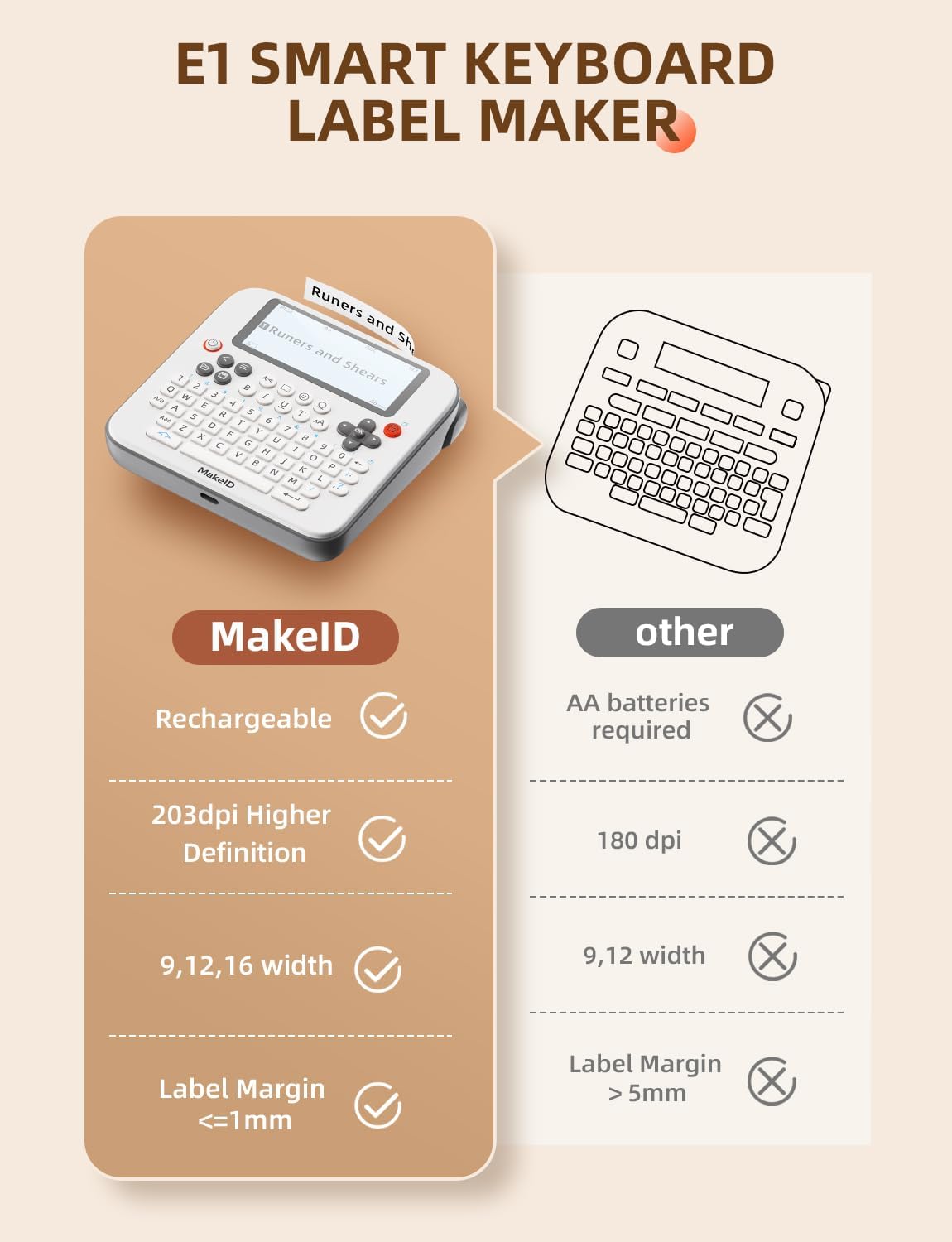
Figure 4.1: The two primary printing modes: Creative APP Input and Efficient Keyboard Input.
Video 4.1: A demonstration of the Makeid E1 label maker's capabilities, highlighting its use in organizing tools and other items.
4.3. QWERTY Keyboard Usage
The integrated QWERTY keyboard allows for intuitive text entry. The 3.4-inch backlit LCD screen provides a clear preview of up to four lines of text.
- Textafærsla: Type characters using the QWERTY layout. Use the Shift key for uppercase letters and symbols.
- Leiðsögn: Use the directional keys (up, down, left, right) and the OK button to navigate menus and confirm selections.
- Snið: Dedicated buttons allow for quick formatting such as bold (B), italic (I), underline (U), and font size adjustments.
- Symbols & Borders: Access a wide range of symbols and decorative borders to customize your labels.
- Lotuprentun: Print multiple copies of the same label, up to 9 at a time, for repetitive tasks.

Figure 4.2: The Makeid Label Maker E1 with its QWERTY keyboard and LCD screen.

Figure 4.3: The large 3.4-inch LCD screen with backlighting for enhanced visibility.
4.4. App Connectivity (Bluetooth)
For more creative freedom and advanced features, connect your Makeid E1 to the MakeID-Life app via Bluetooth. The app offers over 40 fonts and 300 icons, along with QR code and 1D code generation.
- Sækja forrit: Scan the QR code in the manual or search for
Tengd skjöl - E1-W203dpi-US01#

MAKEID L1-A fljótleg notkunarhandbók
Byrjaðu að nota MAKEID L1-A merkimiðavélina þína. Þessi stutta notkunarhandbók veitir nauðsynlegar leiðbeiningar um uppsetningu, prentun, tengingu við app og bilanaleit. Lærðu að búa til sérsniðna merkimiða auðveldlega.
MakeID Q1-A HD merkimiðaprentari: Notendahandbók og leiðbeiningar
Ítarleg notendahandbók fyrir MakeID Q1-A HD merkimiðaprentarann. Lærðu hvernig á að setja upp, tengjast snjallsímanum þínum í gegnum MakeID-Life appið, prenta ýmsar gerðir merkimiða (samfellda og ósamfellda), setja upp rekstrarvörur, skilja stöðuljós, leysa úr algengum vandamálum og laga þau.view Upplýsingar um þriggja ára ábyrgð. Inniheldur upplýsingar um FCC-samræmi og RoHS.
Leiðbeiningar og uppsetningarhandbók fyrir MakeID Q1 merkimiðaprentara
Ítarleg leiðbeiningar um uppsetningu og notkun MakeID Q1 merkimiðaprentarans. Lærðu uppsetningu merkimiða, tengingu við app í gegnum Bluetooth og grunnvirkni prentarans fyrir skilvirka skipulagningu.
MAKEID L1-A merkimiðaprentari: Leiðbeiningar um ræsingu
Byrjaðu að nota MAKEID L1-A merkimiðaprentarann þinn með þessari hnitmiðuðu notkunarhandbók. Lærðu uppsetningu, prentun og bilanaleit fyrir skilvirka merkimiðagerð.
MakeID L1 merkimiðaprentari: Uppsetning, niðurhal á appi og tengingarleiðbeiningar
Ítarlegar leiðbeiningar um uppsetningu MakeID L1 merkimiðaprentarans. Lærðu hvernig á að setja upp merkimiða, hlaða niður MakeID-Life appinu og tengjast með Bluetooth fyrir óaðfinnanlega merkimiðaprentun.
MakeID E1 Label Printer User Manual
Comprehensive user manual for the MakeID E1 Label Printer, covering setup, operation, label creation via keyboard and app, charging, troubleshooting, and warranty information.