1. Inngangur
This manual provides essential instructions for the safe and efficient operation of your RONGTA SE4770 Rugged PDA Barcode Scanner. This device is a high-performance mobile handheld terminal designed for various applications including retail, warehouse management, logistics, and inventory control. It combines the functionality of an Android 11 smartphone with an integrated Zebra SE4770 barcode scanner, offering robust performance and durability.
Please read this manual thoroughly before using the device and retain it for future reference.
2. Vöru lokiðview
2.1 Íhlutir tækis
The RONGTA SE4770 features a rugged design with a 6-inch HD touch screen and an integrated barcode scanner. Key components include:
- Framhlið skjár: 6-inch FHD+ 1080P HD screen for clear visual interaction.
- Aftan Panel: Integrated Zebra SE4770 barcode scanner, camera, and battery compartment.
- Hliðarhnappar: Power button, volume controls, and dedicated scan buttons.
- Hafnir: USB-C tengi fyrir hleðslu og gagnaflutning.

Mynd 2.1: Framan og aftan view of the RONGTA SE4770 PDA Barcode Scanner, showing the display and rear scanner module.
2.2 Helstu eiginleikar
- Stýrikerfi: Android 11 for a familiar and versatile user experience.
- Örgjörvi: Octa-core 2.0GHz CPU for high performance and stability.
- Minni og geymsla: 4GB RAM + 64GB ROM, expandable via microSD card (not included).
- Skjár: 6-inch FHD+ (1080P) HD touch screen, visible in strong outdoor light, supports multi-touch with gloves or wet hands.
- Strikamerki skanni: Integrated Zebra SE4770 for fast and accurate scanning of 1D, 2D, and QR barcodes, even if blurred, dirty, or worn.
- Ending: IP68 rated for water and dust resistance, and 1.5m drop resistance.
- Rafhlaða: 5000mAh large capacity battery with QC3.0 18W fast charging. Features a SuperCap power change solution for seamless battery swaps without shutdown.
- Tengingar: 2.4G/5G Dual-band Wi-Fi, 4G Full Network support, and Bluetooth 5.1.
- Myndavél: 1600W+500W Pixel Camera (details on usage in Operating Instructions).
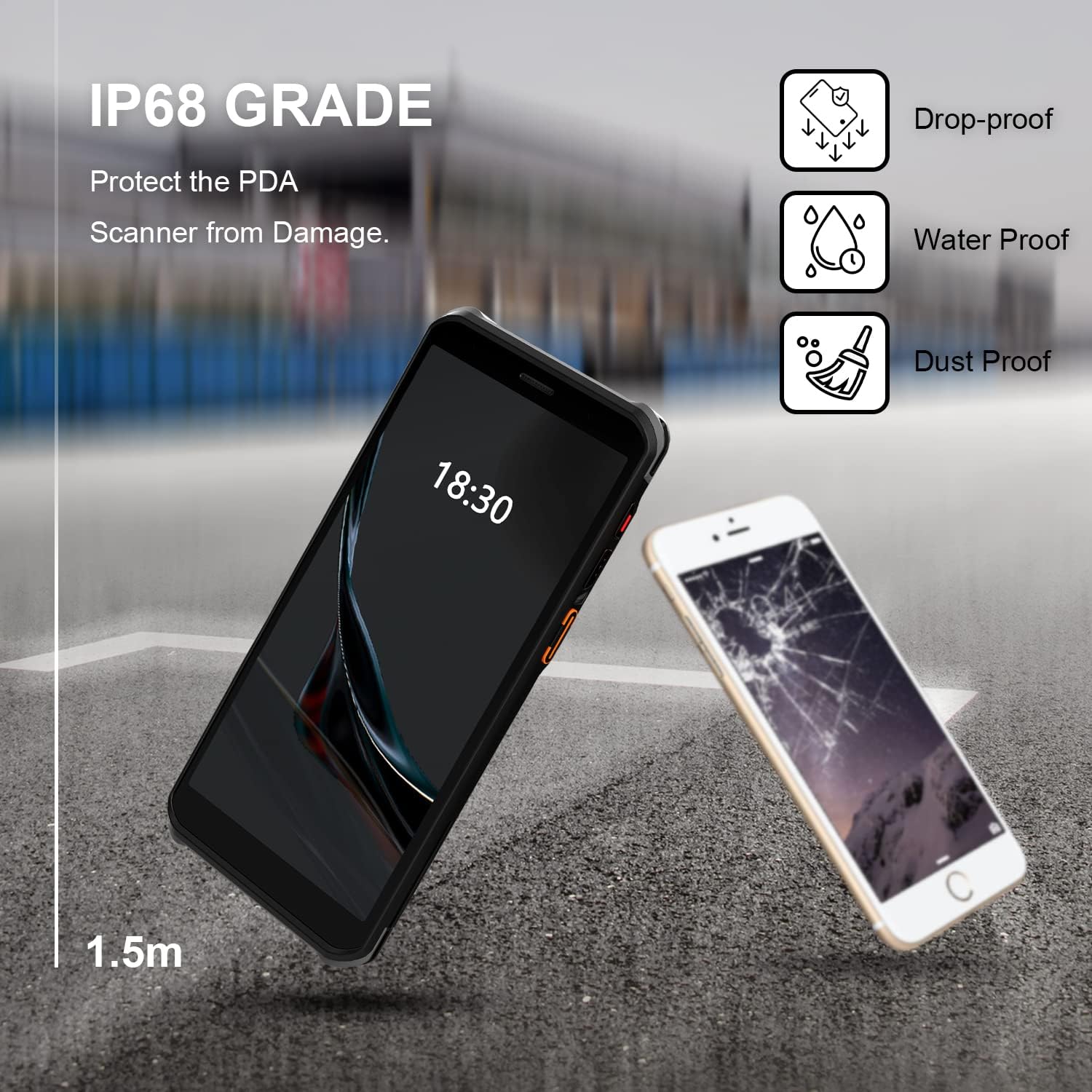
Figure 2.2: The RONGTA SE4770 PDA is designed with IP68 water and dust resistance and 1.5m drop protection, ensuring durability in demanding environments.

Figure 2.3: The device supports 2.4G/5G Dual-band WIFI and Bluetooth 5.1 for reliable wireless connectivity.
3. Uppsetning
3.1 Úrpakkning og fyrsta skoðun
Carefully remove all components from the packaging. Verify that all items are present and undamaged. The package should include the RONGTA SE4770 PDA, a USB-C cable, a power adapter, and a hand-strap belt.
3.2 Uppsetning og hleðsla rafhlöðu
- Finndu rafhlöðuhólfið aftan á tækinu.
- If the battery is not pre-installed, insert the 5000mAh Lithium-Ion battery, ensuring correct orientation.
- Lokaðu rafhlöðuhólfinu örugglega.
- Connect the USB-C cable to the device's charging port and the other end to the power adapter. Plug the adapter into a power outlet.
- Allow the device to charge fully before first use. The 18W fast charging feature will expedite this process.

Figure 3.1: The device charging, indicating battery status.
3.3 Kveikt/slökkt
- Til að kveikja á: Press and hold the Power button on the side of the device until the RONGTA logo appears on the screen.
- Til að slökkva á: Press and hold the Power button until the power options menu appears. Select 'Power Off'.
- Til að endurræsa: Haltu inni aflrofanum þar til valmyndin fyrir aflgjafavalkosti birtist. Veldu „Endurræsa“.
3.4 Upphafleg uppsetning Android
Upon first power-on, follow the on-screen prompts to complete the initial Android 11 setup. This typically includes selecting your language, connecting to a Wi-Fi network, setting up a Google account (optional), and configuring security settings.
4. Notkunarleiðbeiningar
4.1 Notkun Strikamerkisskannarans
The RONGTA SE4770 is equipped with a high-performance Zebra SE4770 scanner capable of reading various 1D, 2D, and QR barcodes.
- Open an application that requires barcode input (e.g., inventory management software, POS application).
- Point the scanner window, located on the top rear of the device, towards the barcode.
- Press one of the dedicated scan buttons on the side of the device. A red aiming beam will appear.
- Align the aiming beam with the center of the barcode. The device will emit a beep or vibrate upon successful scan, and the data will be entered into the active field of your application.

Figure 4.1: A user scanning a package barcode using the RONGTA SE4770 PDA.

Figure 4.2: The SE4770 Zebra scanner in use, demonstrating fast and accurate scanning in a warehouse environment.
4.2 Að vafra um Android 11
The device operates on Android 11, providing a familiar interface. Use touch gestures to navigate:
- Bankaðu á: Til að velja hlut eða opna forrit.
- Strjúktu: Til að fletta í gegnum lista eða skipta á milli heimaskjáa.
- Klípaðu til aðdráttar: Til að stækka eða minnka myndir og web síður.
- Tilkynningar: Strjúktu niður frá efri hluta skjásins til að fá aðgang að tilkynningum og flýtistillingum.
4.3 Tengingar
Tækið styður ýmsa tengimöguleika:
- Wi-Fi: Go to Settings > Network & internet > Wi-Fi to connect to available wireless networks. Supports 2.4GHz and 5GHz bands.
- Bluetooth: Go to Settings > Connected devices > Connection preferences > Bluetooth to pair with Bluetooth-enabled devices like headsets or printers.
- Farsímagögn (4G): If equipped with a SIM card slot (check device specifications), insert a compatible SIM card to access mobile data.
4.4 Notkun myndavélar
The device includes a camera for capturing images or videos. Open the Camera application from the home screen or app drawer. Tap the screen to focus and press the shutter button to take a photo or start/stop video recording.
5. Viðhald
5.1 Þrif á tækinu
Til að viðhalda bestu mögulegu frammistöðu og útliti:
- Wipe the screen and device body with a soft, lint-free cloth.
- Fyrir þrjósk óhreinindi, örlítið dýftampen the cloth with water or a screen cleaner. Avoid harsh chemicals or abrasive materials.
- Ensure the scanner window is clean and free of dust or debris for accurate scanning.
5.2 Umhirða rafhlöðu
Rétt umhirða rafhlöðunnar lengir líftíma tækisins:
- Charge the battery regularly using the provided charger.
- Forðastu að tæma rafhlöðuna alveg oft.
- If storing the device for an extended period, charge the battery to approximately 50% and store in a cool, dry place.
- The SuperCap power change solution allows for hot-swapping batteries without device shutdown, ensuring continuous operation.
5.3 Hugbúnaðaruppfærslur
Periodically check for software updates to ensure your device has the latest features and security patches. Go to Settings > System > System update.
6. Bilanagreining
This section addresses common issues you might encounter with your RONGTA SE4770 PDA.
| Vandamál | Möguleg orsök | Lausn |
|---|---|---|
| Ekki kveikir á tækinu | Low or depleted battery; device malfunction. | Hladdu tækið í að minnsta kosti 30 mínútur. Ef það kviknar samt ekki skaltu hafa samband við þjónustudeild. |
| Skanninn les ekki strikamerki | Dirty scanner window; incorrect aiming; unsupported barcode type; application issue. | Clean the scanner window. Ensure the aiming beam covers the entire barcode. Verify the barcode type is supported. Restart the scanning application or the device. |
| Vandamál með Wi-Fi/Bluetooth tengingu | Out of range; incorrect password; interference. | Move closer to the Wi-Fi router or Bluetooth device. Re-enter the password. Restart Wi-Fi/Bluetooth on the device. |
| Tækið er hægt eða óviðráðanlegt | Too many applications running; low storage; software glitch. | Close unnecessary applications. Clear cache. Restart the device. Consider a factory reset if issues persist (backup data first). |
7. Tæknilýsing
Detailed technical specifications for the RONGTA SE4770 PDA Barcode Scanner:
- Vörumál: 3.03 x 0.51 x 6.41 tommur
- Þyngd hlutar: 10.6 aura
- Rafhlöður: 1 Lithium Ion rafhlaða nauðsynleg (fylgir með)
- Aflgjafi: Rafhlöðuknúið
- Framleiðandi: RONGTA
- Samhæf tæki: Desktop, Laptop, Smartphone (for data transfer/management)
- Tengingartækni: Bluetooth, Wi-Fi (2.4G/5G Dual-band), 4G
- Stýrikerfi: Android 11
- Örgjörvi: Áttakjarna 2.0GHz
- Minni: 4GB vinnsluminni
- Geymsla: 64GB ROM
- Skjástærð: 6 inches FHD+ (1080P) HD Touch Screen
- Skanni: Zebra SE4770 (1D, 2D, QR)
- Ending: IP68 Water and Dust Resistant, 1.5m Drop Protection
- Rafhlaða rúmtak: 5000mAh
- Hleðsla: QC3.0 18W Fast Charge
8. Ábyrgð og stuðningur
For warranty information and technical support, please refer to the documentation included with your purchase or visit the official RONGTA website. If you encounter any issues not covered in this manual, please contact RONGTA customer service for assistance.


