Inngangur
This manual provides essential instructions for the safe and efficient use of your Haier 43K7700UGA 43 Inch 4K Google Smart Android Television. Please read this manual thoroughly before operating the television and retain it for future reference. This television features a 4K UHD display, Google Android 11 operating system, and built-in Chromecast for an enhanced viewupplifun.
Mikilvægar öryggisupplýsingar
Fylgið alltaf grunnöryggisráðstöfunum þegar sjónvarpið er notað til að draga úr hættu á eldsvoða, raflosti og meiðslum.
- Ekki láta sjónvarpið verða fyrir rigningu eða raka.
- Ekki loka loftræstiopum. Tryggið nægilegt pláss í kringum sjónvarpið til að tryggja rétta loftflæði.
- Verndaðu rafmagnssnúruna gegn því að gengið sé á hana eða hún klemmi hana.
- Notaðu aðeins viðhengi/aukahluti sem framleiðandi tilgreinir.
- Taktu sjónvarpið úr sambandi í þrumuveðri eða þegar það er ekki notað í langan tíma.
- Látið alla þjónustu til hæfs þjónustufólks.
Innihald pakka
Gakktu úr skugga um að allir hlutir séu til staðar í pakkanum:
- 1 x Haier 43 Inch LED TV
- 1 x fjarstýring
- 1 x Table Top Stand (set)
- 1 x rafmagnssnúra
- 2 x AAA rafhlöður (fyrir fjarstýringu)
- 1 x Notendahandbók (þetta skjal)
- 1 x ábyrgðarkort
Uppsetningarleiðbeiningar
1. Upptaka og staðsetning
Carefully remove the television from its packaging. Place the TV on a stable, flat surface or prepare for wall mounting (wall mount kit sold separately). Ensure proper ventilation around the TV.
2. Festing borðstandsins
If using the included table top stand, align the stand components with the designated slots at the bottom of the television. Secure them firmly with the provided screws. Refer to the diagram below for guidance.
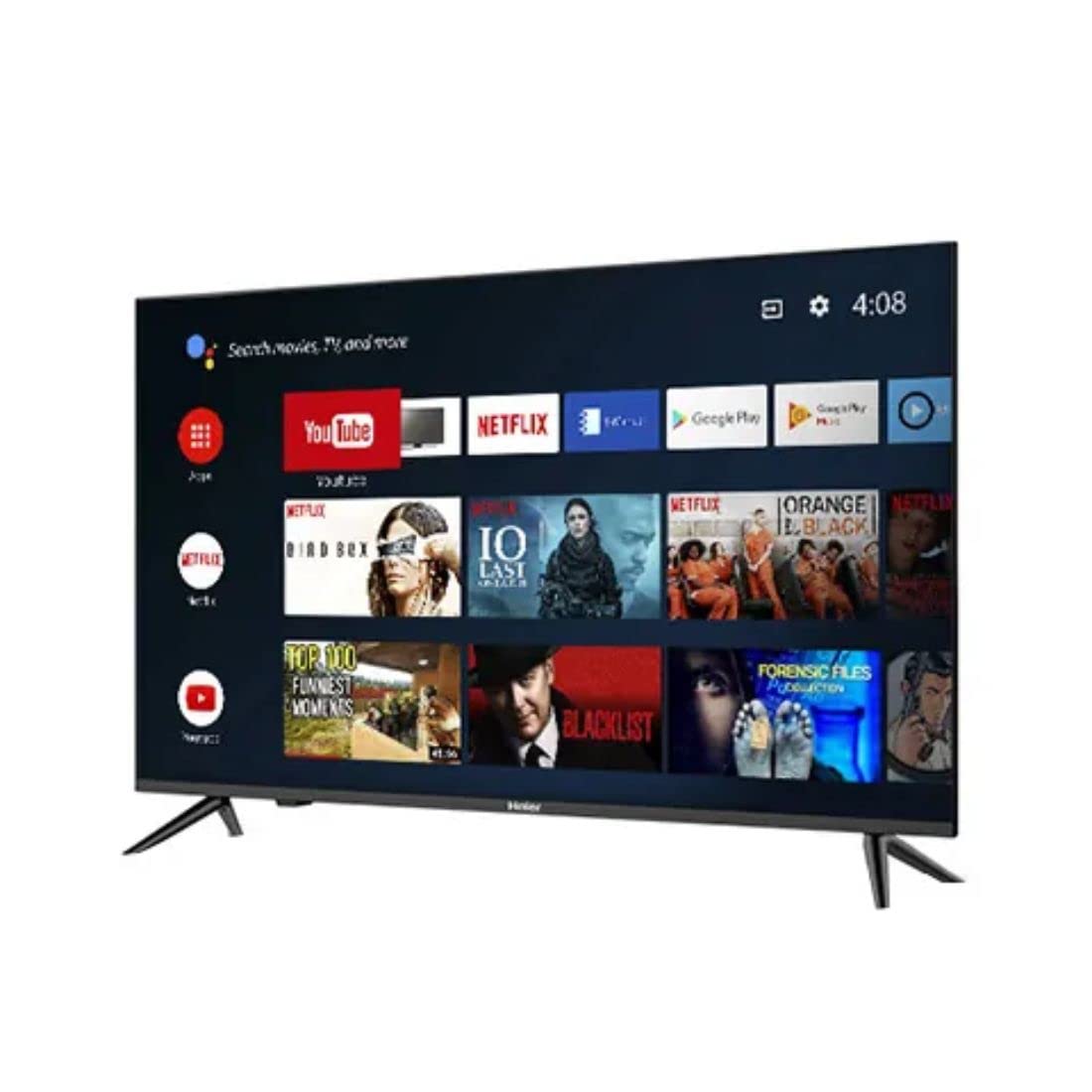
Mynd: Hlið view of the television demonstrating stand attachment.
3. Tengja máttur
Connect the power cable to the AC input port on the back of the television, then plug the other end into a suitable power outlet. Ensure the power supply matches the voltage requirements of the TV (230 Volts).
4. Að tengja ytri tæki
Your Haier TV supports various connections. Use the HDMI ports for high-definition devices like set-top boxes, gaming consoles, or Blu-ray players. USB ports are available for media playback from storage devices.
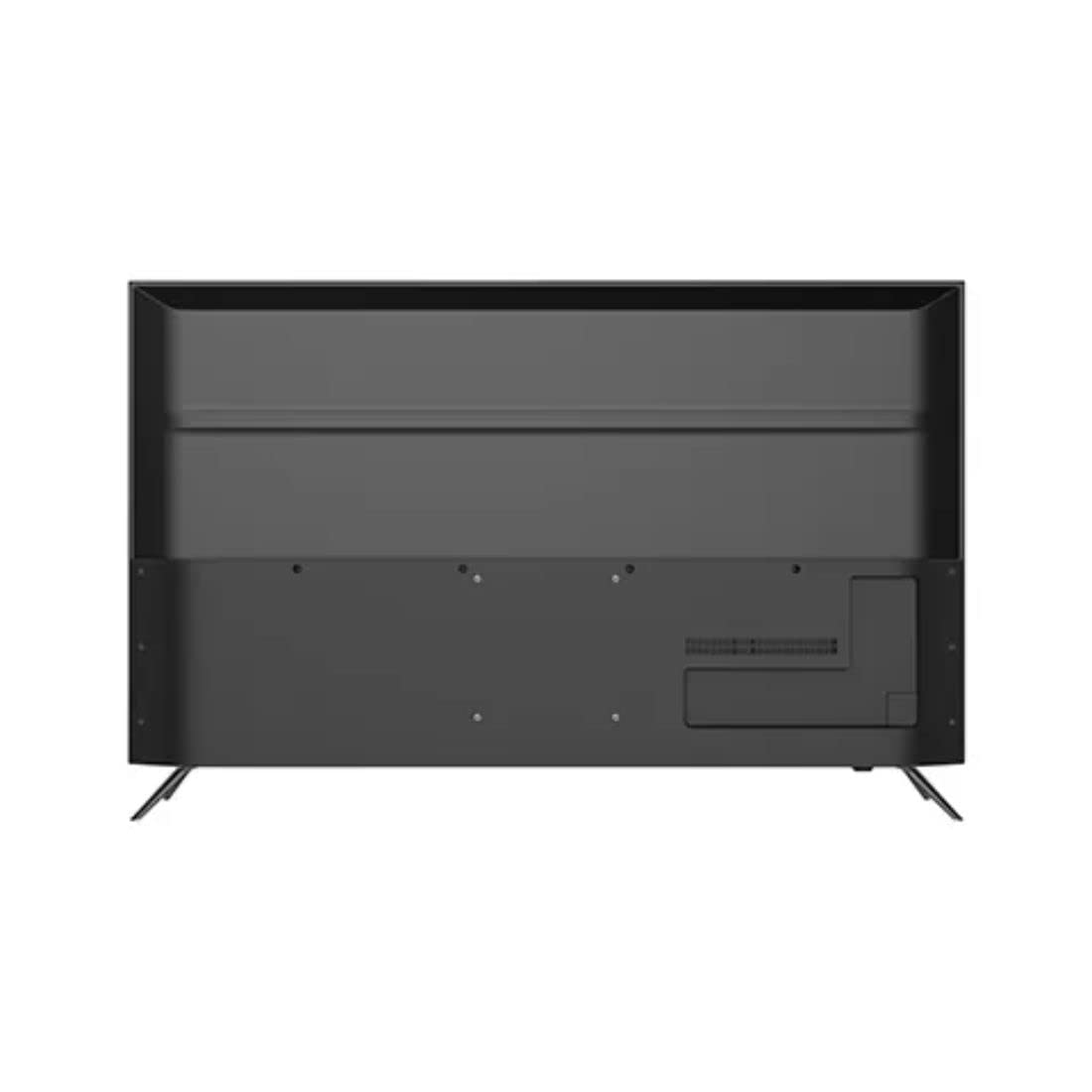
Mynd: Aftan view of the television highlighting various input ports such as HDMI and USB.
- HDMI: Connect HDMI cables from your devices to the HDMI ports on the TV.
- USB: Insert USB storage devices into the USB ports for accessing media files.
- Bluetooth: Use Bluetooth for wireless audio devices or other compatible accessories.
5. Initial Setup (First Power On)
Upon first power-on, the TV will guide you through the initial setup process. This includes selecting your language, connecting to a Wi-Fi network, signing in with your Google account, and configuring basic settings for your Android TV experience.
Operating Your Television
1. Fjarstýring
Insert the two AAA batteries into the remote control, ensuring correct polarity. The remote allows you to navigate the TV's interface, adjust volume, change channels, and access smart features.
2. Kveikt/slökkt
Ýttu á Kraftur button on the remote control or on the TV to turn the television on or off.
3. Android TV viðmót
Your Haier TV runs on Google Android 11, providing access to a wide range of apps and services. Use the directional buttons on your remote to navigate the home screen, select apps, and browse content.

Mynd: Framan view of the television showing the Android TV home screen with applications like YouTube and Netflix.
4. Notkun Google aðstoðarmanns
Press the Google Assistant button on your remote to activate voice commands. You can ask questions, search for content, control smart home devices, and more.
5. Innbyggt Chromecast
With Chromecast built-in, you can cast movies, shows, photos, and more from your smartphone, tablet, or computer directly to your TV. Ensure your device and TV are on the same Wi-Fi network.
6. Mynd- og hljóðstillingar
Access the settings menu to customize picture modes (e.g., Standard, Vivid, Movie), adjust brightness, contrast, color, and sound settings (e.g., sound mode, equalizer).
Viðhald
1. Þrif á skjánum
Þurrkaðu skjáinn varlega með mjúkum, þurrum og lólausum klút. Ef þrjósk blettir eru til staðar skaltu þurrka létt.ampÞurrkið klútinn með vatni eða sérstöku skjáhreinsiefni. Sprautið aldrei vökva beint á skjáinn.
2. Almenn umönnun
Keep the television free from dust by regularly wiping the cabinet with a soft, dry cloth. Avoid placing heavy objects on the TV or exposing it to direct sunlight or extreme temperatures.
Úrræðaleit
Ef þú lendir í vandræðum með sjónvarpið þitt skaltu skoða eftirfarandi algengar lausnir áður en þú hefur samband við þjónustuver.
- Enginn kraftur: Ensure the power cable is securely connected to both the TV and the power outlet. Check if the outlet is functioning by plugging in another device.
- Engin mynd/hljóð: Verify that the correct input source is selected. Check all cable connections (HDMI, etc.) are secure. For no sound, check volume levels and mute settings.
- Fjarstýring virkar ekki: Skiptu um AAA rafhlöður í fjarstýringunni. Gakktu úr skugga um að engar hindranir séu á milli fjarstýringarinnar og innrauða skynjarans í sjónvarpinu.
- Vandamál með nettengingu: Restart your Wi-Fi router. Go to the TV's network settings to reconnect to your Wi-Fi network. Ensure the Wi-Fi password is entered correctly.
- Vandamál með myndgæði: Adjust picture settings (brightness, contrast, sharpness) in the TV's menu. Ensure the input source is providing a high-quality signal.
Tæknilýsing
Below are the key technical specifications for the Haier 43K7700UGA television:
| Eiginleiki | Forskrift |
|---|---|
| Vörumerki | Haier |
| Nafn líkans | 43K7700UGA |
| Skjástærð | 43 tommur (109 sentímetrar) |
| Skjátækni | LED |
| Upplausn | 4K Ultra HD (3840 x 2160 pixlar) |
| Endurnýjunartíðni | 60 Hz |
| Stýrikerfi | Google Certified Android 11 |
| Geymslugeta minni | 1 GB |
| Vélbúnaðarviðmót | HDMI, USB |
| Samtals USB tengi | 2 |
| Tegund tengis | Bluetooth |
| Stydd internetþjónusta | Google aðstoðarmaður |
| Viewí horn | 178 gráður |
| Vörumál (LxBxH) | 95.9 x 23 x 61.7 cm |
| Þyngd hlutar | 7.3 kg |
| Voltage | 230 volt |
| Hvaðtage | 180 Watt |

Mynd: Framan view of the television with key dimensions indicated.
Ábyrgð og stuðningur
Your Haier 43K7700UGA television comes with a 1 ára ábyrgð frá kaupdegi. Vinsamlegast skoðið meðfylgjandi ábyrgðarkort fyrir nánari skilmála.
For technical assistance, troubleshooting not covered in this manual, or warranty claims, please contact Haier customer support. Contact information can typically be found on the warranty card or the official Haier websíða.


