Inngangur
Thank you for choosing the ZEBRONICS Zeb-Rainbow 400 Multimedia Speaker. This manual provides essential information for the proper setup, operation, and maintenance of your speaker system. Please read it carefully before use and retain it for future reference.
Öryggisleiðbeiningar
- Ekki láta tækið verða fyrir rigningu eða raka til að koma í veg fyrir eld eða raflosti.
- Do not open the speaker cabinet. Refer all servicing to qualified personnel.
- Tryggið góða loftræstingu í kringum tækið. Ekki loka neinum loftræstiopum.
- Verndaðu rafmagnssnúruna gegn því að gengið sé á hana eða hún klemmi hana.
- Taktu tækið úr sambandi í eldingum eða þegar það er ónotað í langan tíma.
- Keep the product away from direct sunlight, heat sources, and strong magnetic fields.
Innihald pakka
Vinsamlegast hakaðu við reitinn fyrir eftirfarandi atriði:
- Bassahátalari
- Gervihnattahátalarar (4 einingar)
- Fjarstýring
- Hljóðinntakssnúra (3.5 mm í RCA)
- Notendahandbók
Vara lokiðview
The ZEBRONICS Zeb-Rainbow 400 is a 4.1 channel multimedia speaker system designed for versatile audio playback. It features multiple connectivity options including Bluetooth, AUX, USB, and FM radio. The system includes a powerful subwoofer and four satellite speakers for an immersive audio experience, complemented by integrated RGB lighting.
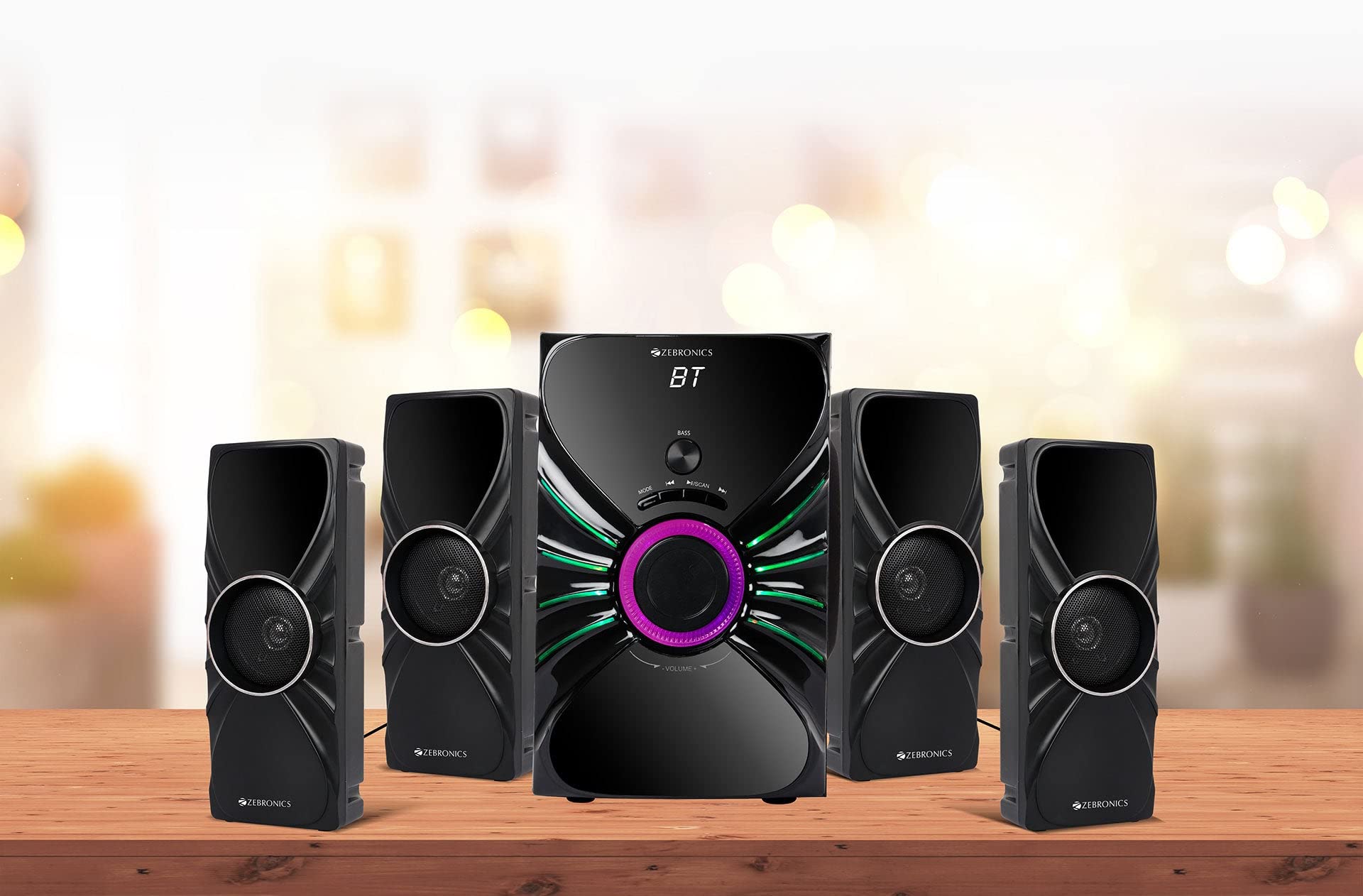
Image: The complete ZEBRONICS Zeb-Rainbow 400 multimedia speaker system, showing the subwoofer, four satellite speakers, and remote control.
Uppsetning
1. Upptaka
Fjarlægið alla íhluti varlega úr umbúðunum. Geymið umbúðaefnið til síðari flutnings eða geymslu.
2. Staðsetning hátalara
Place the subwoofer on a stable, flat surface, preferably on the floor for optimal bass response. Position the four satellite speakers around your listening area for a balanced sound field. Ensure adequate space for ventilation.

Image: A visual representation of the 4.1 speaker setup, illustrating the subwoofer and four satellite speakers.
3. Connecting Satellite Speakers
Connect each of the four satellite speakers to the corresponding output ports on the rear panel of the subwoofer unit. Ensure the connections are secure.
4. Tenging hljóðgjafa
- AUX inntak: Use the provided 3.5mm to RCA cable to connect your audio device (e.g., smartphone, tablet, PC) to the AUX input ports on the subwoofer.
- USB inntak: Settu inn USB-lykil sem inniheldur MP3 hljóð files into the USB port on the subwoofer.
5. Rafmagnstenging
Connect the power cable to the subwoofer unit and then plug it into a standard AC power outlet.
Notkunarleiðbeiningar
1. Kveikt/slökkt
Press the Power button on the front panel of the subwoofer or on the remote control to turn the speaker system on or off.
2. Val á stillingum
Press the 'MODE' button on the front panel or remote control to cycle through the available input modes: Bluetooth (BT), AUX, USB, and FM Radio.

Image: Close-up of the subwoofer's front panel, showing the control buttons (Mode, Play/Pause, Next/Previous, Bass, Volume) and the integrated RGB lighting.
3. Hljóðstyrkur
Rotate the 'VOLUME' knob on the front panel of the subwoofer or use the Volume Up/Down buttons on the remote control to adjust the overall sound level. The 'BASS' knob can be used to adjust the bass intensity.
4. Bluetooth-stilling
- Switch the speaker to Bluetooth mode using the 'MODE' button. The display will show 'BT'.
- Virkjaðu Bluetooth í snjalltækinu þínu eða tölvunni.
- Leitaðu að available devices and select "Zeb-Rainbow 400" to pair.
- Once paired, you can play audio from your device through the speakers.
5. AUX ham
Connect your audio source using the 3.5mm to RCA cable. Switch the speaker to AUX mode. Audio from your connected device will play automatically.
6. USB-stilling
Insert a USB flash drive into the USB port. The speaker will automatically switch to USB mode and begin playing MP3 files from the drive. Use the Play/Pause, Next, and Previous buttons to control playback.
7. FM útvarpsstilling
- Skiptu hátalaranum í FM-stillingu.
- Press and hold the 'SCAN' button (often combined with Play/Pause) to automatically scan and save available FM stations.
- Notaðu Næsta/Fyrri hnappana til að fletta í gegnum vistaðar stöðvarnar.
8. Fjarstýring
The included remote control provides full functionality for power, mode selection, volume, track control, and FM station tuning. Ensure the remote has working batteries and is pointed towards the subwoofer's sensor.

Image: The ZEBRONICS Zeb-Rainbow 400 subwoofer unit shown with its remote control, highlighting the main controls.
9. RGB ljós
The subwoofer features integrated RGB lights. These lights typically cycle through various colors and patterns automatically. Refer to the remote control for any specific buttons to change light modes, if available.
Viðhald
1. Þrif
Þurrkið yfirborð hátalaranna með mjúkum, þurrum klút. Notið ekki slípiefni, vax eða leysiefni þar sem þau geta skemmt áferðina. Forðist að úða vökva beint á hátalarana.
2. Geymsla
Ef hátalararnir eru geymdir í langan tíma skal taka þá úr sambandi við rafmagn og geyma þá á köldum, þurrum stað, fjarri beinu sólarljósi og miklum hita.
Úrræðaleit
| Vandamál | Möguleg orsök | Lausn |
|---|---|---|
| Enginn kraftur | Power cable not connected; Power outlet faulty; Unit switched off | Ensure power cable is securely connected. Check power outlet with another device. Press the Power button. |
| Ekkert hljóð | Volume too low; Incorrect input mode; Audio cable loose/faulty; Device volume low | Increase volume. Select correct input mode. Check audio cable connections. Increase volume on connected device. |
| Bluetooth tengist ekki | Speaker not in BT mode; Device not in pairing mode; Interference | Switch speaker to BT mode. Ensure device Bluetooth is on and searching. Move devices closer. Restart both devices. |
| Fjarstýring virkar ekki | Batteries depleted; Obstruction; Remote not pointed at sensor | Replace batteries. Remove any obstructions. Point remote directly at the subwoofer's IR sensor. |
| Léleg FM móttaka | Weak signal; Antenna position | Adjust the position of the FM antenna. Rescan for stations. |
Tæknilýsing
| Eiginleiki | Forskrift |
|---|---|
| Vörumerki | SJÁLFRÆÐI |
| Gerðarnúmer | Zeb Rainbow 400 |
| Vörumál (LxBxH) | 21 x 39 x 32 sentimetrar |
| Þyngd hlutar | 9 kg 350 g |
| Tengitækni | Hjálpartæki, Bluetooth, USB, þráðlaust |
| Aflgjafi | AC |
| Samhæf tæki | Snjallsími, spjaldtölva |
| Stærð drifs fyrir subwoofer | 16.51 cm |

Image: A visual highlighting the 16.51 cm subwoofer drive of the ZEBRONICS Zeb-Rainbow 400.
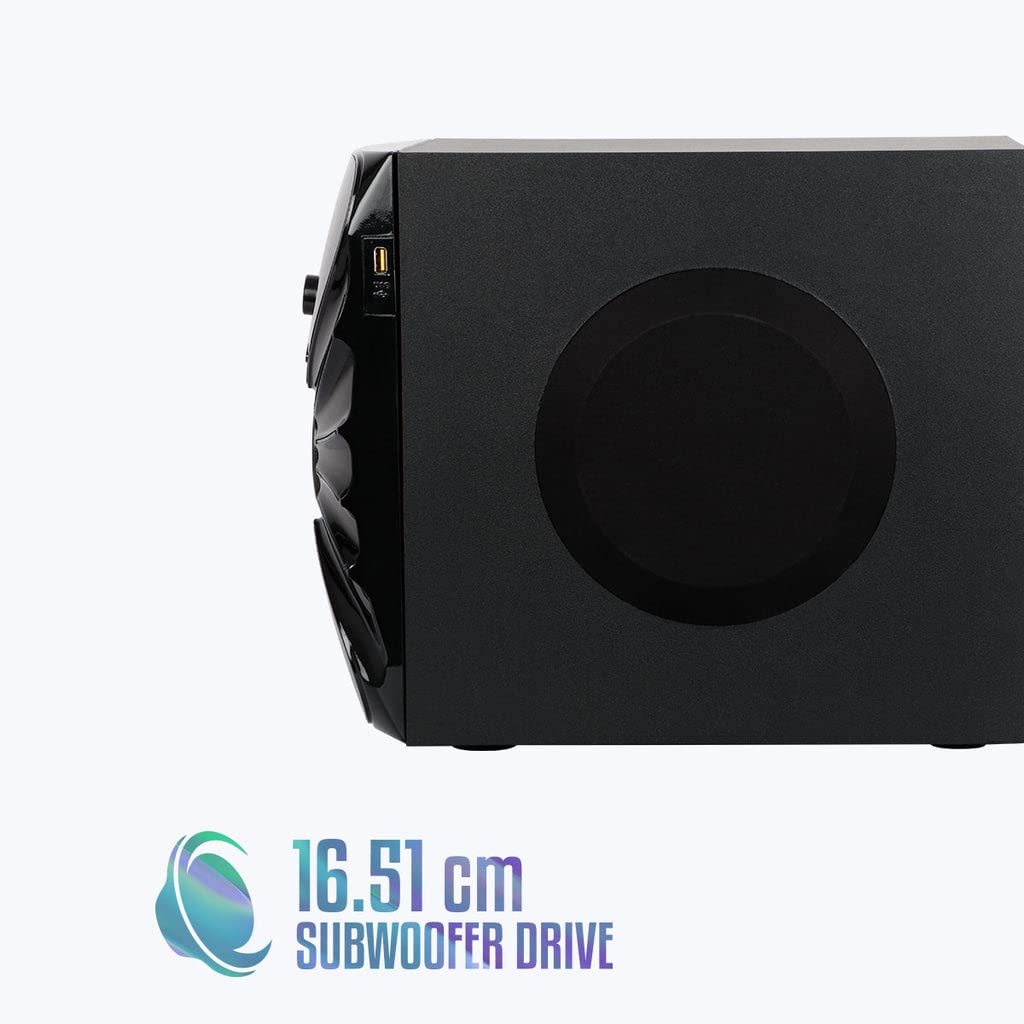
Mynd: Hlið view of the ZEBRONICS Zeb-Rainbow 400 subwoofer, showing the USB port and overall dimensions.
Ábyrgð og stuðningur
This product comes with a minimum six-month seller warranty. For any issues or support, please contact your seller or refer to the official ZEBRONICS support channels. Keep your purchase receipt for warranty claims.


