Inngangur
Welcome to the user manual for your new TECLAST F16 Plus 15.6-inch Laptop. This guide provides essential information to help you set up, operate, maintain, and troubleshoot your device. Please read this manual carefully to ensure proper use and to maximize the performance and lifespan of your laptop.
Uppsetning
Unbox og upphafsuppsetning
Carefully remove the laptop and all accessories from the packaging. Ensure all components are present: the TECLAST F16 Plus laptop, power adapter, and this user manual. Connect the power adapter to the laptop's charging port and then to a power outlet. Allow the laptop to charge for at least 30 minutes before its first use.
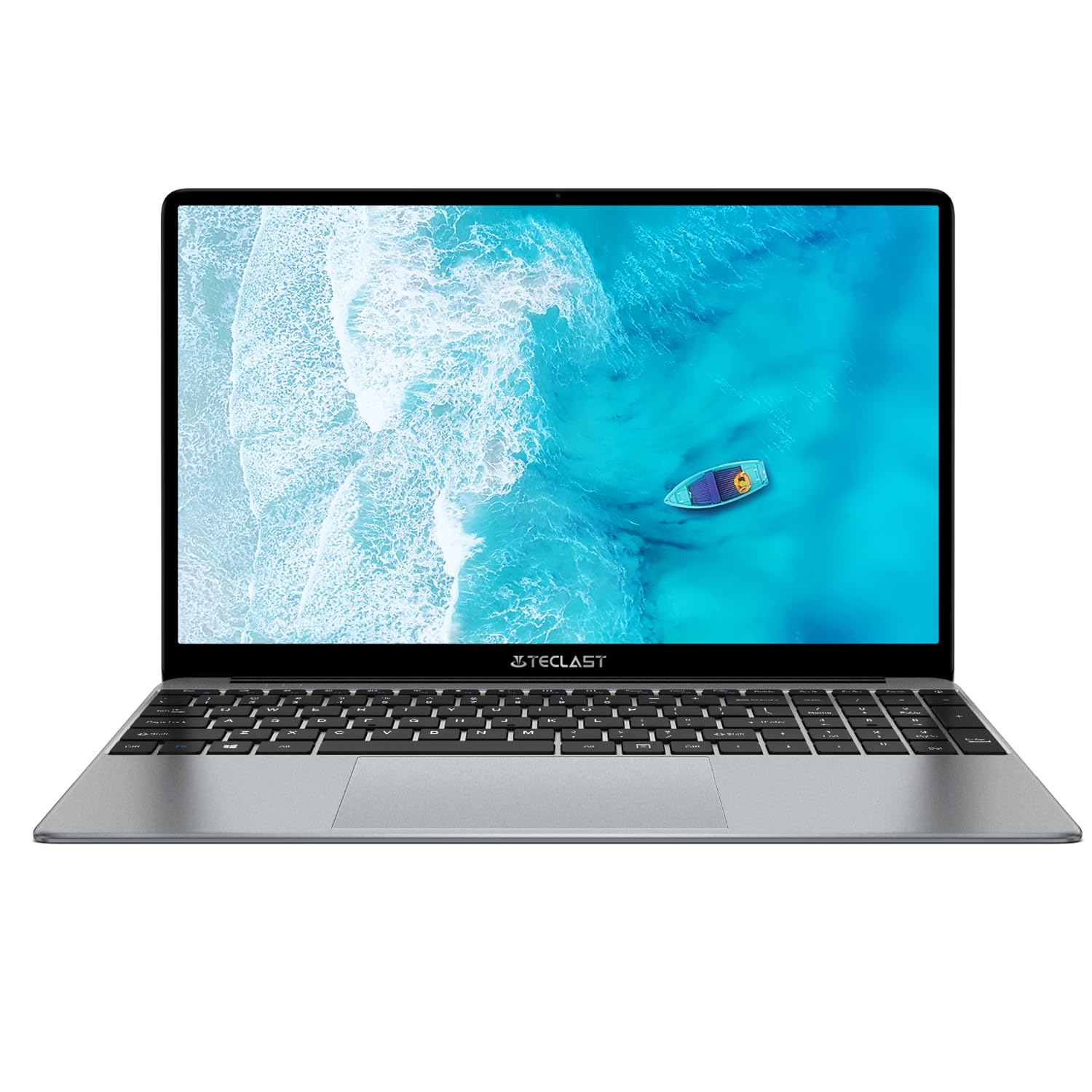
Image: The TECLAST F16 Plus laptop, showcasing its sleek design and 15.6-inch display with the Windows 11 operating system interface.
Kveikt/slökkt
- Til að kveikja á: Press and hold the power button located on the top right of the keyboard until the screen illuminates.
- Til að leggja niður: Click the Start button in Windows 11, then select the Power icon, and choose 'Shut down'.
- Til að endurræsa: Click the Start button, select the Power icon, and choose 'Restart'.
Að tengja jaðartæki
Your TECLAST F16 Plus laptop is equipped with multiple ports for connecting external devices. Insert USB devices such as mice, keyboards, or external storage drives into the available USB ports. For external displays, use the appropriate video output port (e.g., HDMI) if available, and configure display settings in Windows.
Í rekstri
Lyklaborð og snertiborð
The laptop features a full-sized keyboard and a responsive touchpad. Use the touchpad for navigation and gestures. Many function keys (F1-F12) have secondary functions, activated by pressing the 'Fn' key simultaneously. For example, 'Fn + F5' may control keyboard backlighting.
Skjárstillingar
Adjust screen brightness using the dedicated function keys (often Fn + F5/F6 or similar). To change display resolution or scaling, right-click on the desktop, select 'Display settings', and make your adjustments.
Hljóðstillingar
Control volume using the dedicated function keys (often Fn + F2/F3 or similar) or through the sound icon in the Windows taskbar. Connect headphones or external speakers to the audio jack for private listening or enhanced sound.
Nettenging
To connect to Wi-Fi, click the network icon in the taskbar, select your desired network, enter the password, and click 'Connect'. Bluetooth devices can be paired via 'Settings > Bluetooth & devices'.
Grunnatriði Windows 11
Your laptop runs on Windows 11. Familiarize yourself with the Start menu, taskbar, and File Explorer for efficient navigation and file management. Regular Windows updates are crucial for security and performance.
Viðhald
Þrif á fartölvunni
Notaðu mjúkan, lólausan klút örlítið dampened with water or a screen cleaner to clean the display. For the keyboard and chassis, use a soft brush or compressed air to remove dust. Avoid harsh chemicals or abrasive materials.
Umhirða rafhlöðu
Til að lengja endingu rafhlöðunnar skaltu forðast að tæma hana alveg oft. Mælt er með að halda rafhlöðuhleðslunni á milli 20% og 80% ef mögulegt er. Geymið fartölvuna á köldum, þurrum stað þegar hún er ekki í notkun í langan tíma.
Hugbúnaðaruppfærslur
Regularly check for and install Windows updates and driver updates to ensure your system has the latest security patches and performance enhancements. This can be done through 'Settings > Windows Update'.
Geymslustjórnun
The 256GB SSD provides fast storage. To maintain optimal performance, regularly delete unnecessary files, empty the recycle bin, and consider using cloud storage for large files to free up local space.
Úrræðaleit
Algeng vandamál og lausnir
- Tölvan kveikir ekki á sér: Ensure the power adapter is securely connected and the battery has sufficient charge. Try holding the power button for 15-20 seconds for a hard reset.
- Engin birting á skjánum: Connect an external monitor to check if the issue is with the laptop's display. Ensure brightness is not set to minimum.
- Þráðlaust net tengist ekki: Check if Wi-Fi is enabled in Windows settings. Restart your router and the laptop. Verify the Wi-Fi password.
- Hæg frammistaða: Close unnecessary applications. Check for background processes in Task Manager. Ensure sufficient free storage space.
- USB tæki þekkjast ekki: Try connecting the device to a different USB port. Ensure device drivers are installed. Restart the laptop.
If you encounter persistent issues not covered here, please refer to the support section for further assistance.
Tæknilýsing
Tæknilegar upplýsingar
| Eiginleiki | Smáatriði |
| Vörumerki | TECLAST |
| Fyrirmynd | F16 Plús |
| Skjástærð | 15.6 tommur |
| Örgjörvi | Intel Celeron N (4 Cores) |
| vinnsluminni | 12 GB |
| Geymsla | 256 GB SSD |
| Stýrikerfi | Windows |
| Litur | New Gray |
| Samsetning rafhlöðu | Litíum-fjölliða |
| Inntak Interface | Lyklaborð |
| Stærðir pakka | 50.79 x 29.2 x 7.9 cm |
| Þyngd pakka | 2.62 kíló |
Ábyrgð og stuðningur
Your TECLAST F16 Plus laptop comes with a standard manufacturer's warranty. Please refer to the warranty card included in your product packaging for specific terms and conditions. For technical support, driver downloads, or service inquiries, visit the official TECLAST webvefsíðu eða hafðu samband við þjónustuver þeirra. Hafðu kaupkvittunina og raðnúmer vörunnar við höndina þegar þú leitar aðstoðar.


