1. Inngangur
Þakka þér fyrir kaupinasing the Emerson EDS-1200 Portable Bluetooth Party Speaker. This manual provides essential information for the safe and efficient operation of your device. Please read it thoroughly before use and retain it for future reference.

Mynd 1: Framan view of the Emerson EDS-1200 speaker with microphone and remote.
2. Hvað er í kassanum
- Emerson EDS-1200 flytjanlegur Bluetooth veisluhátalari
- Wired hljóðnemi
- Fjarstýring
- UL straumbreytir
- Notendahandbók (þetta skjal)
3. Vöru lokiðview & Lögun
The Emerson EDS-1200 is designed for versatile audio playback and entertainment. Key features include:
- 12" Full-Frequency Speaker: Delivers powerful sound with deep bass and clear highs.
- Þráðlaus Bluetooth tækni: Seamlessly stream audio from compatible devices.
- Vibrant LED Lighting: Multicolor LED lights that pulse with the music, enhancing atmosphere.
- TWS virka: Pair with another TWS-enabled speaker for true stereo sound.
- Innbyggð endurhlaðanleg rafhlaða: Provides portable power for extended playtime.
- Hljóðnemi með snúru fylgir: Ideal for karaoke, speeches, or announcements.
- Fjölhæfur fjölmiðlaspilun: Supports USB, TF card, and AUX inputs.
- FM útvarp: Built-in tuner for local radio stations.
- Færanleg hönnun: Integrated carry handle and wheels for easy transport.
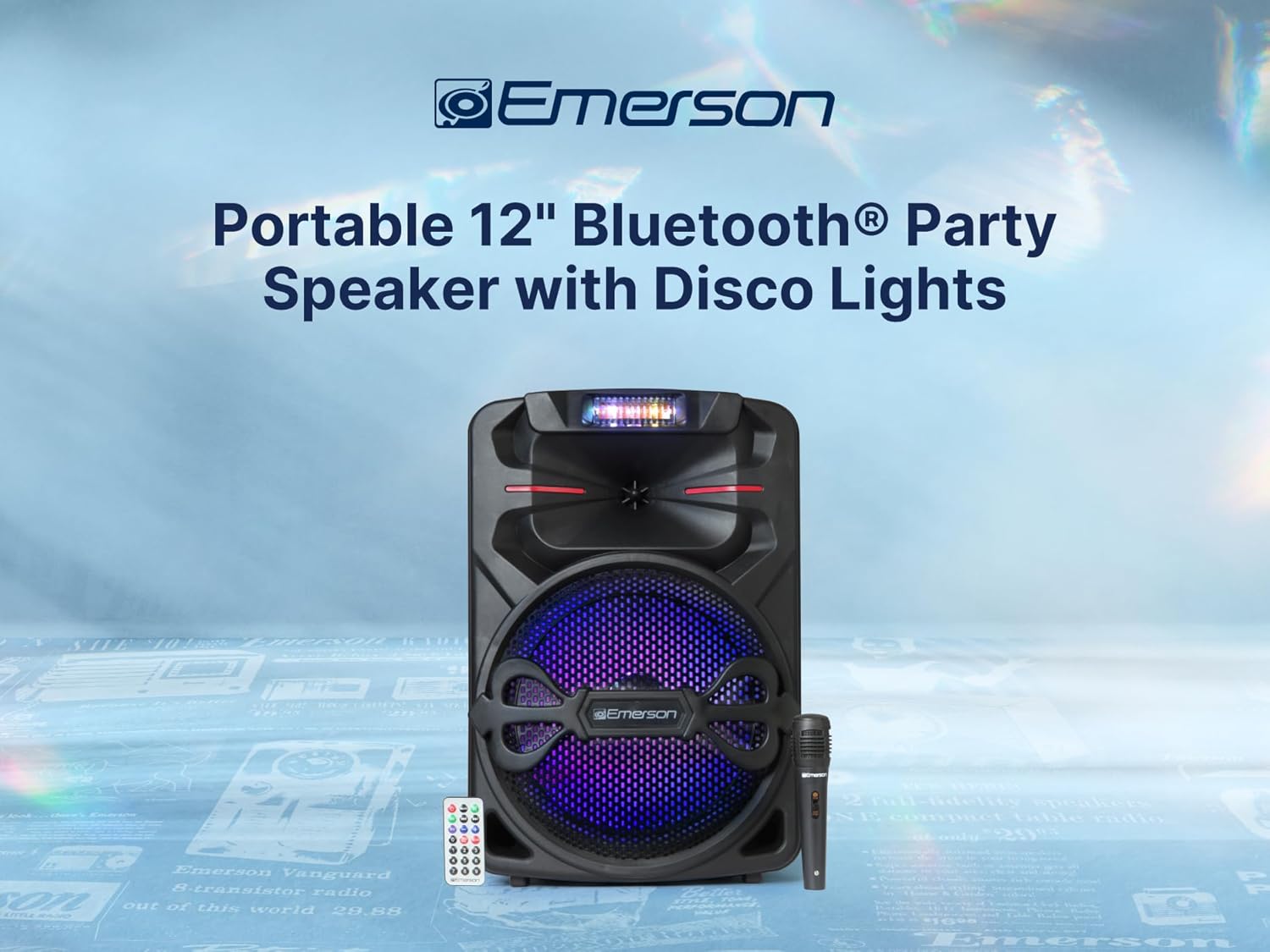
Mynd 2: Framan view ræðumannsins, sýningasing the 12-inch full-frequency driver.

Mynd 3: Hlið view of the speaker, illustrating its compact and portable design.
4. Uppsetning
4.1 Hleðsla rafhlöðunnar
- Connect the UL Power Adapter to the DC 9V input port on the speaker's control panel.
- Settu millistykkið í venjulegt innstungu.
- The "CHARGE LED" indicator will illuminate during charging. It will change color or turn off when fully charged.
4.2 Kveikt/slökkt
Locate the "POWER" switch on the control panel. Flip it to the "ON" position to power on the speaker, and to "OFF" to power it down.
4.3 Tenging hljóðnemans
Insert the wired microphone's plug into the "MIC IN" port on the control panel. Ensure the microphone's on/off switch is in the "ON" position when in use.

Figure 4: The included wired microphone for karaoke and announcements.
5. Notkunarleiðbeiningar
5.1 Stjórnborð yfirview
The top panel of the speaker features various controls and inputs:
- LED skjár: Sýnir núverandi stillingu, upplýsingar um lag og stöðu rafhlöðunnar.
- Hnappur fyrir ham: Cycles through input modes (Bluetooth, FM, USB, TF, AUX).
- Hljóðstyrkur: Stillir aðalstyrk.
- Bass/Treble Knobs: Stillir bassa og diskant.
- Bergmálshnappur: Stillir endurómsáhrif hljóðnemans.
- Hljóðstyrkstakki fyrir hljóðnema: Stillir hljóðstyrk hljóðnema.
- USB/TF kortaraufar: Fyrir spilun margmiðlunar.
- AUX inn: 3.5 mm inntak fyrir utanaðkomandi hljóðtæki.
- LED-SW (Light Switch): Toggles the LED disco lights.
Video 1: A 360-degree product overview of the Emerson EDS-1200 speaker, showcasing its design and control panel.
5.2 Bluetooth pörun
- Power on the speaker. The LED display will show "BLUE" or similar, indicating Bluetooth mode. If not, press the "MODE" button until Bluetooth mode is selected.
- Virkjaðu Bluetooth í snjallsímanum þínum, spjaldtölvunni eða öðru tæki.
- Leitaðu að "Emerson EDS-1200" (or similar name) in your device's Bluetooth list and select it to pair.
- Once paired, the speaker will emit an audible confirmation, and you can begin streaming audio.

Figure 5: Seamless music streaming via Bluetooth wireless technology.
5.3 TWS (Sannur þráðlaus stereó) virkni
To achieve true stereo sound, you can pair two EDS-1200 speakers together:
- Ensure both EDS-1200 speakers are powered on and in Bluetooth mode.
- On one speaker (this will be the master), press and hold the "TWS" button (or a similar button indicated in the manual, if available, otherwise assume it's part of the mode button functionality or automatic pairing).
- The speakers will attempt to pair with each other. A confirmation tone will sound once connected.
- Now, connect your Bluetooth device to the master speaker as described in section 5.2. Audio will play in stereo across both speakers.

Figure 6: Two speakers paired using TWS function for expanded sound coverage.
5.4 Spilun með USB/TF korti
- Settu inn USB-lykil eða TF-kort (Micro SD) sem inniheldur MP3-hljóð. files í viðeigandi rauf á stjórnborðinu.
- The speaker will automatically switch to USB/TF mode and begin playback. If not, press the "MODE" button to select the correct input.
- Use the "PREV" and "NEXT" buttons to skip tracks, and the "PLAY/PAUSE" button to control playback.

Figure 7: USB input for playing stored music files.
5.5 FM útvarp
- Ýttu á "MODE" hnappinn til að skipta yfir í FM útvarpsstillingu.
- Press and hold the "PLAY/PAUSE" button to automatically scan and save available FM stations.
- Use the "PREV" and "NEXT" buttons to navigate through the saved stations.

Figure 8: Enjoying local radio stations with the built-in FM tuner.
5.6 AUX inntak
Connect an external audio device (e.g., MP3 player, laptop) to the "AUX IN" port using a 3.5mm audio cable. The speaker will automatically switch to AUX mode, or you may need to select it using the "MODE" button.
5.7 LED Disco Lights
Toggle the "LED-SW" switch on the control panel to turn the vibrant multicolor LED lights on or off. The lights will pulse with the rhythm of the music.

Figure 9: Dynamic LED lighting effects that dance along with the music.
6. Tæknilýsing
| Eiginleiki | Lýsing |
|---|---|
| Gerðarnúmer | EDS-1200 |
| Vörumerki | Emerson |
| Gerð uppsetningar | Gólf standandi |
| Aflgjafi | Rafmagn með snúru, rafhlöðuknúið |
| Tegund tengis | Aux |
| Efni | Plast |
| Þyngd hlutar | 6.5 pund |
| Fjöldi rása | 2 |
| Hljóðinntak | Bluetooth, AUX, USB, SD Card |
| Vörumál (L x B x H) | 13.19 x 18.9 x 11.02 tommur |
| Tengitækni | AUX, Bluetooth, USB |
| Litur | Svartur |
| Samhæf tæki | Headset, Laptop, MP3 Player, Smartphone, Tablet |

Figure 10: Dimensions and weight of the Emerson EDS-1200 speaker.
7. Viðhald
- Þrif: Notið mjúkan, þurran klút til að þrífa ytra byrði hátalarans. Notið ekki slípiefni eða leysiefni.
- Geymsla: Geymið hátalarann á köldum, þurrum stað fjarri beinu sólarljósi og miklum hita.
- Umhirða rafhlöðu: To prolong battery life, fully charge the speaker before long periods of storage and recharge it every 3-6 months.
- Forðastu vatn: This speaker is not waterproof. Keep it away from water and excessive moisture.
8. Bilanagreining
- Enginn kraftur: Ensure the speaker is charged or connected to the power adapter. Check the power switch.
- Ekkert hljóð: Check the volume levels on both the speaker and your connected device. Ensure the correct input mode is selected.
- Bluetooth pörunarvandamál: Make sure the speaker is in Bluetooth mode and your device's Bluetooth is enabled. Try unpairing and re-pairing the device. Ensure no other devices are connected to the speaker.
- Hljóðnemi virkar ekki: Check if the microphone is properly plugged into the "MIC IN" port and its on/off switch is in the "ON" position. Adjust the "MIC VOL" knob.
- LED ljós virka ekki: Ensure the "LED-SW" switch is in the "ON" position.
9. Ábyrgð og stuðningur
For warranty information and technical support, please refer to the documentation included with your purchase or visit the official Emerson webGeymið kaupkvittunina vegna ábyrgðarkröfu.


