1. Samhæfni
This ESR Ascend Keyboard Case is specifically designed for the following iPad models:
- iPad Pro 13 tommu (M5, 2025): Models A3360, A3361, A3362
- iPad Pro 13 tommu (M4, 2024): Models A2925, A2926, A3007
Note: This keyboard case is NOT compatible with iPad Pro 12.9-inch (6th/5th/4th/3rd Gen) or any other iPad models.

Image: Compatibility chart for ESR Ascend Keyboard Case, highlighting supported iPad Pro 13-inch models and explicitly stating incompatibility with iPad Pro 12.9-inch models.
2. Uppsetningarleiðbeiningar
2.1 Innihald pakka
- ESR Ascend Keyboard Case (Bluetooth Keyboard with integrated trackpad and detachable back case)
- USB-C hleðslusnúra
- Notendahandbók
Video: "How to use" - This video demonstrates the unboxing, attachment of the iPad to the case, and the Bluetooth pairing process for the ESR Ascend Keyboard Case.
2.2 Tenging við iPad-inn þinn
- Carefully align your iPad Pro 13-inch with the protective back case.
- Gently press the iPad into the case until it securely snaps into place. The magnetic design ensures a firm hold.
- Ensure the camera cutouts and port openings align correctly with your iPad.

Image: A hand attaching an iPad to the magnetic back case of the ESR Ascend Keyboard Case, demonstrating the secure fit.
2.3 Bluetooth pörun
- Turn on the keyboard using the power switch, usually located on the side or top edge of the keyboard.
- Á iPad-inu þínu, farðu á Stillingar > Bluetooth.
- Ensure Bluetooth is toggled On.
- The iPad will search for nearby Bluetooth devices. Select "ESR Keyboard" from the list of "Other Devices".
- If prompted, confirm the pairing code on both your iPad and the keyboard.
- Þegar lyklaborðið er tengt er það tilbúið til notkunar.
3. Notkunarleiðbeiningar
3.1 Adjustable Stand & Viewing Mode
The case features a fully adjustable stand, allowing you to find the optimal viewing angle for any task. It supports both portrait and landscape orientations.
- Landslagsstilling: Position the iPad horizontally for typing, browsing, or watching videos. The stand offers a 15°-180° range of adjustment.
- Andlitsmyndastilling: Detach the iPad from the keyboard base and reattach it vertically to the magnetic stand for document editing or reading.

Image: The adjustable stand of the ESR Ascend Keyboard Case, illustrating the 15°-180° viewing angle range in landscape orientation.

Image: Demonstrates the versatility of the ESR Ascend Keyboard Case, allowing users to switch between typing in landscape mode and browsing in portrait mode.
3.2 Notkun lyklaborðsins
- Baklýstir lyklar: The keyboard features customizable backlit keys with 7 colors and 3 brightness levels. Press Fn + Enter to change colors and Fn + Hægri Shift til að stilla birtustig.
- Flýtivísar: Utilize the full row of function keys for quick access to iPadOS features.

Image: The keyboard's backlit keys are shown in use, providing visibility for typing in various lighting conditions.
3.3 fjölsnertisknúra
The precision multi-touch trackpad supports various iPadOS gestures for enhanced productivity. Ensure your iPadOS is version 13.4 or later for full functionality.
- Smelltu: Single tap or press.
- Skrunaðu: Two-finger swipe up or down.
- Aðdráttur: Pinch with two fingers.
- Farðu heim: Swipe up with three fingers.

Image: A user interacting with the multi-touch trackpad, illustrating various gestures like clicking, scrolling, and zooming.
3.4 Detachable Magnetic Back Case
The iPad is held in place by a magnetic back case, allowing for quick transitions between a workstation and a mobile tablet. The case provides protection even when detached from the keyboard.

Image: The detachable magnetic back case is shown protecting the iPad, emphasizing its adaptive protection feature.
3.5" Apple blýantshaldari
The case includes a secure magnetic clasp to protect and store your Apple Pencil.

Image: A close-up of the magnetic clasp on the ESR Ascend Keyboard Case, designed to securely hold and protect an Apple Pencil.
4. Viðhald
- Þrif: Notaðu mjúkan, damp cloth to wipe down the keyboard and case. Avoid harsh chemicals or abrasive materials.
- Hleðsla: Charge the keyboard using the provided USB-C cable. A full charge provides approximately 1 year of standby time, 3 months of daytime use (backlit keys off), or 1 week of nighttime use (backlit keys on for 2 hours a day).
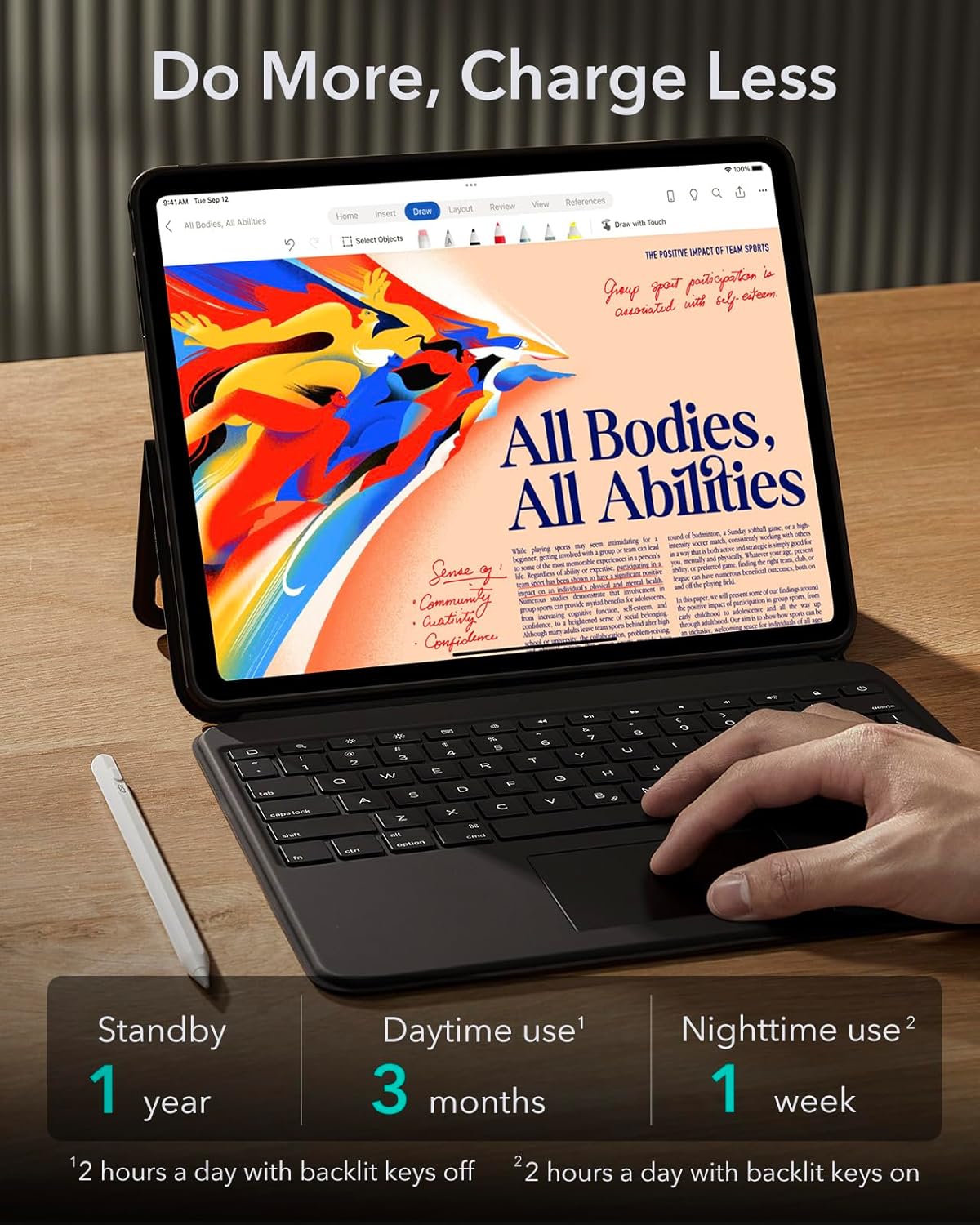
Image: Illustrates the extended battery life of the ESR Ascend Keyboard Case, with estimates for standby, daytime, and nighttime usage.
5. Bilanagreining
- Lyklaborð tengist ekki: Ensure the keyboard is powered on and Bluetooth is enabled on your iPad. Re-attempt the pairing process.
- Rekstrarflöturinn svarar ekki: Verify your iPadOS version is 13.4 or later. Try toggling Bluetooth off and on, then reconnecting the keyboard.
- Incorrect size/fit issues: Double-check your iPad model number against the compatibility list in Section 1. If the case does not fit, it may be the wrong model for your device.
Video: "Wrong size/Doesn't fit/Wrong Purchase" - This video provides guidance on what to do if you encounter issues with the case size or fit, or if you received the wrong product.
6. Tæknilýsing
| Eiginleiki | Smáatriði |
|---|---|
| Gerðarnúmer | 6B005 |
| Samhæf tæki | iPad Pro 13-inch (M5/M4, 2025/2024) |
| Tengitækni | Bluetooth |
| Lýsing á lyklaborði | Baklýsing |
| Litastuðningur fyrir baklýsingu lyklaborðs | Single Color (7 colors available) |
| Birtustig | 3 |
| Sérstakir eiginleikar | Magnetic Detachable Keyboard, Multi-touch Trackpad, Fully Adjustable Stand (15°-180°), Portrait/Landscape Viewing, Apple Pencil Holder |
| Efni | Aluminum, Polycarbonate, Polyurethane (PU) |
| Þyngd hlutar | 2.42 pund |
| Stærðir pakka | 12.8 x 9.69 x 1.14 tommur |
7. Ábyrgð
ESR offers an upgraded 24-month warranty for this product. To register your product and activate your warranty, please visit the ESR website or scan the QR code provided in the packaging.
8. Þjónustudeild
For any inquiries, technical support, model exchanges, or compatibility concerns, please contact ESR Customer Service.
- Tölvupóstur: support@esrgear.com
- Websíða: Visit the official ESR support websíðu fyrir algengar spurningar og frekari aðstoð.
You can also access product support directly through your Amazon Orders page:
- Go to your Amazon Orders page.
- Select "Get Product Support" for your ESR Ascend Keyboard Case.
- Click on "Contact the Manufacturer" and then "Visit the ESR Support Website" or use the provided email.


