1. Inngangur
This manual provides essential information for the safe and efficient use of your Epson EW-456A Colorio A4 Inkjet Multifunction Printer. Please read this manual thoroughly before using the product and keep it for future reference.

Mynd 1: Framan view of the Epson EW-456A printer with paper loaded in the output tray.
Vara lokiðview
The Epson EW-456A is a compact A4 inkjet multifunction device offering print, copy, and scan functionalities. It features Wi-Fi connectivity, automatic duplex printing, and uses four independent ink cartridges for economical operation. This model is designed for ease of use in home or small office environments.
2. Uppsetning
2.1 Úrpakkning og upphafleg staðsetning
Takið prentarann varlega úr umbúðunum. Gangið úr skugga um að öll hlífðarteip og umbúðaefni séu fjarlægð af ytra byrði prentarans og innra byrði hans. Setjið prentarann á stöðugt, slétt yfirborð með nægilegu rými í kringum hann fyrir loftræstingu og notkun.
2.2 Rafmagnið tengt
- Connect the power cord to the power input port on the rear of the printer.
- Stingdu hinum enda rafmagnssnúrunnar í innstungu.
- Ýttu á rofann til að kveikja á prentaranum.

Mynd 2: Aftan view of the printer, indicating power and USB connection points.
2.3 Að setja upp blekhylki
The Epson EW-456A uses four independent ink cartridges (Black, Yellow, Magenta, Cyan). Follow the on-screen instructions on the printer's LCD panel to install the cartridges. Ensure each cartridge clicks into place securely.

Figure 3: Independent ink cartridges for the EW-456A, showing individual replacement capability.
2.4 Að hlaða pappír
Open the paper support and load paper into the rear paper feeder. Adjust the paper guides to fit the width of the paper. The printer supports various paper types and sizes, including A4 plain paper, glossy photo paper, and envelopes.
2.5 Uppsetning hugbúnaðar og tenging
Install the printer software from the included software disc or download the latest drivers from the official Epson website. For wireless connectivity, follow the instructions on the printer's 1.44-inch color LCD panel to connect to your Wi-Fi network. You can also connect via USB or use the Epson Smart Panel app for smartphone setup and operation.

Figure 4: Smartphone integration with the Epson Smart Panel app for easy printing.
3. Notkunarleiðbeiningar
3.1 Grunnprentun
To print from a computer, select the Epson EW-456A as your printer in your application's print dialog. Adjust settings such as paper size, print quality, and duplex printing as needed. For smartphone printing, use the Epson Smart Panel app.
3.2 Afrita skjöl
Place the document face-down on the scanner glass. Use the printer's control panel and the 1.44-inch color LCD to select the copy function. Adjust settings like number of copies, paper size, and color/monochrome, then press the Start button.
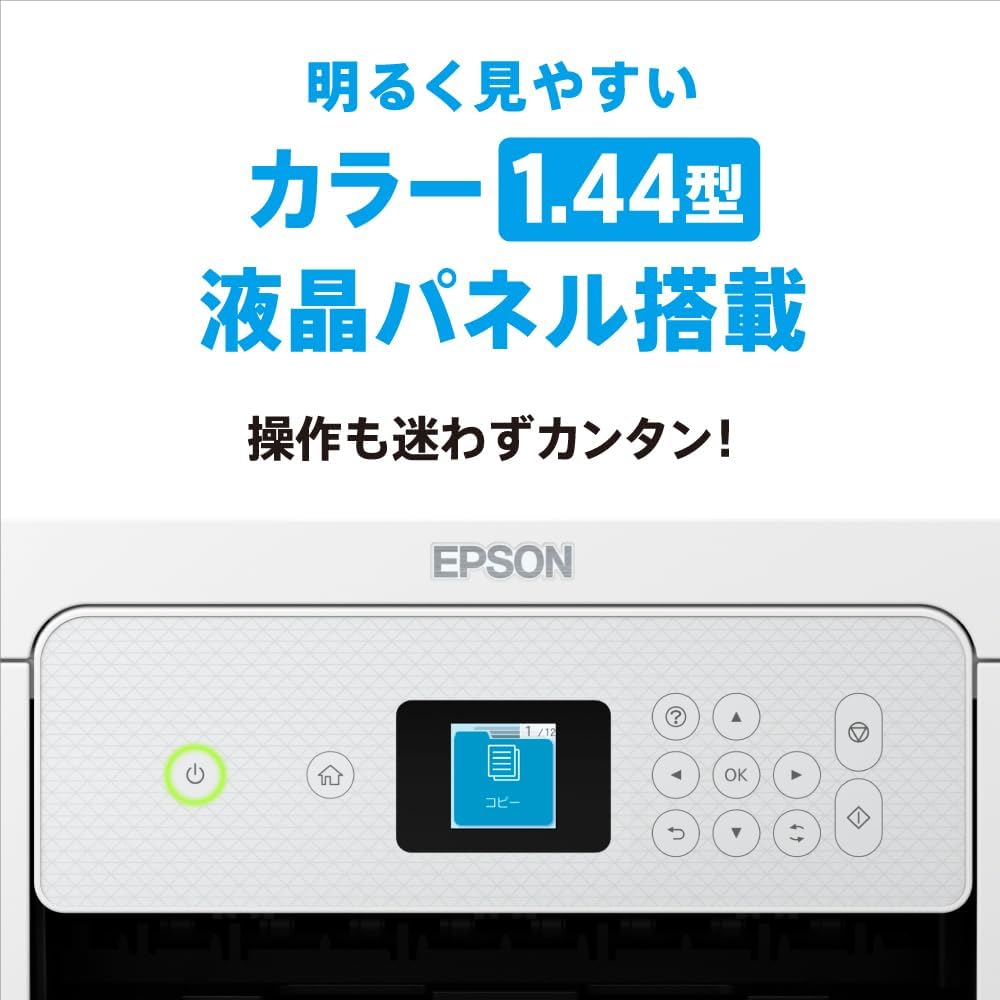
Figure 5: The 1.44-inch color LCD panel for intuitive printer operation.
3.3 Skanna skjöl
Place the document face-down on the scanner glass. From your computer, open the Epson Scan software or use the Epson Smart Panel app on your smartphone. Select scan settings (e.g., resolution, destination) and initiate the scan.
3.4 Sjálfvirk tvíhliða prentun
The EW-456A supports automatic two-sided printing. When printing from your computer or smartphone, select the duplex printing option in the print settings. This feature helps save paper.

Figure 6: The compact design of the EW-456A, featuring automatic double-sided printing.
3.5 Voice Control Functionality
The printer supports voice control through compatible smart speakers. Refer to the Epson website or the smart speaker's manual for specific commands and setup instructions to print using voice commands.
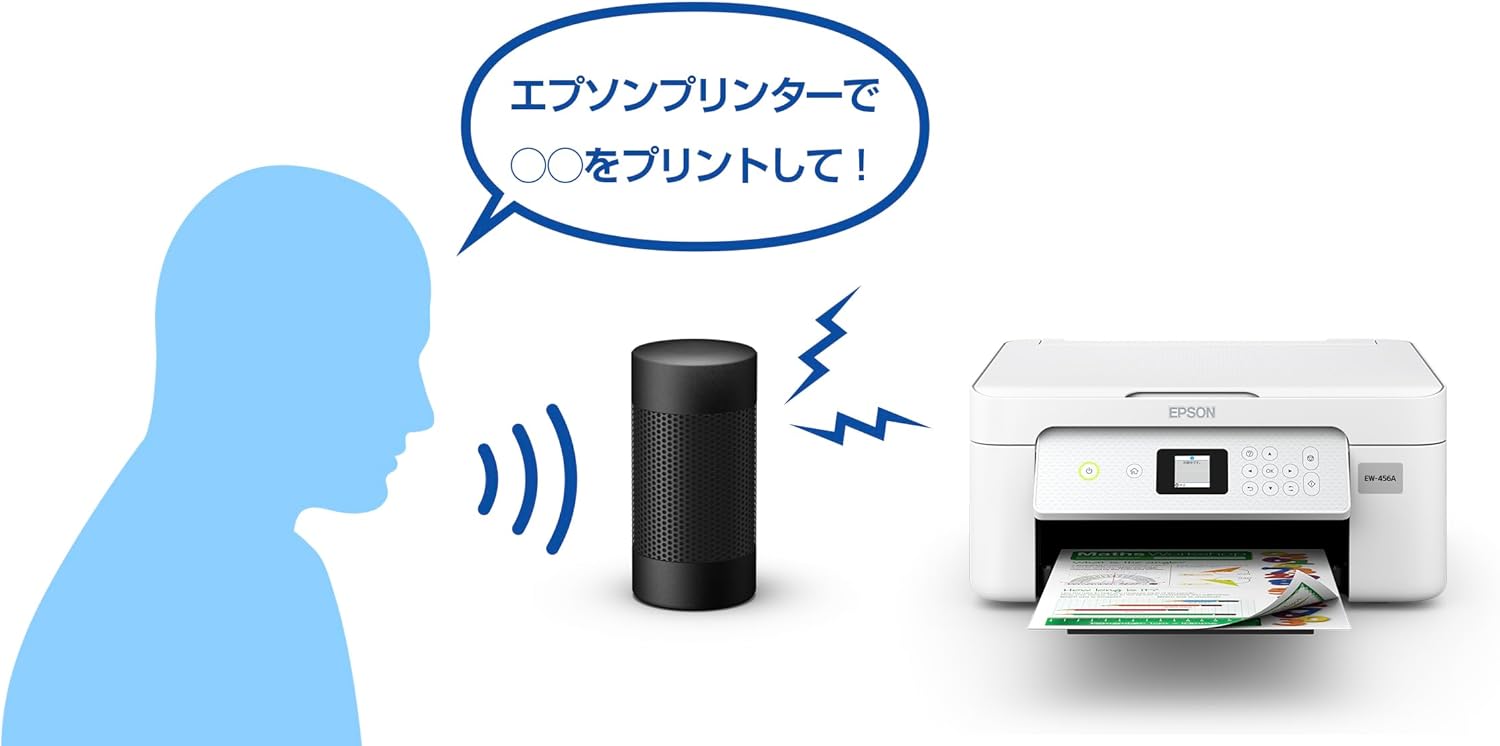
Mynd 7: Dæmiample of using voice commands with a smart speaker to operate the Epson printer.
4. Viðhald
4.1 Skipta um blekhylki
When an ink cartridge is low or empty, a message will appear on the LCD screen. Open the printer cover and replace only the empty cartridge with a new genuine Epson cartridge. Refer to the on-screen instructions for the replacement process.

Figure 8: Epson genuine ink cartridges (MED-4CL) recommended for the EW-456A.
4.2 Þrif á prenthaus
If print quality declines (e.g., missing lines, streaking), perform a print head cleaning. This can be initiated from the printer's control panel or through the printer software on your computer. Follow the prompts to complete the cleaning cycle.
4.3 Waste Ink Pad
The printer contains a waste ink absorption pad that collects excess ink during operations like print head cleaning and borderless printing. When the waste ink pad approaches its capacity limit, a warning message will appear. If this occurs during borderless printing, an error may be displayed. For borderless printing, the printer absorbs discarded ink. If you are printing with borders, you may be able to continue using the printer. However, it is recommended to contact Epson support for service when this warning appears to prevent potential ink overflow.
5. Bilanagreining
5.1 Algeng vandamál og lausnir
- Prentari svarar ekki:
Check power connections, USB cable (if used), and Wi-Fi connection. Ensure the printer is turned on and not in an error state. Restart both the printer and your computer/smartphone. - Léleg prentgæði:
Perform a print head cleaning and nozzle check. Ensure genuine Epson ink cartridges are used and not expired. Check paper type settings match the loaded paper. - Pappírsstopp:
Carefully remove any jammed paper from the paper feeder, output tray, or internal areas as indicated by the printer's display. Avoid tearing the paper. - Vandamál með Wi-Fi tengingu:
Verify your Wi-Fi network name (SSID) and password. Ensure the printer is within range of your wireless router. Restart your router and printer.
6. Tæknilýsing
| Eiginleiki | Forskrift |
|---|---|
| Nafn líkans | EW-456A |
| Aðgerðir | Prenta, afrita, skanna |
| Print Technology | Inkjet |
| Maximum Print Resolution (Color/Mono) | 4800 x 1200 dpi |
| Tvíhliða prentun | Sjálfvirk |
| Tengingar | USB, Wi-Fi |
| Blaðstærð | A4 |
| Hámarks pappírsgeta | 150 blöð |
| Tegund skanni | Mynd |
| Skjár | 1.44 tommu lita-LCD skjár |
| Vöruvídd (B x D x H) | 37.5 x 30 x 17 cm |
| Vöruþyngd | 4.3 kg |
| Innifalið íhlutir | Ink cartridges (setup), Start Guide, Software Disc, Warranty Card, Power Cord |
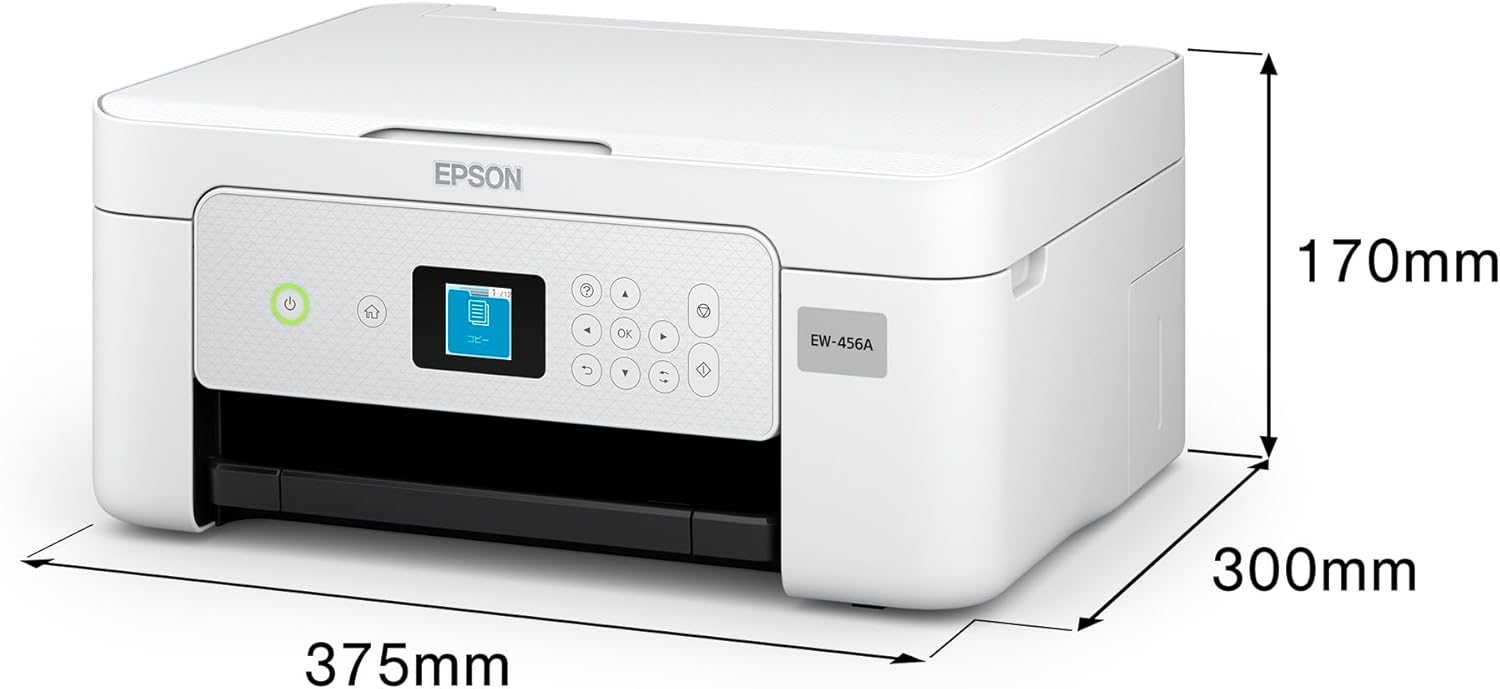
Figure 9: Physical dimensions of the Epson EW-456A printer.
7. Ábyrgð og stuðningur
7.1 Takmörkuð ábyrgð
Your Epson EW-456A printer comes with a limited warranty. Please refer to the warranty card included with your product for specific terms, conditions, and duration of coverage. Keep your proof of purchase for warranty claims.
7.2 Extended Service Support
Epson offers an extended service support program called "Colorio Smile Plus" for enhanced peace of mind. This 5-year service support can be purchased within the product's initial warranty period. For details on coverage and how to purchase, please visit the official Epson websíðuna eða hafið samband við þjónustuver Epson.
7.3 Þjónustuver
Fyrir frekari aðstoð, tæknilega aðstoð eða til að hlaða niður nýjustu rekla og hugbúnaði, vinsamlegast farðu á opinbera Epson þjónustuvefsíðuna. website. You can also find contact information for customer service in your region on the websíða.


