1. Inngangur
The ELECTROPRIME WiFi Water Sensor & Flood Sensor is a smart device designed to provide early detection of water leaks and floods in your home or office. Upon detecting water, the sensor will emit an audible alarm and send instant notifications to your smartphone via the connected mobile application, helping to prevent potential water damage and protect your property.
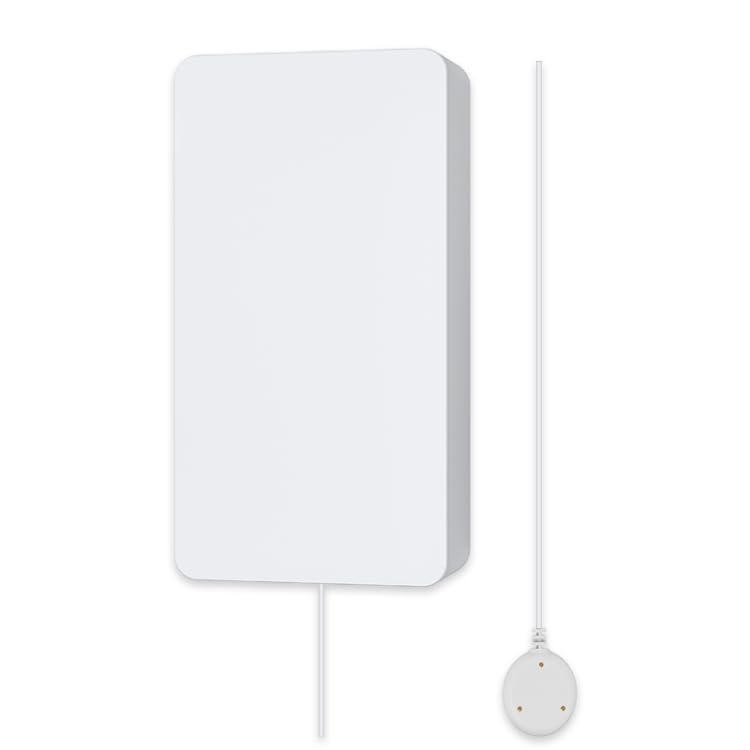
Figure 1: ELECTROPRIME WiFi Water Sensor with its wired water detection probe.
2. Vörueiginleikar
- Instant Leak Detection: Beeps audibly and sends alerts to your smartphone when water is detected.
- Þráðlaus tenging: Operates on 2.4GHz WiFi (IEEE 802.11b/g/n protocol) for seamless integration into your smart home network.
- Mobile Application Control: Compatible with popular smart home apps such as TuyaSmart or Smart Life for remote monitoring and notifications.
- Fyrirferðarlítil hönnun: Small and discreet, allowing for flexible placement in various locations.
- Rafhlöðuknúin: Uses standard AA batteries for easy installation without complex wiring.
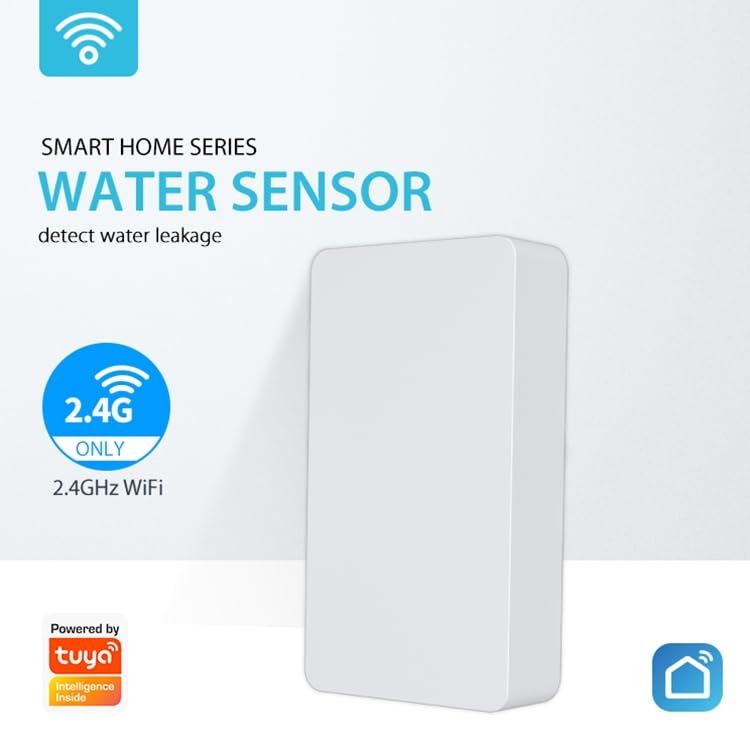
Figure 2: The water sensor highlighting its 2.4GHz WiFi capability for smart home integration.
3. Tæknilýsing
| Parameter | Gildi |
|---|---|
| Fyrirmynd | EDA0031087 |
| Aflgjafi | 2 x AA LR6 1.5V Batteries (not included) |
| Vinnustraumur | 37mA |
| Pörunarstraumur | 36mA |
| Biðstraumur | 23.5uA |
| Lengd viðvörunar | 10 mínútur |
| Vinnuhitastig | 0°C - 40°C (32°F - 104°F) |
| Vinnandi raki | 20% - 85% RH |
| Þráðlaus gerð | 2.4GHz WiFi |
| Bókun | IEEE 802.11b/g/n |
| WiFi fjarlægð | Allt að 45 metra (147 fet) á opnu svæði |
| Samhæft forrit | TuyaSmart or Smart Life |
| Vöruvídd (D*B*H) | 82 mm x 42 mm x 16 mm (3.23 tommur x 1.65 tommur x 0.63 tommur) |
4. Uppsetning og uppsetning
- Settu rafhlöður í: Open the battery compartment on the back of the sensor and insert two AA LR6 1.5V batteries, ensuring correct polarity. Close the compartment securely.
- Sækja forrit: Download and install either the "TuyaSmart" or "Smart Life" application from your smartphone's app store (Google Play Store for Android or Apple App Store for iOS).
- Skráning/Innskráning: Opnaðu appið og skráðu þig inn með nýjum aðgangi eða skráðu þig inn með þeim sem fyrir er.
- Bæta við tæki:
- Ýttu á „+“ táknið efst í hægra horninu á forritinu til að bæta við nýju tæki.
- Select "Security & Sensor" or "Water Sensor" from the device list.
- Follow the on-screen instructions to put the sensor into pairing mode. This usually involves pressing and holding a button on the sensor until an indicator light flashes rapidly.
- Ensure your smartphone is connected to a 2.4GHz WiFi network. The sensor does not support 5GHz WiFi.
- Enter your WiFi network password in the app.
- Wait for the sensor to connect to the network. Once connected, the indicator light will stop flashing and remain solid, or turn off.
- Staðsetning:
- Place the main sensor unit in a dry location near the area you wish to monitor.
- Position the wired water detection probe on the floor or surface where water leaks are most likely to occur (e.g., near water heaters, washing machines, sinks, toilets, basements). Ensure the metal contacts on the probe are facing downwards.
- Secure the main unit using adhesive pads or screws if desired.
Figure 3: Illustration emphasizing the easy setup process with 2.4GHz WiFi connectivity.
5. Notkunarleiðbeiningar
Once successfully set up and connected to your WiFi network, the ELECTROPRIME Water Sensor operates automatically:
- Vatnsgreining: When the metal contacts on the water detection probe come into contact with water, the sensor will immediately trigger an alarm.
- Heyranleg viðvörun: The main sensor unit will emit a loud beeping sound for approximately 10 minutes to alert anyone in the vicinity.
- Tilkynningar í forriti: Simultaneously, an instant push notification will be sent to your smartphone via the TuyaSmart or Smart Life app, regardless of your location, provided your phone has internet access.
- Viðvörun endurstilla: The audible alarm will cease once the water is no longer detected by the probe. The app notification will remain in your notification history until cleared.
6. Viðhald
- Skipt um rafhlöðu: When the battery level is low, the sensor may send a low battery alert to your app. Replace the two AA LR6 1.5V batteries promptly to ensure continuous operation.
- Regluleg próf: Periodically test the sensor by placing the water detection probe in a small amount of water (e.g., a shallow dish) to ensure it triggers the alarm and sends notifications. Dry the probe thoroughly after testing.
- Þrif: Wipe the sensor and probe with a dry, soft cloth. Do not use abrasive cleaners or immerse the main unit in water. Ensure the metal contacts on the probe are clean and free of debris.
- Umhverfisskilyrði: Ensure the sensor is kept within its specified working temperature (0°C - 40°C) and humidity (20% - 85% RH) ranges for optimal performance.
7. Bilanagreining
| Vandamál | Möguleg orsök | Lausn |
|---|---|---|
| Sensor not connecting to WiFi. | Incorrect WiFi password; Sensor too far from router; Router is 5GHz only; Sensor not in pairing mode. | Verify WiFi password; Move sensor closer to router; Ensure your router supports 2.4GHz and connect your phone to it during setup; Re-enter pairing mode. |
| No alerts received on phone. | App notifications disabled; Phone not connected to internet; Sensor not connected to WiFi; Sensor batteries low. | Enable notifications for the app in phone settings; Ensure phone has internet access; Check sensor's WiFi connection status in app; Replace batteries. |
| Sensor not beeping when water is detected. | Batteries are dead or low; Probe contacts are dirty or not fully submerged. | Replace batteries; Clean probe contacts and ensure they are fully in contact with water. |
| Stuttur rafhlaðaending. | Frequent alarms; Poor WiFi signal requiring more power; Low quality batteries. | Address source of frequent alarms; Improve WiFi signal strength; Use high-quality alkaline batteries. |
8. Ábyrgð og stuðningur
For information regarding warranty coverage, returns, or technical support for your ELECTROPRIME WiFi Water Sensor & Flood Sensor (Model: EDA0031087), please refer to the warranty policy provided by your retailer or contact ELECTROGADGETSSTORE, the manufacturer, directly. Contact details can typically be found on the product packaging or the manufacturer's official websíða.
Vinsamlegast geymið kaupkvittunina vegna hugsanlegra ábyrgðarkrafna.