1. Inngangur
Thank you for choosing the ASD Security Flood Light Camera Outdoor. This smart floodlight camera is designed to provide enhanced security and illumination for your outdoor spaces. Featuring a 180° motion sensor, adjustable light heads, and smart app control, it integrates seamlessly with your smart home ecosystem, including Alexa and Google Assistant. This manual provides essential information for safe installation, operation, and maintenance of your device.
2. Mikilvægar öryggisupplýsingar
Vinsamlegast lesið allar leiðbeiningar vandlega fyrir uppsetningu og notkun. Geymið þessa handbók til síðari viðmiðunar.
- Rafmagnsöryggi: Installation must be performed by a qualified electrician or a person with electrical knowledge. Ensure power is turned off at the circuit breaker before installation or servicing.
- Voltage: This product is designed to operate on 120V circuits.
- Uppsetning: Mount the fixture securely to a junction box. Ensure the mounting surface can support the weight of the fixture.
- Blautir staðir: This product is Wet Locations rated (IP54), suitable for outdoor use. However, avoid submerging the unit in water.
- Hiti: Do not operate the fixture near flammable materials. Allow the fixture to cool before handling.
- Myndavélarlinsa: Avoid touching the camera lens directly to prevent smudges or damage.
3. Innihald pakka
Gakktu úr skugga um að allir íhlutir séu til staðar áður en uppsetning hefst:
- ASD Security Flood Light Camera Outdoor (1 unit)
- Mounting Crossbar
- Festingarskrúfur
- Vírhnetur
- EVA púði
- Notendahandbók (þetta skjal)
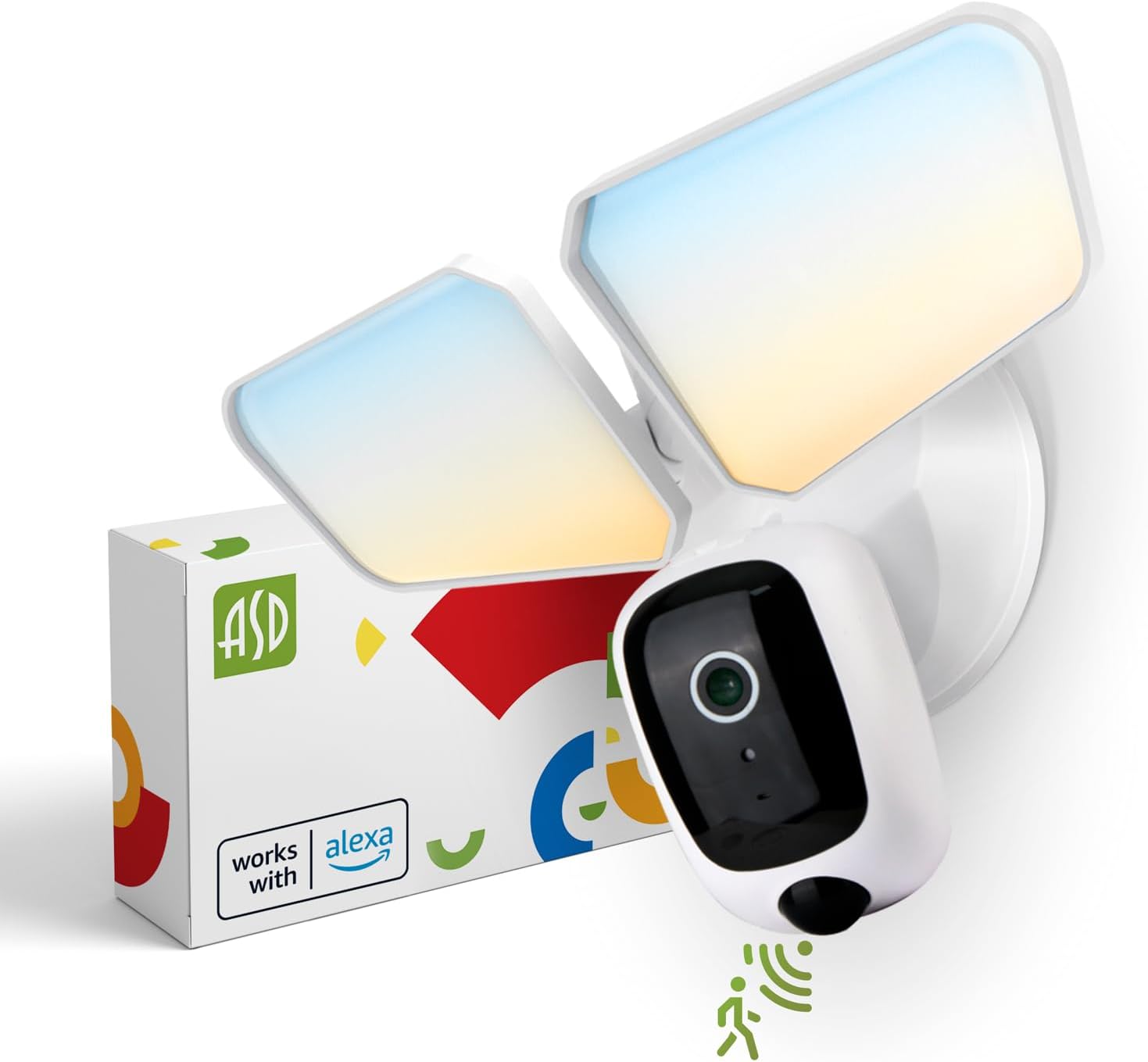
Image 1: ASD Security Flood Light Camera Outdoor and its packaging.
4. Vörueiginleikar
- Stillanleg ljóshausar: Side-to-side (150°) and up-and-down (180°) rotatable light heads for directional illumination.
- Integrated Smart Camera: Monitor, record, and engage in two-way audio communication.
- 180° Motion Sensor: Automatically activates light and camera recording upon motion detection.
- Ljósnemi frá rökkri til dögunar: Kveikir sjálfkrafa á ljósinu í rökkri og slokknar í dögun.
- Litur valinn: Choose from 5 color temperatures: 2700K (Soft White), 3000K (Warm White), 3500K (Neutral White), 4000K (Cool White), or 5000K (Daylight).
- Samþætting snjallhúsa: Samhæft við Amazon Alexa og Google Assistant fyrir raddstýringu.
- App Control: Manage settings, view live feed, and receive motion-activated push notifications via the dedicated app.
- Geymsluvalkostir: Records can be stored on a Micro SD card (not included) or in a Cloud service (subscription may be required).
- Varanlegur smíði: Made from Aluminum and Polycarbonate.
- Vottun: UL and DLC Premium certified, ensuring quality and safety.

Image 2: Key features of the ASD Security Flood Light Camera.
5. Tæknilýsingar
| Forskrift | Smáatriði |
|---|---|
| Gerðarnúmer | A-SFL-20WH-SC |
| Aflgjafi | Hardwired |
| Voltage | 120 volt |
| Hvaðtage | 20 Watt |
| Tegund ljósgjafa | LED |
| Litahitastig (CCT) | 2700K, 3000K, 3500K, 4000K, 5000K (Hægt að velja) |
| Hreyfiskynjaraskynjunarhorn | 180° |
| Fjarlægð hreyfiskynjara | 16.4-32.9 fet (5-10 m) |
| Geislahorn | 100° |
| Efni | Ál, pólýkarbónat |
| Vörumál | 10.24" L x 4.45" B x 7.68" H |
| Þyngd hlutar | 1.2 pund |
| Inni/úti notkun | Útivist |
| Svæðislýsingaflokkun | IP54 (Wet Locations Rated) |
| Tengireglur | Wi-Fi |
| Gerð stjórnanda | Amazon Alexa, Google aðstoðarmaður, app |
| Líftími | 145,000 klst |

Image 3: Detailed product specifications and dimensions.
6. Uppsetningarskref
Áður en þú byrjar: Turn off power at the circuit breaker. Ensure you have the necessary tools (screwdriver, wire strippers, etc.).
- Undirbúðu búnaðinn:
Attach the crossbar to the outlet box using two mounting screws. Remove the cover on the top of the camera. Insert a Micro SD card (sold separately) into the slot until it clicks. Place the cover back on. Change the position of the CCT switch on the housing to the desired color temperature (2700K, 3000K, 3500K, 4000K, or 5000K). - Mount and Wire:
Tear off the EVA pad adhesive and stick it on the rear cover (pay attention to the direction of the gap). Thread the fixture wire through the gasket. Connect the wires: Black to Black, White to White, and Green to Green (ground). Secure the connection with wire nuts. - Tryggðu festinguna:
Drive the bracket screw through the center hole of the fixture base to the crossbar and secure it by tightening.

Image 4: Visual guide for the installation process.
7. Notkunarleiðbeiningar
7.1 Virkni hreyfiskynjara
The built-in 180° motion sensor detects movement within its range (16.4-32.9 ft or 5-10 m). When motion is detected, the floodlight will illuminate, and the camera will begin recording. You can adjust the sensitivity and duration settings via the ASD SMART app.

Image 5: The built-in motion sensor detects movement.
7.2 Dusk-to-Dawn Photocell
The integrated photocell automatically senses ambient light levels. It will turn the floodlight on when it gets dark and turn it off when daylight returns, ensuring efficient operation without manual intervention.

Image 6: Built-in dusk-to-dawn photocell for automatic operation.
7.3 Color Temperature Selection (CCT)
Before final installation, you can select your preferred color temperature using the switch located on the fixture's housing. Choose from 2700K (Soft White), 3000K (Warm White), 3500K (Neutral White), 4000K (Cool White), or 5000K (Daylight) to match your aesthetic and lighting needs.

Image 7: Selectable color temperature options.
8. App Control and Smart Integration
8.1 ASD SMART App Setup
To unlock the full potential of your floodlight camera, download and set up the ASD SMART app:
- Sækja ASD SMART app úr App Store (iOS) eða Google Play Store (Android).
- Skráðu þig eða skráðu þig inn á reikninginn þinn.
- Select "Add a device" and choose "Camera and lock".
- Follow the on-screen instructions to connect your device to your Wi-Fi network.
- Scan the QR code on your camera when prompted.
For a detailed guide, please refer to the full manual PDF: ASD Security Flood Light Camera Manual PDF
Sækja appið:
- iOS App Store: ASD SMART on App Store
- Android Google Play: ASD SMART on Google Play

Image 8: App control interface and smart assistant compatibility.
8.2 Remote Monitoring and Two-Way Audio
Through the ASD SMART app, you can:
- View live video feed from your camera anytime, anywhere.
- Engage in two-way audio communication with visitors or deter intruders.
- Receive instant motion-activated push notifications on your smartphone.
8.3 Recording Storage
Video recordings can be stored in two ways:
- Micro SD kort: Settu Micro SD-kort (allt að 128GB, fylgir ekki með) í tilgreinda rauf myndavélarinnar fyrir staðbundna geymslu.
- Skýþjónusta: Opt for a cloud storage subscription (available through the app) for secure, remote access to your recordings.

Image 9: Remote monitoring and recording storage options.
8.4 Samþætting snjallaðstoðarmanns
Connect your ASD Security Flood Light Camera to Amazon Alexa or Google Assistant for convenient voice control. Follow the instructions within the ASD SMART app to link your accounts and enable features like turning the light on/off or viewing the camera feed on compatible smart displays.
9. Viðhald
- Þrif: Ensure power is off before cleaning. Wipe the fixture with a soft, damp klút. Ekki nota slípiefni eða leysiefni.
- Linsuumhirða: Gently clean the camera lens with a microfiber cloth to maintain clear image quality.
- Reglulegar athuganir: Periodically check for any loose connections or damage to the wiring and housing.
10. Bilanagreining
| Vandamál | Möguleg orsök | Lausn |
|---|---|---|
| Ljós kviknar ekki. | No power, faulty wiring, photocell issue, CCT switch not set. | Check circuit breaker. Verify wiring connections. Ensure photocell is not obstructed. Confirm CCT switch is set. |
| Hreyfiskynjari greinir ekki. | Incorrect sensitivity settings, obstruction, improper installation height. | Adjust motion sensor sensitivity in the app. Clear any obstructions. Ensure installation height is appropriate (approx. 9.8 ft / 3 m). |
| Myndavélin tengist ekki við Wi-Fi. | Rangt Wi-Fi lykilorð, veikt merki, vandamál með leiðara. | Double-check Wi-Fi password. Move router closer or use a Wi-Fi extender. Restart router. Ensure 2.4GHz Wi-Fi network is used. |
| Léleg myndgæði. | Dirty lens, poor Wi-Fi signal, low light conditions. | Clean camera lens. Improve Wi-Fi signal strength. Ensure adequate lighting. |
| Tvíhliða hljóð virkar ekki. | Vandamál með hljóðnema/hátalara, heimildir fyrir forrit. | Check app permissions for microphone. Ensure volume is up on your device. |
11. Upplýsingar um ábyrgð
ASD býður upp á 5 ára takmörkuð ábyrgð for this Security Flood Light Camera. This warranty covers defects in materials and workmanship under normal use. Please retain your proof of purchase for warranty claims. For full warranty terms and conditions, please refer to the official ASD websíðuna eða hafðu samband við þjónustuver.
12. Þjónustudeild
For additional assistance, technical support, or warranty inquiries, please visit the ASD Lighting Corporation website or refer to the comprehensive manual available online.
- ASD Lighting Corporation Store: Visit ASD Store on Amazon
- Full Product Manual (PDF): Sækja PDF handbók


