1. Vöru lokiðview
The Creality Smoke Purifier is a fume extractor designed to maintain a clean and safe working environment for laser engravers and 3D printers. It features a 3-stage filtration system capable of achieving a 98.95% purification rate, effectively removing harmful fumes and particles.
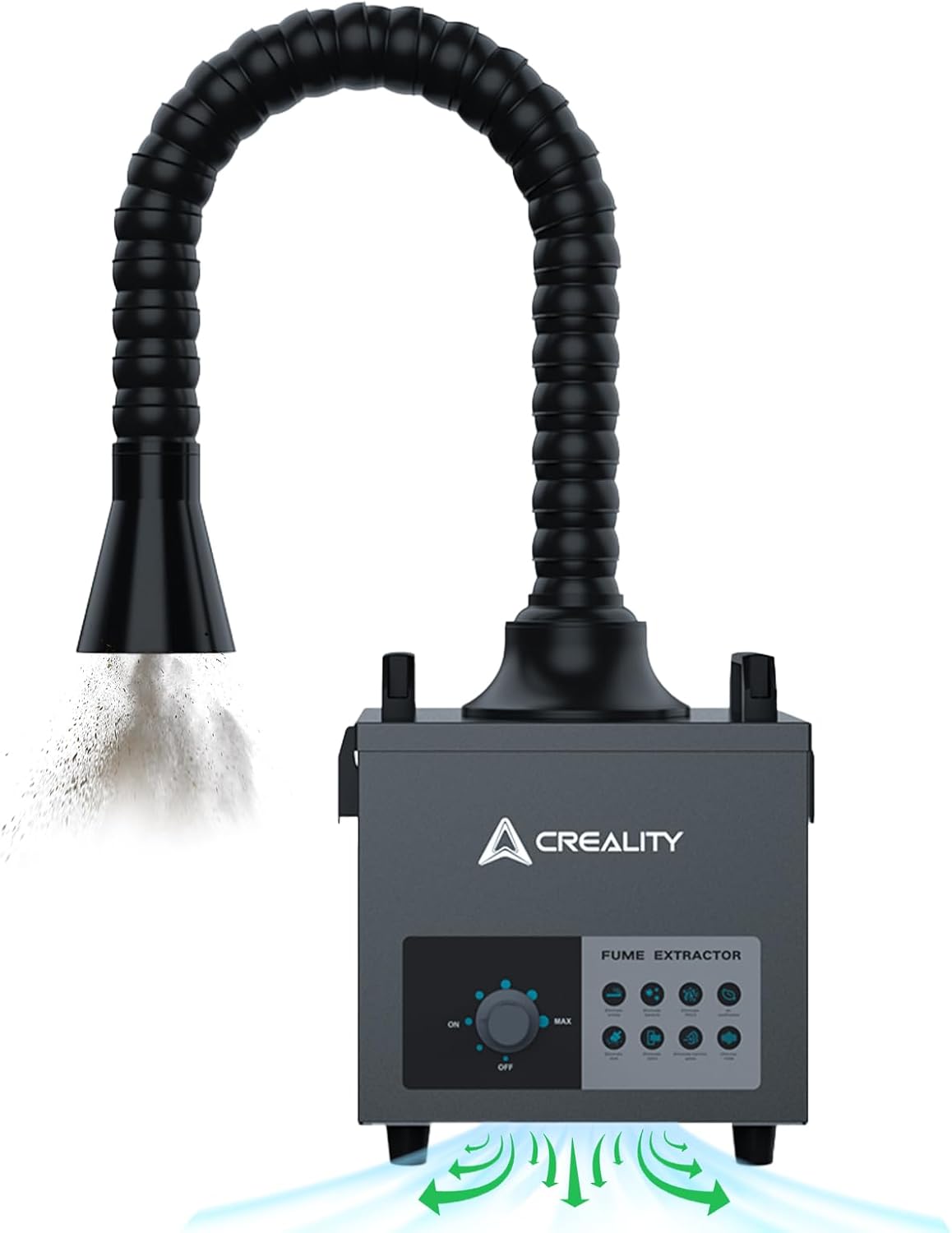
Image 1.1: Creality Smoke Purifier Fume Extractor with flexible duct for fume extraction.
2. Öryggisupplýsingar
Vinsamlegast lesið og skiljið allar öryggisleiðbeiningar áður en tækið er notað. Ef þessum leiðbeiningum er ekki fylgt getur það valdið raflosti, eldsvoða eða alvarlegum meiðslum.
- Ensure the device is placed on a stable, level surface to prevent tipping.
- Ekki skal loka fyrir loftinntak eða útblástur meðan á notkun stendur.
- Haldið tækinu frá vatni eða öðrum vökvum. Notið það ekki með blautum höndum.
- Only use the provided power adapter and ensure it is connected to a properly grounded outlet.
- Reynið ekki að opna eða gera við tækið sjálfur. Látið hæft starfsfólk sjá um alla þjónustu.
- Replace filters regularly as instructed to maintain optimal performance and safety.
3. Vöruhlutir
Í pakkanum eru eftirfarandi hlutir:
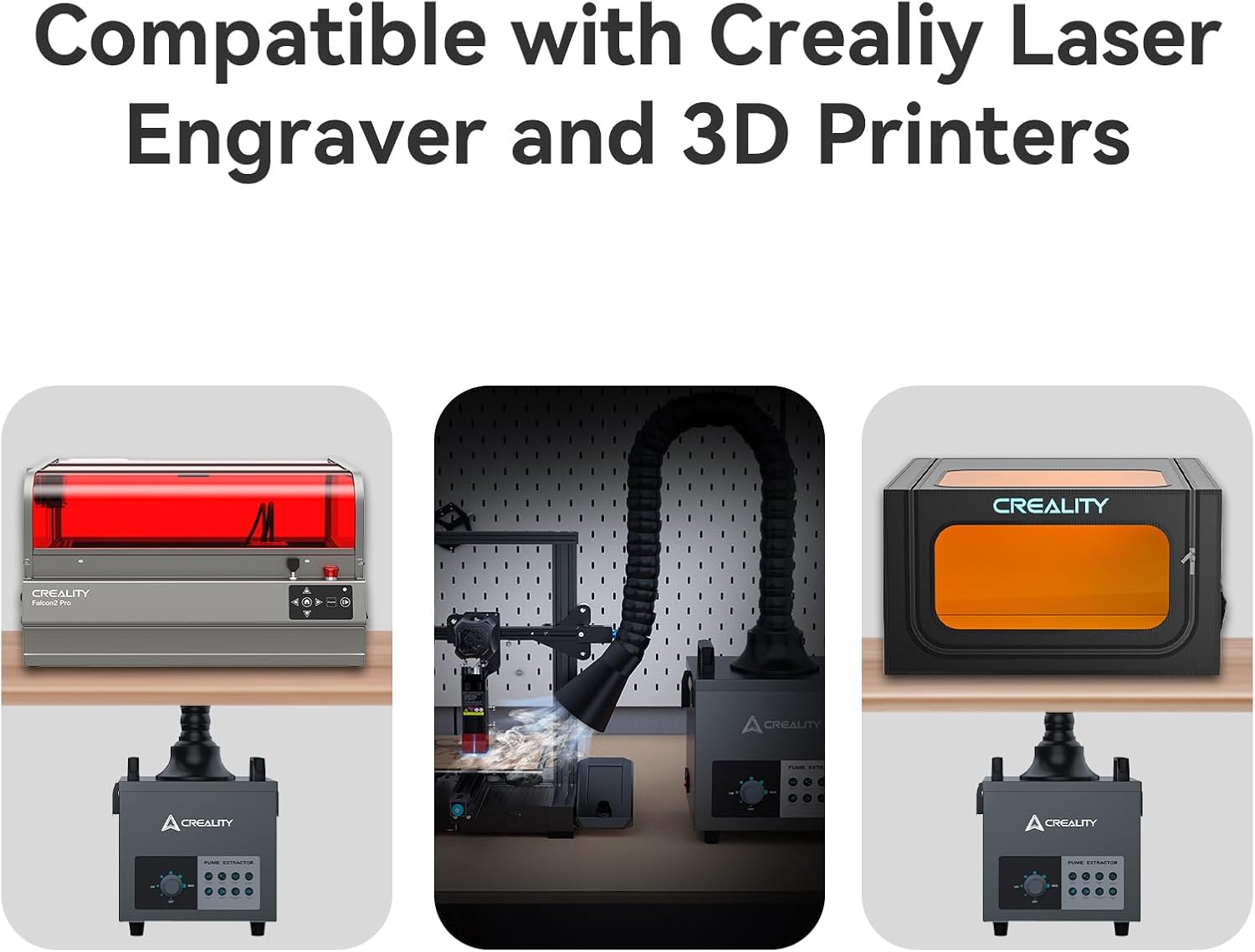
Image 3.1: Included components of the Creality Smoke Purifier.
- Creality Smoke Purifier Main Unit
- Flexible Fume Extraction Duct
- Pre-filter (initial filtration layer)
- Middle Filter (HEPA-like filtration)
- Main Filter (activated carbon for odors)
- Rás Clamps and Adapters
- Rafmagnssnúra
4. Uppsetningarleiðbeiningar
Follow these steps to set up your Creality Smoke Purifier:
- Taka upp eininguna: Fjarlægðu alla íhluti varlega úr umbúðunum.
- Staðsetja hreinsitækið: Place the main unit on a stable, flat surface near your laser engraver or 3D printer. Ensure there is adequate space around the unit for proper airflow.
- Settu upp síur: The filters are typically pre-installed. If not, refer to Section 6 for filter installation instructions.
- Attach the Flexible Duct:
- Connect one end of the flexible duct to the exhaust port on top of the purifier unit. Secure it with a clamp ef veitt er.
- Connect the other end of the duct to your laser engraver enclosure or 3D printer's exhaust port. Use appropriate adapters and clamps to ensure a sealed connection. The purifier supports exhaust duct diameters of 3-3.5 inches.

Image 4.1: Sealed design and connection points for the fume extractor.
- Rafmagnstenging: Plug the power cable into the purifier's power inlet, then connect it to a suitable electrical outlet.
5. Notkunarleiðbeiningar
Operating the Creality Smoke Purifier is straightforward:
- Kveikt á: Locate the power switch on the unit (usually on the side or back) and flip it to the 'ON' position.
- Stilla loftflæði: Use the rotary knob on the front panel to adjust the fan speed and airflow. Turn the knob clockwise to increase suction power (MAX) and counter-clockwise to decrease it (MIN). The unit features stepless airflow adjustment for precise control.

Image 5.1: Control panel with power switch and airflow adjustment knob.
- Byrjaðu aðgerð: Start your laser engraving or 3D printing process. The purifier will begin extracting fumes and particles.
- Slökkva á: Once your task is complete, turn the airflow knob to the 'OFF' position or flip the main power switch to 'OFF'.
The purifier is designed for various applications, including laser engraving, 3D printing, and electronics manufacturing, ensuring a cleaner workspace.

Image 5.2: Various applications of the Creality Smoke Purifier.
6. Viðhald
Regular maintenance, especially filter replacement, is crucial for the optimal performance and longevity of your smoke purifier.
6.1. Filter System Overview
The Creality Smoke Purifier utilizes a 3-stage síunarkerfi:
- Forsía: Captures larger visible particles and dust. This filter is often washable.
- Miðsía: A honeycomb structure capable of filtering 99.97% of 0.03µm particles, acting as a high-efficiency particulate air (HEPA) filter.
- Aðalsía: Contains activated carbon to absorb harmful gases and unpleasant odors.
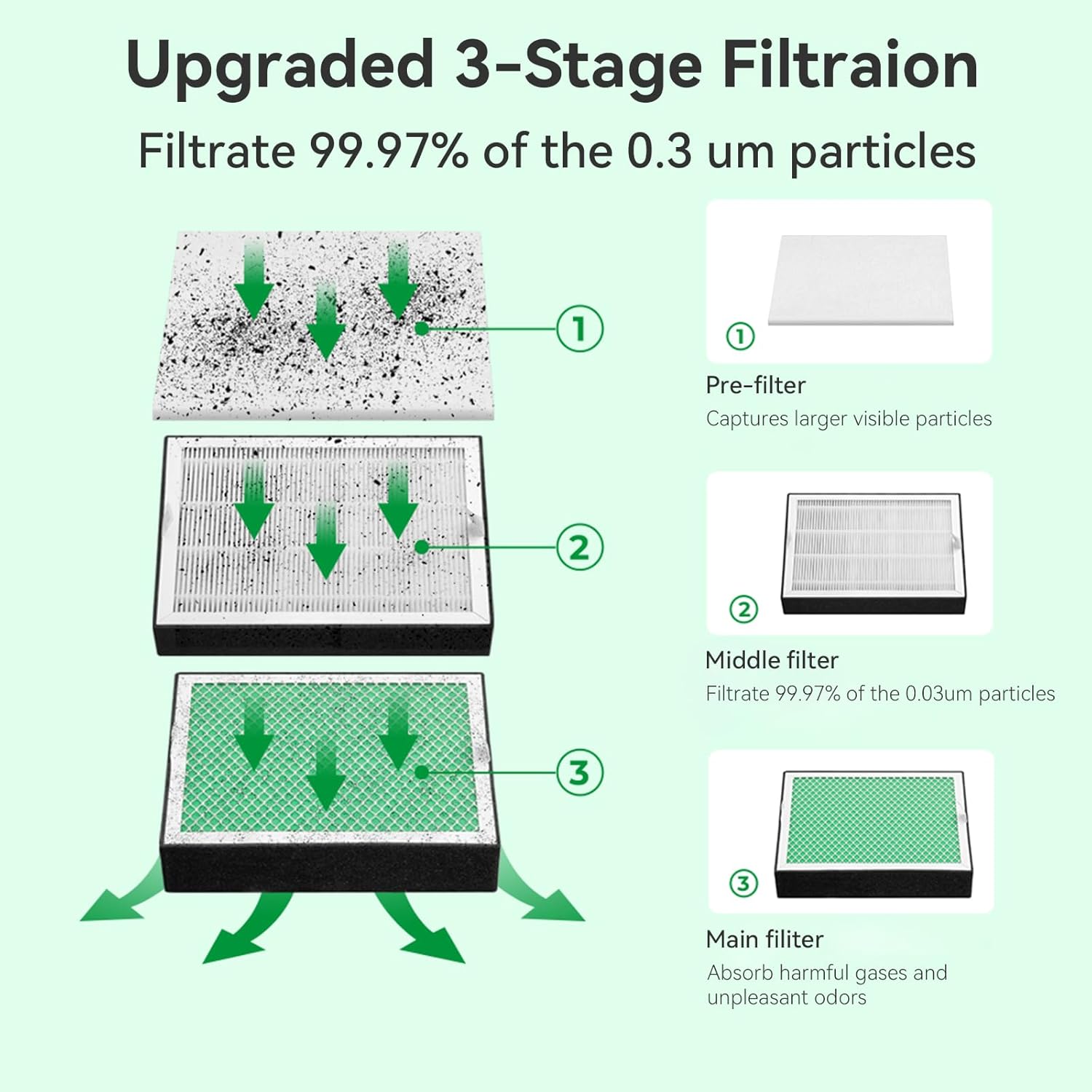
Mynd 6.1: Ítarlegt view af 3-unumtage síunarkerfi.
6.2. Replacing Filter Elements
Filter lifespan varies depending on usage and the type of materials being processed. Replace filters when you notice a decrease in suction power or an increase in odors.
- Slökkva á: Ensure the purifier is turned off and unplugged from the power source.
- Fjarlægðu hlífina: Unbuckle and carefully remove the top cover of the purifier unit.
- Extract Used Filters: Gently lift out the used filter kit, starting with the top layer (pre-filter) and then the middle and main filters. Dispose of used filters responsibly.
- Setja inn nýjar síur: Place the new replacement filters into the unit in the correct order: Main filter at the bottom, followed by the Middle filter, and finally the Pre-filter on top. Ensure they are seated properly.
- Skiptu um hlíf: Carefully place the top cover back onto the unit and secure the buckles.
- Halda áfram aðgerð: Plug in the power cable and turn on the purifier.

Image 6.2: Step-by-step guide for filter replacement.
6.3. Þrif á einingunni
Wipe the exterior of the unit with a soft, dry cloth. Do not use abrasive cleaners or solvents. Ensure no liquids enter the internal components.
7. Bilanagreining
If you encounter issues with your Creality Smoke Purifier, refer to the following common problems and solutions:
| Vandamál | Möguleg orsök | Lausn |
|---|---|---|
| Eining kveikir ekki á. | Engin rafmagn; Slökkt á rafmagnssnúru; Biluð snúra. | Check power cable connection; Ensure power switch is ON; Try a different outlet. |
| Poor fume extraction. | Clogged filters; Duct not properly sealed; Low fan speed setting. | Replace filters (refer to Section 6.2); Check duct connections for leaks; Increase fan speed using the knob. |
| Óvenjulegur hávaði í rekstri. | Loose components; Obstruction in fan; Unit not on a stable surface. | Ensure unit is on a stable surface; Check for any loose parts; If noise persists, contact support. |
| Persistent odors despite filtration. | Main filter (activated carbon) is saturated. | Skiptu um aðalsíuna. |
If the problem persists after attempting these solutions, please contact Creality customer support.
8. Tæknilýsing
| Eiginleiki | Forskrift |
|---|---|
| Vörumál | 8.74 x 10.36 x 10.12 tommur |
| Þyngd | 18.6 pund |
| Tegundarnúmer vöru | 85W afl |
| Vörumerki | Veruleiki |
| Gerð stjórnanda | Digital Buttons / Rotary Knob |
| Sérstakur eiginleiki | High Purification Rate (98.95%), Specialized Design for Laser Engraver/3D Printer Exhaust Ducts |
| Síuflokkur | HEPA (Middle Filter) |
| Sía Stages | 3-Stage (Pre-filter, Middle filter, Main filter) |
| Duct Diameter Compatibility | 3-3.5 tommur |

Image 8.1: Product dimensions of the Creality Smoke Purifier.
9. Ábyrgð og stuðningur
Creality products are backed by a manufacturer's warranty. For specific warranty terms, technical support, or service inquiries, please visit the official Creality websíðuna eða hafðu samband við þjónustuver þeirra beint.
Þú getur fundið frekari upplýsingar og stuðningsúrræði á Creality verslun á Amazon.


