1. Inngangur
Welcome to the user manual for your new XGODY S200 Flip Phone. This device is designed for ease of use, featuring large buttons, a clear display, and essential functions for reliable communication. Please read this manual carefully to understand how to operate your phone safely and efficiently.
2. Innihald pakka
Vinsamlegast hakaðu við reitinn fyrir eftirfarandi atriði:
- XGODY S200 Flip Phone
- Endurhlaðanleg rafhlaða
- USB Type-C hleðslusnúra
- Rafmagns millistykki
- Notendahandbók
3. Tæki lokiðview
Familiarize yourself with the key components of your XGODY S200 Flip Phone.

Mynd 3.1: Framan view of the XGODY S200 flip phone in its open position, displaying the screen and large keypad.

Figure 3.2: Detail of the XGODY S200's side, showing the USB Type-C charging port, 3.5mm headphone jack, and a flashlight.
3.1. Keypad Layout
- Stýrilyklar: Up, Down, Left, Right, and OK/Confirm button in the center.
- Símtalslykill: Green button to make or answer calls.
- Loka-/rofahnappur: Red button to end calls or power the phone on/off.
- SOS lykill: Dedicated button for emergency calls (often on the back or side).
- Talnatakkaborð: Large, easy-to-read buttons for dialing numbers and text input.
4. Uppsetning
4.1. Að setja upp rafhlöðuna
- Opnaðu bakhlið símans með því að losa hana varlega úr hakinu.
- Stilltu rafhlöðutengjunum saman við tengipunktana inni í símanum.
- Press the battery down firmly until it is securely in place.
- Replace the back cover, ensuring it clicks into position.
4.2. Að setja upp SIM-kortið/kortin
The XGODY S200 supports dual SIM cards.
- With the battery removed, locate the SIM card slot(s).
- Insert your SIM card(s) into the slot(s) with the gold contacts facing down and the cut corner aligned as indicated.
- Ensure the SIM card(s) are fully inserted.
- Setjið rafhlöðuna og bakhliðina aftur á sinn stað.
4.3. Hleðsla símann
- Connect the USB Type-C cable to the charging port on the side of the phone.
- Plug the other end of the cable into the power adapter, then plug the adapter into a wall outlet.
- Rafhlöðutáknið á skjánum gefur til kynna hleðslustöðu.
- Charge the phone fully before first use (approximately 2-3 hours).
5. Notkun símans
5.1. Kveikt/slökkt
- Til að kveikja á: Press and hold the Red End/Power Key until the screen lights up.
- Til að slökkva á: Press and hold the Red End/Power Key until the power-off options appear, then select 'Power Off'.
5.2. Hringt og tekið á móti símtölum
- Hringt: Enter the phone number using the keypad and press the Green Call Key.
- Svara símtali: When the phone rings, press the Green Call Key.
- Ljúka símtali: Press the Red End/Power Key.
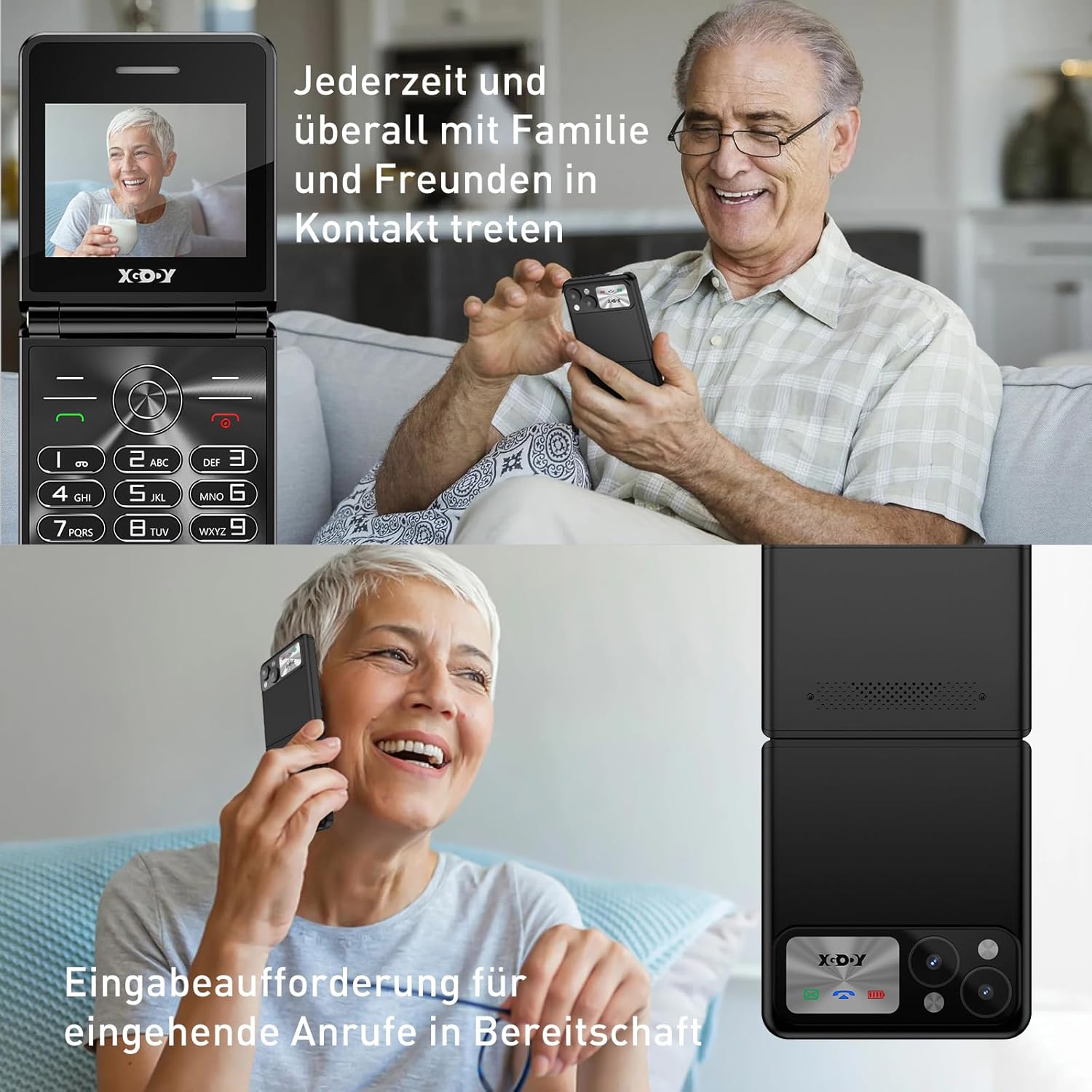
Figure 5.1: The XGODY S200 features loud and clear call volume, beneficial for users with hearing impairments.
5.3. Contacts (Phonebook)
- From the main screen, navigate to 'Contacts' or 'Phonebook' using the navigation keys and press the OK key.
- Select 'Add New Contact' to save a number.
- Sláðu inn nafn og símanúmer og vistaðu síðan.
5.4. Neyðartilvik SOS
The SOS function allows you to quickly contact pre-set emergency numbers.

Figure 5.2: Illustration of the SOS emergency call feature, allowing users to quickly contact up to five pre-set family members or emergency services.
- Uppsetning SOS-númera: Go to 'Settings' > 'SOS Settings' and add up to 5 emergency contacts.
- Virkjun SOS: Press and hold the dedicated SOS button (usually on the back or side of the phone) for a few seconds. The phone will automatically dial the pre-set numbers in sequence until one is answered. It may also send an emergency SMS.
5.5. FM útvarp
To use the FM Radio, you may need to connect headphones (not always included) as they often act as an antenna.
- Farðu í „FM útvarp“ í aðalvalmyndinni.
- Use the navigation keys to scan for stations or manually tune.
5.6. Vasaljós
Síminn er með innbyggðu vasaljósi til þæginda.

Figure 5.3: An image demonstrating the built-in flashlight feature of the XGODY S200, activated by a long press, providing convenience in low-light conditions.
- Til að kveikja/slökkva: Press and hold the dedicated flashlight button (if available) or a specific key combination as indicated in the phone's quick guide.
6. Viðhald
- Þrif: Notið mjúkan, þurran klút til að þrífa skjáinn og húsið á símanum. Forðist fljótandi hreinsiefni.
- Umhirða rafhlöðu: Do not expose the battery to extreme temperatures. If the phone will not be used for an extended period, charge it partially before storing.
- Geymsla: Geymið símann á köldum, þurrum stað fjarri beinu sólarljósi og raka.
7. Bilanagreining
| Vandamál | Möguleg lausn |
|---|---|
| Síminn kveikir ekki á sér | Gakktu úr skugga um að rafhlaðan sé rétt sett í og fullhlaðin. Reyndu að hlaða símann í að minnsta kosti 30 mínútur. |
| Ekki er hægt að hringja eða taka á móti símtölum | Check if the SIM card is properly inserted. Ensure you have network signal. Contact your service provider if the issue persists. |
| Léleg símtalsgæði | Move to an area with better network reception. Ensure the microphone and speaker are not obstructed. |
| Rafhlaða tæmist fljótt | Reduce screen brightness. Close unused applications. If the battery is old, consider replacing it. |
| SOS-virknin virkar ekki | Verify that emergency numbers are correctly set in the SOS settings. Ensure the phone has network signal. |
8. Tæknilýsing
| Eiginleiki | Smáatriði |
|---|---|
| Vörumerki | Xgody |
| Nafn líkans | S200 |
| Stýrikerfi | Basic OS |
| Skjástærð | 2.4 tommur |
| Upplausn | 240 x 320 |
| RAM Stærð | 32 MB |
| Geymslugeta minni | 32 MB |
| Þráðlaus símafyrirtæki | Allir símafyrirtæki (ólæst) |
| Farsímatækni | 2G |
| Tengitækni | 2G (GSM) |
| Rafhlaða | 1 litíum-fjölliða (innifalin) |
| Hleðsluport | USB Type-C |
9. Ábyrgð og stuðningur
Specific warranty details for the XGODY S200 Flip Phone are not provided within this manual. For warranty information, technical support, or service inquiries, please refer to the documentation included with your purchase or visit the official XGODY webGeymið kaupkvittunina ef þið viljið gera kröfur um ábyrgð.


