1. Inngangur
Thank you for choosing the NICE DIGI Smart Keypad Door Lock with Handle. This manual provides detailed instructions for the installation, operation, maintenance, and troubleshooting of your new smart lock. Please read this manual carefully before installation and use to ensure proper functionality and safety.
2. Vöru lokiðview & Lykil atriði
The NICE DIGI Smart Keypad Door Lock offers advanced security and convenience for your home. It integrates multiple unlocking methods and smart features for enhanced control.
- 7-í-1 opnunaraðferðir: Fingerprint recognition, Bluetooth app control, keypad password, key fob, physical key, remote unlocking (Gateway required), and Alexa voice commands (Gateway required).
- Auðveld uppsetning: Designed for quick installation on 99% of American front wooden doors with just a screwdriver, no extra drilling needed. Suitable for both left and right-handed doors.
- Remote Control & Access Logs: With an optional gateway, manage access, share temporary/scheduled passcodes, and check real-time access logs from anywhere.
- Raddstýring samþætting: Connects with Alexa and Google Home for convenient voice commands (Gateway required).
- Aukið öryggi: Features 0.3s fingerprint recognition, AES-256 Smart Encrypted Chip, and an IP66 waterproof keypad.
- Sjálfvirk læsingarvirkni: Automatically locks the door after a set period for added security.

Figure 2.1: NICE DIGI Smart Keypad Door Lock with Handle (Black)
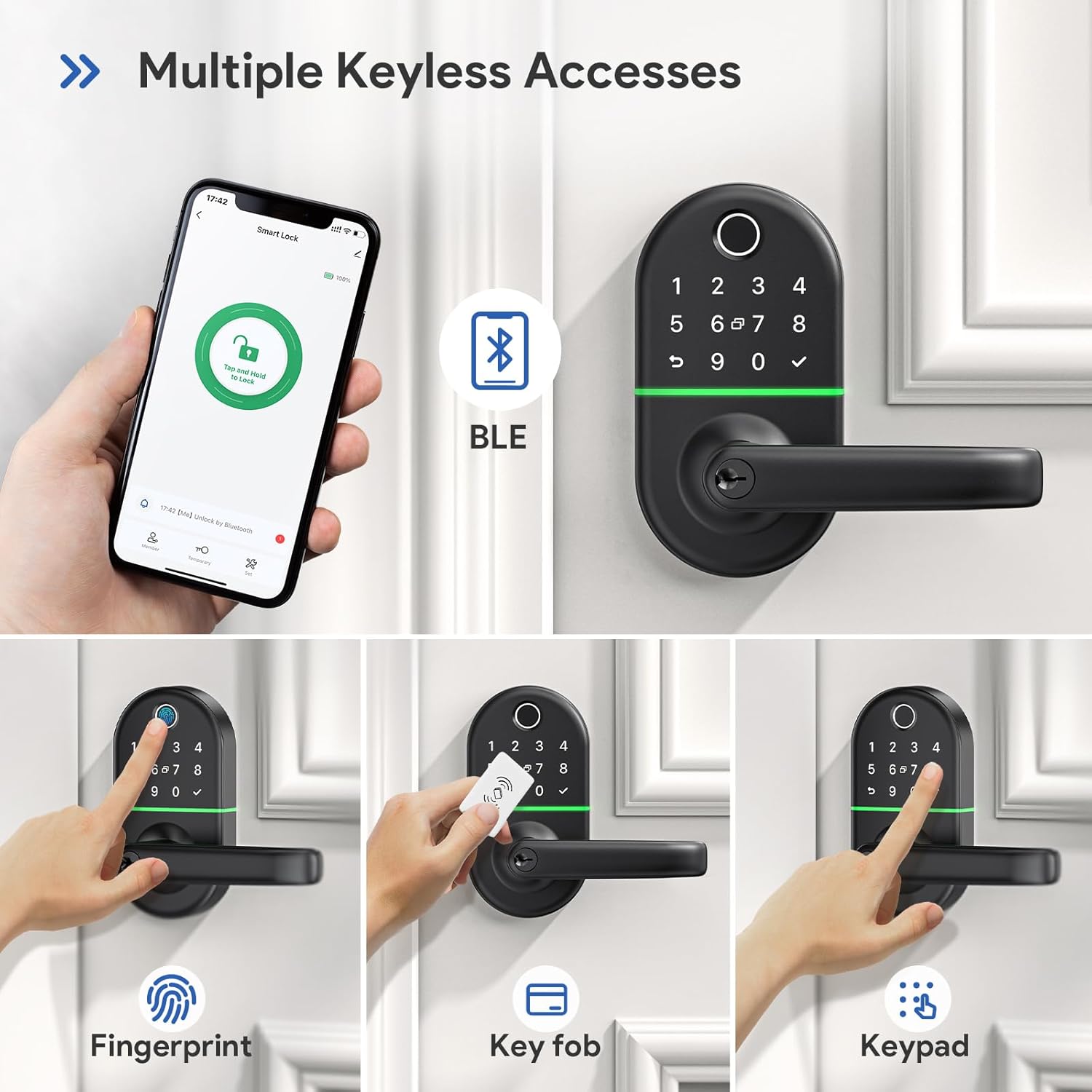
Figure 2.2: Multiple Keyless Access Options
3. Hvað er innifalið
Vinsamlegast staðfestu að allir íhlutir séu til staðar í pakkanum þínum:
- Face Plate (x1)
- Back Plate (x1)
- Hardware Assembly (x1)
- Notendahandbók (x1)
- Adjustable Latchbolt (x1)
- Physical Key (x2, duplicable)
- Key Fob (x2, available for purchase & Card Frequency: 13.56MHz)
4. Uppsetning og uppsetning
The NICE DIGI Smart Lock is designed for straightforward installation. A screwdriver is the only tool required.
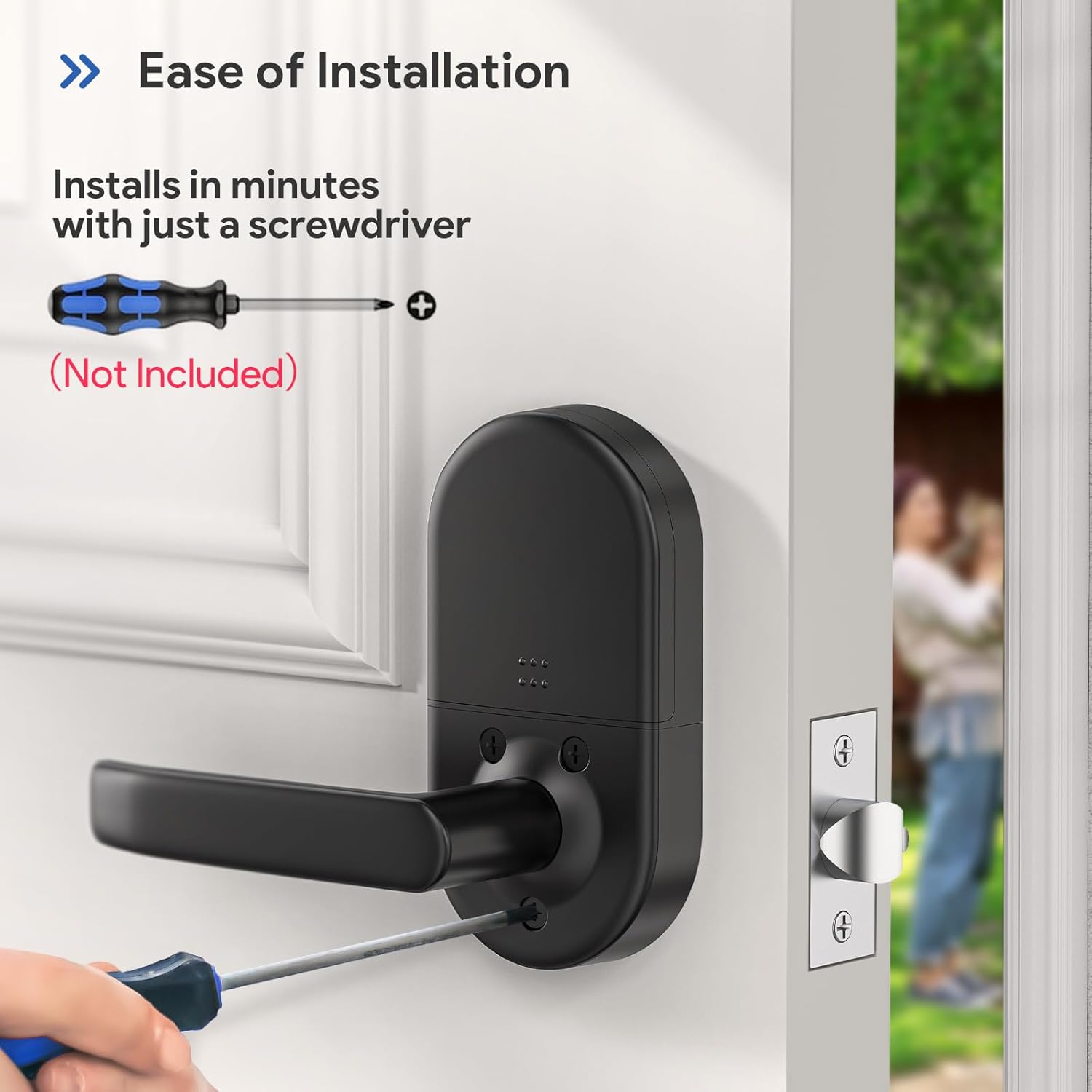
Figure 4.1: Easy Installation with a Screwdriver
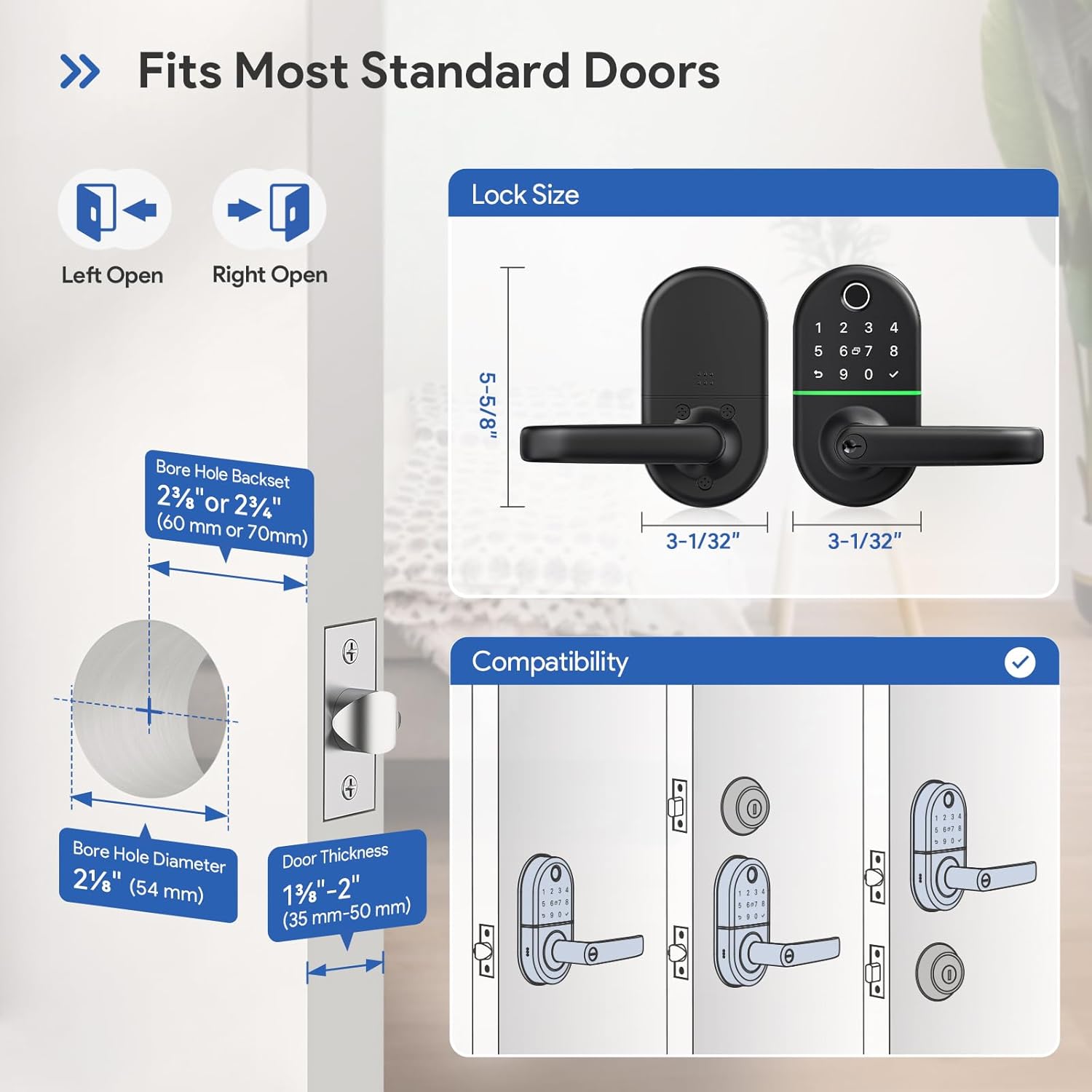
Figure 4.2: Door Compatibility and Dimensions
Hurðarsamhæfni:
- Fits 99% of American front wooden doors.
- Suitable for both left and right-handed doors.
- Bore Hole Backset: 2⅜" or 2¾" (60mm or 70mm)
- Bore Hole Diameter: 2⅛" (54mm)
- Door Thickness: 1⅜" - 2" (35mm - 50mm)
Refer to the included User Guide for step-by-step installation instructions.
5. Notkunarleiðbeiningar
Your NICE DIGI Smart Lock offers multiple convenient ways to unlock and lock your door.
5.1. Opnunaraðferðir
- Fingrafaragreining:
Place your registered finger on the fingerprint sensor located on the lock's face plate. The lock will unlock if the fingerprint is recognized.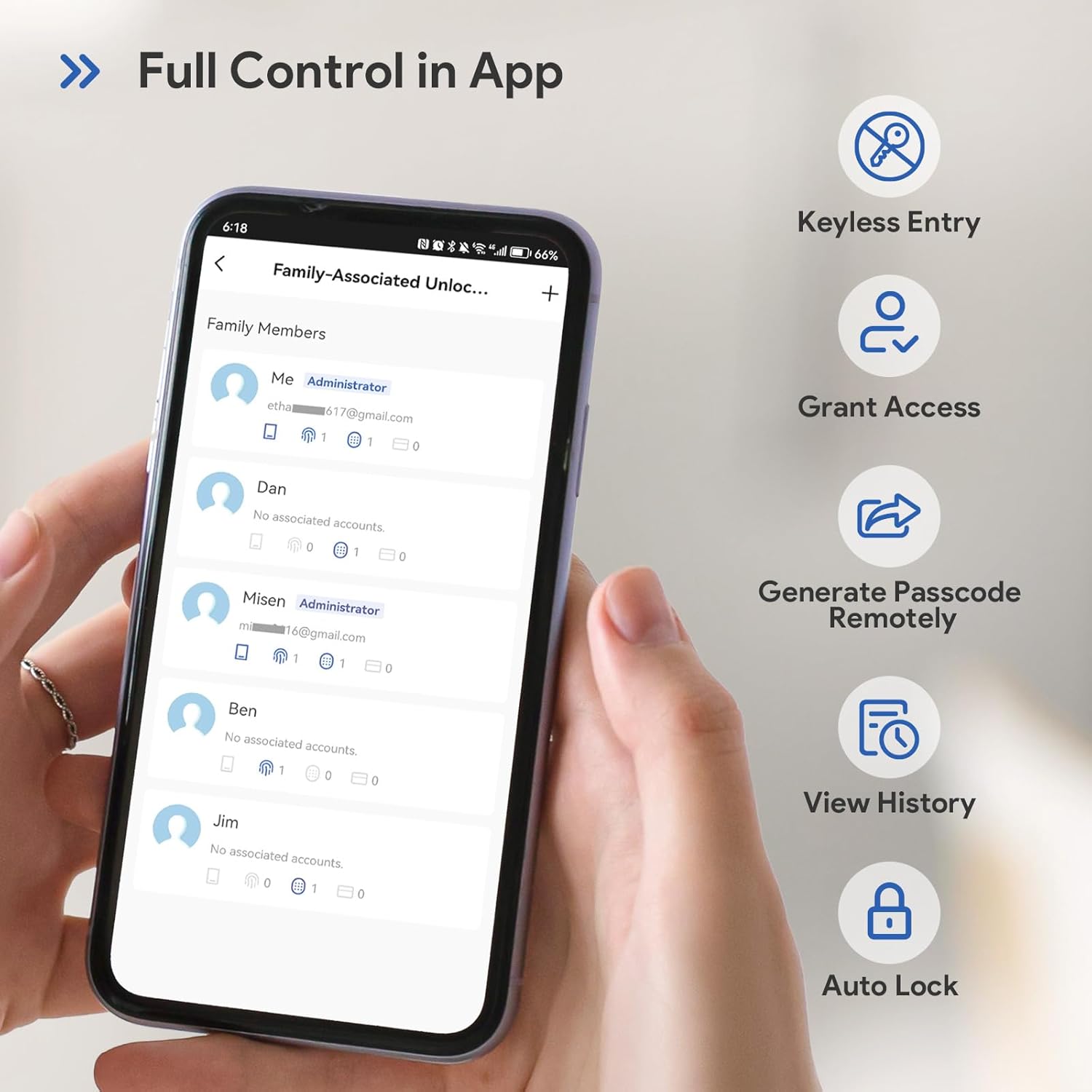
Figure 5.1: Unlocking with Fingerprint
- Lykilorð lyklaborðs:
Enter your programmed passcode on the illuminated keypad. Press the checkmark (✓) button to confirm and unlock.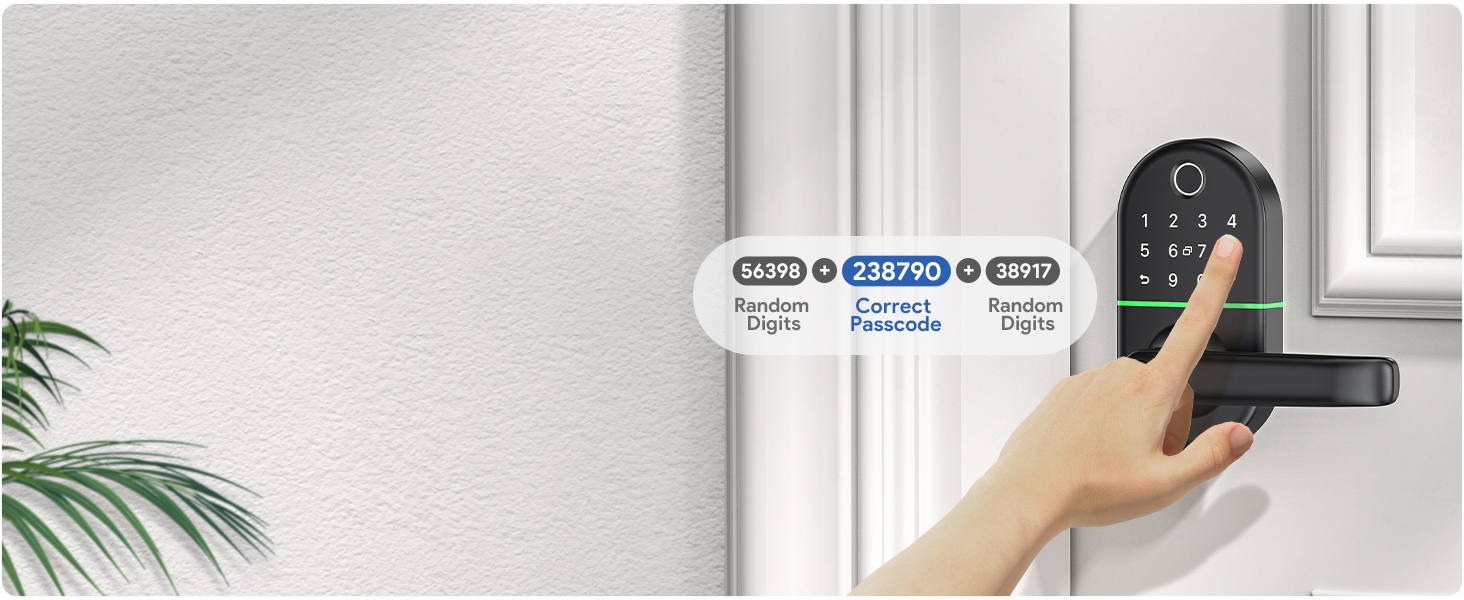
Figure 5.2: Anti-Peep Passcode Entry
- Bluetooth App Control:
Use the dedicated NICE DIGI app on your smartphone to unlock the door via Bluetooth when within range. - Lykillinn:
Tap the registered key fob against the designated area on the lock to unlock. - Líkamlegur lykill:
Insert the physical key into the keyhole and turn to unlock, similar to a traditional lock. - Remote Unlocking (Gateway Required):
To unlock the door remotely from anywhere, a separate Wi-Fi gateway is required. Pair the gateway with your lock and app to enable this feature.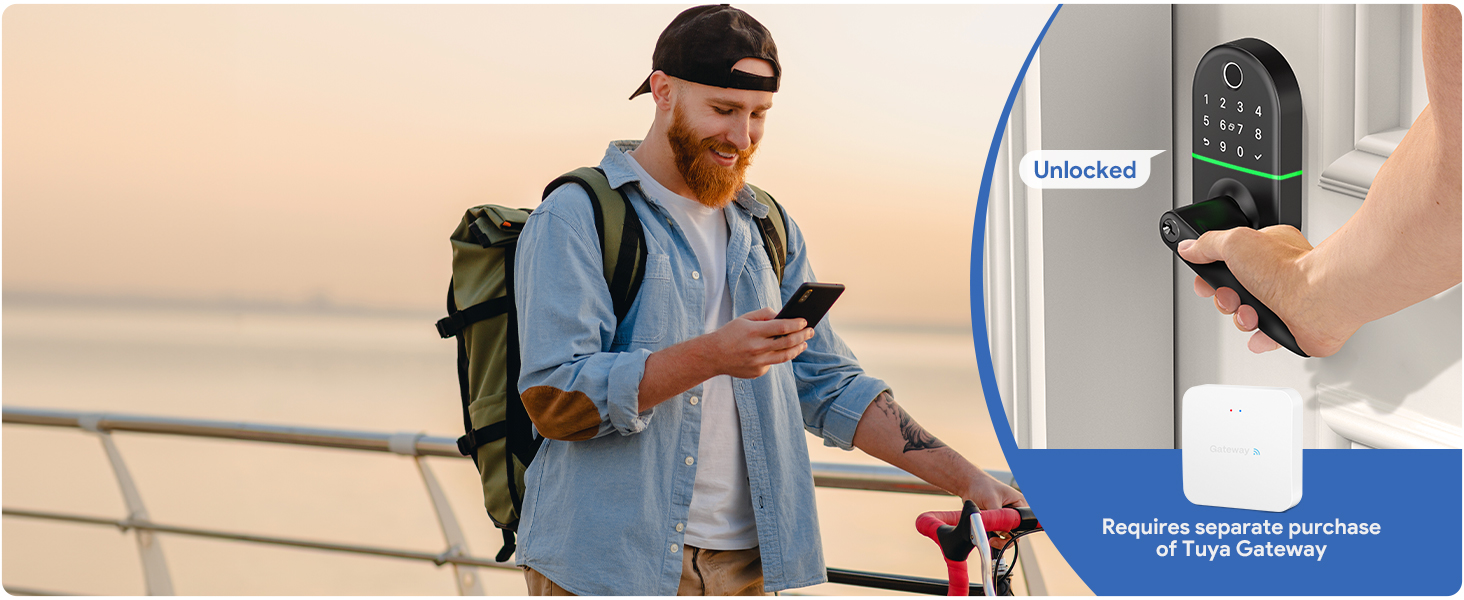
Figure 5.3: Remote Unlocking via Gateway
- Alexa Voice Commands (Gateway Required):
Integrate your lock with Amazon Alexa (and Google Home) via the required gateway. You can then use voice commands like "Alexa, lock the door" or "Alexa, unlock the door" (voice code may be required for unlocking).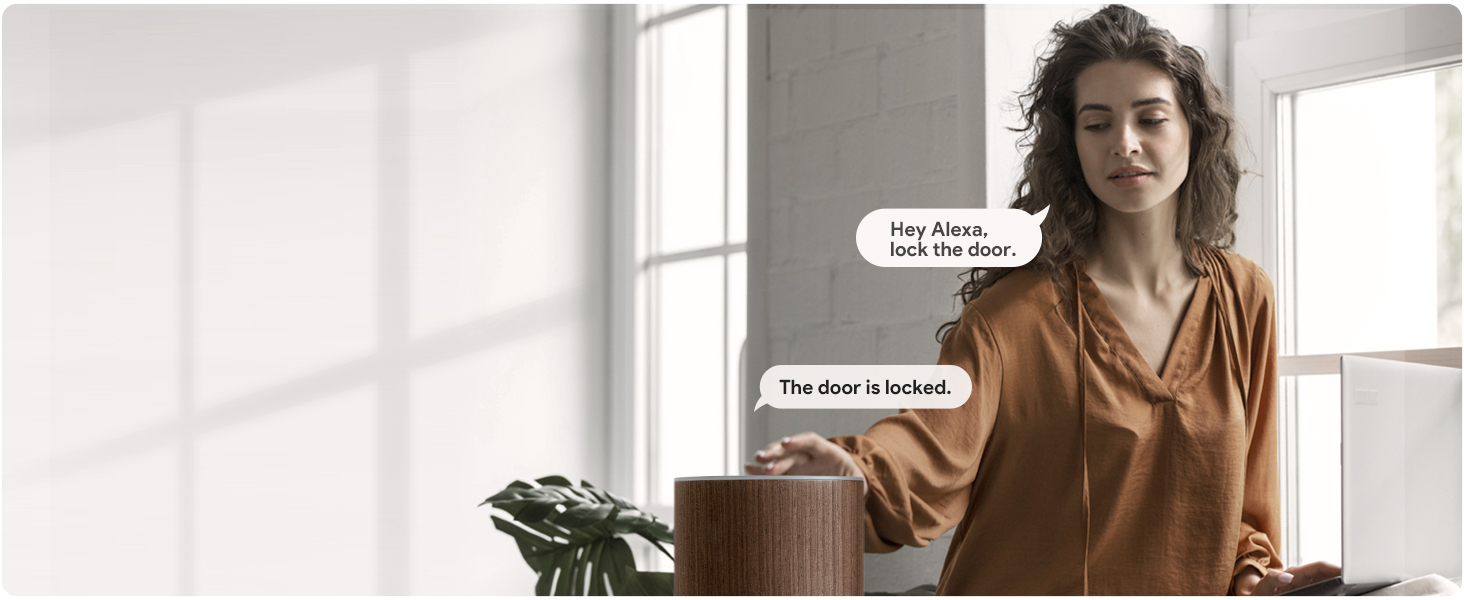
Figure 5.4: Voice Control with Alexa
5.2. Læsingaraðferðir
- Sjálfvirk læsing:
The lock is equipped with an auto-lock feature that engages the deadbolt after a preset time once the door is closed. This time can be configured in the app. - Handvirk læsing:
To manually lock the door from the outside, long-press the checkmark (✓) button on the keypad.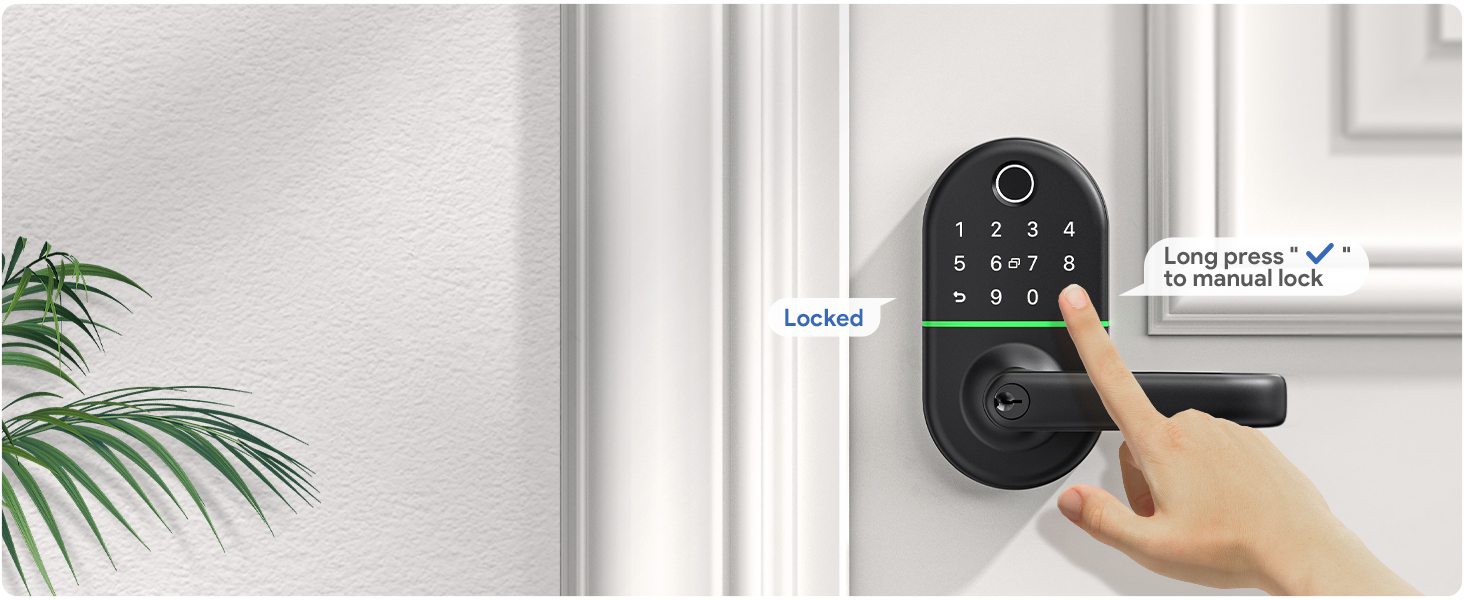
Figure 5.5: Manual Locking
- Forritlæsing:
You can also lock the door remotely using the NICE DIGI app, especially if the auto-lock feature is disabled.
6. App Control & Management
The NICE DIGI app provides comprehensive control over your smart lock, allowing for user management, access scheduling, and activity monitoring.
6.1. Notendastjórnun
Add and manage different users, assigning them specific access rights (e.g., administrator, common member). You can add fingerprints, passcodes, and key cards for each user.
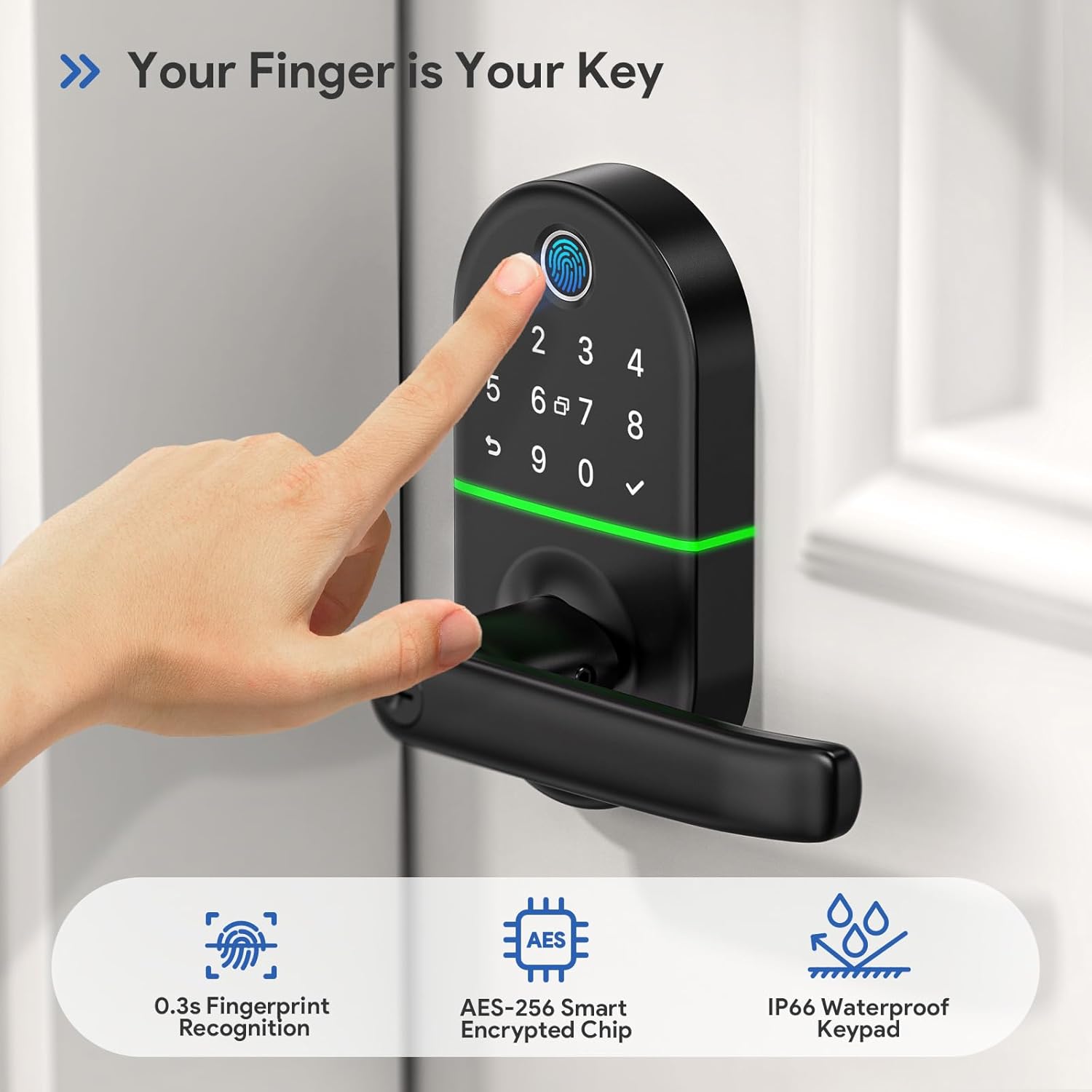
Figure 6.1: Full Control in App - User Management
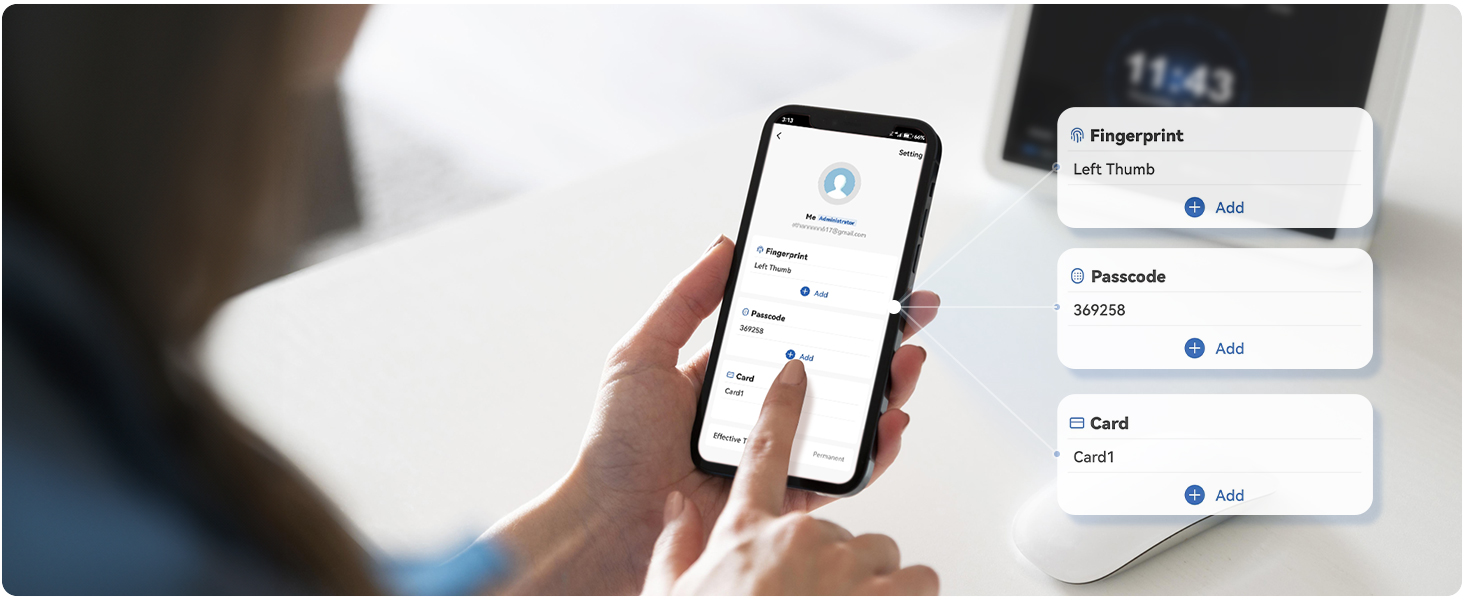
Figure 6.2: Adding Access Methods in App
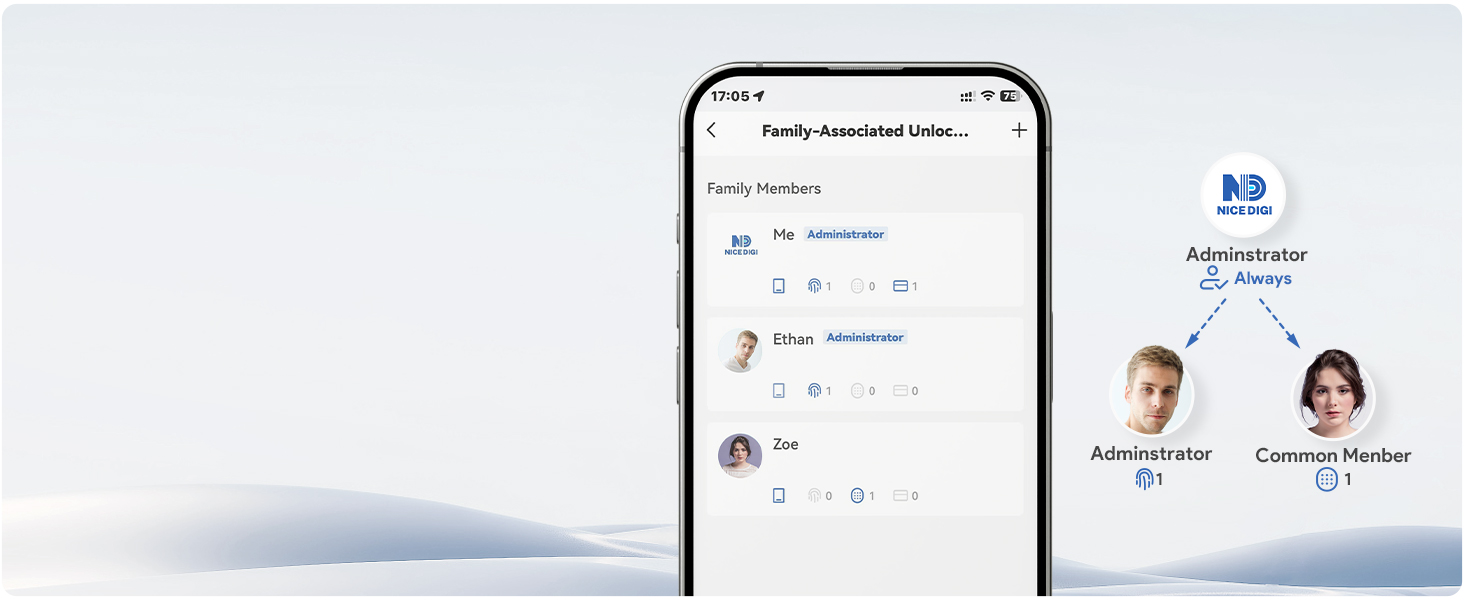
Figure 6.3: Administrator vs. Common Member Roles
6.2. Passcode Generation
Generate various types of passcodes for different needs:
- Permanent Passcode: Fyrir venjulega notendur.
- Einnota lykilorð: For single use, ideal for deliveries or one-off access.
- Short-Term Passcode: Valid for a limited duration, suitable for guests or service providers.
- Custom Passcode: Set specific validity periods for access.
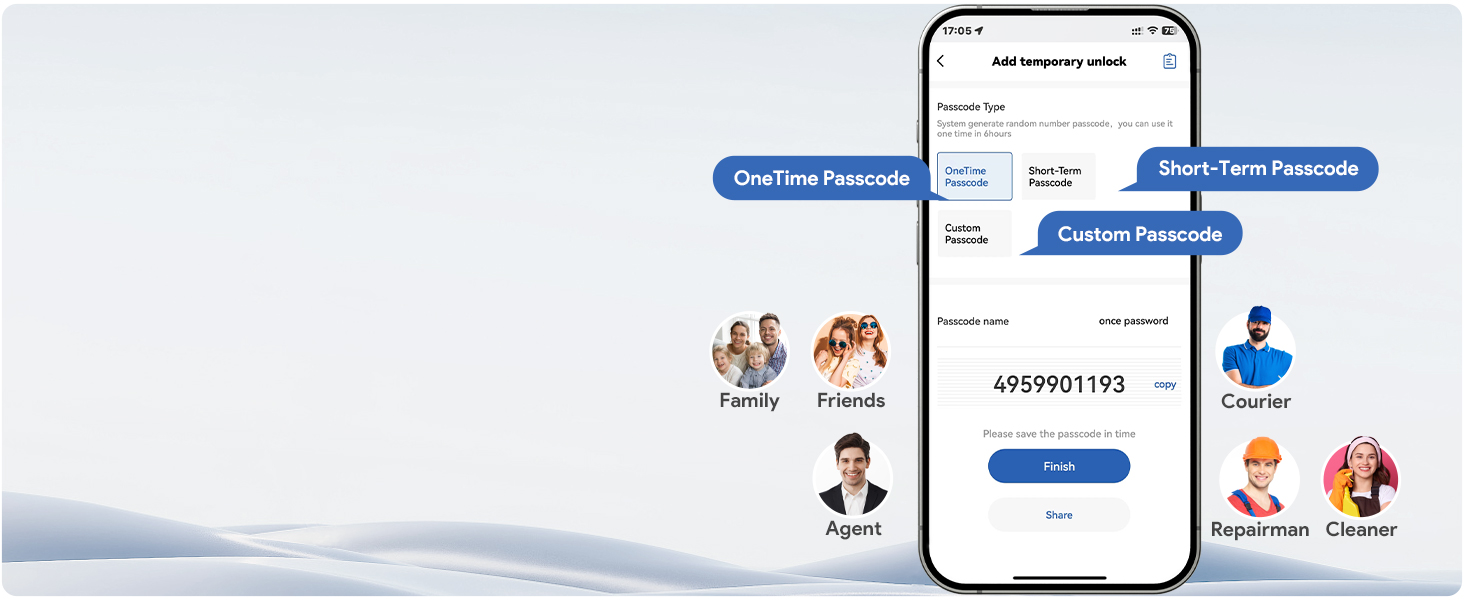
Figure 6.4: Passcode Generation Options
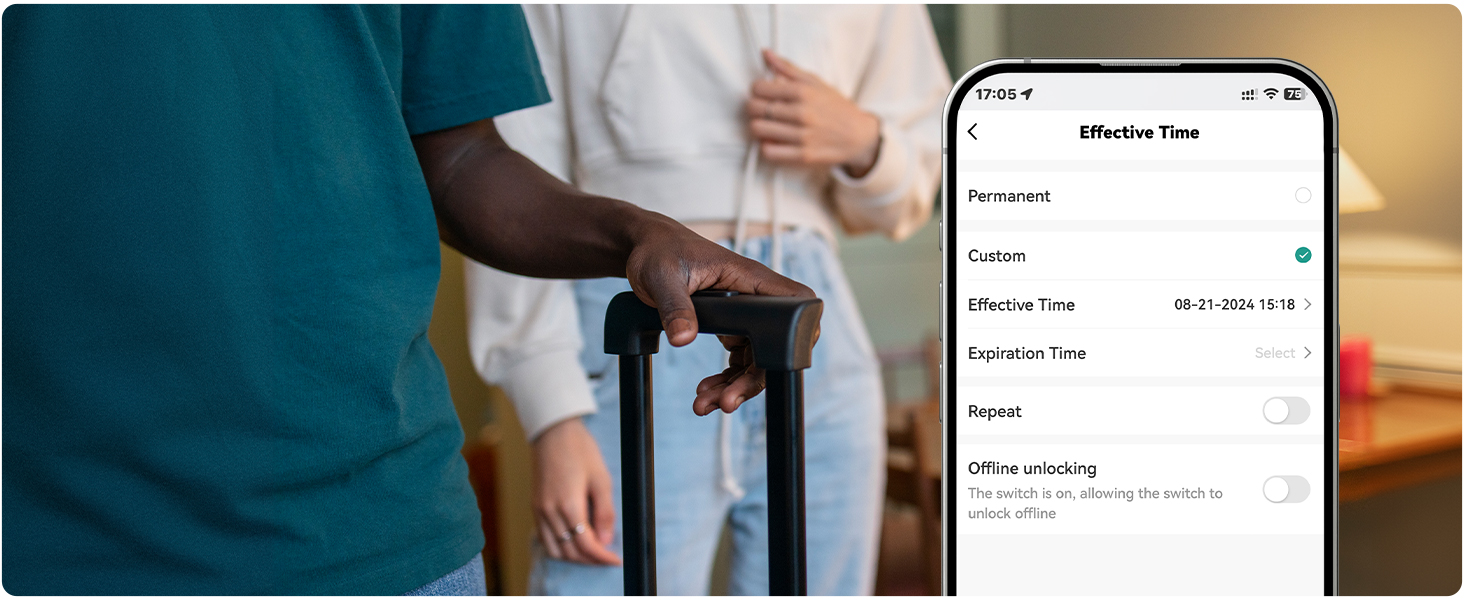
Figure 6.5: Setting Effective Time for Passcodes
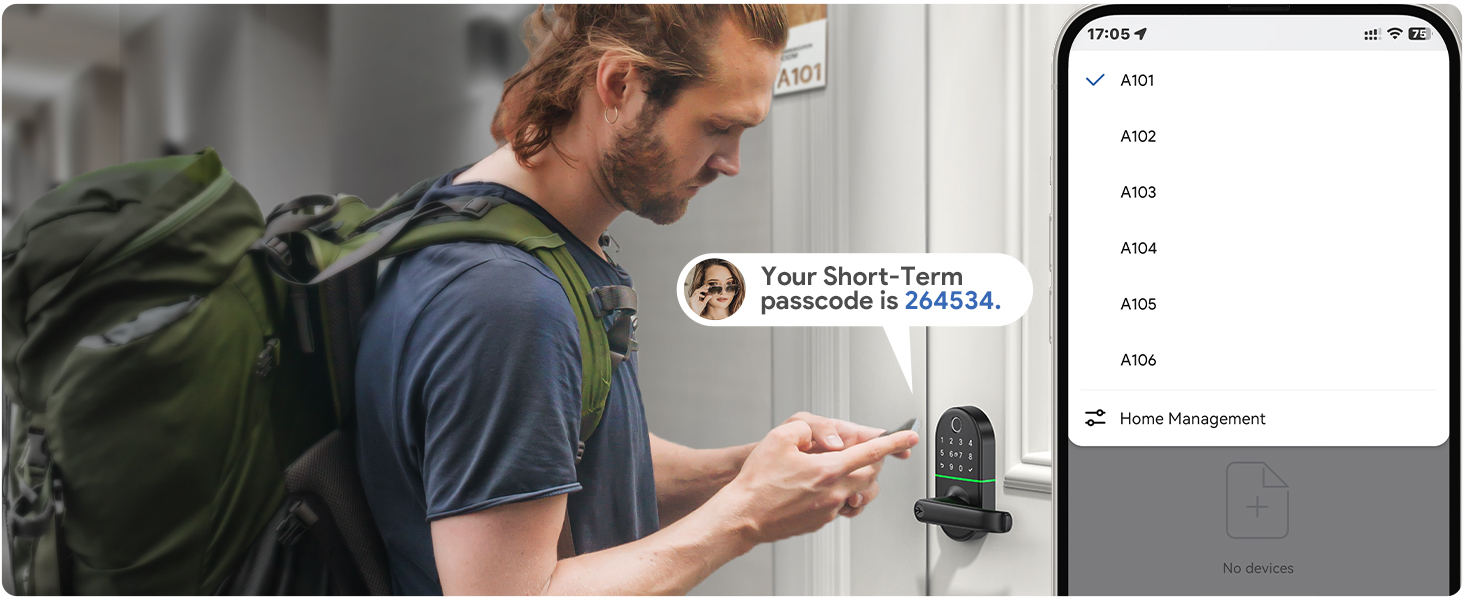
Figure 6.6: Using a Short-Term Passcode
6.3. Activity Logs & Notifications
The app keeps a detailed log of all lock activities, including who unlocked the door, when, and by what method. You can also receive real-time notifications on your smartphone for lock events.
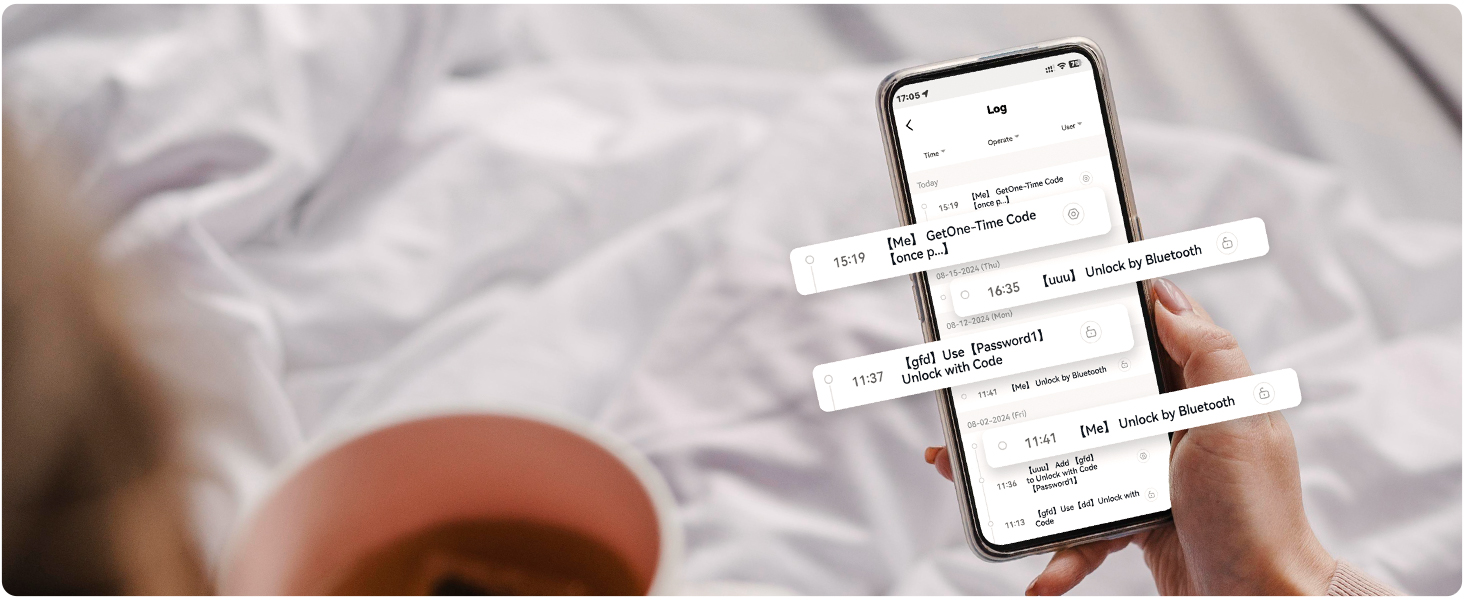
Figure 6.7: Activity Log in App
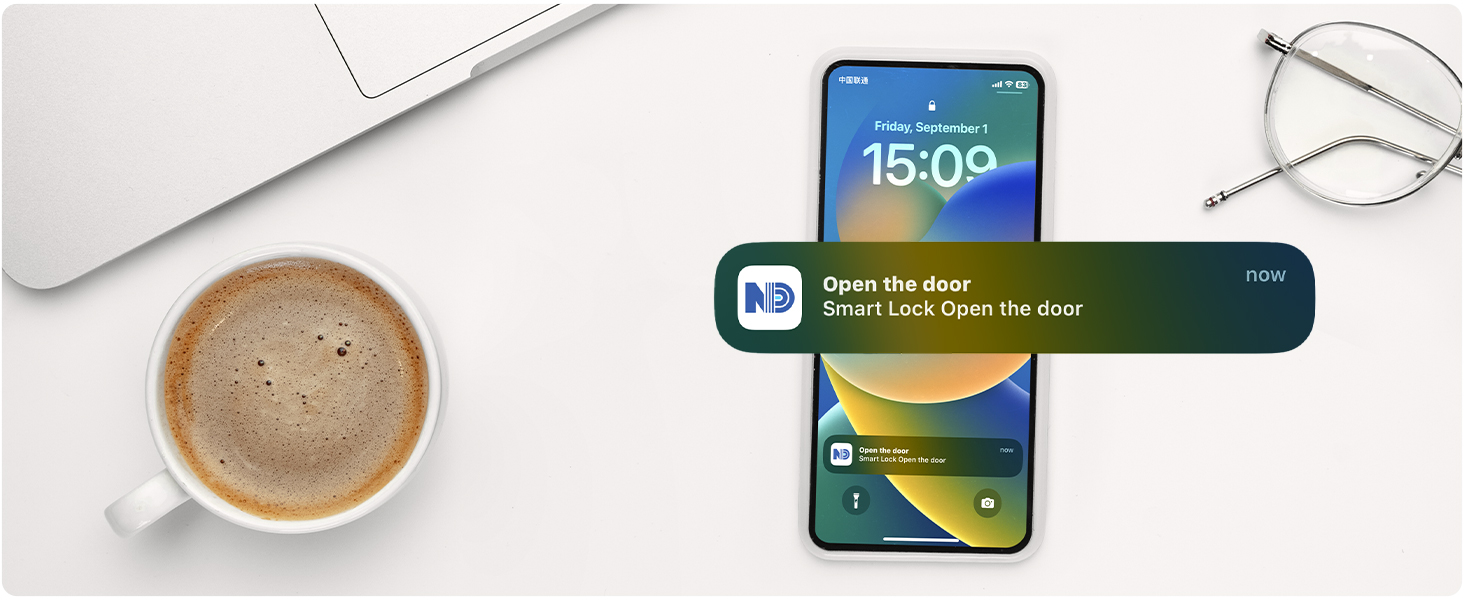
Figure 6.8: App Notifications
7. Viðhald
- Skipt um rafhlöðu: The lock requires batteries (not included). Replace them promptly when the low battery indicator appears or when the lock's performance degrades.
- Þrif: Notið mjúkan, þurran klút til að þrífa yfirborð lásins. Forðist slípiefni eða leysiefni sem gætu skemmt áferðina eða rafeindabúnaðinn.
- Fingrafaramælir: Haldið fingrafaralesaranum hreinum og þurrum til að hámarka virkni.
- Takkaborð: Ensure the keypad is free from dirt or debris.
8. Bilanagreining
- Lás svarar ekki: Check battery levels. Replace batteries if low.
- Fingrafar ekki greint: Gakktu úr skugga um að fingurinn sé hreinn og þurr. Reyndu að skrá fingrafarið þitt aftur í appinu.
- Lyklaborðið lýsir ekki upp: Check battery levels. If batteries are fine, ensure the keypad is not damaged.
- Fjarstýrð opnun virkar ekki: Verify that the Wi-Fi gateway is properly connected and within range of the lock and your home Wi-Fi network. Check your internet connection.
- Lás læsist ekki sjálfkrafa: Check the auto-lock settings in the app. Ensure the door sensor is properly aligned and the door is fully closed.
- Lock not functioning in cold weather: Extreme cold can affect battery performance and electronic components. If experiencing issues in cold climates, consider using high-performance batteries or ensuring the lock is not exposed to extreme temperatures for prolonged periods.
- Door getting caught/not closing properly after installation: This may indicate an issue with the door frame or bore hole alignment. Minor adjustments to the door or frame might be necessary.
- No physical switch to lock/unlock from inside: This model relies on auto-lock, manual keypad lock, or app control for locking. There is no dedicated physical switch on the interior handle for locking.
For further assistance, please refer to the full User Guide or contact customer support.
9. Tæknilýsing
| Eiginleiki | Smáatriði |
|---|---|
| Vörumerki | FLOTT DIGI |
| Nafn líkans | X1 |
| Litur | Svartur |
| Tegund læsa | Líffræðileg tölfræði, samsetningarlás, takkaborð |
| Sérstakir eiginleikar | Borunarvörn, sjálfvirk læsing, fingrafaralæsing, læsing með einni snertingu |
| Stærðir hlutar (L x B x H) | 2.79 x 2.7 x 5.39 tommur |
| Þyngd hlutar | 2.64 pund |
| Eftirlitsaðferð | Forrit, fjarstýring, snerting, rödd |
| Gerð stjórnanda | Amazon Alexa |
| Rafhlöður nauðsynlegar? | Já (Rafhlöður fylgja ekki með) |
| UPC | 716963370950 |
10. Ábyrgð og stuðningur
NICE DIGI is committed to providing durable and stylish security solutions. Your purchase is protected by:
- 30 daga peningaábyrgð
- 1-year product coverage
- Stuðningur eftir sölu ævilangt
For any inquiries or support needs, please contact NICE DIGI customer service. Refer to the contact information provided in your product packaging or on the official NICE DIGI websíða.


