1. Inngangur
This manual provides detailed instructions for the safe and efficient operation of your VGKE Mini Projector, model TS-6. Please read this manual thoroughly before using the projector and retain it for future reference.
The VGKE Mini Projector TS-6 is a portable Full HD projector designed for home entertainment, offering versatile connectivity options including WiFi and Bluetooth for seamless integration with various devices.
2. Vöru lokiðview
2.1 Helstu eiginleikar
- Full HD 1080p Native Resolution (Supports 4K Sources)
- Built-in WiFi 6 for fast wireless connectivity
- Bluetooth 5.2 for external audio devices
- Portable design with a retractable stand
- 90-degree flip adjustment for ceiling projection
- Electric Focus and Keystone Correction (Auto Keystone 15° Vertical Only, 4-Direction, 4-Point Correction)
- 60-100% Zoom function
- Wide compatibility with Android, iOS, Laptops, TV Sticks, HDMI, and USB devices

Figure 1: VGKE Mini Projector TS-6. This image displays the compact and portable design of the projector.

Figure 2: Key features of the VGKE Mini Projector, including high brightness, Full HD resolution, 4K source support, and a retractable stand.
2.2 Innihald pakka
Vinsamlegast athugið hvort eftirfarandi atriði séu í pakkanum:
- VGKE Mini Projector TS-6
- Rafmagns millistykki
- Fjarstýring
- Notendahandbók
- HDMI Cable (may vary by region/package)
3. Uppsetning
3.1 Staðsetning
Position the projector on a stable, flat surface. Ensure adequate ventilation around the device. The projector features a 90-degree flip adjustment, allowing for flexible placement, including ceiling projection.

Figure 3: Projector demonstrating 90-degree flip adjustment for versatile projection angles, including ceiling projection.
3.2 Rafmagnstenging
- Tengdu straumbreytinn við aflgjafainntak skjávarpans.
- Stingdu straumbreytinum í innstungu.
- Ýttu á aflhnappinn á skjávarpanum eða fjarstýringunni til að kveikja á tækinu.
3.3 Initial Focus and Keystone Adjustment
Upon initial power-on, adjust the focus and keystone to achieve a clear, rectangular image.
- Rafmagns fókus: Use the remote control to adjust the focus until the image is sharp.
- Keystone leiðrétting: The projector supports auto 15° vertical keystone correction. Manual 4-direction and 4-point correction are also available via the settings menu for precise image alignment.

Figure 4: Illustration of the Electric Focus and various Keystone Correction options available on the projector.
4. Notkunarleiðbeiningar
4.1 Tæki tengd
Skjávarpinn býður upp á marga tengimöguleika:
- HDMI: Connect laptops, TV sticks, gaming consoles (Switch/PS5), or TV boxes via the HDMI ports.
- USB: Insert USB sticks or external storage devices into the USB ports for media playback.
- Hljóðhöfn: Tengdu heyrnartól eða ytri hátalara.
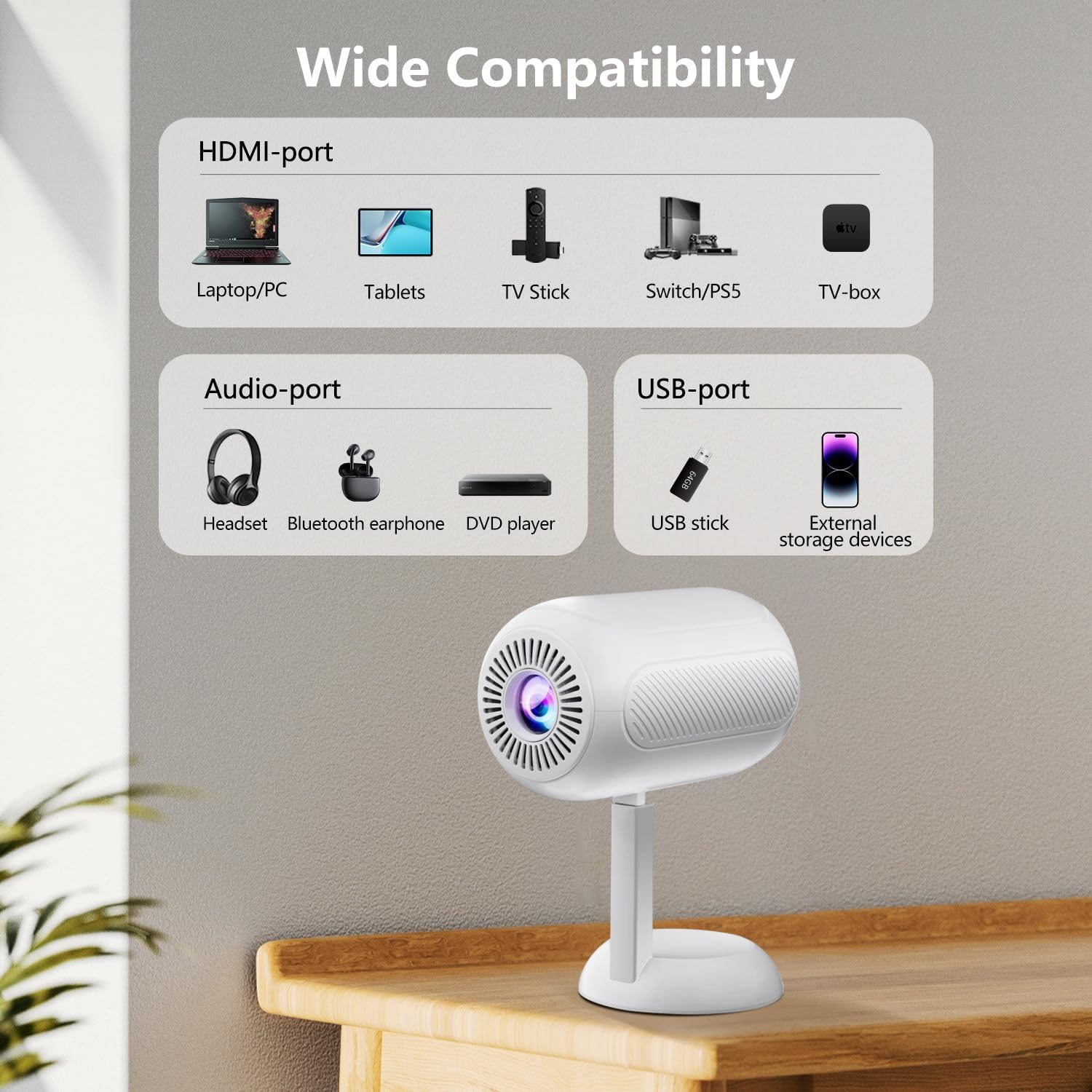
Mynd 5: Yfirview of the projector's connectivity ports, including HDMI, USB, and Audio ports.
4.2 Þráðlaus tenging (WiFi og Bluetooth)
The projector supports WiFi 6 and Bluetooth 5.2 for wireless connections.
- WiFi tenging:
- Navigate to the projector's settings menu.
- Select "Network" or "WiFi Settings".
- Choose your desired WiFi network and enter the password.
- Once connected, you can use screen mirroring features.
- Bluetooth-tenging:
- Farðu í stillingarvalmynd skjávarpans.
- Select "Bluetooth Settings".
- Virkjaðu Bluetooth og leitaðu að tiltækum tækjum.
- Select your Bluetooth speaker or headphones to pair.

Figure 6: The projector connected wirelessly via WiFi and Bluetooth, demonstrating compatibility with iOS, Android, and Windows devices.
4.3 Skjáspeglun
The projector supports screen mirroring from Android, iOS, and Windows devices. Ensure your device and the projector are connected to the same WiFi network.
- Fyrir iOS tæki:
- On the projector, select the "iOS Cast" or "Screen Mirroring" option.
- On your iOS device, open Control Center and tap "Screen Mirroring".
- Veldu skjávarpann af listanum yfir tiltæk tæki.
- Fyrir Android tæki:
- On the projector, select the "Android Cast" or "Screen Mirroring" option.
- On your Android device, enable "Wireless Display," "Smart View," or "Cast" (names may vary by device).
- Veldu skjávarpann af listanum yfir tiltæk tæki.
Athugið: Due to HDCP copyright protocols, certain streaming services (e.g., Netflix, Disney+, Prime Video, Hulu) may not support direct screen mirroring. For these services, it is recommended to use a TV Stick (e.g., Amazon Fire Stick, Roku) connected via HDMI.
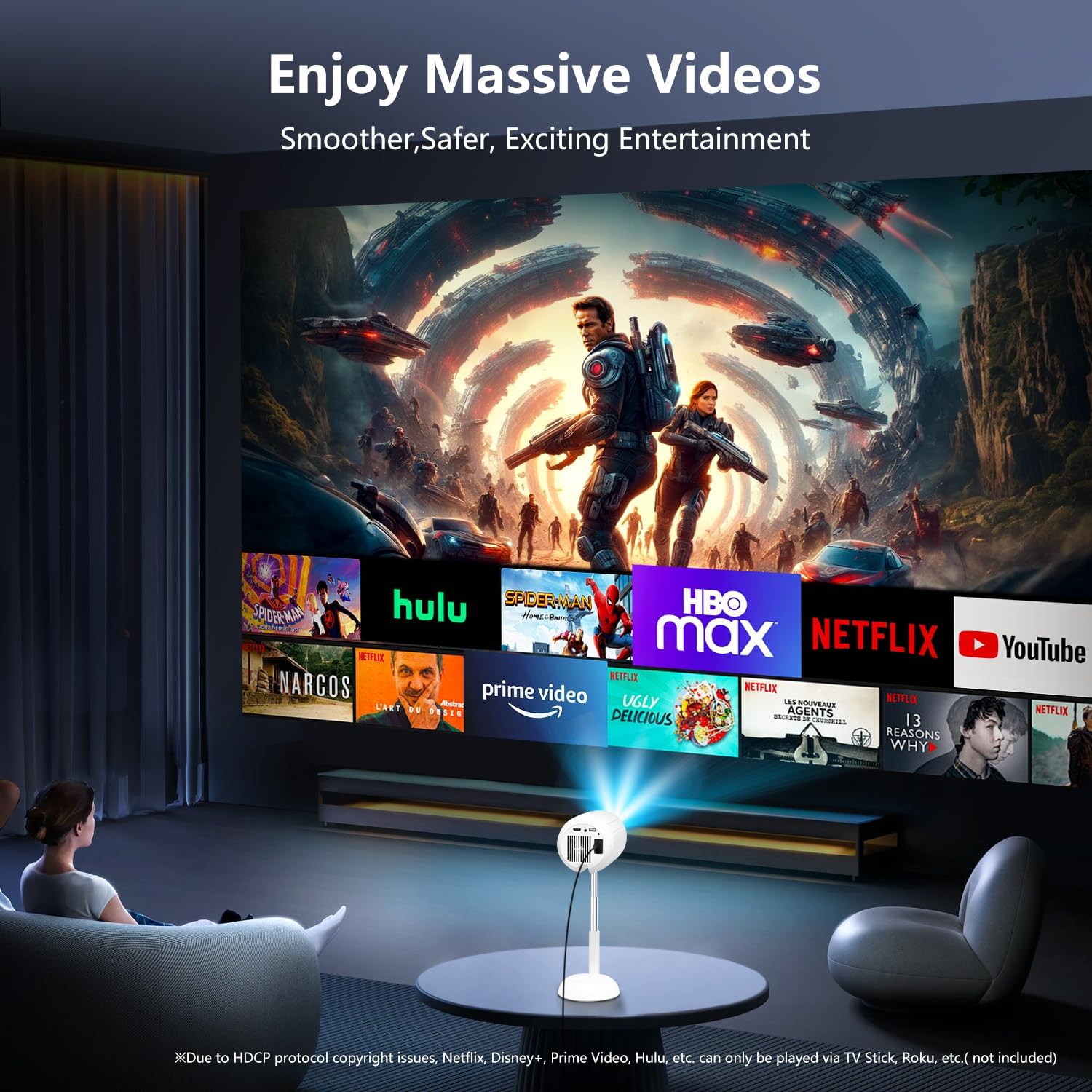
Figure 7: The projector displaying content from various streaming services, highlighting the use of external devices for copyrighted content.
5. Viðhald
5.1 Þrif á linsunni
Notið mjúkan, lólausan klút sem er sérstaklega hannaður fyrir sjónlinsur til að þurrka varlega af skjávarpalinsunni. Forðist að nota slípandi hreinsiefni eða of mikið afl, þar sem það getur rispað linsuna.
5.2 Þrif á skjávarpanum
Þurrkið ytra byrði skjávarpans með mjúkum, þurrum klút. Notið ekki fljótandi hreinsiefni eða leysiefni, þar sem þau geta skemmt áferðina.
5.3 Loftræsting
Gakktu úr skugga um að loftræstiop séu laus við ryk og hindranir til að koma í veg fyrir ofhitnun. Ekki loka fyrir loftræstiop meðan á notkun stendur.
6. Bilanagreining
| Vandamál | Möguleg orsök | Lausn |
|---|---|---|
| Engin mynd sýnd | Power cable disconnected; incorrect input source; device not connected properly. | Check power connection; select correct input source (HDMI, USB, etc.); ensure cables are securely connected. |
| Óljós mynd | Out of focus; incorrect keystone adjustment. | Adjust electric focus using the remote; perform keystone correction. |
| Ekkert hljóð | Volume too low; external audio device not connected/paired; projector muted. | Increase volume; connect/pair Bluetooth device; unmute projector. |
| Skjárspeglun virkar ekki | Devices not on same WiFi network; HDCP restrictions; WiFi signal weak. | Ensure both devices are on the same WiFi; use HDMI for restricted content; check WiFi signal strength. |
7. Tæknilýsing
| Eiginleiki | Smáatriði |
|---|---|
| Vörumerki | VGKE |
| Gerðarnúmer | TS-6 |
| Skjáupplausn | 1920 x 1080 (Full HD) |
| Tengitækni | Bluetooth, HDMI, USB, Wi-Fi |
| Sérstakir eiginleikar | Built-In Wi-Fi, Bluetooth |
| Vörumál | 4.93 x 4.93 x 8.45 tommur |
| Þyngd hlutar | 2.88 pund |
| Mælt er með notkun | Heimabíó |
8. Ábyrgð og stuðningur
For warranty information and technical support, please refer to the contact details provided on the VGKE official webvefsíðu eða kaupskjöl. Geymið kaupkvittunina vegna ábyrgðarkröfu.
For further assistance, you may contact VGKE customer service through their official channels.


