1. Inngangur
Þakka þér fyrir kaupinasing the Salange HY300Pro Mini Projector. This manual provides essential information for setting up, operating, and maintaining your projector. Please read it thoroughly before use to ensure optimal performance and longevity of your device.
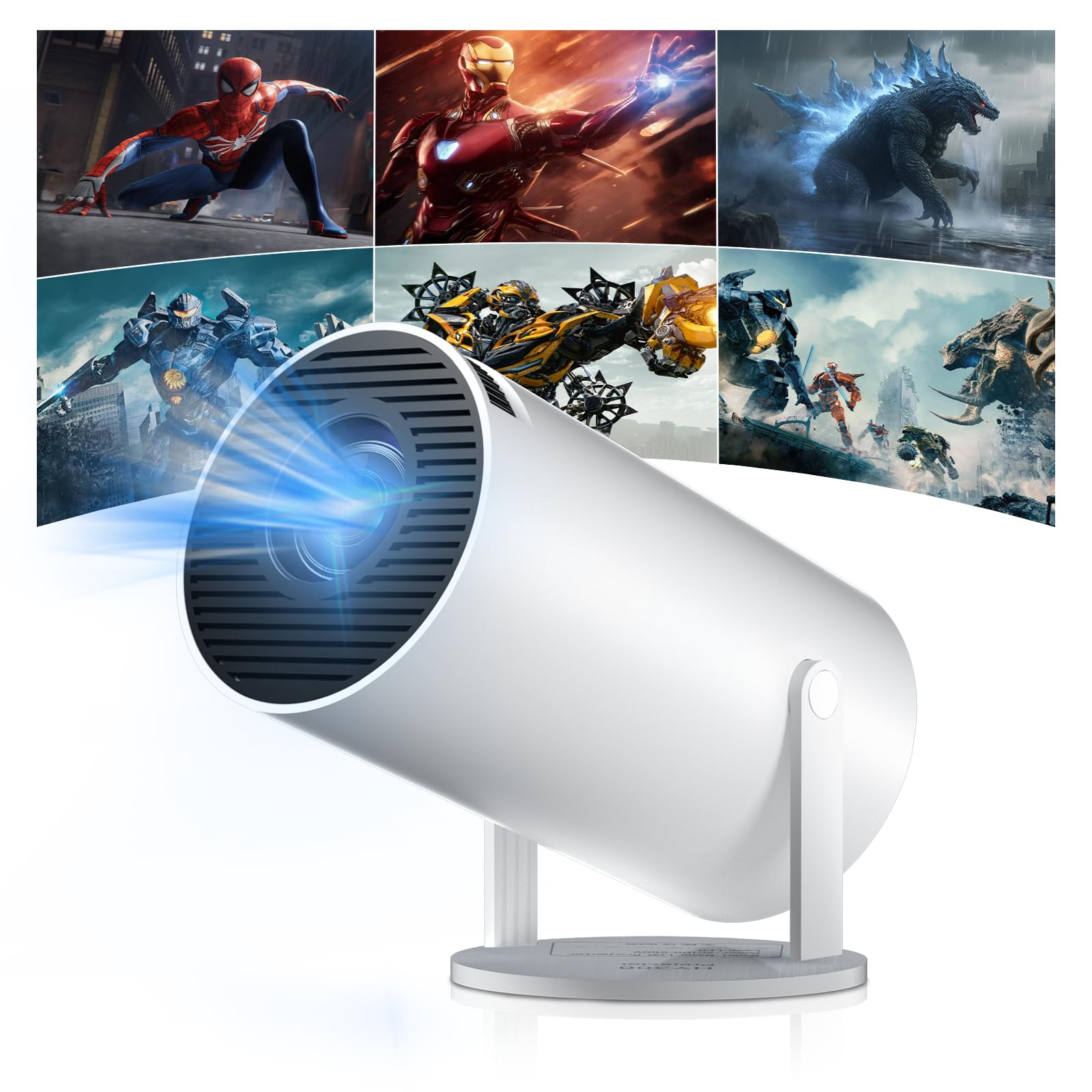
Figure 1: Salange HY300Pro Mini Projector
2. Vöru lokiðview
Helstu eiginleikar
- Dual-Band WiFi 6 & Bluetooth 5.4: Ensures fast and stable network connectivity and seamless audio pairing with external speakers or headphones.
- Android 11.0 stýrikerfi: Supports installation of various applications directly on the projector for versatile entertainment and productivity.
- 4K Support & Native 720P Resolution: Delivers clear and vibrant images, supporting 1080P and 4K video playback.
- 180° snúningur: Flexible projection angles for various setups, including ceiling, wall, or angled surfaces.
- Automatic Keystone Correction & Manual Focus: Intelligently corrects image distortion and allows for fine-tuning clarity.
- Fyrirferðarlítil og flytjanleg hönnun: Weighs only 700g, making it easy to transport for outdoor activities or different rooms.

Mynd 2: Yfirview of Salange HY300Pro features including 8K support, WiFi 6, Bluetooth 5.4, 180° rotation, and auto keystone correction.
Hvað er í kassanum
- 1 x Salange HY300Pro Projector
- 1 x Notendahandbók
- 1 x rafmagnssnúra
- 1 x fjarstýring

Figure 3: Contents of the Salange HY300Pro package.
3. Uppsetning
3.1 Upptaka og staðsetning
- Fjarlægðu alla íhluti varlega úr umbúðunum.
- Setjið skjávarpann á stöðugt, slétt yfirborð. Tryggið næga loftræstingu í kringum tækið.
- The projector's 180° rotation feature allows flexible placement. Adjust the projector's angle to project onto a wall, ceiling, or screen as desired.

Figure 4: Projector demonstrating 180-degree rotation for various projection surfaces.
3.2 Rafmagnstenging
Connect the provided power cable to the projector's power input and then to a power outlet.
3.3 Fyrsta kveiking og fókusstilling
- Ýttu á rofann á skjávarpanum eða fjarstýringunni til að kveikja á tækinu.
- The projector features automatic keystone correction. It will intelligently detect and correct image distortion to ensure a square image.
- For fine-tuning the image clarity, use the manual focus adjustment ring on the projector.

Figure 5: Illustration of automatic keystone correction and manual focus adjustment.
3.4 Nettenging (WiFi)
- Navigate to the 'Settings' menu on the projector's home screen.
- Select 'Network & Internet' and enable Wi-Fi.
- Choose your desired Wi-Fi network from the list and enter the password if prompted. The projector supports dual-band 2.4G + 5G WiFi 6 for fast and stable connections.

Figure 6: Visual representation of the projector's WiFi 6 capabilities for ultra-fast streaming.
3.5 Bluetooth pörun
- From the 'Settings' menu, select 'Connected Devices' or 'Bluetooth'.
- Virkjaðu Bluetooth og leitaðu að tiltækum tækjum.
- Veldu Bluetooth hátalarann eða heyrnartólin af listanum til að para.

Figure 7: Projector connected to various Bluetooth audio devices.
3.6 Tenging við utanaðkomandi tæki
Skjávarpinn styður HDMI og USB tengingar.
- HDMI: Connect your laptop, game console, Blu-ray player, or TV stick using an HDMI cable. Select the corresponding HDMI input source from the projector's input menu.
- USB: Settu inn USB-lykil til að spila margmiðlunarefni files directly. Access the files through the media player application on the Android OS.
4. Notkunarleiðbeiningar
4.1 Að vafra um Android stýrikerfið
The Salange HY300Pro runs on Android 11.0, providing a smart TV experience.
- Use the remote control to navigate through the home screen, applications, and settings.
- The interface is intuitive, similar to an Android smartphone or tablet.

Figure 8: Projector displaying the Android OS home screen with various streaming apps.
4.2 Forritastjórnun
You can install and manage applications directly on the projector.
- Access the app store (e.g., Google Play Store) to download streaming services, games, and productivity tools.
- To uninstall an app, go to 'Settings' > 'Apps' and select the desired app.
4.3 Skjáspeglun
Mirror your smartphone or tablet screen to the projector wirelessly.
- Gakktu úr skugga um að bæði tækið þitt og skjávarpinn séu tengd við sama Wi-Fi netið.
- On the projector, select the screen mirroring function (e.g., 'Miracast', 'AirPlay', or 'Screen Share').
- On your smartphone/tablet, enable screen mirroring and select the projector from the list of available devices.
4.4 Mynd- og hljóðstillingar
Adjust various settings to optimize your viewupplifun.
- Myndastillingar: Access 'Settings' > 'Display' to adjust brightness, contrast, color, and aspect ratio.
- Hljóðstillingar: Access 'Settings' > 'Sound' to adjust volume, sound mode, and output device.

Figure 9: Projector displaying a large image, illustrating its ability to create a home cinema experience.
5. Viðhald
5.1 Þrif á linsunni
Notið mjúkan, lólausan klút sem er sérstaklega hannaður fyrir sjónlinsur til að þurrka varlega af skjávarpalinsunni. Notið ekki slípandi hreinsiefni eða of mikið afl.
5.2 Loftræsting
Ensure the projector's ventilation vents are clear of dust and obstructions. Blocked vents can lead to overheating and reduced performance. Periodically clean the vents with a soft brush or compressed air.
5.3 Geymsla
Þegar skjávarpinn er ekki í notkun í langan tíma skal geyma hann á köldum, þurrum stað, fjarri beinu sólarljósi og miklum hita. Notið upprunalegu umbúðirnar eða verndarhulstur til að koma í veg fyrir ryksöfnun og skemmdir.
6. Bilanagreining
| Vandamál | Möguleg orsök | Lausn |
|---|---|---|
| Engin mynd sýnd | Rafmagnssnúra aftengd; Rangur inntaksgjafi; Skjávarpi í biðstöðu. | Athugaðu rafmagnstenginguna; Veldu rétta HDMI/USB inntakið; Ýttu á aflhnappinn til að vekja. |
| Myndin er óskýr | Fókus ekki stilltur; Skjávarpinn of langt/nálægt skjánum. | Adjust manual focus ring; Ensure projector is within optimal projection distance. |
| Ekkert hljóð | Hljóðstyrkur of lágur; Þaggað; Rangt hljóðúttak valið; Bluetooth-tæki ekki parað. | Hækka hljóðstyrk; Kveikja á hljóði; Athuga hljóðstillingar; Para aftur við Bluetooth tæki. |
| Vandamál með Wi-Fi/Bluetooth tengingu | Incorrect password; Out of range; Interference. | Verify password; Move closer to router/device; Reduce interference from other electronics. |
| Fjarstýring virkar ekki | Dead batteries; Obstruction; Not paired. | Skiptu um rafhlöður; fjarlægðu hindranir; paraðu fjarstýringuna við ef þörf krefur. |
7. Tæknilýsing
| Eiginleiki | Smáatriði |
|---|---|
| Vörumerki | Salange |
| Gerðarnúmer | X-HY300PRO |
| Röð | Salange Mini Beamer |
| Litur | Hvítur |
| Skjár Tegund | LCD |
| Innfæddur upplausn | 1280 x 720P |
| Hámarks skjáupplausn | 3840 x 2160 (4K stutt) |
| Tengitækni | Bluetooth, Wi-Fi (WiFi 6) |
| Vélbúnaðarviðmót | Bluetooth, HDMI, USB |
| Samhæf tæki | Smartphones, Laptops, Game Consoles, Blu-ray Players, Media Players |
| Stærðir hlutar (L x B x H) | 9.5 x 9.5 x 15.7 sentimetrar |
| Sérstakir eiginleikar | Wi-Fi Compatible, Digital Keystone Correction, Lightweight, Portable, 180° Rotation |
| Mælt er með notkun | Viðskipti, Heimabíó, Leikir, Menntun |
| Form Factor | Færanlegt |
| Gerð uppsetningar | Borðfesting |
8. Ábyrgð og stuðningur
For warranty information and technical support, please refer to the documentation included with your purchase or visit the official Salange webGeymið kaupkvittunina vegna ábyrgðarkröfu.


