Inngangur
Thank you for choosing the OnePlus Nord Buds 3 Pro wireless earbuds. These earbuds are designed to provide an immersive audio experience with features like Hybrid Active Noise Cancellation, deep bass, and extended battery life. This manual provides detailed instructions for setting up, operating, maintaining, and troubleshooting your device to ensure optimal performance.
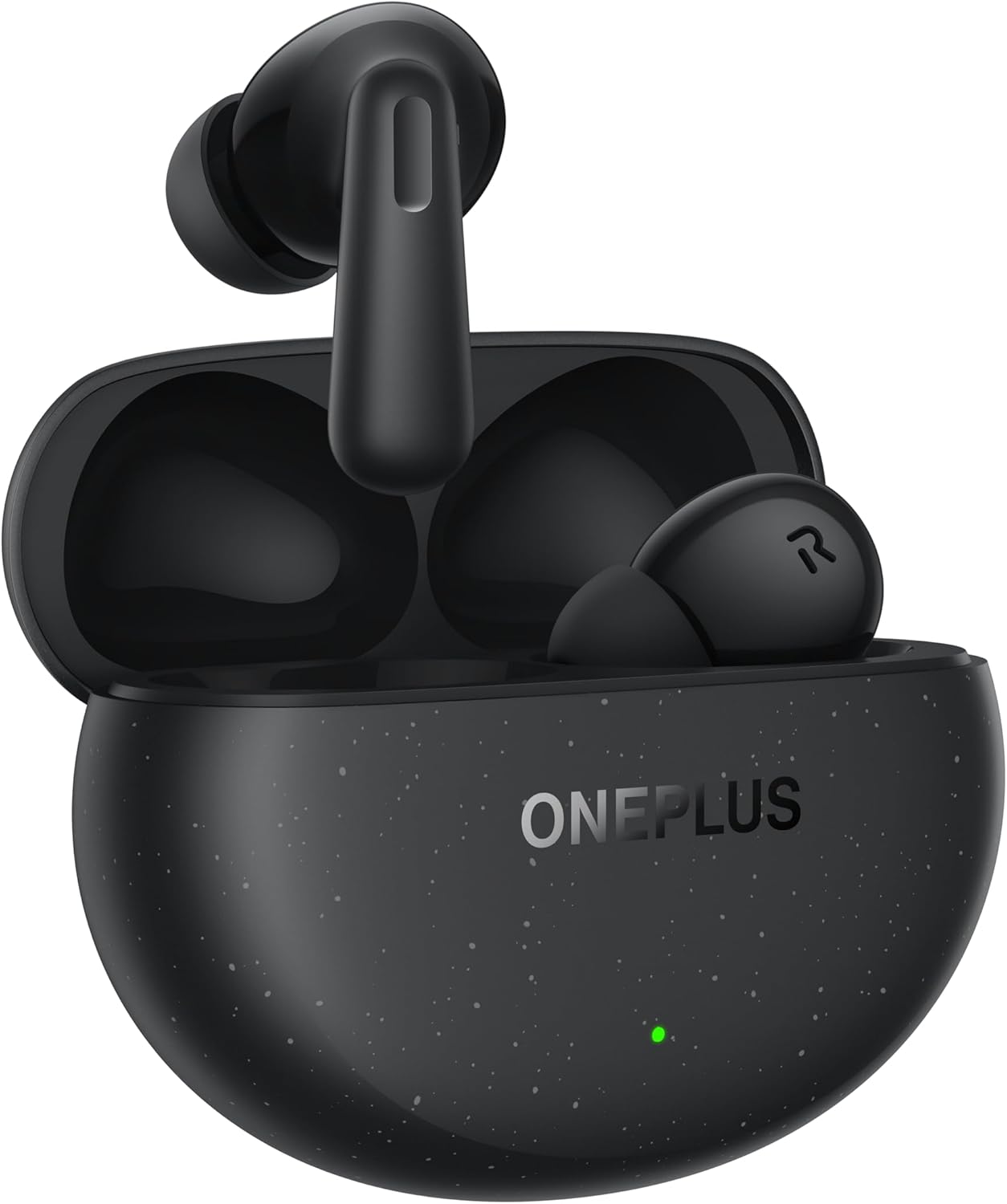
Image: The OnePlus Nord Buds 3 Pro earbuds, in Starry Black, are shown inside their open charging case. The case has a speckled finish and the OnePlus logo. A small green LED indicator is visible on the front of the case.
Hvað er í kassanum
Carefully unpack your OnePlus Nord Buds 3 Pro and ensure all items are present:
- OnePlus Nord Buds 3 Pro earbuds (1 pair)
- OnePlus Nord Buds 3 Pro charging case (1 unit)
- Silicon eartips (3 pairs: S, M, L)
- USB Type-C charging cable (1 unit)
- User guide (1 unit)
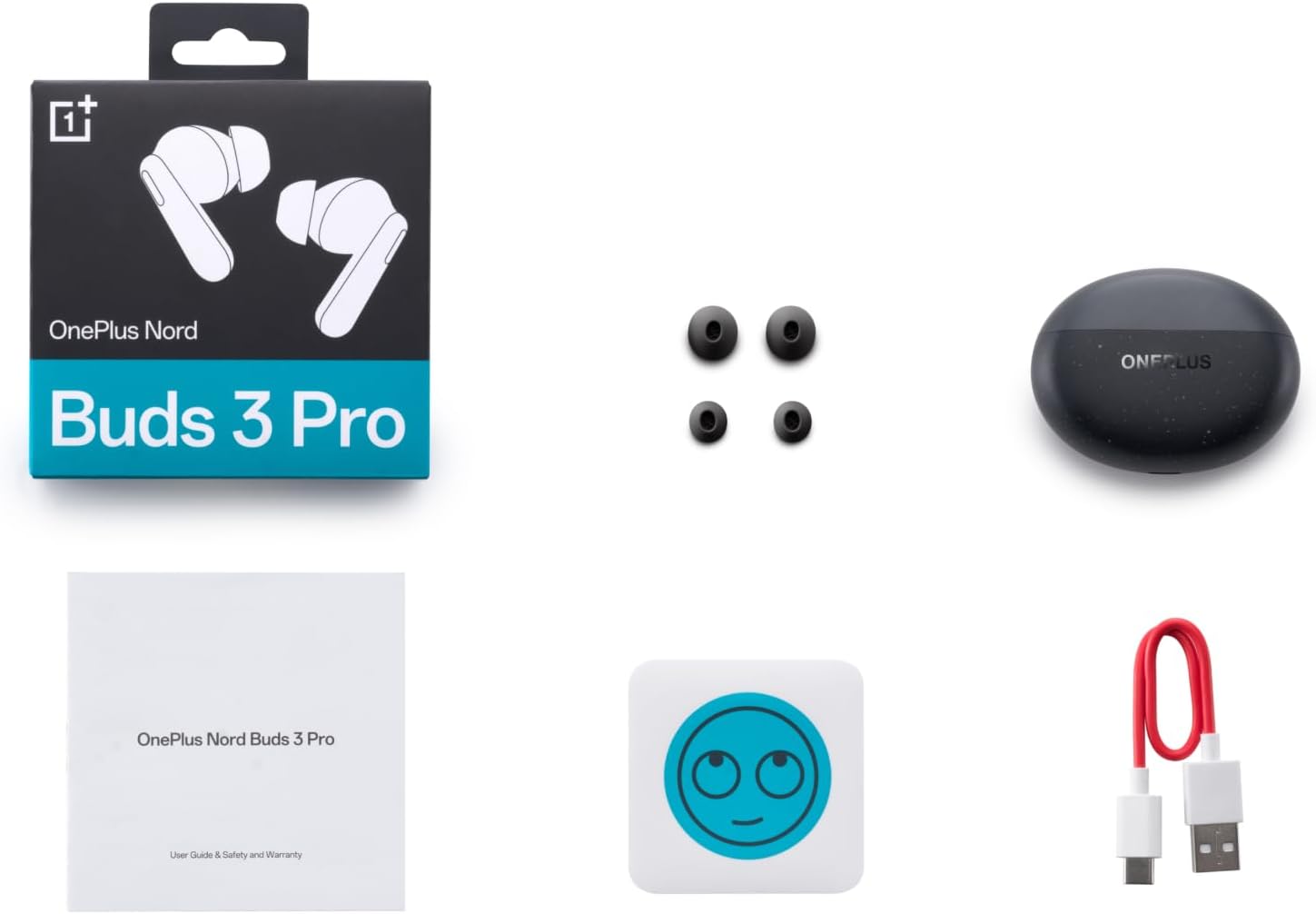
Image: A flat lay of the OnePlus Nord Buds 3 Pro package contents, including the retail box, the charging case, three pairs of silicone eartips, a USB Type-C charging cable, and the user guide.
Uppsetning
1. Upphafleg hleðsla
Before first use, fully charge the earbuds and the charging case. Connect the provided USB Type-C cable to the charging port on the case and a power source. The indicator light on the case will show charging status.
2. Pörun við tækið þitt
- Gakktu úr skugga um að eyrnatólin séu í hleðsluhulstrinu og að lokið sé opið.
- Press and hold the function button on the charging case for 2 seconds until the indicator light flashes white, indicating pairing mode.
- On your device (smartphone, tablet, etc.), go to Bluetooth settings and select "OnePlus Nord Buds 3 Pro" from the list of available devices.
- For Android devices, the earbuds support Google Fast Pair for quick connection. Simply open the case near your Android device and follow the on-screen prompts.

Image: A person holding a OnePlus Nord Buds 3 Pro charging case and a smartphone. The smartphone screen displays a prompt for Google Fast Pair, showing the earbuds ready to connect, illustrating the pairing process.
3. HeyMelody App
For enhanced features and customization, download the HeyMelody app from your device's app store. The app allows you to manage settings, update firmware, and locate your earbuds.
Notkunarleiðbeiningar
Snertistýringar
The OnePlus Nord Buds 3 Pro feature intuitive touch controls on each earbud. Default controls are as follows, but can often be customized via the HeyMelody app:
- Stakur tappi: Spila/gera hlé á tónlist, svara/leggja niður símtali.
- Tvíklikka: Næsta lag, Hafna símtali.
- Þrefaldur tappi: Fyrra lag.
- Haltu inni (1 sekúndu): Switch between Active Noise Cancellation (ANC) and Transparency mode.
Virk hávaðadeyfing (ANC) og gegnsæisstilling
The earbuds offer Hybrid Active Noise Cancellation up to 49dB to minimize ambient noise. Transparency mode allows you to hear your surroundings without removing the earbuds. Toggle between these modes by pressing and holding the earbud touch area.

Image: An infographic detailing key features of the OnePlus Nord Buds 3 Pro, including up to 44 hours listening time, 49dB Hybrid Active Noise Cancellation, 12.4mm Titanized Diaphragm, and Basswave 2.0 technology.
Hljóðgæði
Equipped with a 12.4mm titanium-coated diaphragm and Basswave 2.0 technology, the Nord Buds 3 Pro deliver rich bass, clear vocals, and an immersive sound experience.
Rafhlaða og hleðsla
- Rafhlöðuending heyrnartóla: Up to 44 hours with ANC off, up to 20 hours with ANC on (including charging case).
- Hraðhleðsla: 10 minutes of charging provides up to 11 hours of playtime.
- Hleðsluhylki: Recharge the case using the provided USB Type-C cable.
Viðhald
- Þrif: Þrífið eyrnatólin og hleðsluhulstrið reglulega með mjúkum, þurrum og lólausum klút. Notið ekki sterk efni eða slípiefni.
- Eyrnalokkar: Remove and clean the silicone eartips with water and mild soap if necessary. Ensure they are completely dry before reattaching.
- Hleðsla tengiliðir: Keep the charging contacts on both the earbuds and inside the case clean and free of debris to ensure proper charging.
- Geymsla: Þegar eyrnatólin eru ekki í notkun skal geyma þau í hleðsluhulstri til að vernda þau og halda þeim hlaðnum. Forðist mikinn hita.
Úrræðaleit
Eyrnatól parast ekki eða tengjast ekki:
- Gakktu úr skugga um að heyrnartólin séu hlaðin.
- Settu eyrnatólin í hulstrið, lokaðu lokinu og opnaðu það síðan aftur til að fara aftur í pörunarstillingu.
- Athugaðu Bluetooth-stillingar tækisins og vertu viss um að Bluetooth sé virkt.
- Reyndu að gleyma tækinu í Bluetooth stillingunum þínum og para það aftur.
- Endurræstu tækið þitt.
Ekkert hljóð eða léleg hljóðgæði:
- Athugaðu hljóðstyrkinn bæði í tækinu þínu og eyrnatólunum.
- Ensure the earbuds are properly seated in your ears and the correct size eartips are used.
- Hreinsið allt rusl af hátalurum eyrnatappa og hleðslutengjum.
- Færðu þig nær tengda tækinu þínu til að forðast truflanir.
Eyrnatól hlaðast ekki:
- Gakktu úr skugga um að hleðslusnúran sé vel tengd bæði við hulstrið og aflgjafann.
- Staðfestið að aflgjafinn sé virk.
- Hreinsið hleðslutengi bæði á eyrnatólunum og inni í hulstrinu.
Tæknilýsing
| Eiginleiki | Smáatriði |
|---|---|
| Nafn líkans | Nord Buds 3 Pro (E511A) |
| Vörumerki | OnePlus |
| Tengitækni | Bluetooth |
| Bluetooth útgáfa | 5.4 |
| Hávaðastýring | Blönduð virk hávaðadeyfing (allt að 49dB) |
| Stærð bílstjóra | 12.4mm Titanized Diaphragm |
| Tíðnisvið | 20 Hz - 20,000 Hz |
| Næmi | 38 dB |
| Viðnám | 32 Ohm |
| Rafhlöðuending (heyrnartól + hulstur) | Allt að 44 klukkustundir (ANC slökkt), allt að 20 klukkustundir (ANC kveikt) |
| Hraðhleðsla | 10 mínútna hleðsla gefur 11 klukkustunda spilun |
| Hleðsluviðmót | USB Type-C |
| Staðsetning eyrna | In Ear |
| Þyngd hlutar | 3.52 aura (0.1 kíló) |
| Vörumál | 1.09 x 0.92 x 0.82 tommur |
Ábyrgð og stuðningur
The OnePlus Nord Buds 3 Pro are covered by a limited warranty. Please refer to the warranty card included in your package for specific terms and conditions, or visit the official OnePlus webvefsíðu fyrir nákvæmar upplýsingar um ábyrgð.
Fyrir tæknilega aðstoð, aðstoð við bilanaleit eða fyrirspurnir um þjónustu, vinsamlegast farðu á OnePlus stuðningur websíða eða hafið samband við þjónustuver þeirra beint.


