1. Inngangur
Þakka þér fyrir að velja CZEview ZY-Q6 2K Outdoor Battery Surveillance Camera. This manual provides essential information for the proper installation, operation, and maintenance of your device. This robust security camera is designed for outdoor use, featuring a waterproof construction suitable for various weather conditions. It offers versatile installation options, including magnetic mounting, and provides clear surveillance with 2K resolution, 300° horizontal PTZ, motion detection, and night vision capabilities.
For optimal performance and safety, please read this manual thoroughly before using the camera and retain it for future reference.
2. Vöruhlutir
Í pakkanum eru eftirfarandi hlutir:
- CZEview ZY-Q6 2K Outdoor Battery Surveillance Camera
- Hleðslusnúra
- Festingar Bracket
- Leiðbeiningarhandbók
Unboxing Videos
Lýsing myndbands: This video demonstrates the unboxing process for a JSX Electronics camera, showing the contents typically found in the package, including the camera, mounting accessories, and cables.
Lýsing myndbands: This unboxing video for the ieGeek S2 camera (a similar model) showcases the camera and its accessories, providing a visual guide to what to expect in your package.
3. Uppsetning og uppsetning
3.1 Líkamleg uppsetning
CZE-iðview ZY-Q6 camera offers versatile installation options, including magnetic mounting for easy placement on metallic surfaces or screw mounting for more permanent fixtures.
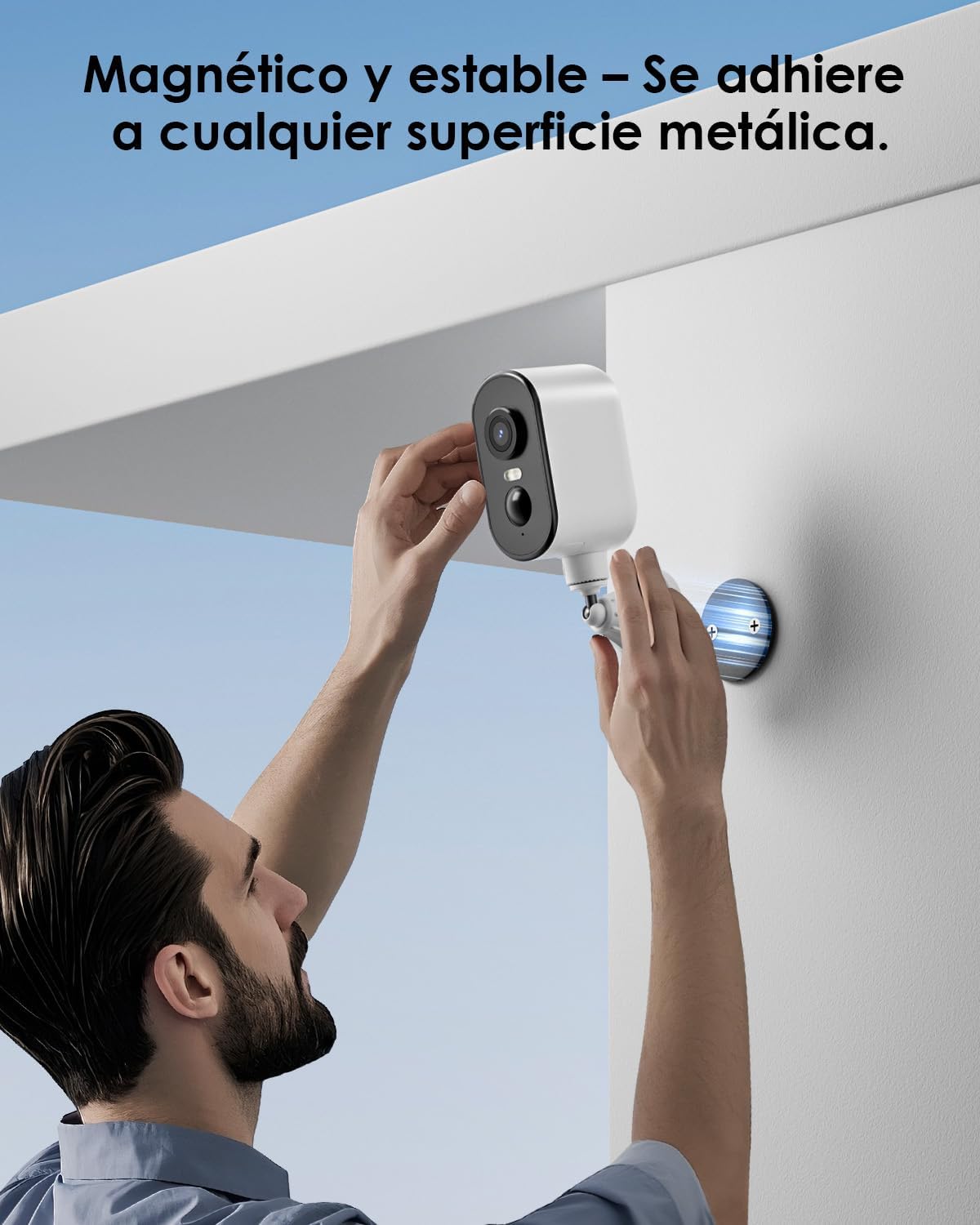
Myndlýsing: A man is shown easily attaching the CZEview ZY-Q6 camera to a metallic surface on a wall using its magnetic base, highlighting its stable and convenient mounting.
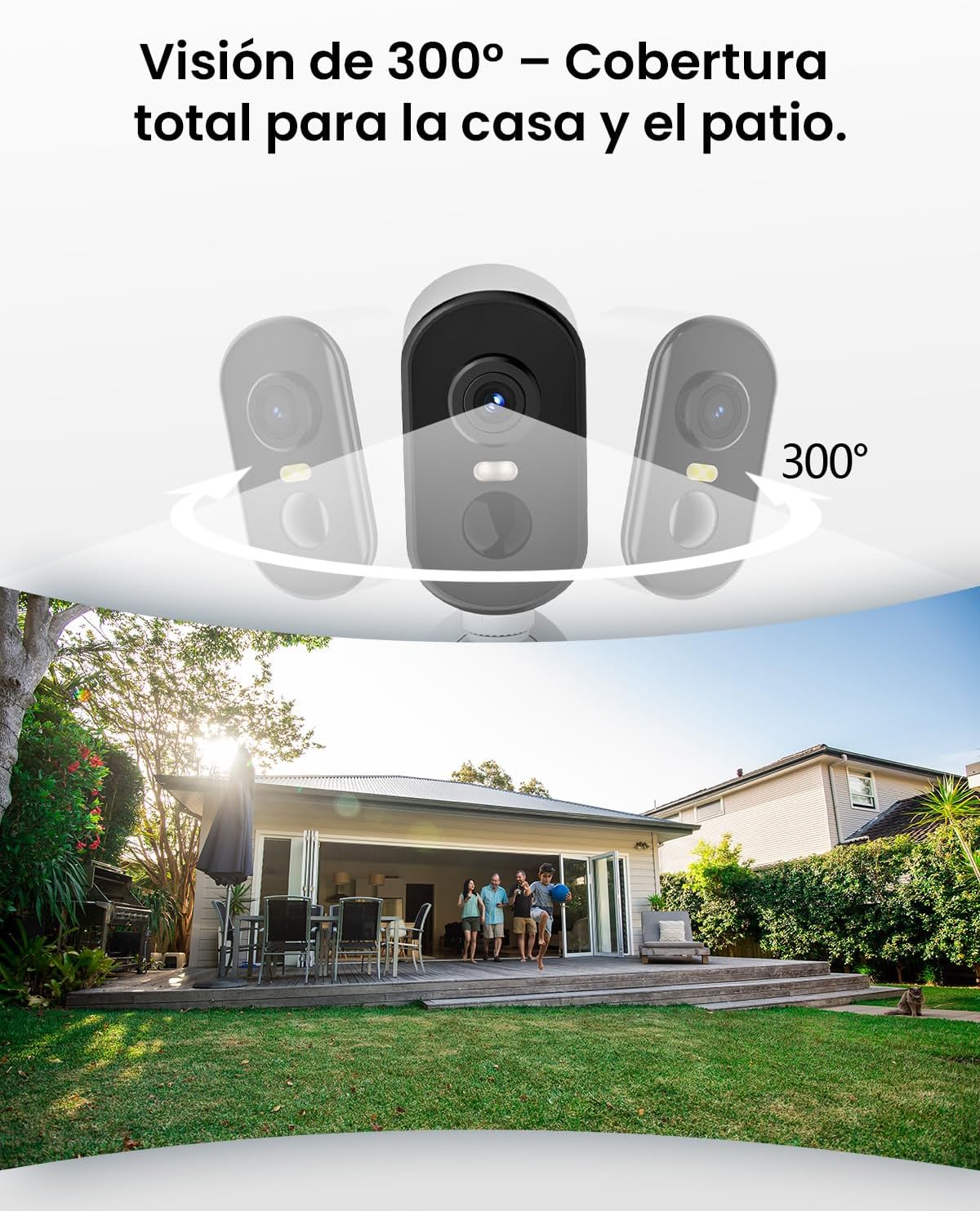
Myndlýsing: This image illustrates the camera's 300-degree horizontal PTZ (Pan-Tilt-Zoom) capability, showing how multiple cameras can provide total coverage for a house and patio area.
3.2 App Tenging
To connect your camera to your smartphone, follow the instructions in the app. Ensure your phone is connected to a 2.4G WiFi network.
Lýsing myndbands: This video provides a step-by-step guide on how to connect your outdoor WiFi battery surveillance camera to your smartphone application, covering initial setup and pairing.
Lýsing myndbands: This video demonstrates the setup process for an outdoor WiFi battery camera, including app configuration and initial connection steps for remote monitoring.
Lýsing myndbands: This video illustrates the installation process for a portable 4G camera. While this model is 2.4G WiFi, the physical mounting steps may offer general guidance.
4. Notkunarleiðbeiningar
4.1 Hreyfiskynjun og viðvaranir
The camera features automatic activation upon detecting motion, recording important events. It can differentiate between people, animals, vehicles, and packages to reduce false alarms.

Myndlýsing: This image shows the camera's automatic activation feature, detecting and recording important events triggered by people, animals, vehicles, and packages.
4.2 Night Vision and Security Features
In night mode, upon detecting motion, the camera illuminates and emits an audible alarm, enhancing security during low-light conditions. The infrared illumination system provides clear and sharp surveillance even in total darkness.
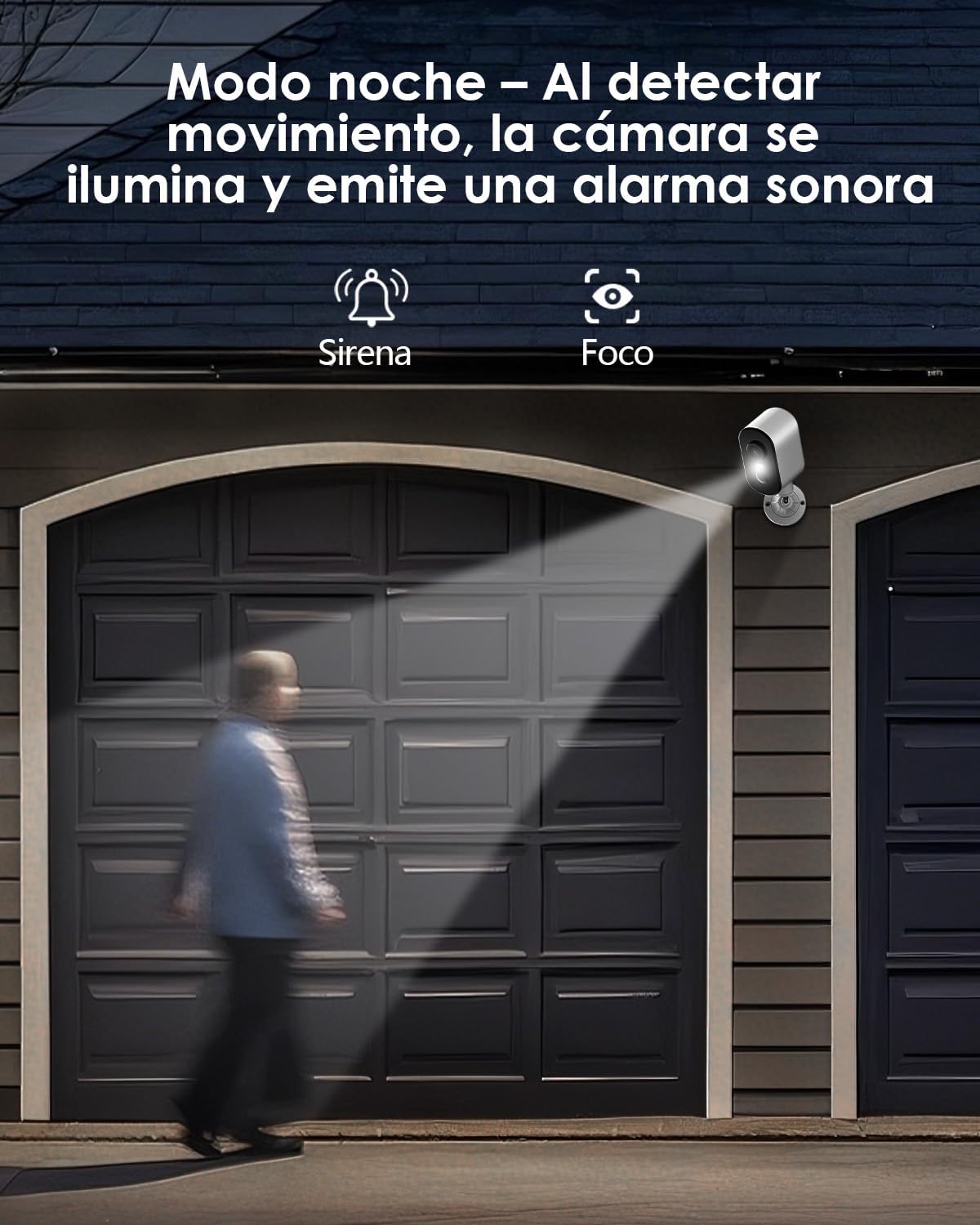
Myndlýsing: The camera is depicted in night mode, with its spotlight and siren activating upon motion detection to deter intruders and provide clear visibility.
4.3 Remote Monitoring and Multi-User Access
The camera supports remote monitoring, allowing real-time video streaming access from your smartphone. Multiple users can simultaneously access the camera feed.
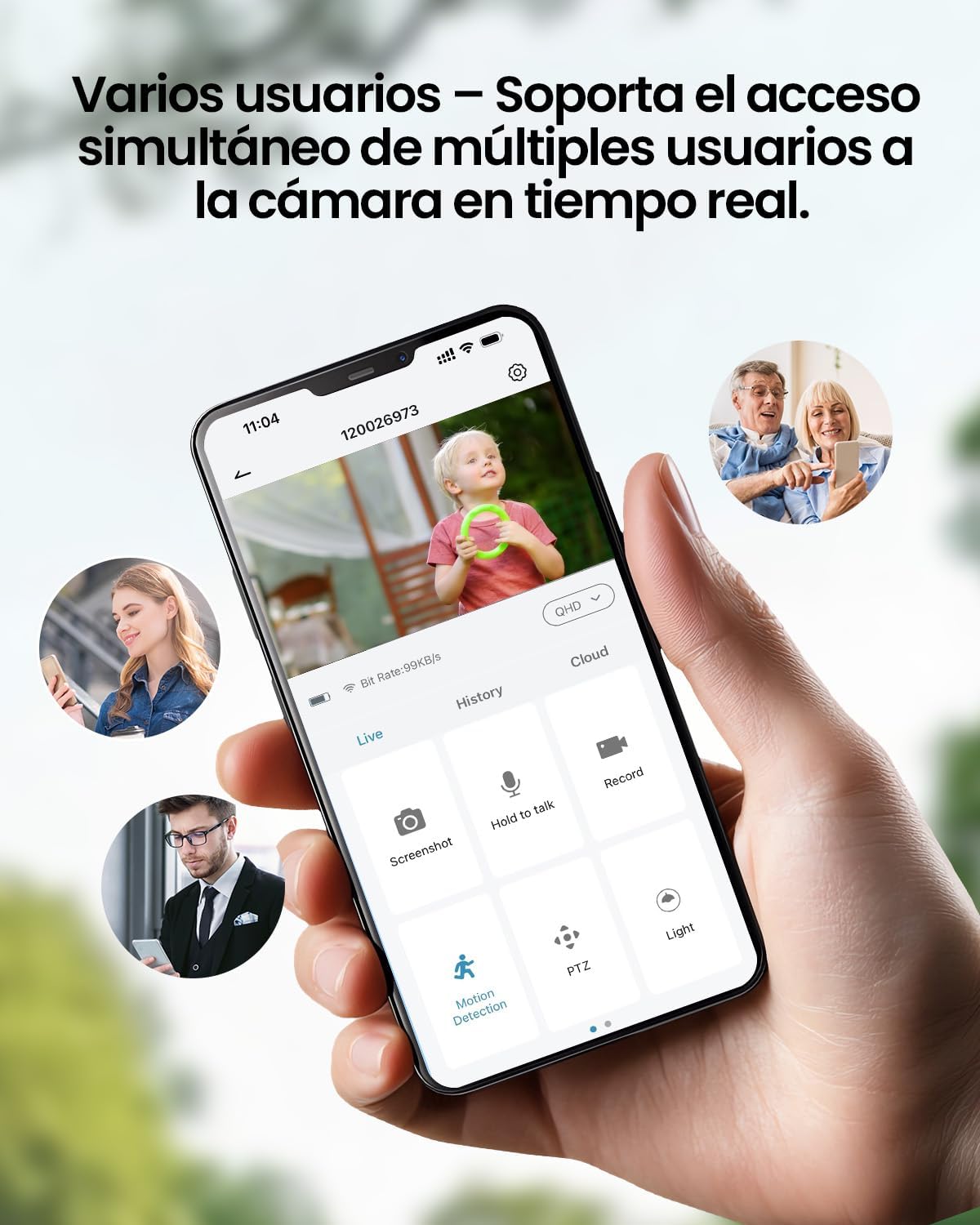
Myndlýsing: A smartphone displays the live feed from the camera, with icons indicating support for simultaneous access by multiple users, enabling shared monitoring.
5. Veðurþol
CZE-iðview ZY-Q6 camera is designed to withstand various outdoor conditions. Its fully dustproof and waterproof construction ensures continuous surveillance in any climate, from heavy rain to direct sun exposure.

Myndlýsing: CZE-iðview ZY-Q6 camera is shown mounted outdoors during rainfall, demonstrating its fully dustproof and waterproof design, ideal for continuous outdoor use.
6. Tæknilýsing
| Eiginleiki | Smáatriði |
|---|---|
| Framleiðandi | CZEview |
| Vörumál | 6 x 6.5 x 12 cm; 530 g |
| Rafhlöður | 1 9V battery required, included |
| Gerðarnúmer | ZY-Q6 |
| Litur | Hvítur |
| Efni | ABS plast |
| Aflgjafi | Rafhlaða |
| Voltage | 12 volt |
| Rafmagn | 5 vött |
| Uppsetningaraðferð | Veggfesting |
| Tegund peru | Innrautt LED |
| Gerð uppsetningar | Borðfesting |
| Sérstakir eiginleikar | Hreyfiskynjun, nætursjón |
| Mælt er með notkun | Property Monitoring, Home Security, Outdoor Surveillance |
| Vöruþyngd | 530 g |
| Hámarkssvið | 20 metrar |
| Samhæf tæki | Snjallsími |
7. Viðhald
- Þrif: Þurrkið reglulega myndavélarlinsuna og húsið með mjúkum klút.amp klút til að fjarlægja ryk og óhreinindi. Forðastu að nota sterk efni sem geta skemmt yfirborðið.
- Rafhlöðustjórnun: Monitor the battery level through the app. Recharge the camera promptly when the battery is low to ensure continuous operation.
- Uppfærsla vélbúnaðar: Check for and install any available firmware updates through the companion app to ensure optimal performance and security.
- Uppsetningarathugun: Periodically inspect the mounting bracket and ensure the camera is securely attached, especially after severe weather conditions.
8. Bilanagreining
- Myndavél tengist ekki WiFi:
- Ensure your router is broadcasting a 2.4GHz WiFi signal. The camera does not support 5GHz networks.
- Staðfestu að WiFi lykilorðið sem slegið var inn í appið sé rétt.
- Place the camera closer to the WiFi router during the initial setup process.
- Reset the camera by pressing the reset button for 5 seconds and attempt to reconnect.
- Léleg myndgæði:
- Athugaðu styrk WiFi-merkisins. Veikt merki getur haft áhrif á myndgæði.
- Clean the camera lens to ensure it is free from dirt or smudges.
- Gakktu úr skugga um að engar hindranir séu í vegi fyrir myndavélinni view.
- Hreyfiskynjun virkar ekki:
- Staðfestu að hreyfiskynjun sé virk í stillingum myndavélarinnar.
- Stilltu næmi hreyfiskynjunar.
- Gakktu úr skugga um að myndavélin sé á réttum stað view nær yfir æskilegt eftirlitssvæði.
- Rafhlaða tæmist hratt:
- Frequent motion detection events or live viewing can consume more battery power. Adjust sensitivity or reduce live viewing tími.
- Ensure the camera is installed in an area with optimal WiFi signal to avoid excessive power consumption from searching for a connection.
- Mikill hiti getur haft áhrif á afköst rafhlöðunnar.
9. Öryggisupplýsingar
- Ekki reyna að taka myndavélina í sundur eða breyta henni. Það getur ógilt ábyrgðina og valdið skemmdum.
- Use only the provided charging cable or a compatible certified cable for charging.
- Keep the camera away from extreme heat sources, open flames, or corrosive substances.
- Ensure the camera is securely mounted to prevent it from falling and causing injury or damage.
- Fargið rafhlöðum samkvæmt gildandi reglum. Ekki henda rafhlöðum í eld.
10. Ábyrgð og stuðningur
For warranty information, technical support, or any inquiries regarding your CZEview ZY-Q6 camera, please refer to the contact details provided in the product packaging or visit the official CZEview websíða.
Vinsamlegast geymið kaupkvittunina sem sönnun fyrir kaup vegna ábyrgðarkröfu.


