1. Inngangur
This user manual provides comprehensive instructions for the installation, operation, and maintenance of your HUNTVISION E3-Z Security Camera. Please read this manual thoroughly before using the product to ensure proper function and safety. Keep this manual for future reference.
2. Öryggisupplýsingar
Always adhere to the following safety guidelines to prevent damage to the device or injury to yourself:
- Ensure the power source matches the camera's requirements.
- Ekki láta myndavélina verða fyrir miklum hita eða beinu sólarljósi í langan tíma.
- Avoid placing the camera near strong magnetic fields.
- Ekki reyna að taka myndavélina í sundur eða breyta henni. Látið hæft starfsfólk sjá um alla þjónustu.
- Geymið myndavélina og fylgihluti hennar þar sem börn ná ekki til.
- Gætið þess að myndavélin sé rétt fest til að koma í veg fyrir að hún detti.
3. Innihald pakka
Gakktu úr skugga um að allir hlutir séu til staðar í pakkanum:
- HUNTVISION E3-Z Security Camera (1)
- Rafmagnsbreytir (1)
- Data Line (1)
- Auxiliary Package (1)
- Notendahandbók (þessi handbók)
Athugið: Ef einhverjar vörur vantar eða eru skemmdar, vinsamlegast hafið samband við þjónustuver.
4. Vöru lokiðview
The HUNTVISION E3-Z is a 3MP PTZ (Pan-Tilt-Zoom) outdoor security camera designed for comprehensive surveillance. It features AI motion tracking, full-color night vision, and two-way audio communication.

Mynd 4.1: Framan view of the HUNTVISION E3-Z Security Camera, showing the lens, IR LEDs, and dual antennas.
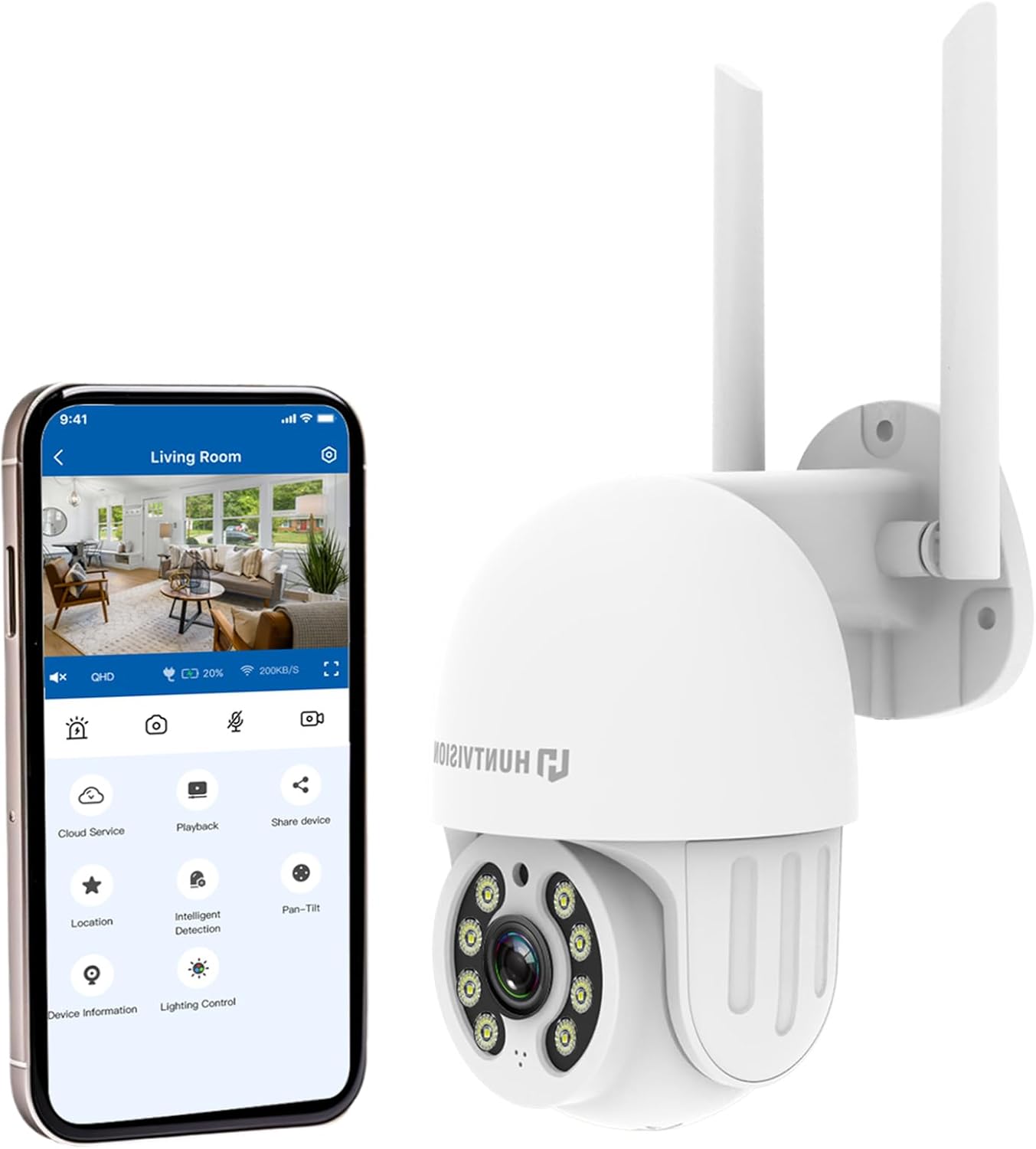
Mynd 4.2: The HUNTVISION E3-Z camera alongside a smartphone displaying the companion mobile application interface, illustrating remote control capabilities.
Helstu eiginleikar:
- 3MP Full HD upplausn: Captures clear 2304×1296 footage.
- 24/7 Color Night Vision: Advanced starlight technology for full-color monitoring in low light.
- Snjöll gervigreind: Distinguishes people, vehicles, and animals with AI-powered motion tracking.
- 360° PTZ stjórnun: Remote pan, tilt, and zoom via the Huntvision app.
- Tvíhliða hljóð: Innbyggður hljóðnemi og hátalari fyrir samskipti.
- IP65 Veðurþolið: Designed to withstand outdoor conditions (rain, snow, dust).
- Dual Storage: Supports up to 128GB TF card and cloud storage options.
- Auðveld uppsetning: 2.4G WiFi and Bluetooth 4.2 for quick installation.
5. Uppsetning og uppsetning
5.1 Að velja staðsetningu
Veldu hentugan stað utandyra sem býður upp á þá orku sem þú vilt viewing angle and is within range of your 2.4G WiFi network. The camera is IP65 weatherproof, making it suitable for various outdoor environments.

Mynd 5.1: Examples of suitable installation environments, including residential homes, farms, construction sites, and commercial properties.
5.2 Uppsetning myndavélarinnar
The camera supports wall mounting. Use the provided auxiliary package for secure installation.
- Merktu borunarpunktana á veggnum með því að nota festingarfestinguna sem sniðmát.
- Boraðu göt og settu inn veggfestingar ef þörf krefur.
- Festið festingarfestinguna við vegginn með skrúfum.
- Attach the camera to the mounting bracket, ensuring it is firmly in place.
5.3 Kveikja og upphafleg uppsetning
- Tengdu straumbreytinn við myndavélina og stingdu honum í rafmagnsinnstungu.
- Download the "Huntvision" app from your mobile app store (available for iOS).
- Open the app and follow the on-screen instructions to add your camera. The camera uses Bluetooth 4.2 for initial configuration, simplifying the WiFi connection process.
- Ensure your mobile device is connected to a 2.4G WiFi network during setup.
6. Notkun myndavélarinnar
6.1 Í beinni View og PTZ-stýring
Once connected, access the live view through the Huntvision app. You can remotely control the camera's pan (355°) and tilt (85°) functions to adjust the viewing horn.

Mynd 6.1: Illustration of the camera's remote pan (355°) and tilt (85°) capabilities, controlled via the mobile application, along with 6X digital zoom.
6.2 Hreyfiskynjun og viðvaranir
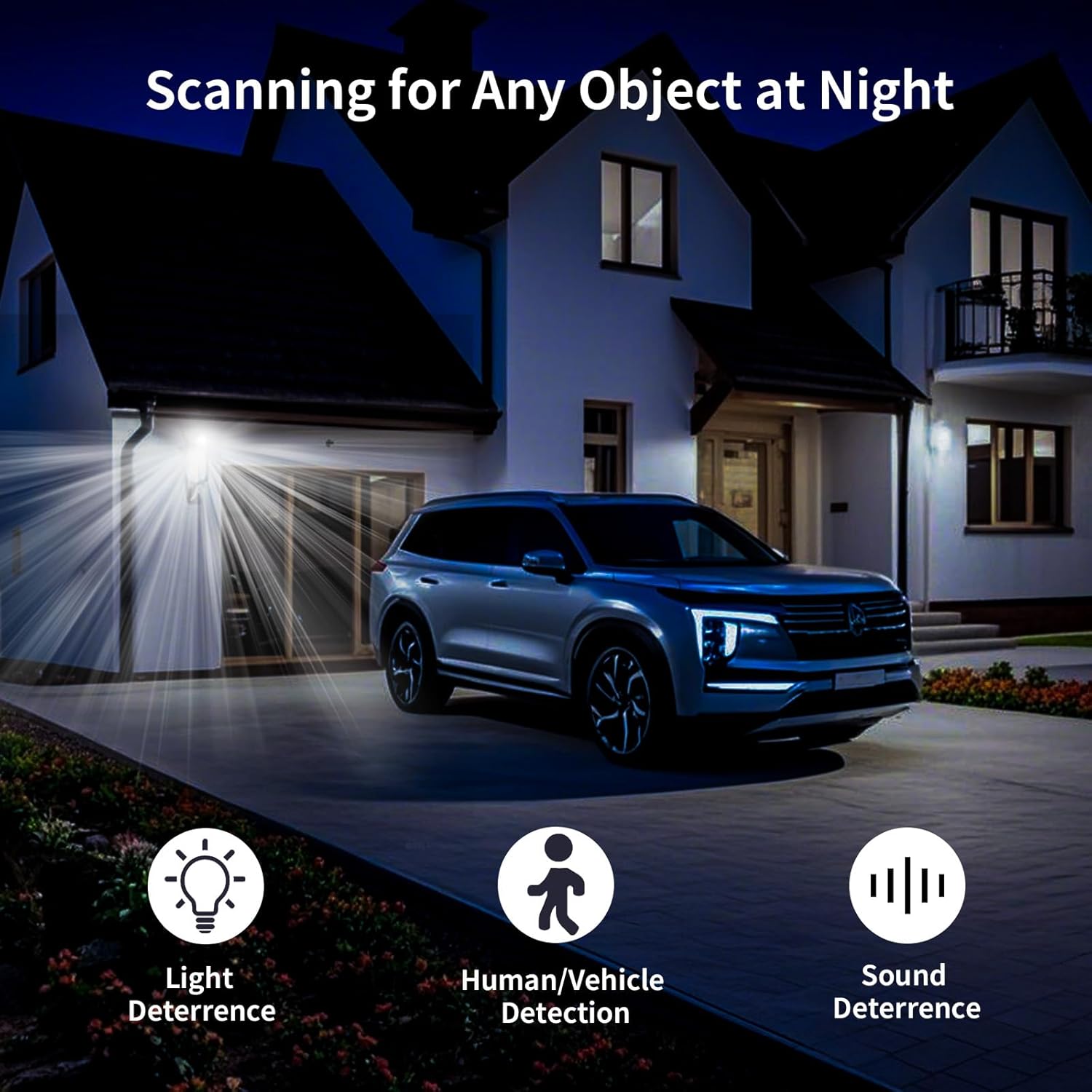
The camera features smart AI detection to distinguish between people, vehicles, and animals. Configure alert settings in the app to receive instant notifications on your mobile device when motion is detected.

Mynd 6.2: Depiction of motion detection triggering a siren alert, spotlight alarm, and app notification push, alongside the two-way audio function.
6.3 Nætursjónarstillingar
The E3-Z offers multiple night vision modes:
- Nætursjón í fullum lit: Utilizes advanced starlight technology to provide color images in low-light conditions.
- Nætursjón ÍR: Standard black and white infrared vision for complete darkness.
- Snjöll nætursjón: Skiptir sjálfkrafa á milli innrauðrar og litaðrar nætursjónar út frá greindri hreyfingu eða birtuskilyrðum.
Mynd 6.3: Visual comparison of Color Night Vision, IR Night Vision, and Smart Night Vision modes, demonstrating clear visibility in various nighttime scenarios.
6.4 Tvíhliða hljóð
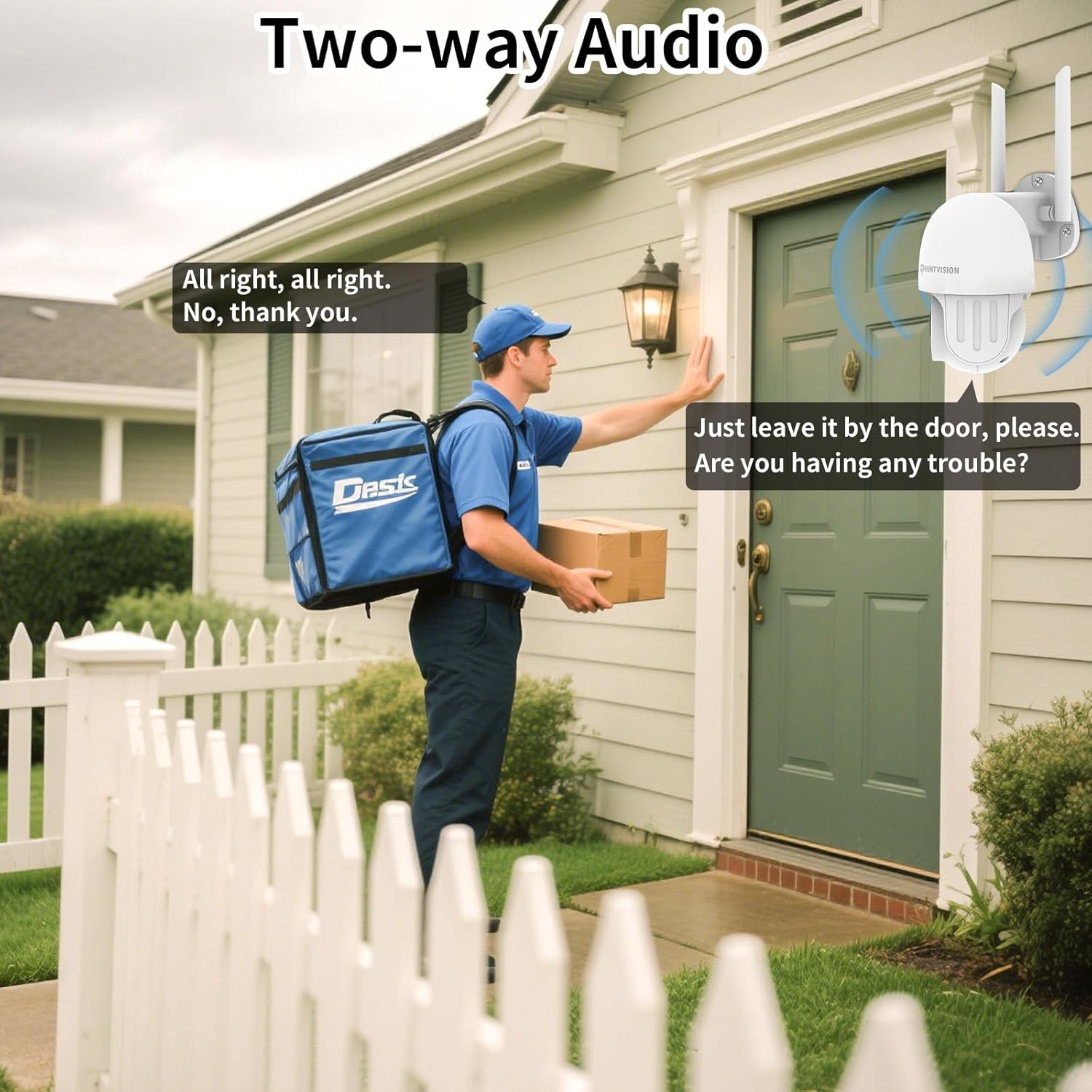
Use the two-way audio feature to communicate with individuals near the camera. This is useful for deterring intruders or speaking with delivery personnel.

Mynd 6.4: Fyrrverandiample of two-way audio in use, showing a user communicating with a delivery person through the camera.
6.5 Geymsluvalkostir
The camera supports local storage via a TF (microSD) card up to 128GB and cloud storage services. Insert the TF card into the designated slot on the camera.
Mynd 6.5: Nærmynd view of the TF card slot on the camera and a list of compatible memory card brands (Kingston, SanDisk, PNY) with supported capacities.
7. Viðhald
Regular maintenance ensures optimal performance and longevity of your security camera:
- Þrif: Þurrkið varlega af myndavélarlinsunni og myndavélarhúsinu með mjúkum, þurrum klút. Notið ekki sterk efni eða slípiefni.
- Uppfærsla vélbúnaðar: Check the Huntvision app regularly for firmware updates. Keeping your camera's firmware up-to-date ensures access to the latest features and security enhancements.
- Power Cycle: If the camera becomes unresponsive, try unplugging it from the power source for a few seconds and then plugging it back in.
- Geymslustjórnun: Reglulega umview og stjórnaðu upptökunum þínumtage. If using a TF card, ensure it has sufficient space or consider setting up automatic overwriting.
8. Bilanagreining
If you encounter issues with your HUNTVISION E3-Z camera, refer to the following common problems and solutions:
| Vandamál | Möguleg orsök | Lausn |
|---|---|---|
| Myndavél án nettengingar í appi | No power; WiFi disconnected; Router issues | Check power connection; Verify WiFi signal strength; Restart router and camera; Re-add camera to app if necessary. |
| Léleg myndgæði | Dirty lens; Low light; Network bandwidth issues | Clean the lens; Ensure adequate lighting or proper night vision mode; Check network speed. |
| Hreyfiviðvaranir ekki mótteknar | App notifications disabled; Detection sensitivity too low; Incorrect detection zone settings | Enable app notifications; Adjust detection sensitivity; Configure detection zones in the app. |
| Tvíhliða hljóð virkar ekki | Microphone/speaker muted in app; Network latency | Check audio settings in the app; Ensure stable network connection. |
| TF kort tekur ekki upp | Card full; Card not formatted; Incompatible card | Format the TF card via the app; Replace with a compatible card (up to 128GB); Check recording settings. |
For further assistance, please contact HUNTVISION customer support.
9. Tæknilýsing
| Eiginleiki | Smáatriði |
|---|---|
| Nafn líkans | 3MP Outdoor PTZ Camera (E3-Z) |
| Upplausn | 3MP (2304 x 1296p) |
| Tengitækni | Wireless (2.4G WiFi, Bluetooth 4.2 for setup) |
| Pant/halla svið | Panta 355°, halla 85° |
| Nætursýn | Full-Color Night Vision, IR Night Vision, Smart Night Vision |
| Hljóð | 2-vegur hljóð |
| Geymsluvalkostir | TF kort (allt að 128GB), skýgeymsla |
| Veðurheldur einkunn | IP65 |
| Aflgjafi | Rafmagn með snúru |
| Gerð uppsetningar | Veggfesting |
| Mál (L x B x H) | 6.36 x 5.31 x 3.62 tommur |
| Þyngd hlutar | 1 pund |
| Innifalið íhlutir | Camera, Power adapter, Data line, Auxiliary package, User guide |
10. Ábyrgð og stuðningur
HUNTVISION products come with a standard manufacturer's warranty. Please refer to the warranty card included in your package or visit the official HUNTVISION webvefsíðu fyrir ítarlegar ábyrgðarskilmála.
Þjónustudeild:
If you require technical assistance or have questions regarding your HUNTVISION E3-Z Security Camera, please contact our customer support team. For the most up-to-date contact information, please visit the official HUNTVISION websíðuna eða vísaðu til samskiptaupplýsinganna sem fylgja með á umbúðum vörunnar.
Please have your model number (E3-Z) and purchase information ready when contacting support.


