1. Inngangur
The Hello Kitty Sunrise Alarm Clock is designed to provide a gentle and natural waking experience with its sunrise simulation feature. This digital alarm clock includes multicolor lights, an LED display showing time, date, and temperature, a USB charging port, and a convenient snooze function. Its charming Cinnamoroll design adds a whimsical touch to any room.

Image 1: Hello Kitty Cinnamoroll Sunrise Alarm Clock with multicolor lighting.
2. Öryggisupplýsingar
- Ekki láta tækið verða fyrir miklum hita, beinu sólarljósi eða miklum raka.
- Notið aðeins meðfylgjandi USB-rafmagnssnúru eða sambærilegan vottaðan snúru.
- Haltu tækinu frá vatni eða öðrum vökva.
- Ekki reyna að taka tækið í sundur eða gera við það sjálfur. Hafðu samband við hæft þjónustufólk.
- Gakktu úr skugga um að tækið sé komið fyrir á stöðugu, sléttu yfirborði.
3. Innihald pakka
Vinsamlegast athugið hvort eftirfarandi atriði séu í pakkanum:
- Hello Kitty Sunrise Alarm Clock (Cinnamoroll design)
- USB aflstrengur
- Notendahandbók (þetta skjal)
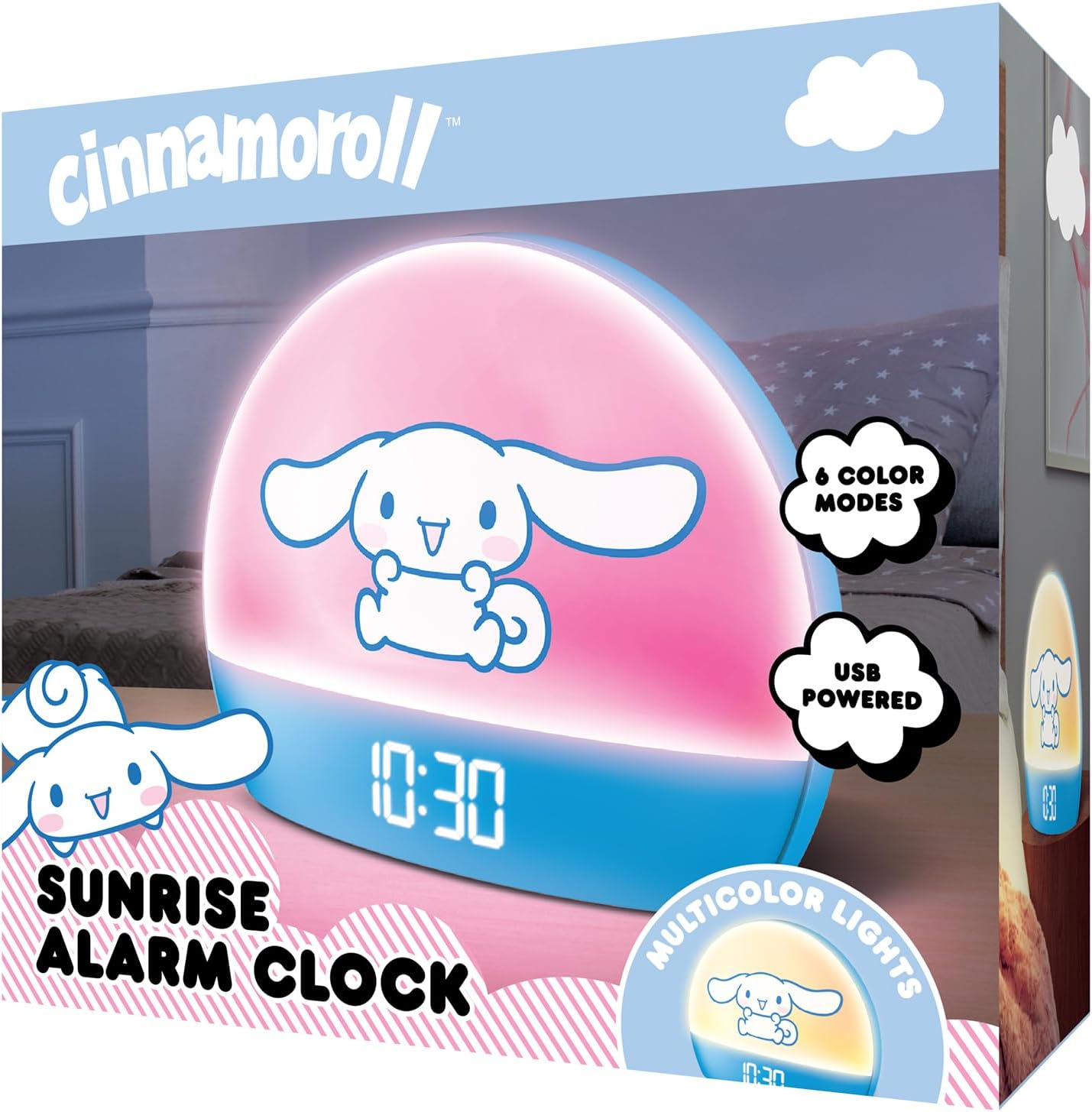
Image 2: Front packaging of the Hello Kitty Cinnamoroll Sunrise Alarm Clock.
4. Vöru lokiðview
Kynntu þér helstu íhluti vekjaraklukkunnar þinnar.
- LED skjár: Sýnir tíma, dagsetningu og hitastig.
- Ljósaborð: Emits multicolor and sunrise simulation lights.
- Stjórnhnappar: Located on the back or bottom for setting time, alarm, and light functions.
- USB hleðslutengi: For powering the device and charging external devices.
- Blunda hnappur: Typically a prominent button on the top or front.

Image 3: Hello Kitty Cinnamoroll Sunrise Alarm Clock in a bedroom setting.
5. Uppsetning
5.1 Rafmagnstenging
- Connect the provided USB power cable to the USB port on the back of the alarm clock.
- Stingdu hinum enda USB snúrunnar í samhæfan USB straumbreyti (fylgir ekki með) eða USB tengi með rafmagni.
- The LED display will light up, indicating the device is powered on.
5.2 Stilling á tíma og dagsetningu
Specific button names are not provided, so general instructions are given. Refer to the physical device for exact button labels.
- Press the "SET" or "TIME" button to enter time setting mode.
- Use the "UP" and "DOWN" buttons to adjust the hour. Press "SET" again to confirm.
- Adjust the minute using "UP" and "DOWN" buttons. Press "SET" to confirm.
- Continue this process to set the year, month, and day.
- The clock may offer 12-hour or 24-hour format selection. Follow on-screen prompts or consult the device's specific button functions.
6. Notkunarleiðbeiningar
6.1 Stilling vekjarans
- Press the "ALARM" button to enter alarm setting mode.
- Use "UP" and "DOWN" buttons to set the desired alarm hour. Press "ALARM" to confirm.
- Adjust the alarm minute. Press "ALARM" to confirm.
- Some models may allow setting alarm volume or sound. Follow prompts if available.
- To activate/deactivate the alarm, look for an "ALARM ON/OFF" button or a toggle within the alarm setting menu.
6.2 Sólarupprásarlíking
The sunrise simulation feature gradually increases light intensity before your set alarm time, mimicking a natural sunrise.
- This feature is typically linked to the alarm function. When the alarm is active, the light will begin to brighten a set period (e.g., 30 minutes) before the alarm sounds.
- Consult the device's specific controls for adjusting the duration or intensity of the sunrise simulation, if applicable.
6.3 marglita ljós
The clock offers various color modes for ambient lighting.
- Press the "LIGHT" or "COLOR" button to cycle through different color options or activate a color-changing mode.
- Press and hold the "LIGHT" button to turn off the ambient light.
- Brightness of the display and ambient light can often be adjusted using dedicated buttons or by holding the "LIGHT" button.
6.4 Snooze virka
When the alarm sounds, press the large "SNOOZE" button (usually on top) to temporarily pause the alarm. The alarm will sound again after a short interval (e.g., 5-10 minutes).
6.5 USB hleðslutengi
The integrated USB port can be used to charge small electronic devices like smartphones or tablets. Simply connect your device's charging cable to the USB port on the alarm clock.
6.6 Hitastigsskjár
The LED display shows the current room temperature. No specific action is usually required to view this, as it cycles with time and date or is displayed continuously.
7. Viðhald
- Þrífið klukkuna með mjúkum, þurrum klút. Notið ekki slípiefni eða leysiefni.
- Ensure the USB port is free from dust and debris.
- Store the clock in a cool, dry place when not in use for extended periods.
8. Bilanagreining
| Vandamál | Möguleg orsök | Lausn |
|---|---|---|
| Klukkan kveikir ekki á sér. | USB snúran er ekki rétt tengd eða vandamál með straumgjafann. | Check USB cable connection. Try a different USB power adapter or port. Ensure the cable is securely inserted. |
| Tíminn er rangur eða færist til. | Time not set correctly or internal clock issue. | Re-set the time following Section 5.2. If the issue persists, try disconnecting and reconnecting power. |
| Viðvörunin hljómar ekki. | Viðvörunin er ekki virkjuð eða rangt stillt. | Verify the alarm is set and activated (check for an alarm icon on the display). Ensure the volume is not set to zero if adjustable. |
| Hnappar svara ekki. | Temporary software glitch or physical button issue. | Disconnect power for a few seconds and reconnect to reset the device. If buttons remain unresponsive, contact support. |
| USB hleðslutengi virkar ekki. | Cable issue, device not fully powered, or port malfunction. | Ensure the clock is properly powered. Try a different USB charging cable. Check if the port is clean and free of debris. |
9. Tæknilýsing
| Vörumerki | Halló Kitty |
| Gerðarnúmer | HKCLK01CR-MFN |
| Litur | Cinnamoroll |
| Skjár Tegund | Stafræn |
| Sérstakir eiginleikar | Adjustable Brightness, Alarm, Charging Port, LED Display, Temperature Display, Sunrise Simulation, Multicolor Lights |
| Vörumál | 7"B x 6"H |
| Aflgjafi | Rafmagn með snúru (USB) |
| Efni | Plast |
| Þyngd hlutar | 0.4 kíló (14 únsur) |
| Tengitækni | USB |
| Framleiðandi | Sími Suðurlands |
10. Ábyrgð og stuðningur
For warranty information or technical support, please refer to the contact details provided on the product packaging or visit the official Hello Kitty product support websíða. Geymdu kaupkvittun þína fyrir ábyrgðarkröfur.


