1. Inngangur
This manual provides essential information for the installation, operation, and maintenance of your ADATA Legend 860 Solid State Drive. Please read this guide thoroughly before using the product to ensure optimal performance and longevity.
The ADATA Legend 860 is a high-performance NVMe SSD designed for expanding storage in compatible devices such as desktop PCs, laptops, and gaming consoles like the PlayStation 5. It utilizes PCIe Gen4 x4 interface for fast data transfer speeds.

Figure 1: ADATA Legend 860 NVMe Solid State Drive
2. Öryggisupplýsingar
- Always handle the SSD by its edges to avoid touching the gold connectors or components.
- Gakktu úr skugga um að kerfið sé slökkt og aftengt áður en það er sett upp.
- Losaðu um alla stöðurafmagn úr líkamanum áður en þú meðhöndlar SSD diskinn. Notaðu úlnliðsól með rafstöðurafmagnsvörn ef hún er tiltæk.
- Keep the SSD away from moisture, extreme temperatures, and strong magnetic fields.
- Do not attempt to disassemble or modify the SSD, as this will void the warranty.
3. Innihald pakka
Gakktu úr skugga um að allir hlutir séu til staðar í pakkanum þínum:
- ADATA Legend 860 Solid State Drive

Figure 2: ADATA Legend 860 SSD Retail Packaging
4. Tæknilýsing
| Vörumerki | ADATA |
| Röð | Þjóðsaga 860 |
| Gerðarnúmer | SLEG-860-1000GCS |
| Stafræn geymslugeta | 1 TB |
| Harða diskviðmót | NVMe |
| Tengitækni | PCIe Gen4 x4 |
| Form Factor | M.2 2280 |
| Samhæf tæki | Desktop, Gaming Console (PS5), Laptop |
| Þyngd hlutar | 0.353 aura |
| Vörumál | 5.24 x 0.31 x 1.57 tommur |
5. Uppsetning og uppsetning
The ADATA Legend 860 SSD is designed for easy installation into compatible M.2 slots. Follow these general steps for installation:
- Undirbúið kerfið ykkar: Power off your computer or gaming console and unplug all cables. Open the casing to access the motherboard or M.2 expansion slot.
- Finndu M.2 raufina: Identify an available M.2 slot on your motherboard. These slots are typically labeled and may be covered by a heatsink.
- Settu inn SSD diskinn: Gently slide the ADATA Legend 860 SSD into the M.2 slot at a 30-degree angle. Ensure the gold connectors are fully seated.
- Tryggið SSD diskinn: Once inserted, push the SSD down until it is parallel with the motherboard. Secure it with the provided screw (usually included with your motherboard or console).
- Loka Casing: Replace any heatsinks or covers, and close your system's casing.
- Power On and Initialize: Reconnect all cables and power on your system. You may need to initialize and format the new SSD through your operating system's Disk Management (Windows) or Disk Utility (macOS) before it can be used. Refer to your operating system's documentation for detailed instructions.
Uppsetning Examples:
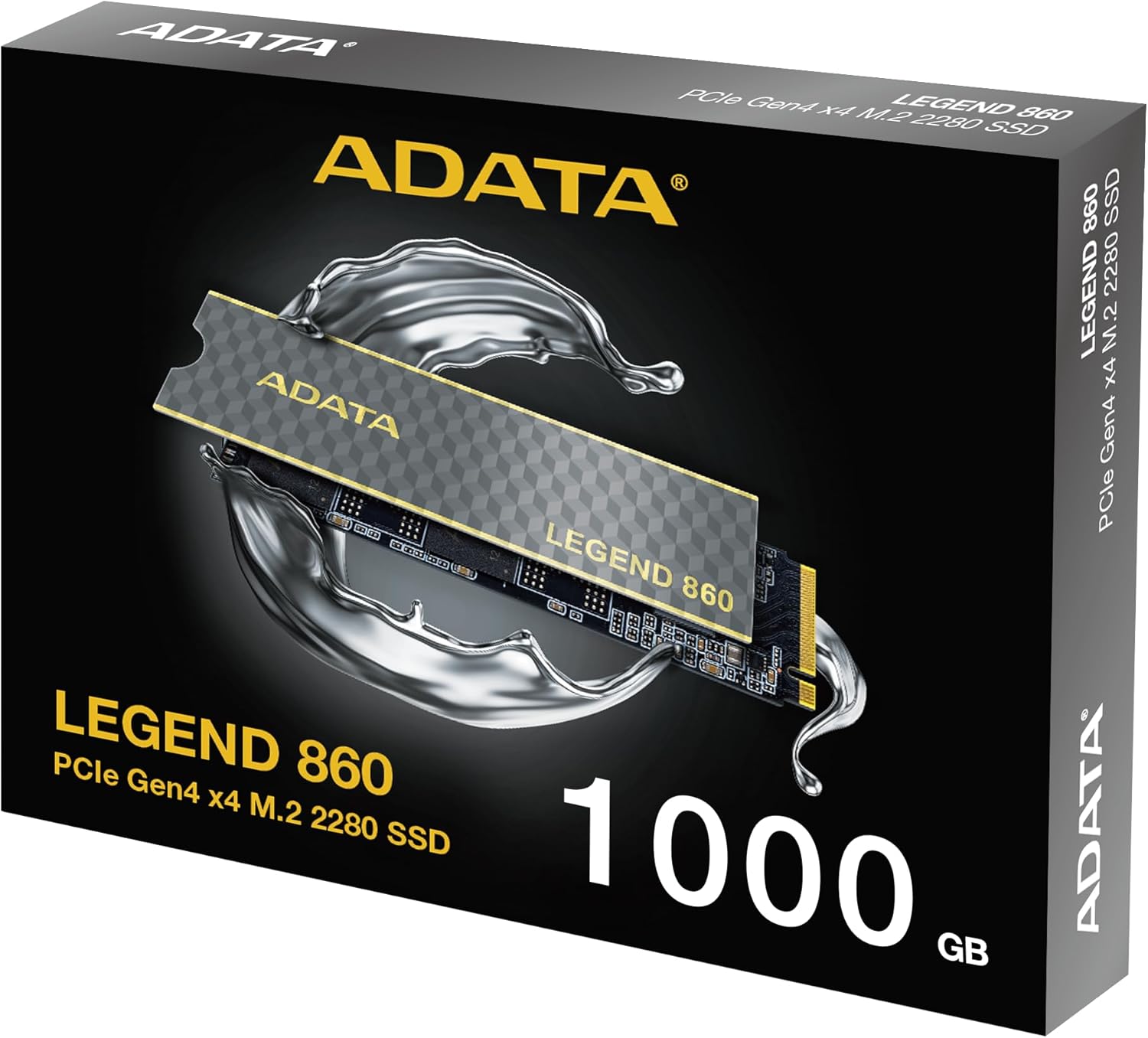
Figure 3: SSD installed in a desktop motherboard
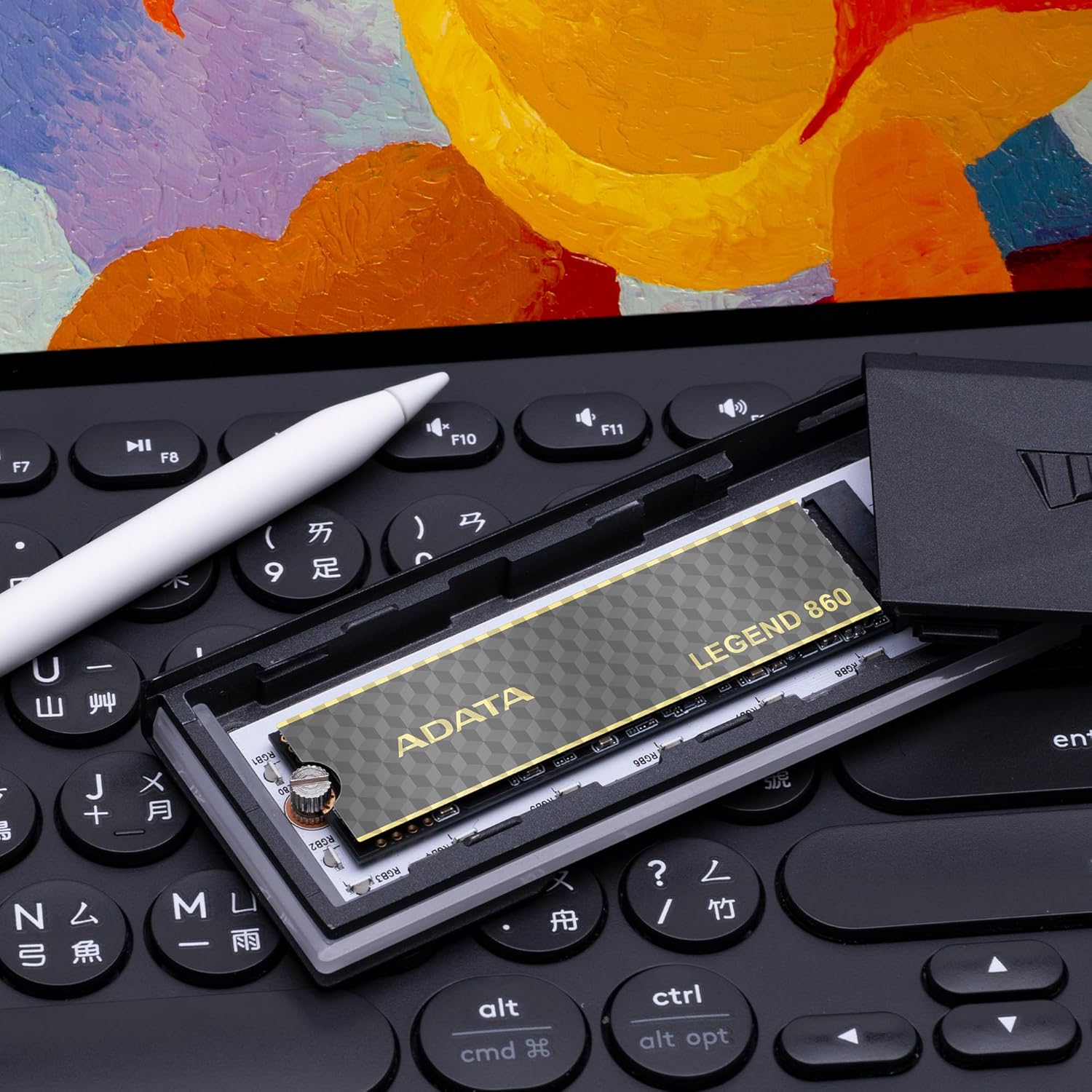
Figure 4: SSD installed in a PlayStation 5 console
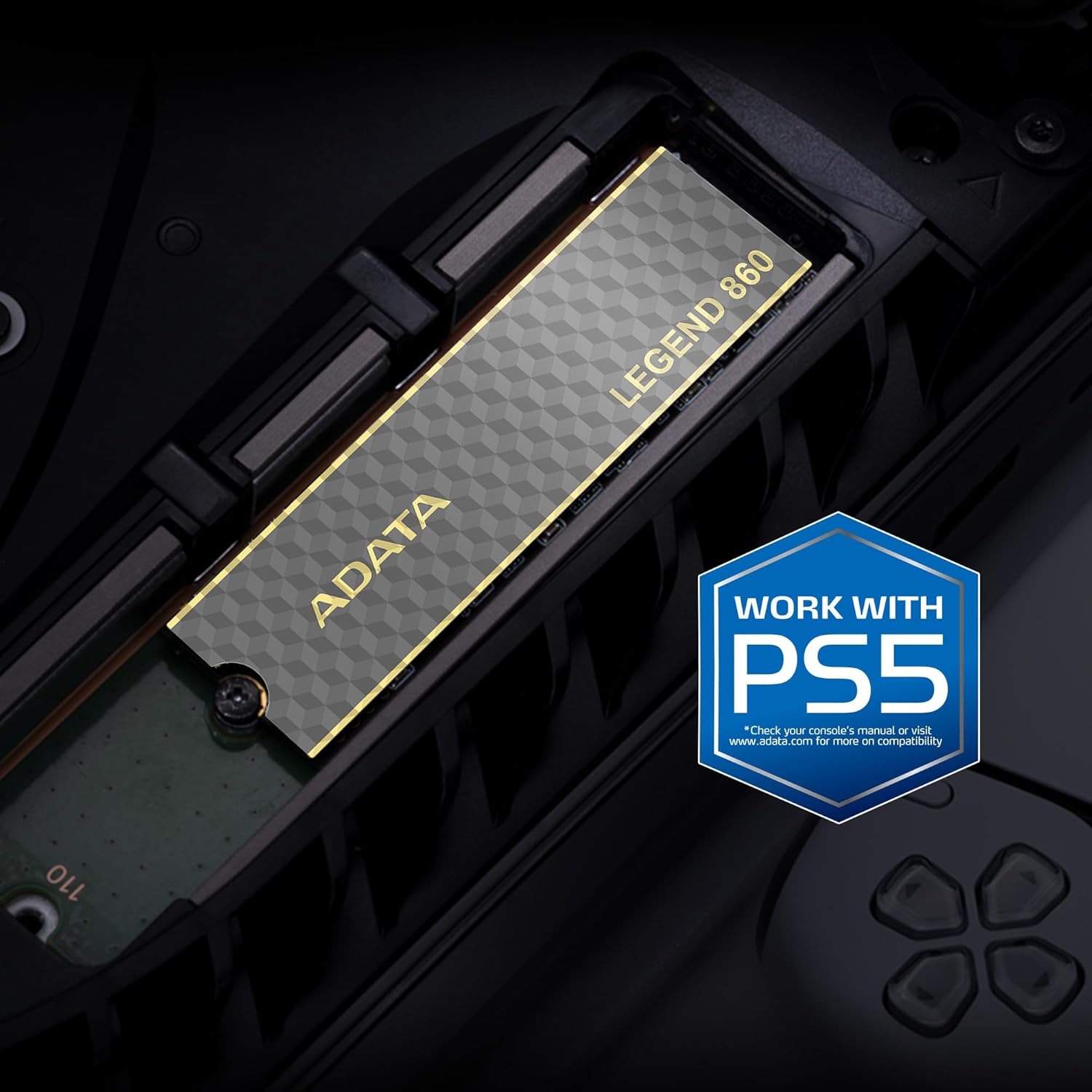
Figure 5: SSD installed in a laptop
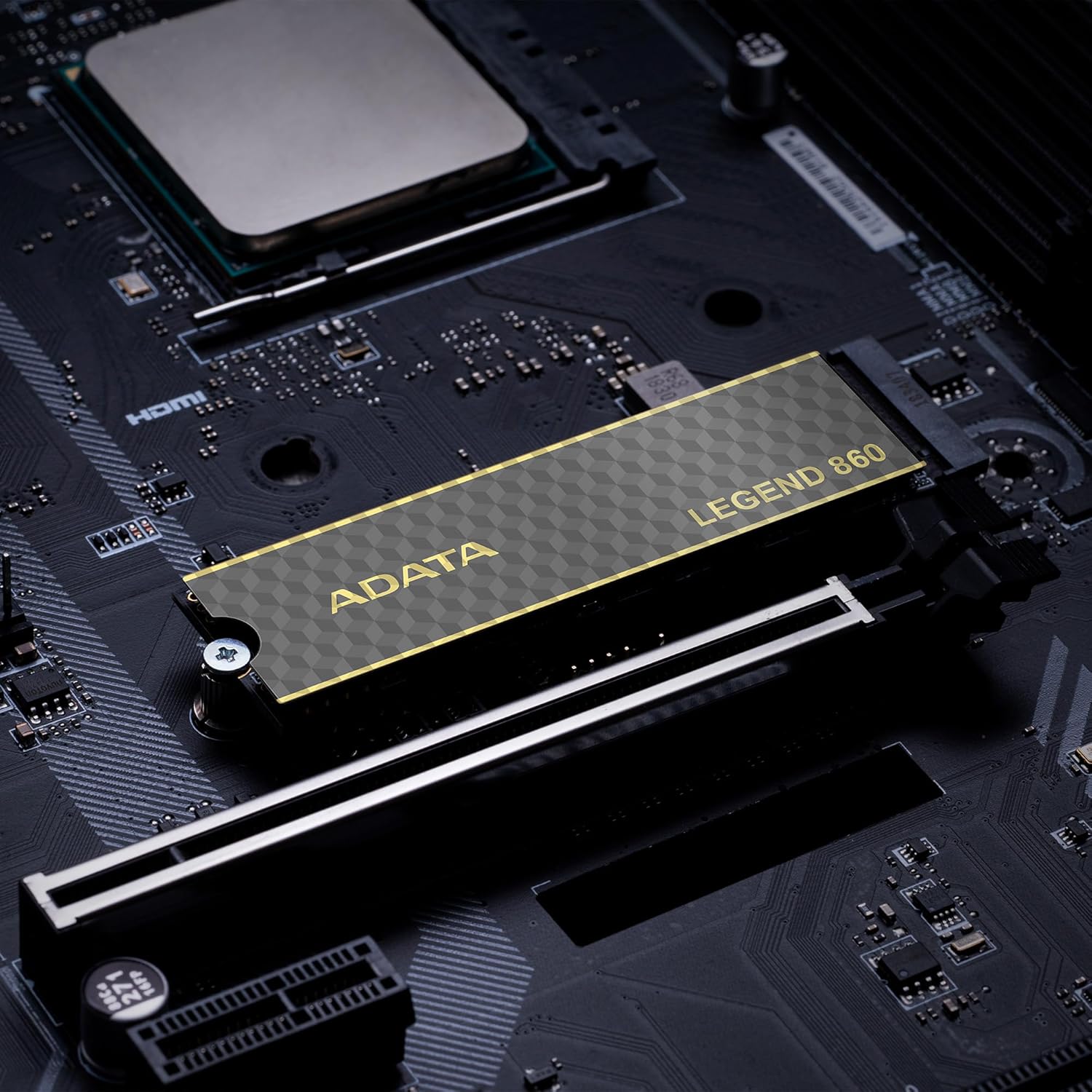
Figure 6: SSD in an external enclosure for portable use
6. Rekstur
Once installed and formatted, your ADATA Legend 860 SSD will function as a high-speed storage device. You can use it for:
- Stýrikerfisdrif: Install your operating system for faster boot times and overall system responsiveness.
- Leikjasafn: Store your games to significantly reduce load times and improve gaming experience.
- Application Storage: Install demanding applications for quicker launch and operation.
- Gagnageymsla: Use it for high-speed storage of large files, such as 4K videos, high-resolution images, and large project files.
For optimal performance, ensure your system's drivers and firmware are up to date.
7. Viðhald
To maintain the performance and longevity of your ADATA Legend 860 SSD:
- Haltu vélbúnaði uppfærðum: Periodically check the ADATA official webVefsíða fyrir uppfærslur á hugbúnaði fyrir SSD diskinn þinn. Uppfærslur á hugbúnaði geta bætt afköst, stöðugleika og samhæfni.
- Forðastu offyllingu: While SSDs perform well even when nearly full, leaving some free space (typically 10-15%) can help maintain optimal performance and extend lifespan.
- Virkja TRIM: Gakktu úr skugga um að TRIM sé virkt í stýrikerfinu þínu. TRIM hjálpar SSD disknum að stjórna geymslurými sínu á skilvirkan hátt og kemur í veg fyrir að afköstin minnki með tímanum. Flest nútíma stýrikerfi virkja TRIM sjálfgefið fyrir SSD diska.
- Fylgjast með heilsu: Use SSD monitoring tools (often provided by ADATA or third-party software) to check the health and estimated lifespan of your drive.
- Venjulegur öryggisafrit: Regularly back up important data to another storage device. While SSDs are reliable, no storage device is immune to failure.
8. Bilanagreining
If you encounter issues with your ADATA Legend 860 SSD, consider the following troubleshooting steps:
- SSD fannst ekki:
- Gakktu úr skugga um að SSD-diskurinn sé rétt settur í M.2 raufina.
- Check your system's BIOS/UEFI settings to confirm the M.2 slot is enabled and configured correctly.
- Verify that your motherboard or console supports NVMe PCIe Gen4 SSDs.
- Try the SSD in a different M.2 slot or a compatible external enclosure to rule out a motherboard issue.
- Hægur árangur:
- Ensure your system's M.2 slot supports PCIe Gen4 speeds. If it's a Gen3 slot, the SSD will operate at Gen3 speeds.
- Check if TRIM is enabled (as mentioned in Maintenance).
- Gakktu úr skugga um að SSD diskurinn sé ekki næstum fullur.
- Update your motherboard's chipset drivers and SSD firmware.
- Óstöðugleiki/kerfishrun:
- Ensure the SSD is properly secured and not overheating.
- Run a diagnostic tool to check the SSD's health.
- Check for system-wide issues (RAM, CPU, power supply).
If problems persist, contact ADATA customer support for further assistance.
9. Ábyrgð og stuðningur
The ADATA Legend 860 Solid State Drive typically comes with a manufacturer's warranty. Please refer to the official ADATA website or your product packaging for specific warranty terms and conditions, including the duration and coverage details.
For technical support, driver downloads, firmware updates, and additional product information, please visit the official ADATA support websíða: www.adata.com
Geymdu sönnunina um kaup fyrir ábyrgðarkröfur.


