1. Inngangur
This manual provides essential information for setting up, operating, and maintaining your GenMachine Mini PC AMD Ryzen 7 7735HS. Please read this manual thoroughly before using the device to ensure proper functionality and safety.
2. Öryggisupplýsingar
Fylgið eftirfarandi öryggisleiðbeiningum til að koma í veg fyrir skemmdir á tækinu eða meiðsli á ykkur:
- Ekki láta tækið verða fyrir vatni, raka eða miklum hita.
- Gakktu úr skugga um rétta loftræstingu til að koma í veg fyrir ofhitnun. Ekki loka fyrir loftræstiop.
- Notaðu aðeins meðfylgjandi straumbreyti.
- Forðist að missa tækið eða láta það verða fyrir miklum höggum.
- Reynið ekki að opna eða gera við tækið sjálfur. Látið hæft starfsfólk sjá um alla þjónustu.
3. Innihald pakka
Gakktu úr skugga um að allir hlutir séu til staðar í pakkanum:
- GenMachine Mini PC
- Notendahandbók
- Rafmagns millistykki
- HDMI snúru
- Festingarfesting (með skrúfum)

Mynd: Innihald pakkans. This image displays the items included in the GenMachine Mini PC box: the Mini PC unit, user manual, power adapter, HDMI cable, and a mounting bracket with screws.
4. Vöru lokiðview
The GenMachine Mini PC is a compact, high-performance computer designed for various applications, from home office tasks to multimedia consumption. Its small footprint allows for versatile placement.

Mynd: Framan View of GenMachine Mini PC. This image shows the front panel of the GenMachine Mini PC, featuring the power button, USB-C port, audio jack, and two USB 3.0 ports.
4.1 Framhlið
- Aflhnappur: Ýttu á til að kveikja/slökkva á tækinu.
- USB-C tengi: For data transfer and display output.
- Hljómtæki: Fyrir heyrnartól eða ytri hátalara.
- USB 3.0 tengi (x2): Til að tengja jaðartæki eins og lyklaborð, mýs eða ytri geymslu.
4.2 Bakhlið

Mynd: Aftan View of GenMachine Mini PC. This image illustrates the rear panel of the Mini PC, highlighting the power input, HDMI ports, Ethernet ports, and additional USB ports.
- Power Input (DC IN): Tengdu straumbreytinn hér.
- HDMI tengi (x2): Connect to monitors or TVs for video output. Supports 4K resolution.
- Ethernet tengi (x2): For wired network connections (Dual 2.5G).
- USB 2.0 tengi (x2): Til að tengja ýmis USB tæki.
4.3 Design and Dimensions

Image: GenMachine Mini PC Size Comparison. This image compares the compact size of the GenMachine Mini PC to a traditional tower chassis, illustrating its space-saving design. Dimensions are shown as 126mm x 130mm x 40mm.
The GenMachine Mini PC features an ultra-durable, lightweight metal casing. Its compact design (approximately 126 x 130 x 40 mm) makes it significantly smaller than traditional desktop computers, ideal for any work environment.
5. Uppsetning
5.1 Tengja jaðartæki
- Connect your monitor(s) to the HDMI ports or the USB-C port using appropriate cables.
- Tengdu USB lyklaborðið og músina við laus USB tengi.
- If using wired internet, connect an Ethernet cable to one of the Ethernet ports.
- Connect the power adapter to the DC IN port on the Mini PC, then plug it into a power outlet.
5.2 Kveikt á
Press the power button on the front panel of the Mini PC. The power indicator light will illuminate, and the system will begin to boot.
5.3 Initial Operating System Setup
Upon first boot, you will be guided through the operating system setup process (e.g., Windows 11). Follow the on-screen instructions to configure language, region, network, and user accounts.
6. Notkunarleiðbeiningar
6.1 Nettenging
- Wi-Fi: During initial setup or via the operating system's network settings, select your Wi-Fi network and enter the password. The Mini PC supports Wi-Fi 6 for faster and more stable wireless connections.
- Ethernet: If an Ethernet cable is connected, the system should automatically detect and connect to the wired network. The Mini PC features dual 2.5G network ports for enhanced connectivity.
6.2 Bluetooth Devices
The Mini PC supports Bluetooth 5.2. To pair a Bluetooth device (e.g., headphones, keyboard, mouse):
- Enable Bluetooth on your device and set it to pairing mode.
- On the Mini PC, go to the operating system's Bluetooth settings.
- Leitaðu að and select your device from the list, then follow any on-screen prompts to complete pairing.
6.3 Uppsetning margra skjáa
The GenMachine Mini PC supports up to four displays simultaneously, utilizing its two HDMI ports and one full-function USB-C port (which supports 4K display output).
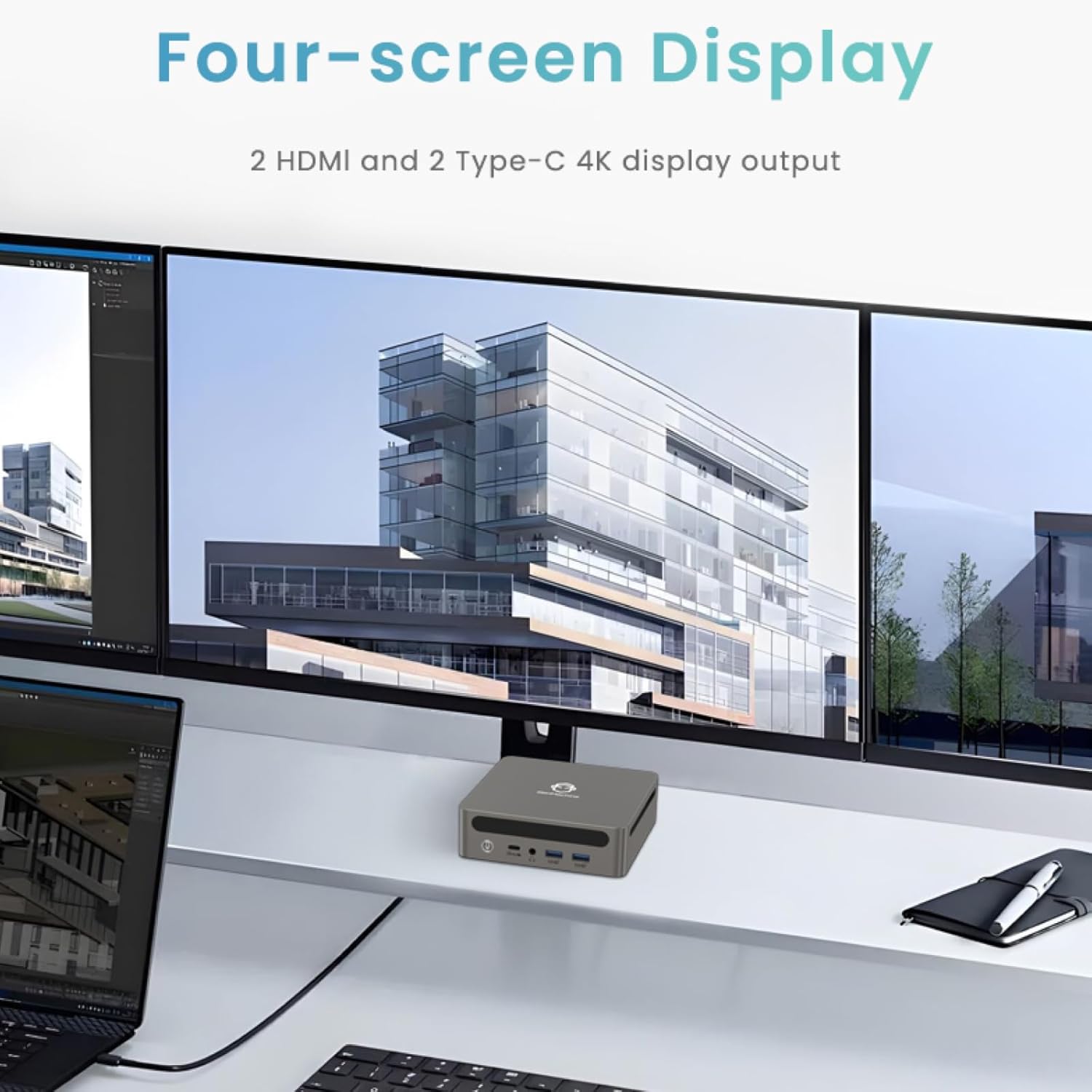
Image: Four-Screen Display Setup. This image demonstrates the GenMachine Mini PC connected to four monitors, showcasing its multi-display capabilities for enhanced productivity.
To configure multiple displays, connect your monitors and then adjust display settings within your operating system (e.g., Extend, Duplicate, or Second screen only).
7. Viðhald
7.1 Þrif
Regularly clean the exterior of the Mini PC with a soft, dry cloth. For stubborn dirt, slightly dampen the cloth with water. Do not use harsh chemicals or abrasive cleaners. Ensure ventilation openings are free of dust buildup.
7.2 Hugbúnaðaruppfærslur
Keep your operating system and drivers updated to ensure optimal performance and security. Check for updates regularly through your operating system's settings.
7.3 Geymsla
Þegar Mini-tölvan er ekki í notkun í langan tíma skal geyma hana á köldum, þurrum stað, fjarri beinu sólarljósi og miklum hita.
8. Bilanagreining
| Vandamál | Möguleg orsök | Lausn |
|---|---|---|
| Enginn kraftur | Rafmagnsbreytir ekki tengdur; rafmagnsinnstunga biluð. | Gakktu úr skugga um að rafmagnstengið sé vel tengt við Mini-tölvuna og virka innstungu. Prófaðu aðra innstungu. |
| Engin birting á skjánum | Monitor not connected; incorrect input source selected on monitor; faulty cable. | Check HDMI/USB-C cable connections. Ensure the monitor is set to the correct input source. Try a different cable or monitor. |
| Wi-Fi tengist ekki | Incorrect password; router issue; Wi-Fi adapter driver issue. | Verify Wi-Fi password. Restart your router. Check operating system settings for Wi-Fi adapter status and drivers. |
| Kerfið er hægt eða óviðráðanlegt | Too many applications running; insufficient free storage; outdated drivers. | Close unnecessary applications. Free up disk space. Update operating system and drivers. Restart the Mini PC. |
9. Tæknilýsing
The following table details the technical specifications of the GenMachine Mini PC AMD Ryzen 7 7735HS:
| Eiginleiki | Smáatriði |
|---|---|
| Örgjörvi | AMD Ryzen 7 7735HS (3.2 GHz, 8 Cores, 16 Threads, up to 4.75 GHz Max Boost Clock) |
| Grafík | AMD Radeon Graphics (Integrated, 680 MB RAM) |
| vinnsluminni | 32GB LPDDR5 (up to 6400 Mb/s) |
| Geymsla | 512GB 2280 SSD (PCIE x 16 interface) |
| Stýrikerfi | OS (Windows 11 typically pre-installed) |
| Myndbandsúttak | 2x HDMI (4K @ 60Hz), 1x USB-C (4K display output), supports up to 3 displays |
| USB tengi | 2x USB 3.0, 2x USB 2.0, 1x USB-C (full-function USB 4.0 port) |
| Netkerfi | Wi-Fi 6, Bluetooth 5.2, Dual 2.5G Ethernet |
| Hljóð | Hljóð Jack |
| Mál | 6.34 x 6.3 x 3.62 tommur (u.þ.b. 16.1 x 16 x 9.2 cm) |
| Þyngd | 2.4 pund (u.þ.b. 1.09 kg) |
| Litur | Sliver |

Image: AMD Ryzen 7 7735HS Processor. This image highlights the specifications of the AMD Ryzen 7 7735HS processor, including its 8 cores, 16 threads, and up to 4.75 GHz max boost clock.

Image: LPDDR5 Memory Performance. This image illustrates the enhanced speed of LPDDR5 RAM, showing a 50% increase in maximum DRAM bandwidth compared to LPDDR4X, reaching up to 6400 Mb/s.
10. Ábyrgð og stuðningur
For warranty information and technical support, please refer to the documentation included with your purchase or visit the official GenMachine webGeymið kaupkvittunina vegna ábyrgðarkröfu.
For further assistance, you may contact GenMachine customer service through their official channels.


