Inngangur
The Celly FLIP3WH are compact, wireless in-ear earbuds designed for comfortable use with mobile phones, tablets, and computers. They feature integrated microphones for calls and media control, utilizing Bluetooth 5.2 technology for a stable connection. This manual provides essential instructions for setting up, operating, and maintaining your earbuds.
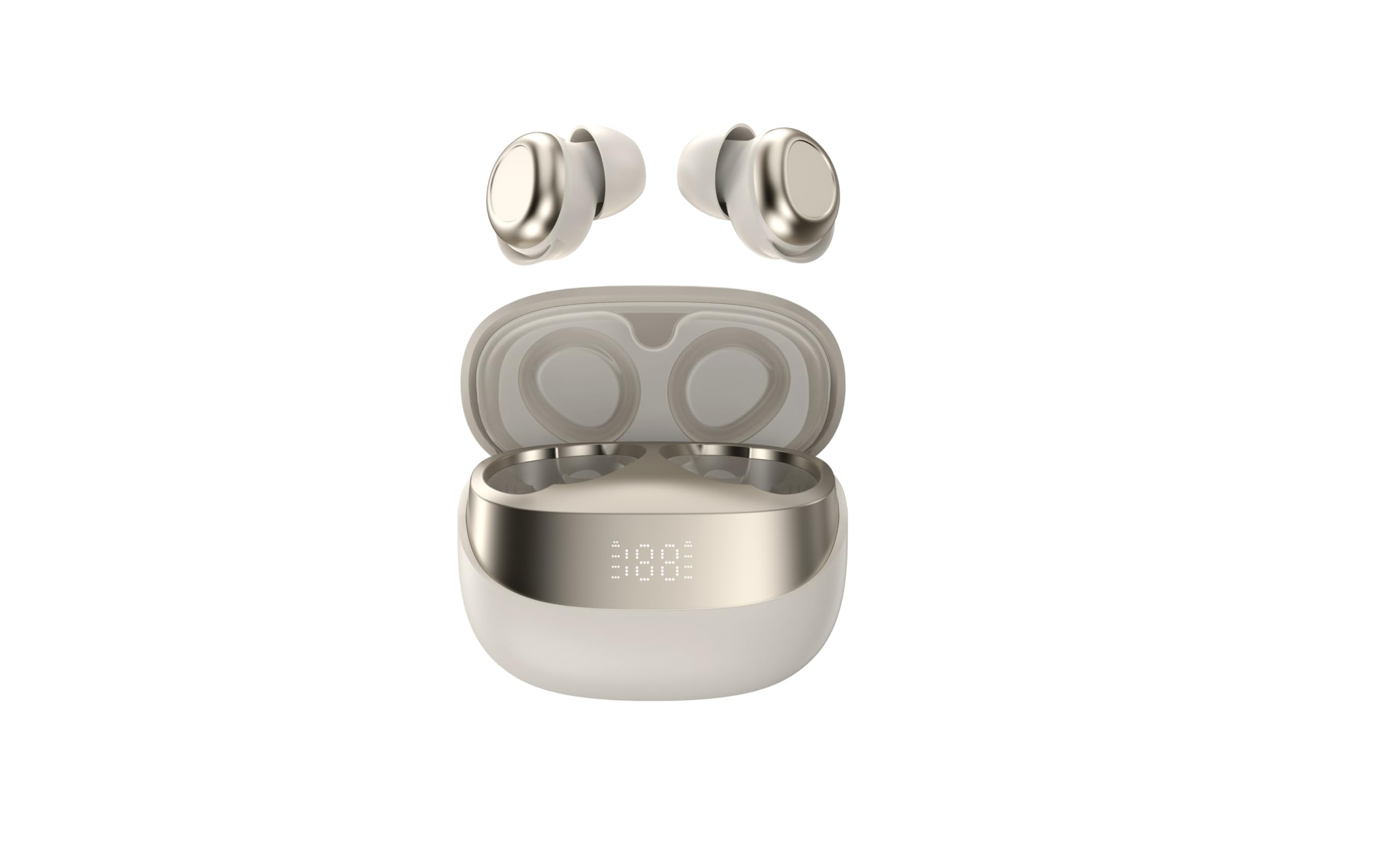
Image showing the Celly FLIP3WH wireless Bluetooth earbuds, highlighting their compact in-ear design and white color.
Vara lokiðview
The Celly FLIP3WH earbuds offer a secure in-ear fit and connect wirelessly via Bluetooth 5.2, providing a stable connection up to 12 meters. They include an integrated microphone for hands-free calls and remote controls for volume and music playback. The lightweight design, weighing 33 grams, ensures comfort during extended use.
- Í-eyra hönnun: Secure and comfortable fit.
- Bluetooth 5.2: Stable wireless connectivity up to 12 meters.
- Innbyggður hljóðnemi: Fyrir handfrjáls símtöl.
- Fjarstýringar: For calls, volume, and music playback.
- Léttur: Weighs 33 grams for extended comfort.
Uppsetning
Hleðsla heyrnartólanna
Before first use, fully charge your Celly FLIP3WH earbuds. Connect the charging cable to the earbuds and a compatible USB power source. The charging indicator will show the charging status. A full charge typically takes approximately 1.5 to 2 hours.
Pörun við tæki
To connect your Celly FLIP3WH earbuds to a mobile phone, tablet, or computer:
- Ensure the earbuds are charged and powered on. They should automatically enter pairing mode, indicated by a flashing LED light.
- Activate Bluetooth on your mobile phone, tablet, or computer.
- Leitaðu að available Bluetooth devices in your device's Bluetooth settings.
- Select 'Celly FLIP3WH' from the list of found devices to initiate pairing.
- Once connected, the earbuds will indicate successful pairing with an audible prompt or a solid LED light.
Í rekstri
Kveikt/slökkt
- Kveikt á: Press and hold the multi-function button for approximately 3 seconds until you hear an audible prompt and the LED indicator lights up.
- Slökkva á: Ýttu á fjölnotahnappinn og haltu honum inni í um það bil 5 sekúndur þar til þú heyrir hljóðmerki og LED-ljósið slokknar.
Spilun tónlistar
- Spila / gera hlé: Ýttu einu sinni á fjölvirka hnappinn.
- Næsta lag: Ýttu tvisvar á fjölnotahnappinn.
- Fyrra lag: Ýttu þrisvar á fjölnotahnappinn.
Hringistjórnun
- Svara/slíta símtali: Ýttu einu sinni á fjölvirka hnappinn.
- Hafna símtali: Haltu inni margnota hnappinum í 2 sekúndur.
Hljóðstyrkstýring
Adjust the volume directly from your connected device. Some earbuds may feature dedicated volume buttons; refer to the product diagram for specific controls if available.
Viðhald
Þrif
Gently wipe the earbuds with a soft, dry, lint-free cloth. Do not use abrasive cleaners, solvents, or immerse the earbuds in water, as they are not water-resistant. Regularly clean the ear tips to ensure optimal sound quality and hygiene.
Geymsla
Store the earbuds in a cool, dry place away from direct sunlight, extreme temperatures, and humidity. When not in use for extended periods, charge them periodically (e.g., once every three months) to maintain battery health and prevent deep discharge.
Úrræðaleit
- Eyrnatól parast ekki:
- Gakktu úr skugga um að Bluetooth sé virkt í tækinu þínu og að eyrnatólin séu í pörunarstillingu.
- Check if the earbuds are sufficiently charged.
- Reyndu að endurræsa bæði eyrnatólin og tækið.
- Gakktu úr skugga um að eyrnatólin séu ekki þegar tengd við annað tæki.
- Ekkert hljóð:
- Check the volume level on both the earbuds and your connected device.
- Gakktu úr skugga um að eyrnatólin séu rétt pöruð og tengd við tækið þitt.
- Try playing different audio sources or applications.
- Léleg hljóðgæði eða tengingarleysi:
- Gakktu úr skugga um að engar líkamlegar hindranir séu á milli eyrnatappa og tækisins.
- Færðu þig nær tækinu þínu til að draga úr hugsanlegum truflunum.
- Check for other active Bluetooth devices in the vicinity that might cause interference.
Tæknilýsing
| Vörumerki | Celly |
| Fyrirmynd | FLIP3WH |
| Tengingar | Bluetooth 5.2 |
| Wireless Range | Allt að 12 metrar |
| Rafhlöðulíftími (tónlistarspilun) | Allt að 6 klst |
| Rafhlöðuending (biðstaða) | Allt að 30 klst |
| Tíðni svörun | 20-20,000 Hz |
| Þyngd | 33 grömm |
| Hljóðnemi | Innbyggt |
| Vatnsþol | Nei |
| Litur | Hvítur |
Ábyrgð og stuðningur
For detailed warranty information, technical support, and customer service, please refer to the documentation provided with your purchase or visit the official Celly webGeymið kaupkvittunina ef þið viljið gera kröfur um ábyrgð.


