1. Inngangur
This manual provides detailed instructions for the Nitecore NU25 MCT UL 400 Lumen Ultralight USB-C Rechargeable Headlamp. Please read thoroughly before use to ensure proper operation and maintenance.
2. Innihald pakka
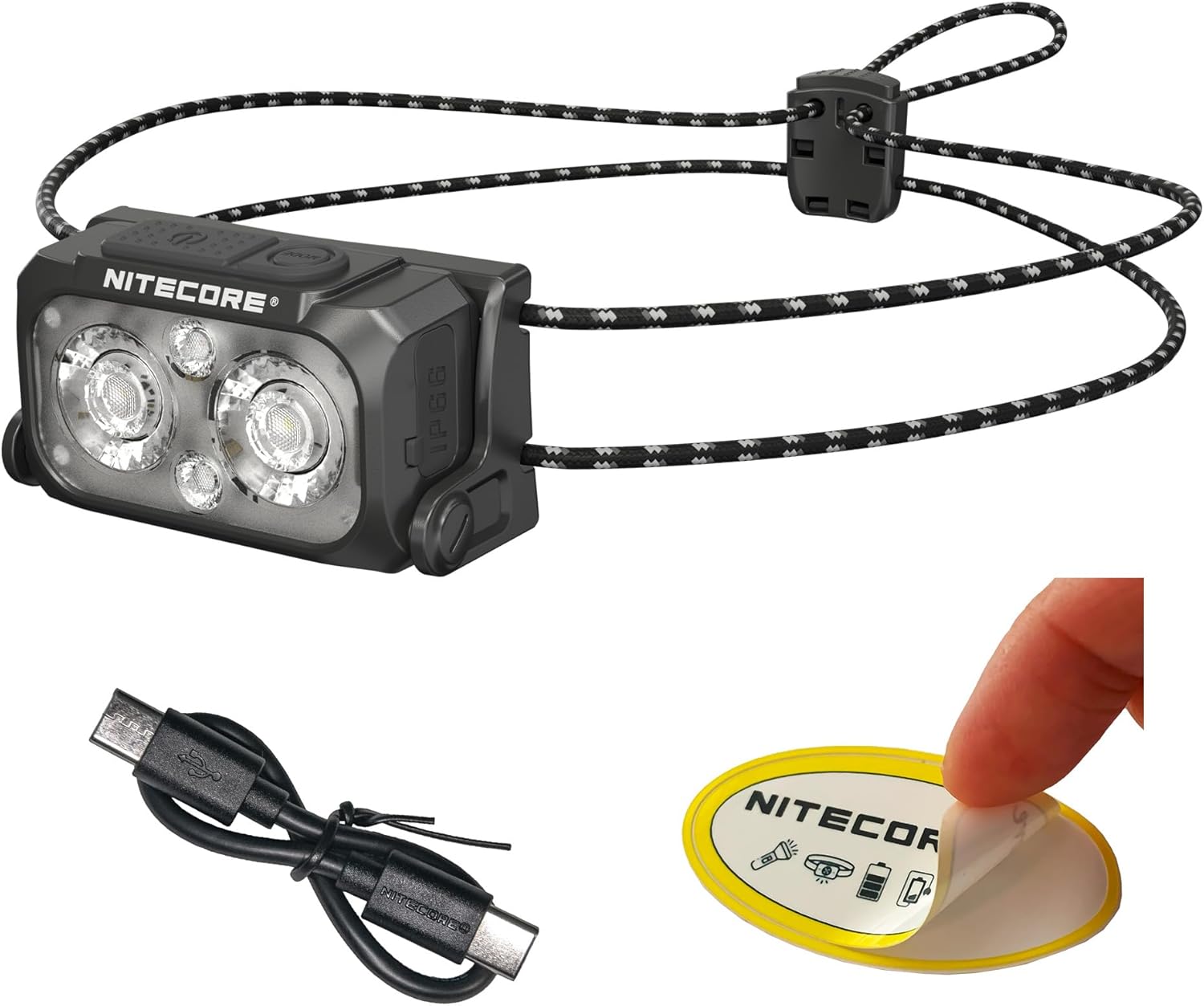
The Nitecore NU25 MCT UL package includes:
- Nitecore NU25 MCT UL Headlamp
- USB-C til USB-C hleðslusnúru
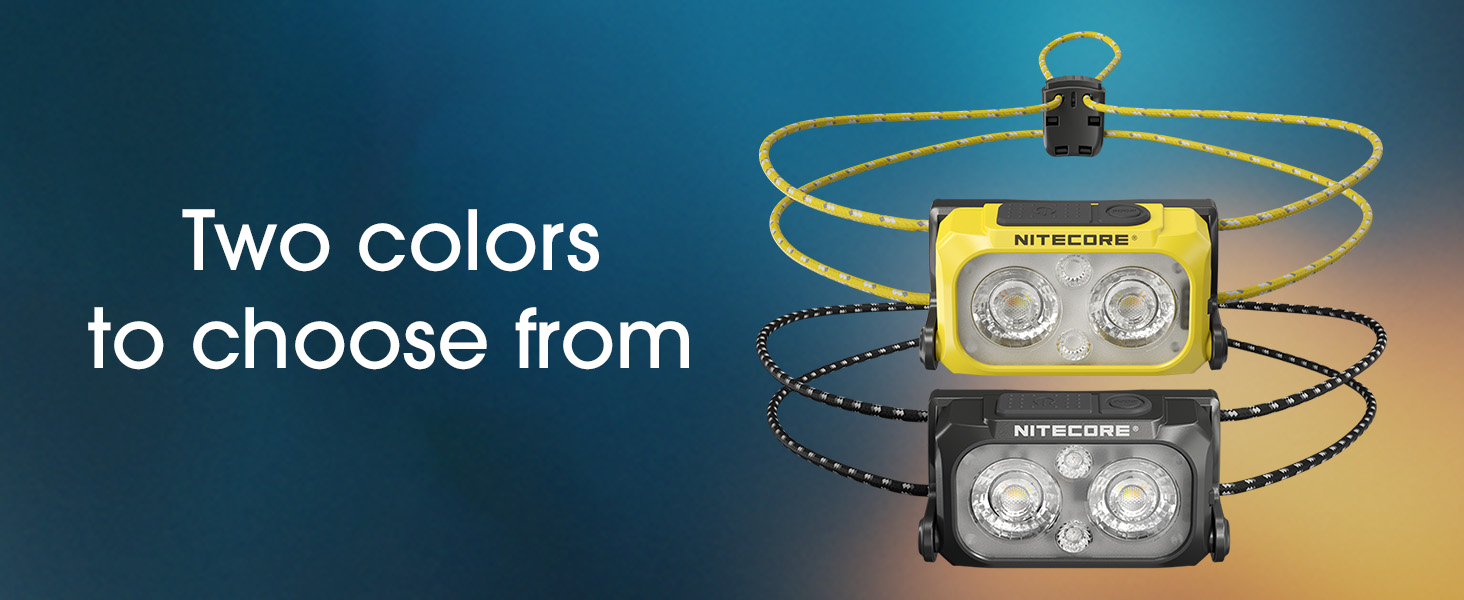
- Elastic Cord Headband (Black)
- Dreifandi efnispoki
- Nitecore Sticker
3. Uppsetning og fyrsta notkun
3.1. Hleðsla höfuðtólsinsamp
The NU25 MCT UL features a built-in rechargeable Lithium Ion battery.
- Finndu USB-C hleðslutengið á hlið höfuðtólsinsamp.
- Opnaðu hlífðarhlífina á USB-C tenginu.
- Connect the included USB-C charging cable to the headlamp and a power source (e.g., USB adapter, computer USB port).
- The power indicator lights will show charging status. A full charge typically takes approximately 1 hour.
- Þegar tækið er fullhlaðið skaltu aftengja snúruna og loka hlífðarhlífinni vandlega til að viðhalda vatnsheldni.
3.2. Að stilla höfuðbandið
Höfuðiðamp comes with an elastic cord headband for comfortable and secure fit.
- Settu hausinnamp á höfðinu á þér.
- Adjust the elastic cord using the cord lock mechanism at the back to achieve a snug fit without being too tight.
- Höfuðiðamp unit can be tilted up or down to direct the beam as needed.

4. Notkunarleiðbeiningar
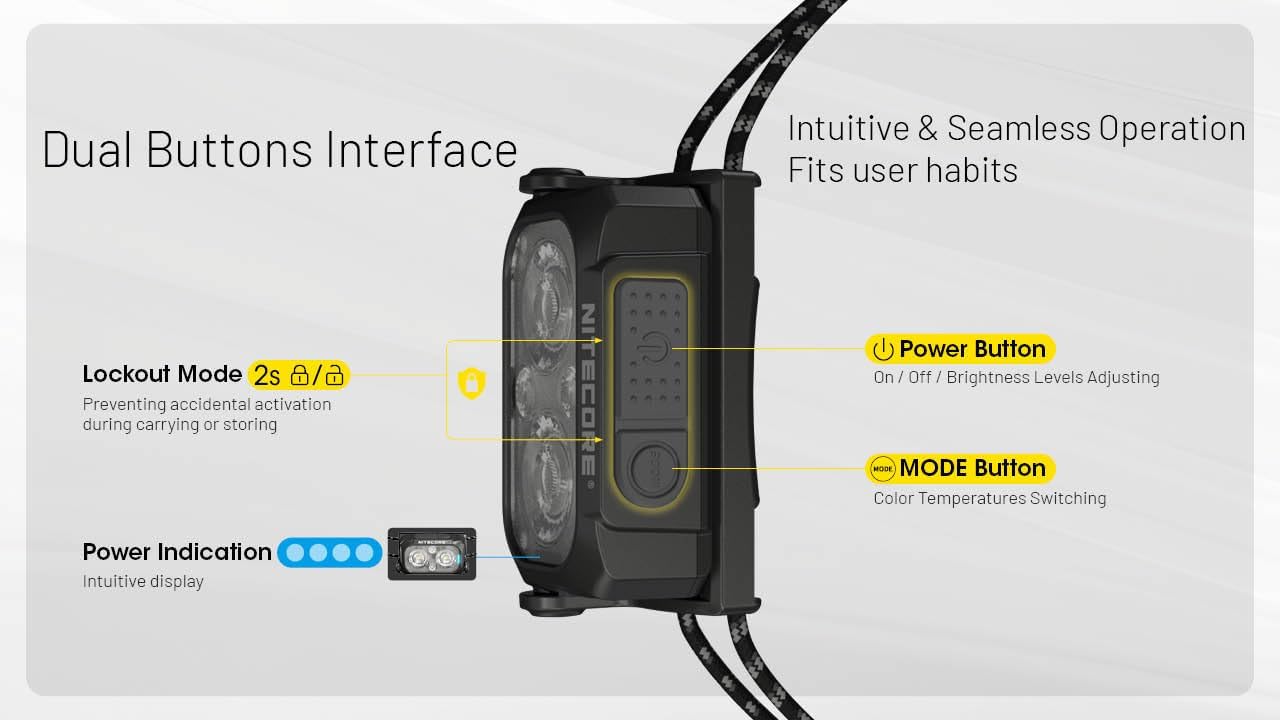
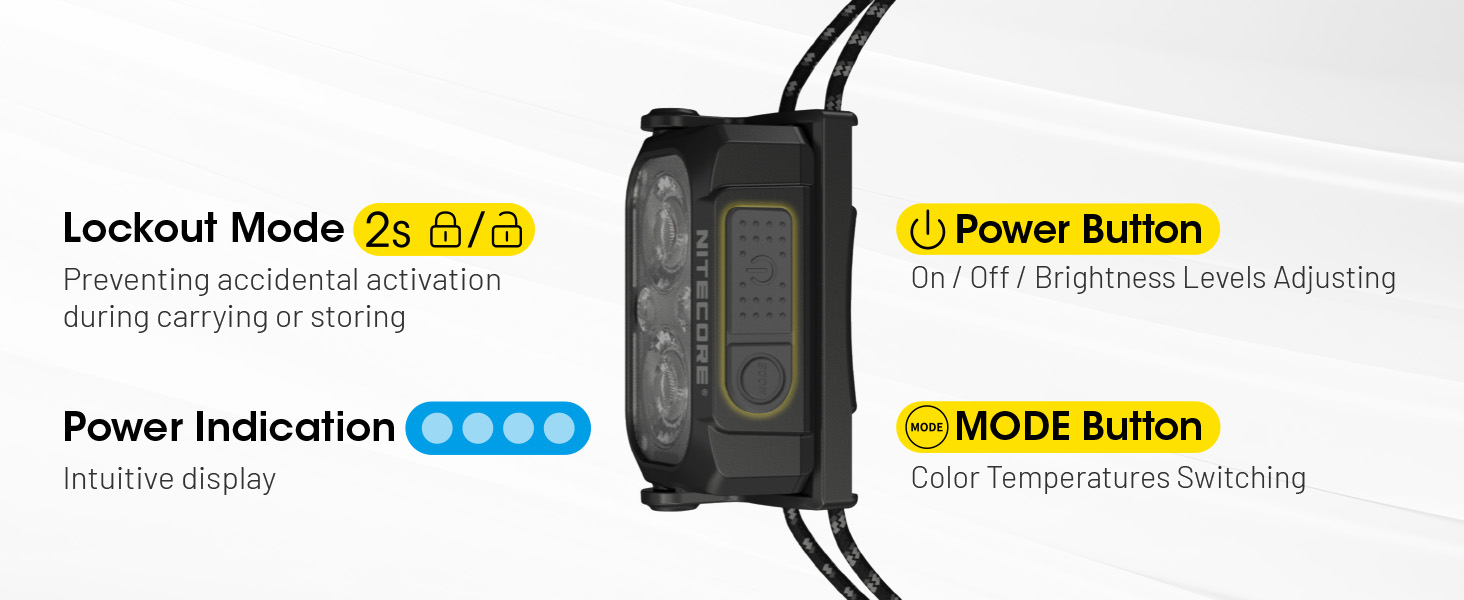
The NU25 MCT UL features a dual-button interface for intuitive control.

4.1. Power On/Off & Brightness Adjustment (White Light)
- Til að kveikja á: Long press the Power button (larger button) for 2 seconds. The headlamp will turn on in the last used white light mode (or low neutral white by default).
- Til að stilla birtustig: While the white light is on, short press the Power button to cycle through Ultra Low, Low, Mid, and High brightness levels.
- Til að slökkva á: Ýttu lengi á Power hnappinn í 2 sekúndur.
4.2. Breyting á litahita
Höfuðiðamp offers multiple color temperatures for the primary white light.
- While the white light is on, short press the Mode button (smaller button) to cycle through Warm White (3000K), Neutral White (4500K), and Cool White (6500K).
4.3. Red Light Mode
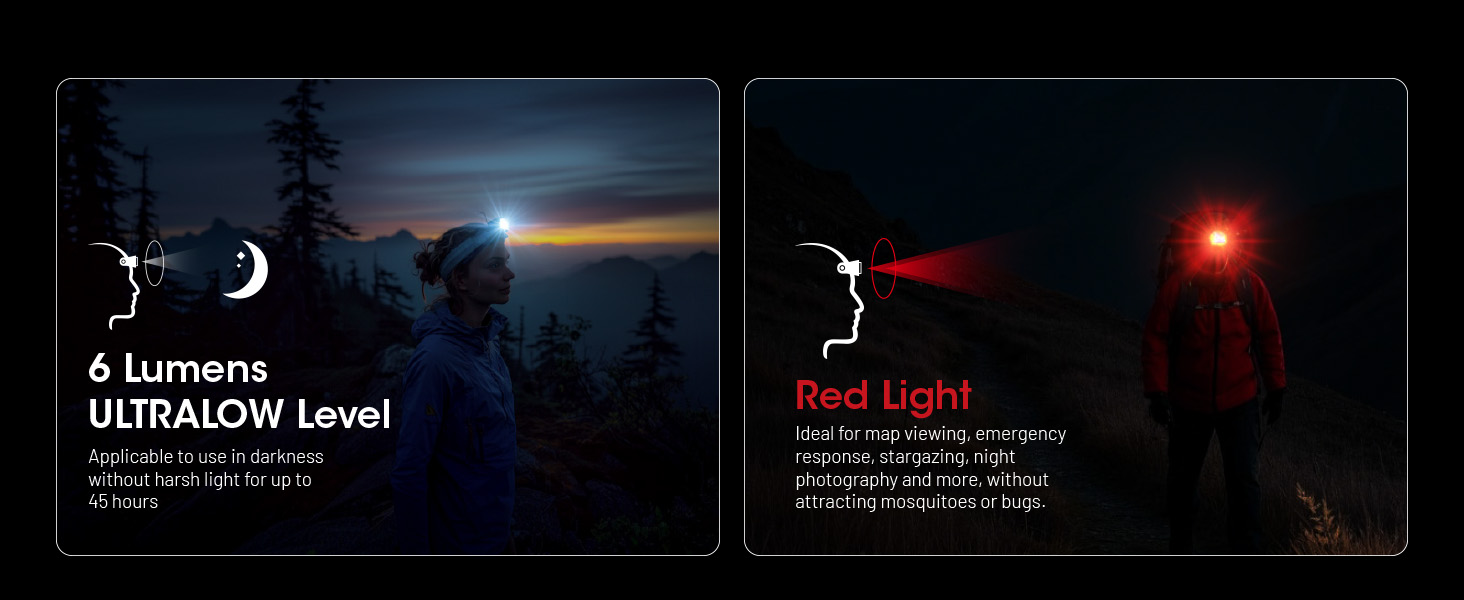
The auxiliary red light is useful for preserving night vision and signaling.
- To turn on red light: Þegar höfuðlamp is off, long press the Mode button for 2 seconds. It will turn on in Low Red.
- To adjust red light brightness/mode: While the red light is on, short press the Power button to cycle through Low Red, High Red, and Red Flashing.
- To turn off red light: Long press the Mode button for 2 seconds.

4.4. Special Modes (SOS, Beacon)
- To access special modes: Meðan höfuðlamp is off, double press the Mode button. It will activate SOS mode.
- To cycle through special modes: While in SOS mode, short press the Power button to switch to Beacon mode.
- To exit special modes: Long press the Power button or Mode button for 2 seconds.
4.5. Lockout Function
To prevent accidental activation during transport or storage:
- Að læsa: Þegar höfuðlamp is off, simultaneously press and hold both the Power and Mode buttons for 2 seconds. The headlamp blikkar einu sinni til að gefa til kynna að það sé læst.
- Til að opna: Simultaneously press and hold both the Power and Mode buttons for 2 seconds. The headlamp will flash once and turn on in Ultra Low mode.
5. Helstu eiginleikar
- Ofurlétt hönnun: Weighing only 1.65 oz (47g) with the elastic cord, designed for maximum comfort during extended use.
- Multiple Color Temperatures (MCT): Offers Warm (3000K), Neutral (4500K), and Cool (6500K) white light options to suit various environments and preferences.
- Hár birtustyrkur: Up to 400 lumens with a maximum beam distance of 144 yards.
- USB-C endurhlaðanlegt: Integrated USB-C port for convenient and fast charging.
- Varanlegur smíði: Crafted from robust PC material, rated IP66 for water and dust resistance, and impact-resistant up to 1 meter.
- Rautt hjálparljós: Preserves night vision and provides signaling capabilities.
- Intuitive Dual-Button Interface: Easy operation for power, brightness, and mode selection.
- Rafmagnsvísir: Built-in indicator displays battery status.
6. Tæknilýsingar
| Mode | Framleiðsla | Runtime | Geisla fjarlægð | Hápunktur geisla |
|---|---|---|---|---|
| Primary Light (Neutral White / Warm Light / Cool Light) | ||||
| Hátt | 400 lúmen | 2 klst 40 mín | 132m | 4381 geisladiskur |
| Mið | 200 lúmen | 5h | 94m | 2192 geisladiskur |
| Lágt | 60 lúmen | 13 klst | 51m | 662 geisladiskur |
| Ofur lágt | 6 lúmen | 45 klst | 13m | 43 geisladiskur |
| Hjálparrautt ljós | ||||
| Hátt | 15 lúmen | 10 klst | -- | -- |
| Lágt | 7 lúmen | 26 klst | -- | -- |
| Blinkar hægt | 15 lúmen | -- | -- | -- |
| Sérstakar stillingar | ||||
| SOS | 400 lúmen | -- | -- | -- |
| Leiðarljós | 400 lúmen | -- | -- | -- |
| Höggþol | 1m | |||
| Vatnsþol | IP66 | |||
Note: Stated data is measured using the built-in 700mAh Li-ion battery (3.85V) in accordance with international flashlight testing standards ANSI/PLATO FL 1-2019 at an ambient temperature of 22°C (72°F) from the NITECORE Lab. The data may vary in real-world use due to different environmental conditions.
This product is equipped with a thermal protection function, which automatically regulates the output of the product according to the working condition to maintain optimal performance.

7. Umhirða og viðhald
- Hreinsaðu hausinnamp líkami með mjúkum, damp klút. Forðist slípiefni.
- Gakktu úr skugga um að USB-C tengið sé vel lokað þegar það er ekki í hleðslu til að viðhalda vatnsheldni.
- Recharge the battery regularly, even if not in use, to prolong battery life. Avoid fully depleting the battery for extended periods.
- Geymdu hausinnamp á köldum, þurrum stað fjarri beinu sólarljósi og miklum hita.
8. Bilanagreining
- Fyrirsögnamp kveikir ekki á:
- Check if the battery is charged. Connect to a USB-C power source.
- Ensure the lockout function is not activated (simultaneously press both buttons for 2 seconds to unlock).
- Ljósúttak er dauft eða ójafnt:
- The battery might be low; recharge the headlamp.
- Höfuðiðamp may be in thermal regulation mode if it has been operating at high output for an extended period. Allow it to cool down.
- Inngangur vatns:
- Ensure the USB-C port cover is properly sealed. If water has entered, turn off the device immediately and allow it to dry completely before attempting to use it again. Contact customer support if issues persist.
9. Ábyrgð og þjónustuver
The Nitecore NU25 MCT UL headlamp comes with a limited warranty. For specific warranty terms and conditions, please refer to the warranty card included in your package or visit the official Nitecore websíða.
For technical support, service, or inquiries, please contact Nitecore customer service or your local distributor.
Manufacturer: Sysmax Innovation Co.


