Inngangur
Thank you for choosing the Emerson EVP-2002 Home Theater LCD Projector. This manual provides essential information for setting up, operating, and maintaining your projector to ensure optimal performance and longevity. Please read this manual thoroughly before using the product and retain it for future reference.
Hvað er í kassanum
Þegar þú tekur úr umbúðunum skaltu ganga úr skugga um að eftirfarandi hlutir séu til staðar:
- Emerson EVP-2002 Projector
- UL Approved Power Adaptor
- Fjarstýring
- Hlíf skjávarpa linsu
- Notendahandbók (þetta skjal)
Vara lokiðview
The Emerson EVP-2002 is designed to deliver an immersive home theater experience with its advanced LCD technology and versatile connectivity options.

Mynd: Framan view of the Emerson EVP-2002 projector, showcasing the lens and ventilation. This compact projector is designed for home entertainment.
Helstu eiginleikar:
- Upplifandi skemmtun: Transforms your space into a theater for sports, movies, and TV shows.
- Bluetooth tenging: Allows easy pairing with external audio devices.
- Effortless Media Streaming: Compatible with streaming devices like Amazon Fire Stick, Roku, or Google Chromecast (not included).
- Vivid Visuals: Advanced LCD projector delivers high-quality resolution with clarity and color vibrancy.
- Versatile Multi-Media Functionality: Supports HDMI and USB flash drives for various video, audio, and photo formats.
- Langvarandi LED pera: Durable LED bulb with up to 30,000 hours of lifespan.
- Powerful Built-In Speakers: Delivers clear, full-bodied sound.

Mynd: Hlið view of the Emerson EVP-2002 projector, showing its compact cylindrical design and adjustable stand.
Vörumál og þyngd:
- Stærðir: 6.75 x 4.12 x 4.98 tommur
- Þyngd: 1.43 pund

Image: Diagram illustrating the dimensions (6.75 in. length, 4.12 in. width, 4.98 in. height) and weight (1.43 lbs) of the Emerson EVP-2002 projector.
Uppsetningarleiðbeiningar
1. Staðsetning
Position the projector on a stable, flat surface. Ensure there is adequate ventilation around the unit. The distance from the screen or wall will determine the image size. Adjust the projector's angle using its stand for optimal projection.
2. Rafmagnstenging
- Connect the UL Approved Power Adaptor to the DC IN port on the projector.
- Plug the power adaptor into a standard electrical outlet.
- The power indicator light should illuminate.
3. Tenging inntaksgjafa
The EVP-2002 offers multiple input options:
- HDMI: Connect an HDMI cable from your source device (e.g., laptop, game console, streaming stick) to the HDMI port on the projector.
- USB: Settu USB-lykil í USB-tengið til að spila margmiðlunarefni files beint.
- 3.5 mm hljóð: Connect external speakers or headphones using a 3.5mm audio cable to the AUX OUT port.

Mynd: Aftan view of the Emerson EVP-2002 projector, showing the various input ports including HDMI, USB, and DC power input.
Notkunarleiðbeiningar
1. Kveikt/slökkt
- To power on, press the Power button on the projector or the remote control.
- To power off, press the Power button again. The projector will enter standby mode.
2. Stilla fókus
Rotate the focus ring located near the lens until the projected image appears clear and sharp.
3. Heimildaval
Use the "Source" button on the remote control or the projector's control panel to cycle through available input sources (HDMI, USB, etc.).
4. Bluetooth-tenging
- Ensure Bluetooth is enabled on your external audio device (e.g., speaker, headphones).
- On the projector, navigate to the Bluetooth settings (refer to on-screen menu if available, or press the dedicated Bluetooth button if present).
- Veldu tækið þitt af listanum yfir tiltæk tæki til að para.
- Once paired, audio will be routed through the connected Bluetooth device.
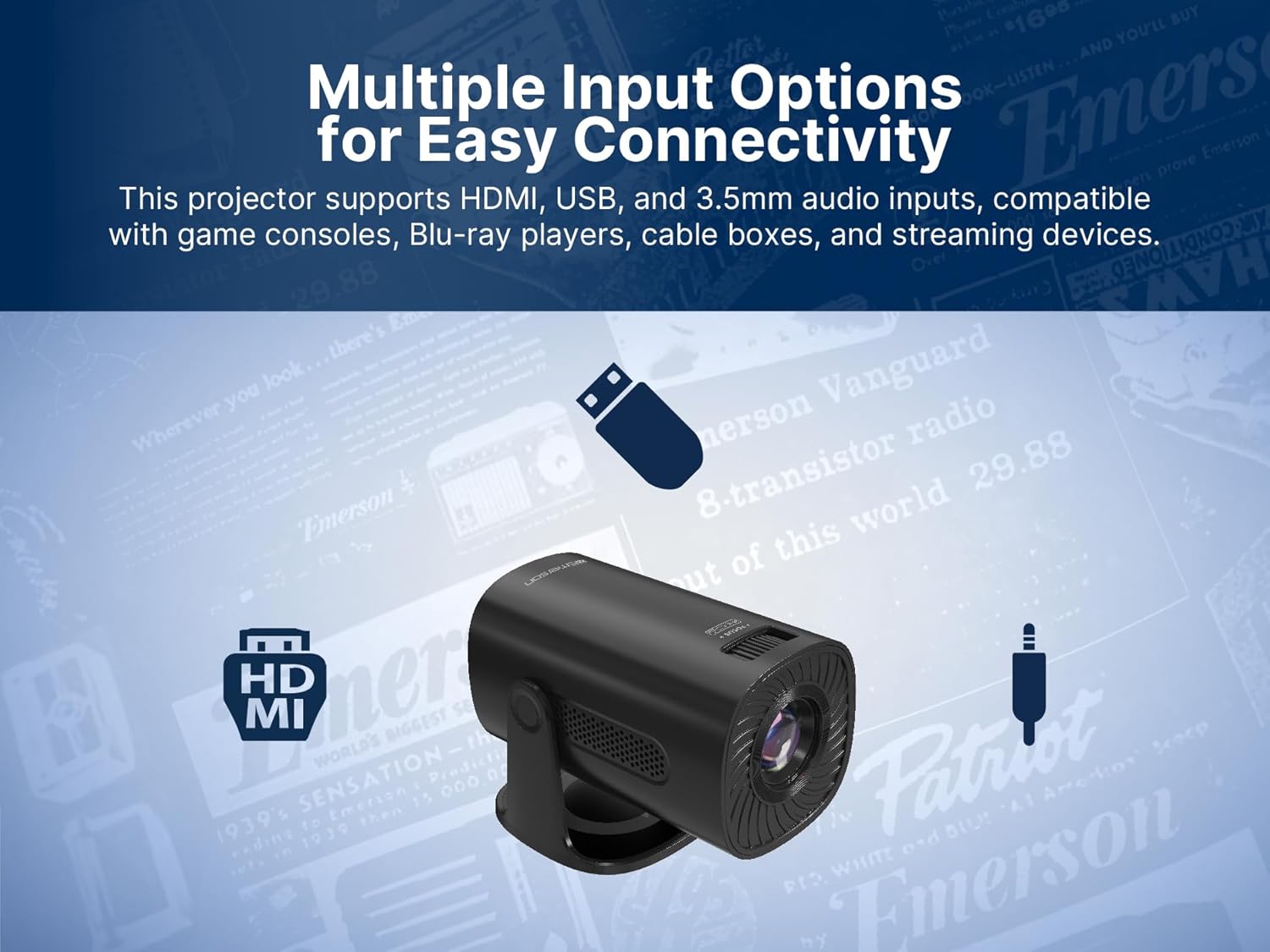
Image: The Emerson EVP-2002 projector displaying a Bluetooth icon, indicating its wireless audio connectivity feature.
5. Spilun margmiðlunar (USB)
- Settu inn USB-lykil sem inniheldur samhæft efni files í USB tengið.
- Veldu „USB“ sem inntaksuppsprettu.
- Fletta í gegnum möppur og files using the remote control or projector buttons.
- Veldu a file til að hefja spilun.

Image: The Emerson EVP-2002 projector connected to a USB drive, illustrating its capability to play various media formats directly.
Viðhald
Rétt viðhald tryggir langlífi og bestu mögulegu afköst skjávarpans.
1. Þrif á linsunni
- Always power off and unplug the projector before cleaning.
- Notið mjúkan, lólausan klút sem er sérstaklega hannaður fyrir sjónlinsur.
- Gently wipe the lens in a circular motion. Avoid harsh chemicals or abrasive materials.
- Replace the lens cover when the projector is not in use to protect it from dust.
2. Þrif á skjávarpahúsinu
- Þurrkaðu að utan með mjúkum, þurrum klút.
- Do not use liquid cleaners or sprays directly on the projector.
3. Loftræsting
- Ensure the ventilation vents are not blocked to prevent overheating.
- Periodically check and gently clean any dust accumulation on the vents using a soft brush or compressed air.
Úrræðaleit
Ef þú lendir í vandræðum með skjávarpann þinn skaltu skoða eftirfarandi algeng vandamál og lausnir:
| Vandamál | Möguleg orsök | Lausn |
|---|---|---|
| Engin mynd varpað |
|
|
| Myndin er óskýr |
|
|
| Ekkert hljóð |
|
|
| Myndvarpi ofhitnar |
|
|
Tæknilýsing
| Eiginleiki | Smáatriði |
|---|---|
| Gerðarnúmer | EVP-2002 |
| Vörumerki | Emerson |
| Vörumál | 6.75 x 4.12 x 4.98 tommur |
| Þyngd hlutar | 1.43 pund |
| Skjáupplausn | 1280 x 720 |
| Tengitækni | Bluetooth |
| Sérstakur eiginleiki | Innbyggður hátalari |
| Mælt er með notkun | Viðskipti, menntun, tölvuleikir, heimabíó |
| Framleiðandi | Naxa Electronics, Inc. |
Vörumyndbönd
Emerson EVP-2002 Product Video - 360 Spin
Myndband: 360 gráðu mynd view of the Emerson EVP-2002 projector, showcasing its design and various angles. This video provides a comprehensive visual overview of the product's exterior.
Ábyrgð og stuðningur
Upplýsingar um ábyrgð
Nánari upplýsingar um ábyrgð er að finna á ábyrgðarkortinu sem fylgir vörunni eða á opinberu Emerson þjónustuveri. webGeymið kaupkvittunina sem sönnun fyrir kaupum ef um ábyrgðarkröfur er að ræða.
Þjónustudeild
Ef þú þarft frekari aðstoð, tæknilega aðstoð eða hefur spurningar sem ekki er fjallað um í þessari handbók, vinsamlegast hafðu samband við þjónustuver Emerson. Upplýsingar um tengilið er yfirleitt að finna á umbúðum vörunnar, opinberu Emerson websíðuna eða ábyrgðarkortið.


