1. Inngangur
This manual provides detailed instructions for the installation, operation, and maintenance of your UGREEN Cat 8 Ethernet Cable and 5-Port Gigabit Ethernet Switch. This bundle is designed to enhance your network's speed and expand connectivity for multiple devices, ensuring a stable and high-performance wired connection.
2. Vörueiginleikar
- 40 Gbps 2000 MHz háhraði: The Cat 8 Ethernet cable supports a maximum of 40 Gbps data transfer and 2000 MHz bandwidth, ideal for gaming and streaming, significantly improving upload and download speeds, sound, image, and resolution quality.
- Frábær truflunarvörn: The Ethernet cable features 4 shielded foiled twisted pairs (F/FTP), a pure copper core, and gold-plated RJ45 connectors, reducing interference, noise, and crosstalk for faster and more stable network speeds.
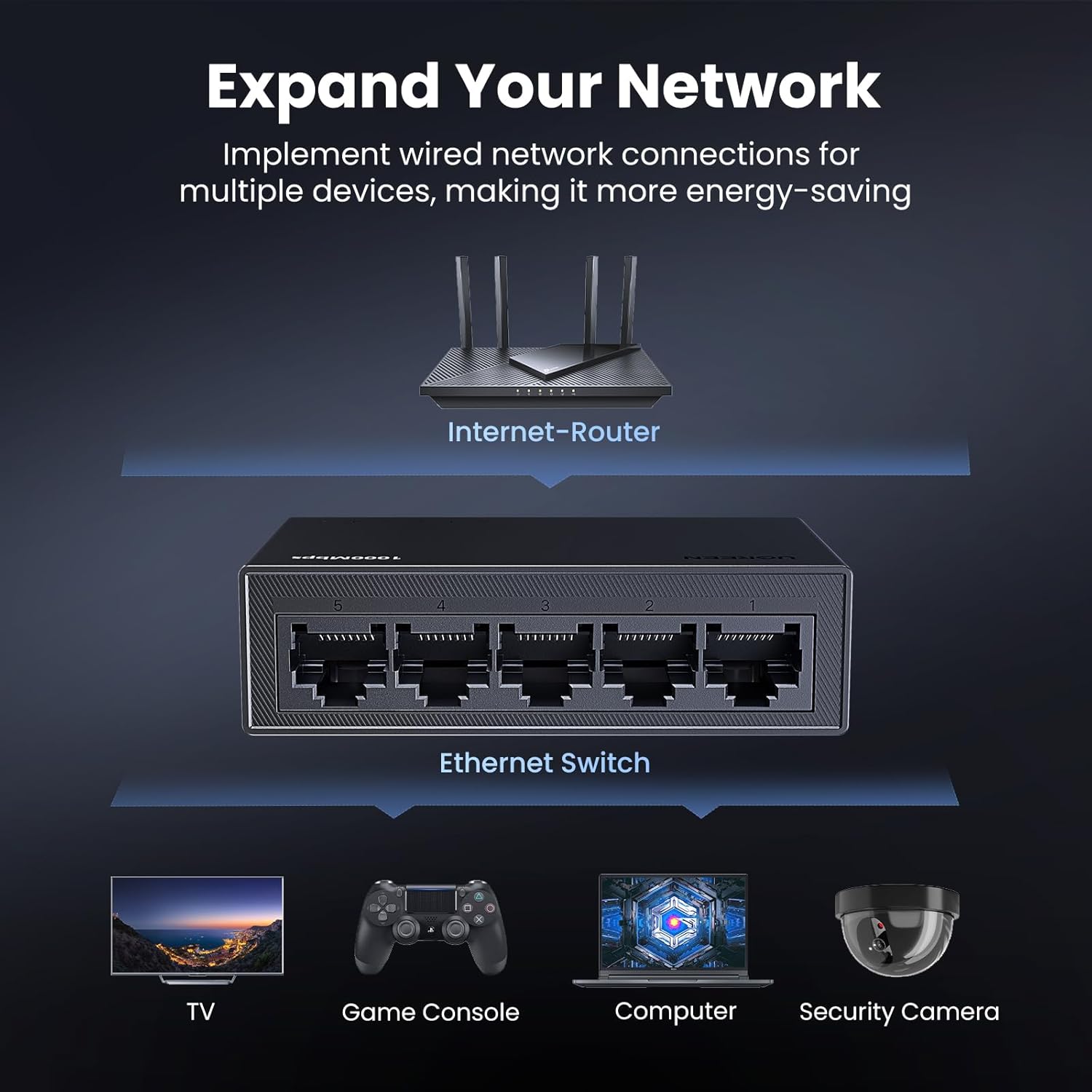
- Stækkaðu netið þitt: The UGREEN 5-Port Gigabit Ethernet Switch includes indicator lights and supports automatic adjustment to network speeds of 10/100/1000Mbps. It supports full duplex and half duplex modes, and automatic MDI/MDIX flip function.
- Breitt forrit: The gigabit Ethernet switch supports Windows, macOS, Linux, Android, and iOS systems, making it suitable for various environments such as schools, homes, micro-enterprise offices, and security monitoring setups.
- Plug and Play: The unmanaged Ethernet switch requires no driver installation and is easy to use, ensuring a smooth connection with multiple devices. Any network port can function as an upstream or downstream port. (Note: POE is not supported).
3. Innihald pakka
The UGREEN Cat 8 Ethernet Cable and 5-Port Gigabit Ethernet Switch bundle typically includes the following items:
- 1 x UGREEN Cat 8 Ethernet Cable (10FT)
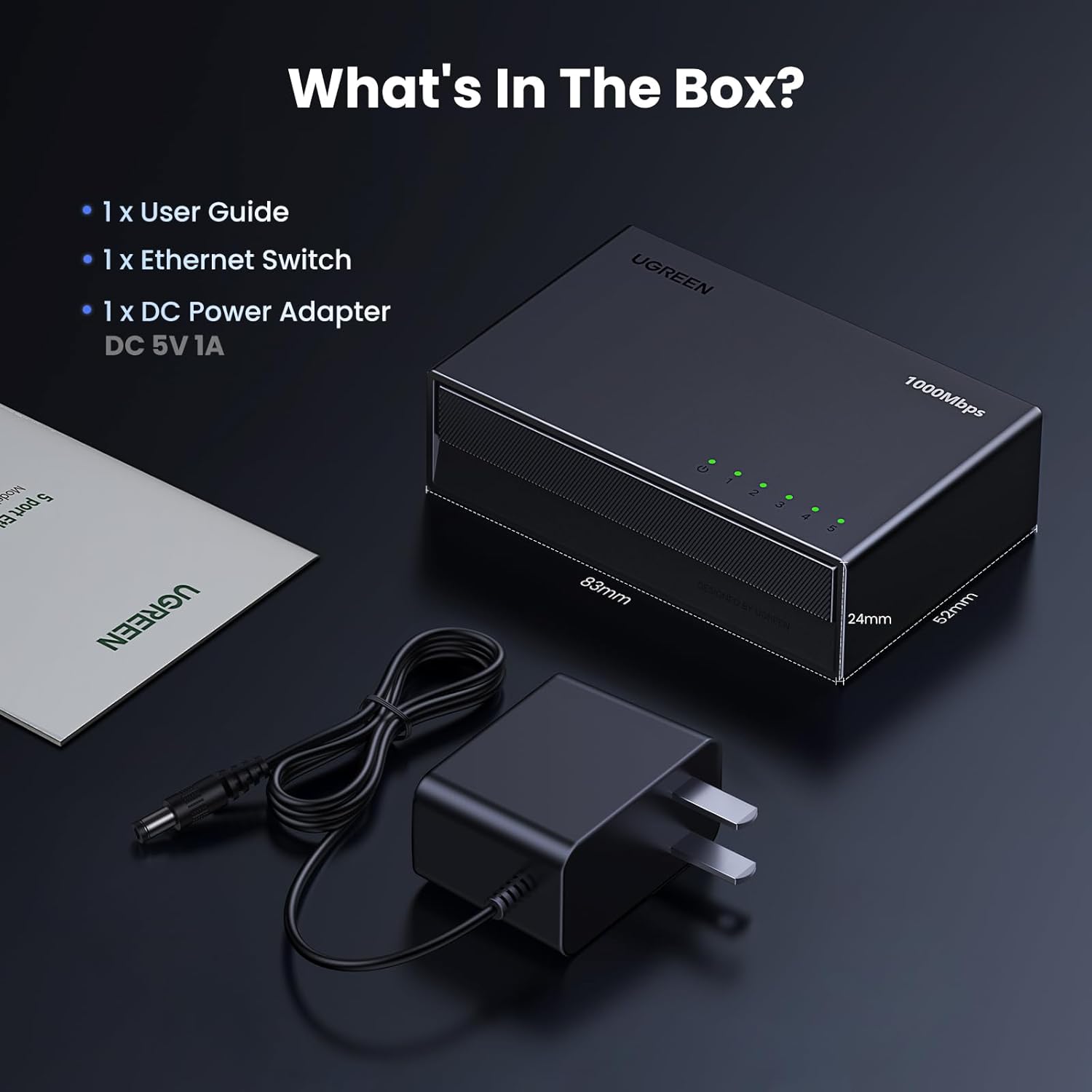
- 1 x UGREEN 5-porta Gigabit Ethernet rofi
- 1 x jafnstraumsbreytir (5V 1A)
- 1 x Notendahandbók

4. Uppsetning
Follow these steps to set up your UGREEN network bundle:
- Connect the Modem/Router: Connect one end of the UGREEN Cat 8 Ethernet cable to your internet modem or main router's LAN port.
- Connect to the Switch: Connect the other end of the Cat 8 Ethernet cable to any of the 5 Gigabit RJ45 ports on the UGREEN Ethernet Switch.
- Tengdu tæki: Use additional Ethernet cables (not included) to connect your devices (e.g., PC, laptop, gaming console, smart TV, security camera) to the remaining ports on the UGREEN Ethernet Switch.
- Kveikt á: Plug the DC Power Adapter into the power input of the Ethernet Switch and then into a power outlet. The indicator lights on the switch will illuminate, indicating active connections.

5. Notkunarleiðbeiningar
The UGREEN 5-Port Gigabit Ethernet Switch operates on a plug-and-play basis, requiring no complex configuration. Once powered on and connected, it automatically detects and adjusts to the network speed of connected devices.
- Gaumljós: Each port on the switch has an LED indicator. A lit LED indicates an active connection, and blinking indicates data transfer. This allows for quick visual confirmation of network activity.
- Automatic Speed Adjustment: The switch automatically negotiates the optimal speed (10/100/1000Mbps) with connected devices.
- Full/Half Duplex: The switch supports both full and half duplex modes, optimizing data flow based on the connected device's capabilities.
- Automatic MDI/MDIX: This feature eliminates the need for crossover cables, simplifying connections between devices.


6. Viðhald
To ensure the longevity and optimal performance of your UGREEN network products, consider the following maintenance tips:
- Keep the devices in a cool, dry place, away from direct sunlight and excessive heat.
- Avoid exposing the devices to water or moisture.
- Þrífið tækin reglulega með mjúkum, þurrum klút. Notið ekki fljótandi hreinsiefni eða úðabrúsa.
- Gætið þess að snúrurnar séu ekki beygðar skarpt eða settar undir þunga hluti til að koma í veg fyrir skemmdir.
7. Bilanagreining
If you encounter issues with your UGREEN Cat 8 Ethernet Cable or 5-Port Gigabit Ethernet Switch, try the following troubleshooting steps:
- Engin tenging:
- Check if the power adapter is securely connected to the switch and a working power outlet.
- Ensure all Ethernet cables are properly plugged into their respective ports on the switch and connected devices.
- Verify that the indicator lights for the connected ports are illuminated. If not, try a different port or cable.
- Hægur nethraði:
- Confirm that your internet service provider is delivering the expected speed.
- Ensure you are using the Cat 8 Ethernet cable for high-speed connections, as older cable categories may limit performance.
- Restart your modem, router, and the UGREEN Ethernet Switch.
- Check for any physical damage to the Ethernet cables.
- Tímabundin tenging:
- Ensure cables are securely connected and not loose.
- Minimize electromagnetic interference by keeping the switch and cables away from high-power electrical devices.
8. Tæknilýsing
| Eiginleiki | Forskrift |
|---|---|
| Vörumerki | UGREEN |
| Tegund tengis | Ethernet |
| Gerð kapals | Ethernet |
| Samhæf tæki | Personal Computer, Laptop, Router, Smartphone, Tablet, Gaming Console |
| Sérstakur eiginleiki | Data Transfer, High Speed, Heat Resistant, Tangle Free, Braided, Magnetic, Weatherproof, Waterproof |
| Ráðlagður notkun fyrir vöru | Netkerfi |
| Ethernet cable category | Köttur 8 |
| Tengi kyn | Karlkyns til karlkyns |
| Gagnaflutningshraði | 40 gígabit á sekúndu |
| Fjöldi pinna | 8 |
| Tíðni | 2000 MHz |
| Inni/úti notkun | Innandyra |
9. Vörumiðlar
Vörumyndir


Opinber vörumyndbönd
10. Ábyrgð og stuðningur
UGREEN products are designed for reliability and performance. For warranty information, technical support, or any product-related inquiries, please refer to the official UGREEN webvefsíðu eða hafðu samband við þjónustuver þeirra beint. Geymdu kaupkvittunina vegna ábyrgðarkröfu.