1. Vöru lokiðview
The HP OfficeJet Pro 9125e is a versatile All-in-One printer designed for office and hybrid workspace environments. This certified refurbished unit offers print, scan, copy, and fax functionalities, along with advanced features like a color touchscreen and HP Wolf Pro Security. It is engineered for professional-quality color documents and efficient operation.
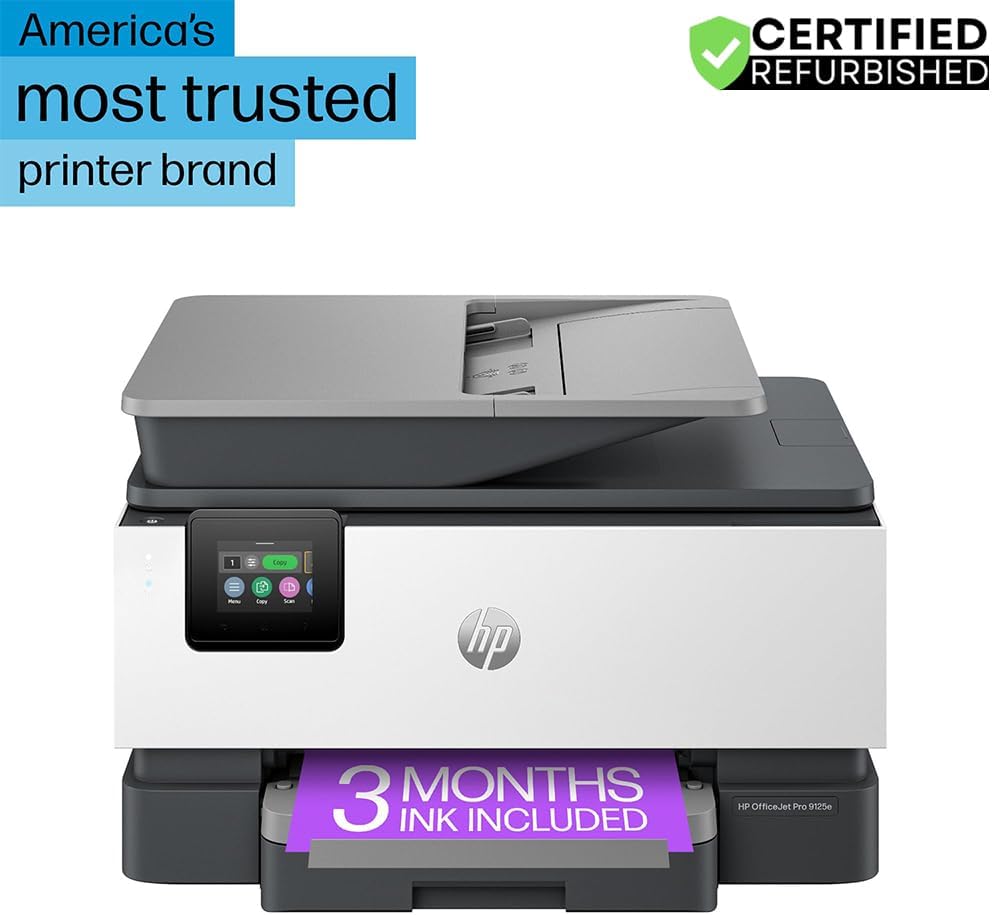
Mynd 1: Framan view of the HP OfficeJet Pro 9125e All-in-One Printer.
Helstu eiginleikar:
- Allt-í-einn virkni: Print, copy, scan, and fax capabilities.
- Háhraða prentun: Up to 22 pages per minute (ppm) for black and 18 ppm for color.
- Þráðlaus tenging: Reliable dual-band Wi-Fi with automatic connection issue resolution.
- HP Smart appið: Enables printing, scanning, copying, and faxing directly from a smartphone.
- HP Wolf Pro Öryggi: Integrated security tools to protect data and networks.
- 2.7 tommu litasnertiskjár: Intuitive user interface for easy navigation.
- Sjálfvirkur skjalamatari (ADF): For efficient multi-page scanning and copying.
- Tvíhliða prentun: Automatic two-sided printing.
- Sjálfbær hönnun: Constructed with over 40% recycled plastic.

Mynd 2: Yfirview of the HP OfficeJet Pro 9125e's primary functions and features.
2. Uppsetningarleiðbeiningar
2.1 Upppakkning og innihald
Carefully unpack the printer and ensure all components are present. The package should contain the following:
- HP OfficeJet Pro 9125e fjölnota prentari
- HP 936 uppsetningarblekhylki úr svörtu
- HP 936 uppsetningarbláhúðað blekhylki
- HP 936 uppsetningarblekhylki fyrir magenta prentara
- HP 936 Setup Yellow Ink Cartridge
- Rafmagnssnúra
- Regulatory Flyer
- Blek varúð flyer
- Skipulag veggspjalds
- Tilvísunarleiðbeiningar

Figure 3: Included items in the HP OfficeJet Pro 9125e package.
2.2 Upphafleg uppsetning prentara
- Rafmagnstenging: Tengdu rafmagnssnúruna við prentarann og síðan í innstungu.
- Kveikt á: Ýttu á rofann til að kveikja á prentaranum.
- Uppsetning blekhylkja: Follow the on-screen instructions on the 2.7-inch touchscreen to install the HP 936 setup ink cartridges. Ensure each cartridge clicks into place.
- Pappírshleðsla: Load plain paper into the 250-sheet input tray. Adjust the paper guides to fit the paper size.
- Tungumál og svæði: Select your preferred language and region on the touchscreen.
- Nettenging: Connect the printer to your wireless network using the touchscreen. The dual-band Wi-Fi will help ensure a stable connection.
- HP Smart App Installation: Download the HP Smart App on your smartphone or computer for guided setup and advanced features.
- HP+ Activation (Optional): If you wish to enroll in the Instant Ink delivery service and extend your warranty, activate HP+ during the setup process. This may include 3 months of Instant Ink.
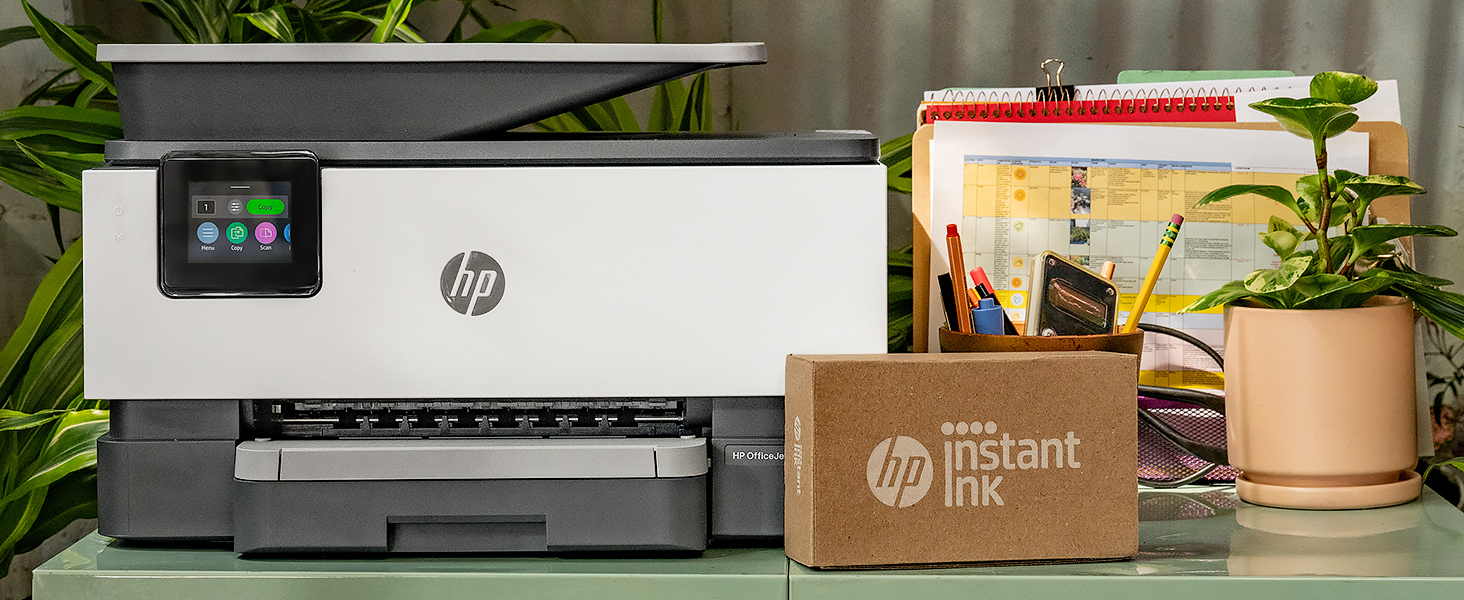
Figure 4: Printer ready for setup, showing the Instant Ink box.
3. Notkunarleiðbeiningar
3.1 Prentun skjala
The HP OfficeJet Pro 9125e supports printing from various devices, including computers and smartphones.
- Frá tölvu: Ensure the printer drivers are installed. Select "Print" from your application, choose the HP OfficeJet Pro 9125e, and adjust settings as needed (e.g., color, black and white, duplex printing).
- Frá snjalltæki (HP Smart appið): Open the HP Smart App, select "Print Documents" or "Print Photos," choose the file, and send it to the printer.
- Prenthraði: Up to 22 ppm for black and 18 ppm for color.
- Tvíhliða prentun: The printer supports automatic two-sided printing. This option can be selected in your print settings.
3.2 Skanna skjöl
Documents can be scanned using the flatbed scanner or the Automatic Document Feeder (ADF).
- Notkun flatbedsins: Place a single document face down on the scanner glass. Close the lid. Select "Scan" on the printer's touchscreen or through the HP Smart App.
- Notkun sjálfvirks matarins (ADF): Load multiple pages face up into the ADF. The ADF supports dual-pass 2-sided scanning. Select "Scan" on the printer's touchscreen or through the HP Smart App and choose the ADF option.
- Scan Destinations: Scanned documents can be sent to a computer, email, or cloud services via the HP Smart App.
3.3 Afrita skjöl
The printer allows for quick and efficient copying.
- Hefja afritun: Press the "Copy" icon on the printer's touchscreen.
- Staða skjals: Place the document on the flatbed scanner or in the ADF.
- Stilla stillingar: Select the number of copies (up to 99), color or black and white, and other options like resizing or quality.
- Start Copy: Press the "Start Copy" button on the touchscreen.
3.4 Faxsending skjala
The HP OfficeJet Pro 9125e includes fax functionality.
- Hlaða inn skjali: Place the document on the flatbed scanner or in the ADF.
- Enter Number: Press the "Fax" icon on the touchscreen and enter the recipient's fax number.
- Send Fax: Confirm settings and send the fax.
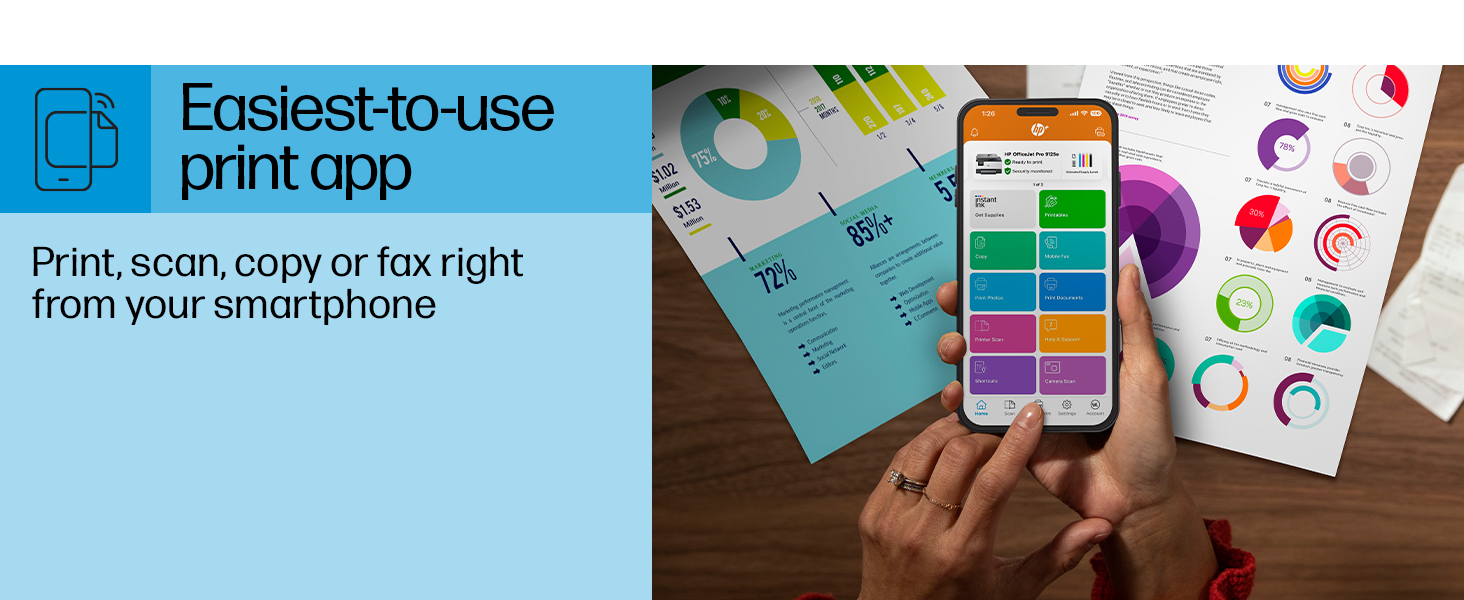
Figure 5: The HP Smart App allows control of print, scan, copy, and fax functions from a smartphone.
4. Viðhald
4.1 Skipti á blekhylki
The printer uses HP 936 series ink cartridges (Black, Cyan, Magenta, Yellow). The touchscreen will indicate when ink levels are low or when a cartridge needs replacement.
- Opnaðu aðgangshurðina fyrir blekhylki.
- Press the tab on the old cartridge to release it, then pull it out.
- Unpack the new HP 936 cartridge, being careful not to touch the electrical contacts or ink nozzles.
- Settu nýja rörlykjuna í samsvarandi rauf þar til hún smellpassar.
- Lokaðu blekhylkishurðinni.
4.2 Pappírsmeðhöndlun
- Inntaksbakki: The printer features a 250-sheet input tray. Ensure paper is loaded correctly and paper guides are adjusted to prevent jams.
- Úttaksbakki: The output tray has a capacity of 60 sheets.
- Styður miðill: The printer supports various paper types and sizes, including plain paper, photo paper, and envelopes. Supported sizes range from 3 x 5 inches to 8.5 x 14 inches.
- Envelope Stopper: Utilize the built-in envelope stopper to prevent jams when printing envelopes.
4.3 Þrif
Regluleg þrif hjálpa til við að viðhalda prentgæðum og endingu prentarans.
- Að utan: Þurrkaðu ytra byrði prentarans með mjúkum klút.amp, lófrír klút.
- Skannagler: Hreinsið skannaglerið með mjúkum klút og glerhreinsiefni sem ekki er slípandi.
- ADF rúllur: Vísaðu til HP þjónustudeildarinnar website or the HP Smart App for instructions on cleaning ADF rollers if paper feed issues occur.
5. Bilanagreining
This section provides solutions to common printer issues. For more detailed troubleshooting, refer to the HP support websíðuna eða HP Smart appið.
5.1 Tengingarvandamál
- Prentari án nettengingar: Ensure the printer is powered on and connected to the correct Wi-Fi network. Restarting both the printer and your router can often resolve temporary network glitches.
- Wi-Fi aftenging: The printer's dual-band Wi-Fi is designed to automatically resolve connection issues. If problems persist, try reconnecting through the printer's touchscreen or the HP Smart App.
- USB/Ethernet Connection: If using a wired connection, ensure cables are securely plugged into both the printer and the computer/router.
5.2 Vandamál með prentgæði
- Fölnuð eða rákótt prentun: Check ink levels and replace any low or empty cartridges. Perform a printhead cleaning cycle through the printer's maintenance menu.
- Rangir litir: Ensure you are using genuine HP ink cartridges. Run a printhead alignment from the printer's maintenance menu.
- Pappírsstopp: Follow the on-screen instructions to clear any jammed paper. Ensure paper is loaded correctly and not overfilled in the input tray.
5.3 Scanning/Copying Issues
- Blank Scans/Copies: Ensure the document is placed correctly on the scanner glass or in the ADF.
- Lines on Scans/Copies: Clean the scanner glass and the ADF rollers.
6. Tæknilýsingar
| Eiginleiki | Forskrift |
|---|---|
| Nafn líkans | HP OfficeJet Pro 9125e |
| Aðgerðir | Prenta, afrita, skanna, faxa |
| Prenttækni | Inkjet (Four-color inkjet cartridges) |
| Hámarksprentunarhraði (svartur) | 22 ppm |
| Hámarksprentunarhraði (litur) | 18 ppm |
| Hámarks prentupplausn (svart) | 1200 x 1200 dpi |
| Hámarks prentupplausn (litur) | Allt að 4800 x 1200 fínstillt dpi |
| Tvíhliða prentun | Sjálfvirk |
| Tegund skanni | Auðvelt að renna af gleri, tvíhliða sjálfvirkur matari |
| Hámarksupplausn afritunar | 600 x 600 dpi (Black & Color) |
| Max Copies per Run | 99 |
| Tengingar | Ethernet, USB, Wi-Fi (Dual-band) |
| Eftirlitsaðferð | Forrit, snertiskjár |
| Stærð snertiskjás | 2.7 tommur |
| Inntaksblaðsgeta | 250 blöð |
| Úttaksgeta blaðs | 60 blöð |
| Stærðir fjölmiðla sem studdir eru | 3 x 5 inches to 8.5 x 14 inches |
| Geymslugeta minni | 512 MB |
| Vörumál (D x B x H) | 13.48" x 17.3" x 10.94" |
| Þyngd hlutar | 20.5 pund |
| Orkunotkun | 5.06 Watt |

Figure 6: Physical dimensions of the HP OfficeJet Pro 9125e.
7. Ábyrgð og stuðningur
7.1 Upplýsingar um ábyrgð
- Certified Refurbished Warranty: This unit comes with a 90-day manufacturer warranty, ensuring reliable, like-new performance.
- Extended Protection Pack: The product bundle includes a 2-year CPS Enhanced Protection Pack.
- HP+ Offer Warranty: A one-year limited hardware warranty is provided, with an option to extend to two years upon acceptance of the HP+ Offer during setup.
For specific terms and conditions regarding your warranty, please refer to the documentation included with your product or visit the official HP support websíða.
7.2 Þjónustuver
For further assistance, technical support, or to access detailed user guides and drivers, please visit the official HP support websíða:
You can also utilize the HP Smart App for troubleshooting and accessing support resources directly from your mobile device.