1. Inngangur
Thank you for choosing the GAMEMAX Starlight 2 AB Mid Tower ATX PC Case. This manual provides essential information for the proper installation, operation, and maintenance of your new PC case. Please read this manual thoroughly before beginning the assembly process to ensure optimal performance and longevity of your system components.
2. Öryggisupplýsingar
- Aftengdu alltaf rafmagnið úr innstungunni áður en þú setur upp eða fjarlægir nokkra íhluti.
- Farið varlega með alla íhluti til að koma í veg fyrir skemmdir.
- Notið úlnliðsól með rafstöðueiginleikum til að koma í veg fyrir skemmdir á viðkvæmum íhlutum vegna rafstöðueiginleikar (ESD).
- Keep the case away from direct sunlight, high temperatures, and moisture.
- Tryggið góða loftræstingu í kringum kassann til að koma í veg fyrir ofhitnun.
- Do not attempt to modify the case or its components, as this may void your warranty and pose a safety risk.
3. Innihald pakka
Vinsamlegast staðfestu að allir hlutir séu í pakkanum þínum:
- GAMEMAX Starlight 2 AB Mid Tower ATX PC Case
- Aukahlutakassi (inniheldur skrúfur, afstöðustykki, kapalbönd o.s.frv.)
- Notendahandbók (þetta skjal)
4. Vöru lokiðview
The GAMEMAX Starlight 2 AB is a Mid Tower ATX PC case designed for efficient cooling and versatile configurations. It features a tempered glass side panel, pre-installed ARGB fans, and comprehensive hardware compatibility.
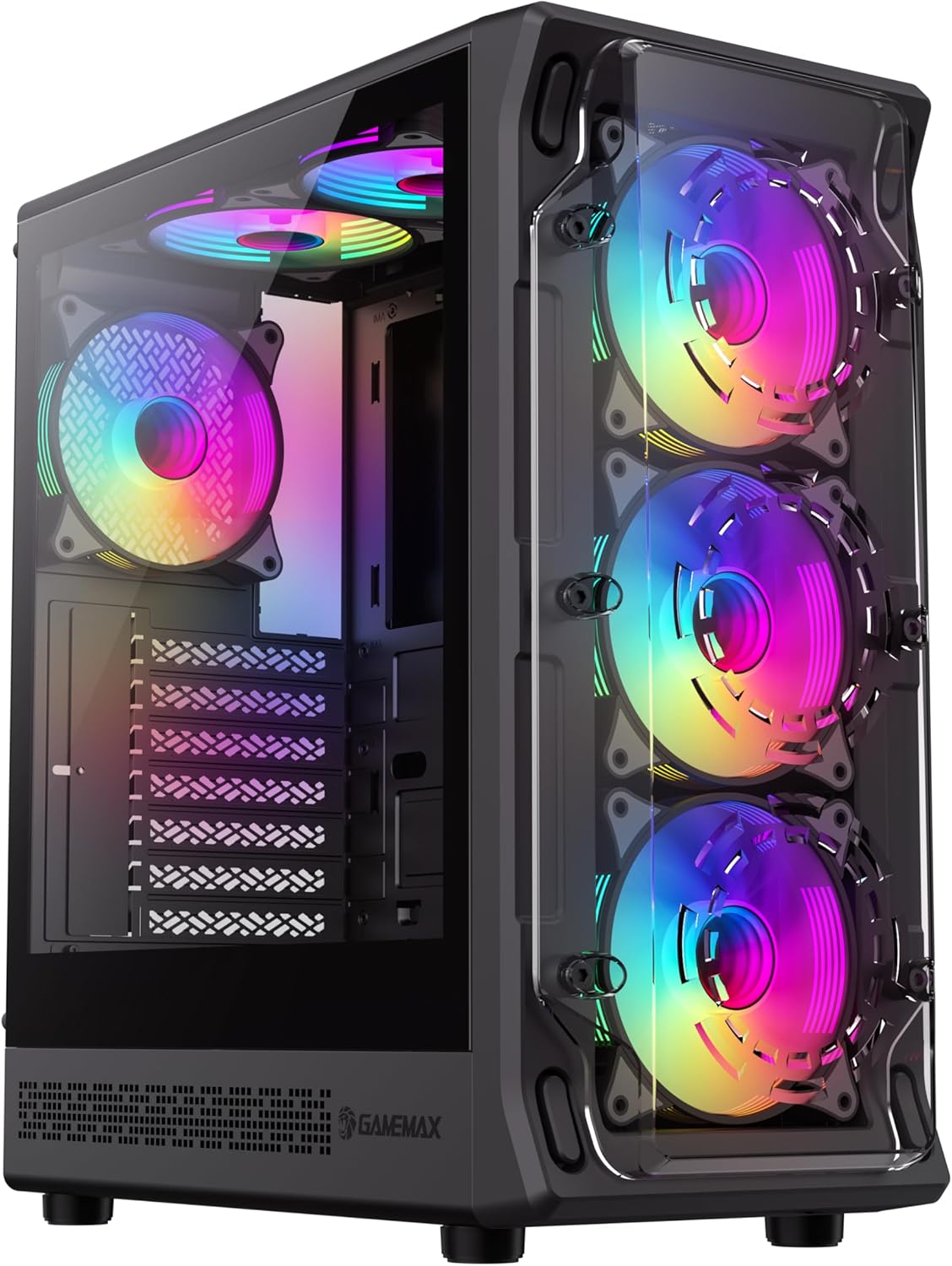
Mynd 4.1: Fremst til vinstri view of the GAMEMAX Starlight 2 AB PC Case, showcasing the tempered glass side panel and the vibrant ARGB lighting of the pre-installed fans.

Mynd 4.2: Bein framhlið view highlighting the three 120mm ARGB fans, visible through the clear front panel, designed for optimal airflow.
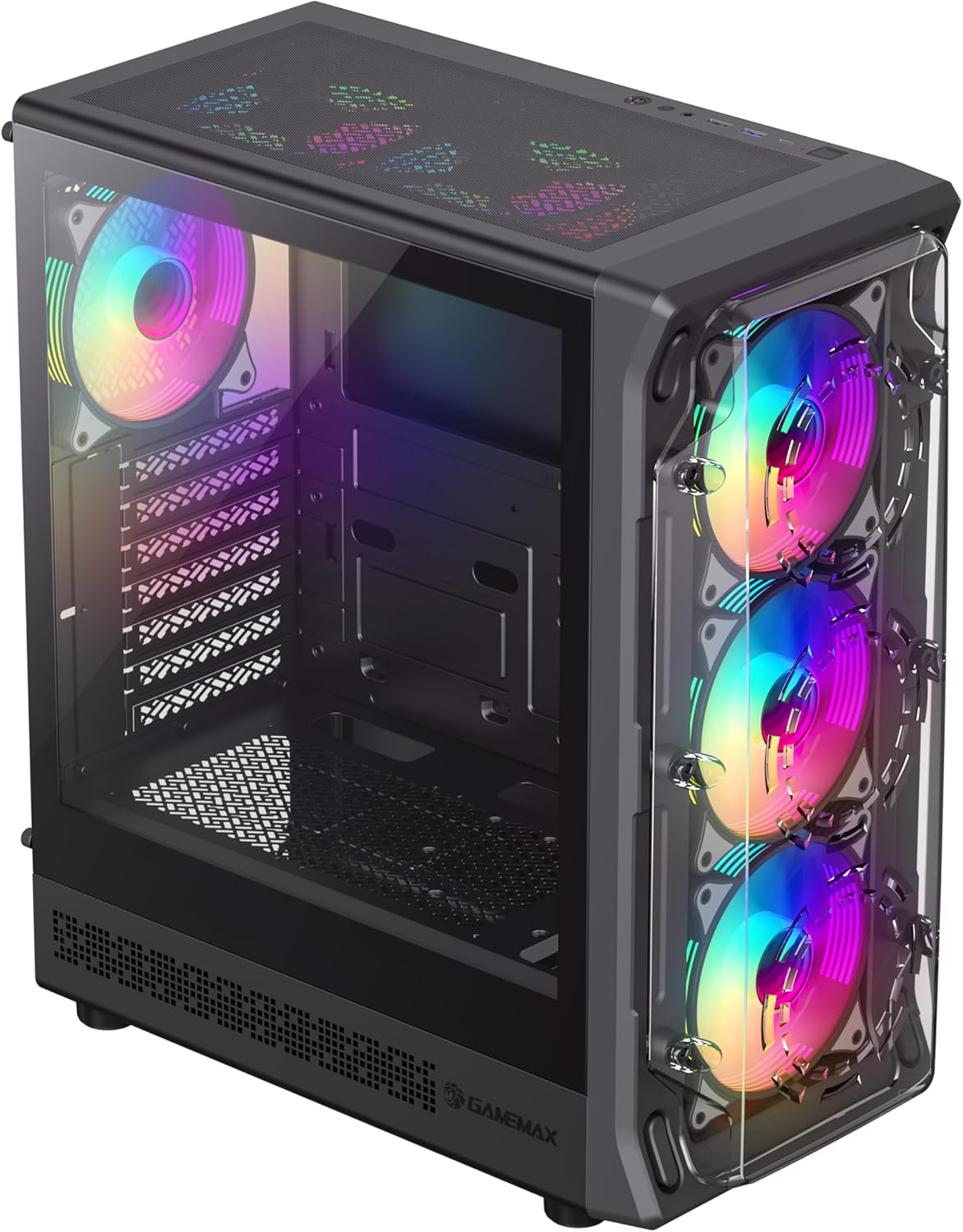
Mynd 4.3: Top-front perspective showing the top-mounted I/O panel, including USB ports and audio jacks, along with the mesh top panel for additional cooling.

Mynd 4.4: Aftan view of the PC case, illustrating the rear exhaust fan, expansion slots, and the power supply mounting area at the bottom.

Mynd 4.5: Innrétting view of the main chamber, showing the motherboard tray, fan mounts, and ample space for component installation.
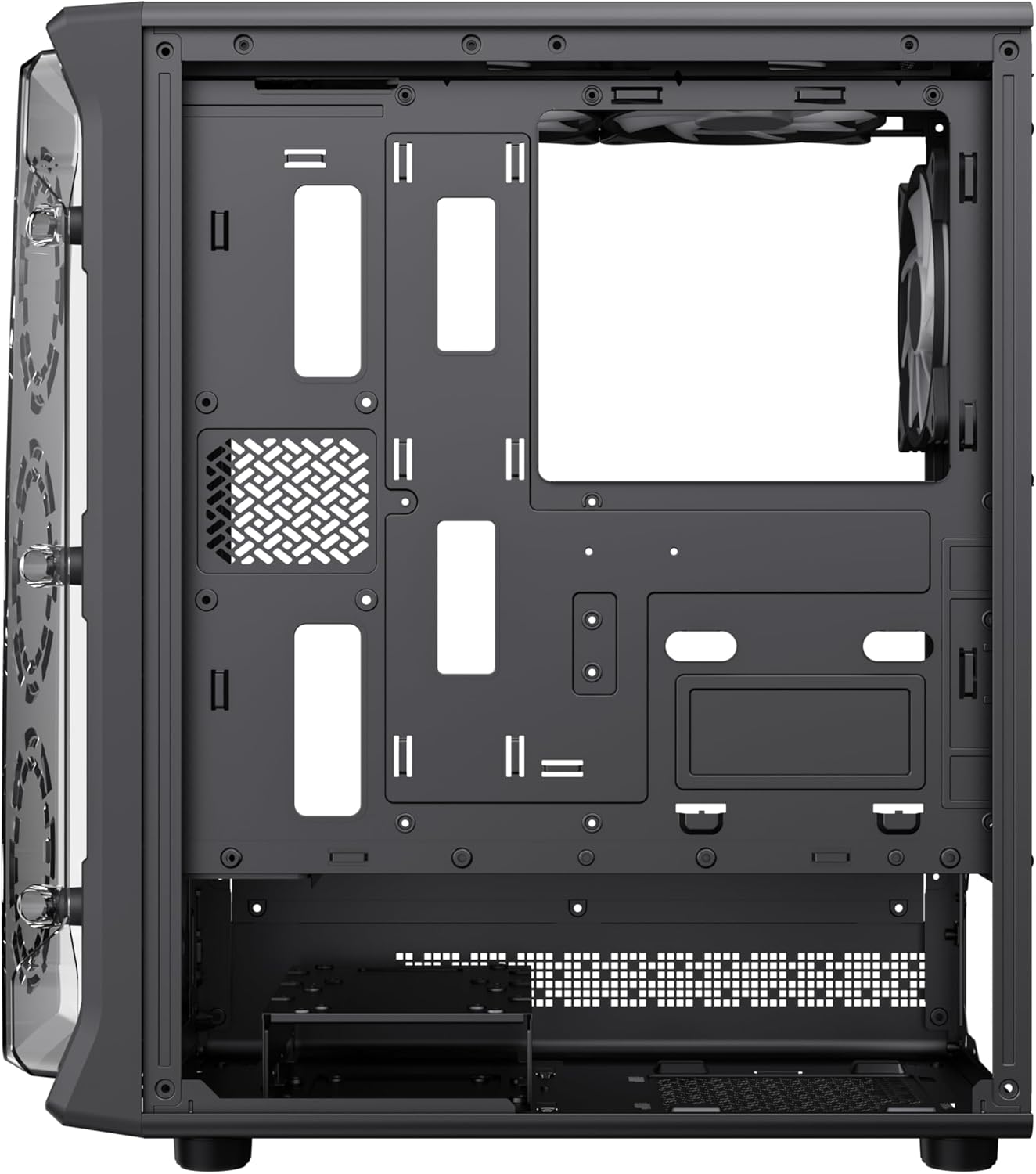
Mynd 4.6: View behind the motherboard tray, revealing cable routing cutouts and mounting points for storage drives, facilitating clean cable management.
5. Tæknilýsing
| Eiginleiki | Lýsing |
|---|---|
| Fyrirmynd | Starlight 2 AB |
| Tegund máls | Mid Tower |
| Samhæfni móðurborðs | ATX, ör-ATX, mini-ITX |
| Mál (L x B x H) | 34 x 20 x 43.6 cm |
| Þyngd | 4.55 kg |
| Efni | Málmur, hert gler |
| Foruppsettir viftur | 6 x 120mm ARGB Fans (3 front, 2 top, 1 rear) |
| Stuðningur við ofn | 120mm, 240mm, 360mm |
| GPU úthreinsun | Allt að 330 mm |
| Hæð CPU kælir | Allt að 155 mm |
| I/O tengi | USB 3.0, USB 2.0, Type-C, Audio |
| Sérstakir eiginleikar | Built-In Fan, Dust Filter, RGB Lighting |
6. Uppsetning og uppsetning
6.1 Undirbúningur málsins
- Place the case on a flat, stable surface.
- Carefully remove the tempered glass side panel by unscrewing the thumb screws and sliding it open. Set it aside in a safe place.
- Remove the solid right side panel to access the cable management area.
6.2 Uppsetning móðurborðs
- Setjið I/O skjöldinn í aftari opnun kassans.
- Align your motherboard with the standoffs inside the case. Ensure the standoffs match your motherboard's form factor (ATX, Micro ATX, Mini ITX).
- Festið móðurborðið með meðfylgjandi skrúfum.
6.3 Uppsetning aflgjafa (PSU).
- Mount the PSU into the dedicated compartment at the bottom rear of the case.
- Festið aflgjafann með skrúfum aftan á kassanum.
6.4 Storage Device Installation (HDD/SSD)
- Locate the drive bays or mounting points for 3.5" HDDs and 2.5" SSDs.
- Install your storage devices using the appropriate screws.
6.5 Uppsetning skjákorts (GPU) og stækkunarkorts
- Fjarlægðu nauðsynlegar hlífar fyrir útvíkkunarraufina af aftan á kassanum.
- Settu skjákortið þitt eða önnur viðbæturskort í PCIe raufarnar á móðurborðinu þínu.
- Festið kortin með skrúfum.
6.6 Connecting Front I/O Cables
Connect the following cables from the case's front I/O panel to the corresponding headers on your motherboard:
- USB 3.0 haus
- USB 2.0 haus
- Type-C Header (if applicable)
- HD hljóðhaus
- Power Switch, Reset Switch, Power LED, HDD LED headers
6.7 Kapalstjórnun
Nýttu útskurðina fyrir kapalleiðslur og festingarpunktana á bak við móðurborðsbakkann til að skipuleggja og festa kapla. Þetta bætir loftflæði og útlit.
7. Notkunarleiðbeiningar
7.1 Kveikt á
After all components are installed and cables are connected, replace both side panels. Connect your power cable to the PSU and a wall outlet, then press the power button on the case's front I/O panel to start your system.
7.2 ARGB viftustýring
The pre-installed ARGB fans can be controlled via your motherboard's ARGB software (e.g., ASUS Aura Sync, MSI Mystic Light Sync, Gigabyte RGB Fusion, ASRock Polychrome Sync) if your motherboard supports a 3-pin 5V ARGB header. Connect the ARGB cable from the case's fan hub to the motherboard's ARGB header. Refer to your motherboard manual for specific instructions on ARGB software usage.
8. Viðhald
8.1 Þrif á ryksíum
The case includes integrated removable dust filters. Regularly clean these filters to maintain optimal airflow and prevent dust buildup inside your system. Gently slide out the filters, clean them with a soft brush or rinse with water (ensure they are completely dry before reinstallation), and then reinsert them.
8.2 General Case Cleaning
Notaðu mjúkan, damp cloth to wipe down the exterior surfaces of the case. For the tempered glass panel, use a glass cleaner and a microfiber cloth to avoid streaks. Avoid using harsh chemicals or abrasive materials.
9. Bilanagreining
- Kerfið kveikir ekki á sér: Ensure all power cables (24-pin ATX, 8-pin CPU, GPU power) are securely connected. Verify the PSU switch is in the 'ON' position. Check front panel power switch connection to the motherboard.
- Fans are not spinning or ARGB not working: Check fan power connections to the motherboard or fan hub. Ensure ARGB cables are correctly connected to a 3-pin 5V ARGB header on the motherboard. Verify ARGB software settings.
- Engin skjáúttak: Confirm the graphics card is properly seated in its PCIe slot and power cables are connected. Ensure the monitor cable is connected to the graphics card, not the motherboard's integrated graphics port (unless using integrated graphics).
- Ofhitnun: Ensure all fans are spinning correctly and are oriented for proper airflow (intake/exhaust). Clean dust filters regularly. Verify CPU cooler installation.
10. Ábyrgð og stuðningur
For warranty information or technical support, please refer to the GAMEMAX official webeða hafið samband við næsta söluaðila. Geymið kaupkvittunina vegna ábyrgðarkröfu.
11. Upplýsingar um förgun
Please dispose of this product in accordance with local environmental regulations. Do not dispose of electronic waste with general household waste.


