1. Inngangur
Thank you for choosing the Kinglucky ClipFree Open-Ear Headphones Model A8. These innovative headphones combine high-quality audio with a unique jewelry-inspired design, featuring detachable butterfly earrings. Designed for comfort and awareness, they provide a secure fit without blocking your ear canal, allowing you to enjoy your audio while staying connected to your surroundings. This manual will guide you through the setup, operation, and maintenance of your new headphones.
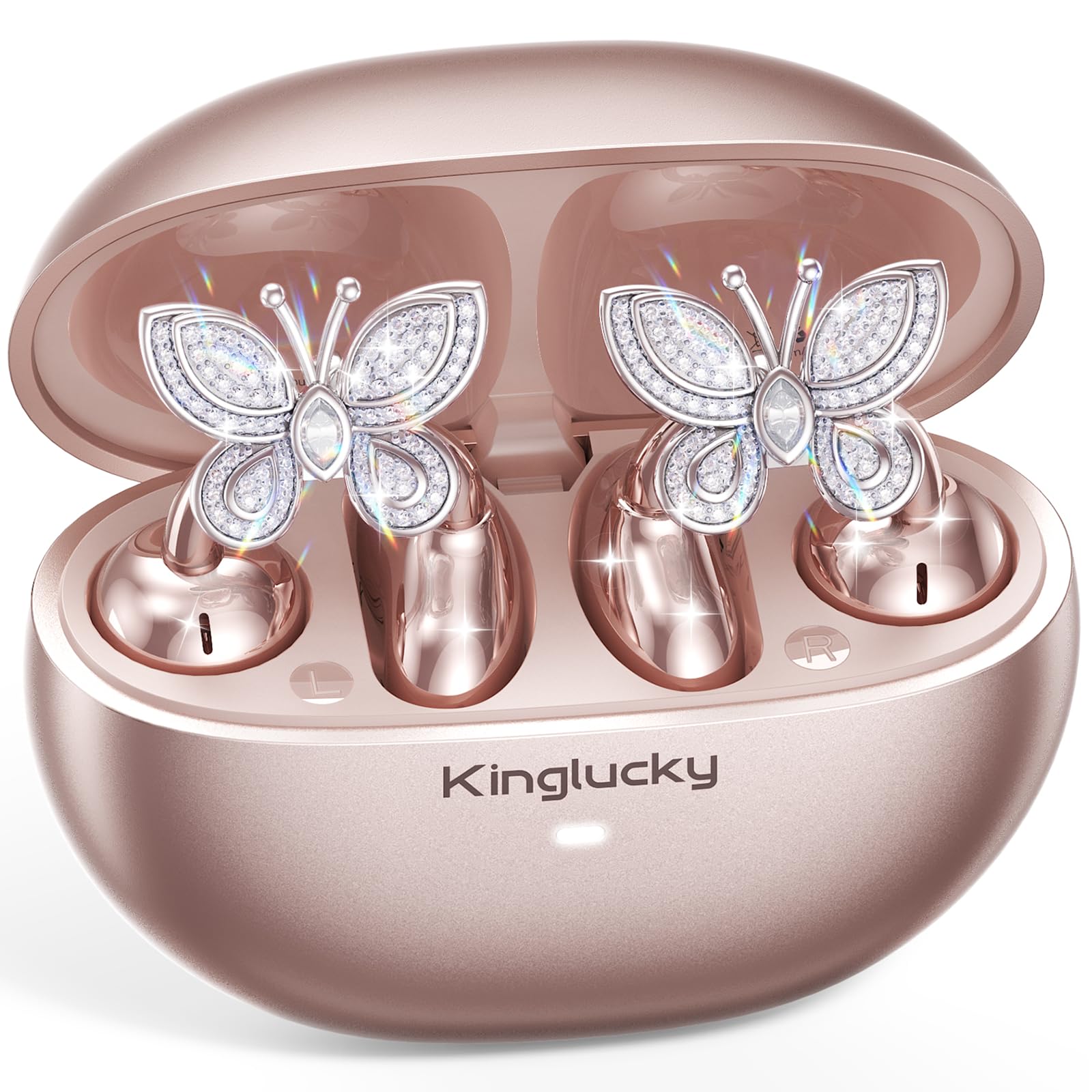
Image: Kinglucky ClipFree Open-Ear Headphones Model A8 in Rose Gold charging case.
2. Hvað er í kassanum
Your Kinglucky ClipFree Open-Ear Headphones package includes the following items:
- Kinglucky OpenEarRing A8 Headphones (Rose Gold)
- Hleðslutaska
- Crystal Butterfly Ear Clip Charms (Detachable)
- USB-C hleðslusnúra
- Notendahandbók (þetta skjal)

Image: All components included in the Kinglucky ClipFree Open-Ear Headphones package.
3. Setup: First-Time Pairing
Follow these steps to pair your Kinglucky headphones with your device for the first time:
- Fjarlægðu hlífðarfilmur: Carefully remove any protective films from the charging contacts on the earbuds.
- Place in Charging Case: Place both ear clips into the charging case and close the lid. Ensure they are seated correctly.
- Open Lid & Pair: Open the charging case lid. The earbuds will automatically enter pairing mode. On your device (smartphone, tablet, etc.), go to Bluetooth settings and select "Kinglucky Earbuds" from the list of available devices to connect.

Image: Visual guide for the initial pairing process of the earbuds.
4. Wearing the Earbuds & Attaching Charms
The Kinglucky ClipFree headphones are designed for an open-ear fit, resting gently on your ear without entering the ear canal. This ensures comfort and situational awareness.
4.1 Að nota eyrnatólin
Gently place the ear clip over the helix (the outer rim) of your ear. Adjust for a secure and comfortable fit. The speaker component should be positioned near your ear canal for optimal sound delivery.

Image: The C-shaped design ensures a comfortable and stable fit on the ear.
4.2 Attaching the Butterfly Charms
To personalize your headphones, you can attach the included crystal butterfly charms:
- Gently Open Ear Cuff: Locate the small opening on the earbud's cuff.
- Clip onto Earphone Stem: Carefully clip the butterfly charm onto the stem of the earphone.
- Staða: Place the earbud with the attached charm over your ear. Ensure the charm is securely fastened.
The silicone pad helps secure the charm. The charms are detachable and not stored in the charging case.

Image: Step-by-step guide to attaching the butterfly charms to your earbuds.
5. Notkunarleiðbeiningar
5.1 Snertistýringar
Eyrnatólin eru með innsæisríkum snertistýringum til að stjórna hljóði og símtölum:
- Spila / gera hlé: Bankaðu einu sinni á annað hvort heyrnartólið.
- Svara/slíta símtali: Bankaðu einu sinni á annað hvort heyrnartólið.
- Næsta lag: Ýttu tvisvar á hægri eyrnatólið.
- Fyrra lag: Ýttu tvisvar á vinstri eyrnatólið.
- Hækka: Ýttu þrisvar á hægri eyrnatólið.
- Hljóðstyrkur niður: Ýttu þrisvar á vinstri eyrnatólið.
- Virkja raddaðstoðarmann: Haltu inni (2 sekúndur) á hvorum eyrnatólinu sem er.
5.2 Hleðsla
To charge your earbuds and charging case:
- Heyrnartól: Settu eyrnatólin í hleðsluhulstrið. Þau hefja sjálfkrafa hleðslu. Vísirljósið á hulstrinu sýnir hleðslustöðuna.
- Hleðsluhylki: Connect the provided USB-C charging cable to the port on the back of the charging case and to a power source. The indicator light will show charging progress.
Full hleðsla gefur allt að 50 klukkustunda spilunartíma með hleðsluhulstrinu.

Image: The charging case provides extended battery life for your earbuds.
5.3 MultiPoint Pairing
Your Kinglucky headphones support MultiPoint Pairing, allowing seamless connection to two devices simultaneously. This enables you to effortlessly switch between your phone, tablet, smartwatch, or computer without re-pairing.

Image: MultiPoint Pairing allows connection to two devices simultaneously.
6. Eiginleikar og ávinningur
- Jewelry-Inspired Design: Unique clip-on open-ear earbuds with detachable crystal butterfly earrings, offering both audio and style.
- Secure & Comfortable Open-Ear Fit: Weighing just 4.0g each, they rest gently on the ear without blocking the canal, providing a pressure-free and stable fit. Ideal for small ears, long hair, or glasses.
- Skýr hljóðgæði: Tuned for clear vocals and balanced sound, allowing you to enjoy podcasts, calls, and music without the fatigue of in-ear headphones.
- Bluetooth 6.0: Ensures fast pairing and a stable wireless connection.
- IP56 vatnsheldni: Designed to withstand sweat and rain, making them suitable for daily commutes, office calls, and light workouts.
- Lengri leiktími: Up to 50 hours of listening time with the portable charging case.
- AI-Powered Call Clarity: Equipped with 2 beamforming microphones and advanced noise-canceling technology for crisp conversations.

Image: The unique design blends elegance with everyday comfort and functionality.
7. Tæknilýsing
| Eiginleiki | Smáatriði |
|---|---|
| Nafn líkans | A8 |
| Vörumerki | Kinglucky |
| Tengitækni | Þráðlaust (Bluetooth 6.0) |
| Staðsetning eyrna | Opið eyra |
| Form Factor | Sannkallað þráðlaust |
| Rafhlöðuending | Allt að 50 klukkustundir (með hleðsluhulstri) |
| Vatnsþolsstig | IP56 (svita- og regnþolinn) |
| Eftirlitsaðferð | Snerta |
| Efni | Plastic, Metal, Rhinestones |
| Þyngd hlutar | 3.17 aura |
| Innifalið íhlutir | USB-C kapall |
8. Viðhald
To ensure the longevity and optimal performance of your Kinglucky headphones, follow these maintenance guidelines:
- Þrif: Notið mjúkan, þurran klút til að þrífa eyrnatólin og hleðsluhulstrið. Forðist að nota sterk efni eða slípiefni.
- Hleðsla tengiliðir: Periodically clean the charging contacts on both the earbuds and inside the case with a dry cotton swab to ensure a good connection.
- Geymsla: Þegar eyrnatólin eru ekki í notkun skal geyma þau í hleðsluhulstrinu til að vernda þau fyrir ryki og skemmdum.
- Vatnsútsetning: While IP56 rated for sweat and rain, avoid submerging the headphones in water. Dry them thoroughly if they get wet.
- Charms: Handle the detachable charms with care to prevent damage to the crystals or clips.
9. Bilanagreining
If you encounter any issues with your Kinglucky headphones, refer to the following common solutions:
- Eyrnatól parast ekki:
- Gakktu úr skugga um að bæði heyrnartólin séu fullhlaðin.
- Slökktu á Bluetooth í tækinu þínu og kveiktu síðan á því aftur.
- Forget "Kinglucky Earbuds" from your device's Bluetooth list and attempt to re-pair.
- Place earbuds back in the case, close the lid for 5 seconds, then open to reset pairing mode.
- Ekkert hljóð eða lágt hljóðstyrkur:
- Athugaðu hljóðstyrkinn bæði í tækinu þínu og eyrnatappa (með snertistýringum).
- Ensure earbuds are correctly seated on your ears.
- Staðfestu að eyrnatólin séu tengd við rétt tæki.
- Einn eyrnatól virkar ekki:
- Settu bæði eyrnatappa aftur í hleðsluhulstrið, lokaðu lokinu og opnaðu það síðan aftur.
- Gakktu úr skugga um að bæði heyrnartólin séu hlaðin.
- Try resetting the earbuds (refer to the full manual for specific reset instructions if available).
- Hleðsluvandamál:
- Gakktu úr skugga um að USB-C snúran sé vel tengd bæði við kassann og aflgjafann.
- Check if the charging contacts on the earbuds and case are clean and free of debris.
- Prófaðu aðra USB-C snúru eða straumbreyti.
10. Ábyrgð og stuðningur
Kinglucky is committed to providing quality products and customer satisfaction. Your Kinglucky ClipFree Open-Ear Headphones Model A8 come with the following:
- 18 mánaða ábyrgð: Scan the QR code on the product packaging to activate your warranty within 14 days of purchase.
- 180 daga ábyrgð: Enjoy peace of mind with our extended guarantee.
- Ókeypis skipti: In case of eligible issues, a free replacement will be provided.
- Hraðvirkur stuðningur allan sólarhringinn: For any questions, concerns, or assistance, please contact Kinglucky customer support.
If you encounter issues such as a used item, no sound, inability to pair, or charging problems, please reach out to our support team for hassle-free assistance.

Image: Kinglucky customer care details for support and warranty.


