Inngangur
This manual provides essential information for the setup, operation, maintenance, and troubleshooting of your Lenovo V15 (83CC0053IN) laptop. Please read this document thoroughly to ensure proper use and to maximize the lifespan of your device.
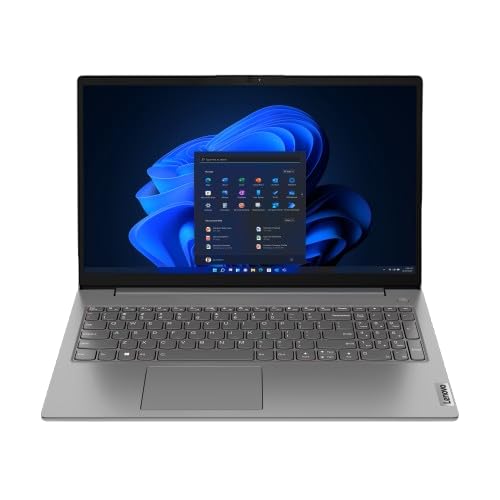
Image: The Lenovo V15 laptop, showcasing its full display and keyboard. The screen displays a graphical user interface, indicating a functional system.
Uppsetning
1. Upptaka
Fjarlægið alla íhluti varlega úr umbúðunum. Gakktu úr skugga um að eftirfarandi hlutir séu til staðar:
- Lenovo V15 Laptop
- Rafmagns millistykki
- Notendahandbók (þetta skjal)
2. Tengist við rafmagn
Connect the power adapter to the laptop's power input port and then plug the adapter into a grounded electrical outlet. The battery will begin charging automatically.
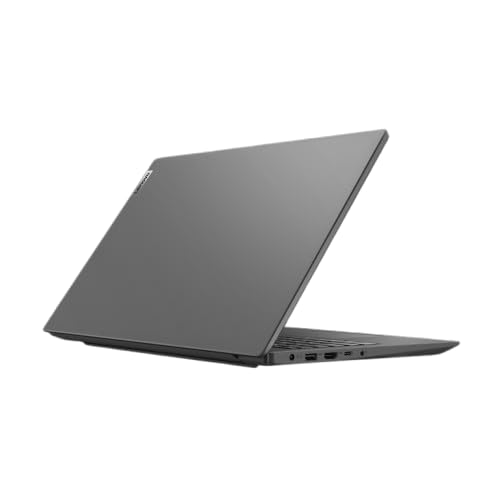
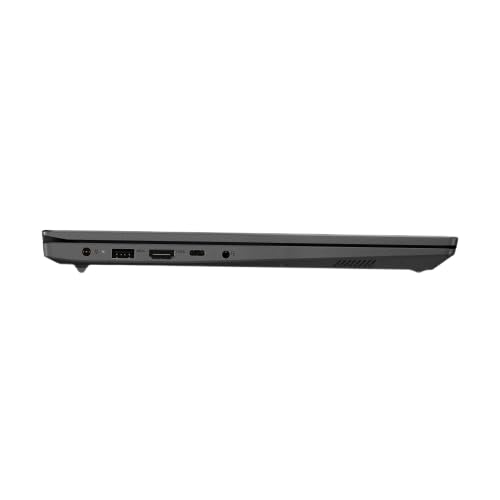
Mynd: Hliðarmyndfile of the Lenovo V15 laptop, highlighting the various ports available for connectivity, including the power input.
3. Upphafleg ræsing
Press the power button located on the keyboard deck to turn on the laptop. Since the laptop comes with DOS, you will need to install an operating system (e.g., Windows, Linux) to utilize its full functionality. Follow the on-screen prompts or your chosen operating system's installation guide.
Að stjórna fartölvunni
Kveikt/slökkt
- Kveikt á: Ýttu á rofann.
- Slökkva á: From your operating system, select the shutdown option. Alternatively, press and hold the power button for several seconds for a forced shutdown (use only when necessary).
Lyklaborð og snertiborð
The laptop features a 6-row, spill-resistant keyboard with multimedia Fn keys and a numeric keypad. The buttonless Mylar surface multi-touch touchpad supports Precision TouchPad gestures.
Mynd: Skýrt ofan frá og niður view of the Lenovo V15 laptop's keyboard, including the numeric keypad, and the integrated touchpad below.
Að tengja ytri tæki
The Lenovo V15 offers various ports for connecting peripherals:
- USB tengi: 1x USB 2.0, 1x USB 3.2 Gen 1, 1x USB-C 3.2 Gen 1 (supports data transfer, Power Delivery (20V only), and DisplayPort 1.2).
- HDMI: 1x HDMI 1.4b for connecting to external displays.
- Ethernet: 1x RJ-45 port for wired network connection.
- Hljóð: 1x Headphone/microphone combo jack (3.5mm).
Viðhald
Þrif á fartölvunni
- Notaðu mjúkan, lólausan klút örlítið dampÞvoið með vatni eða skjáhreinsiefni til að þrífa skjáinn.
- Notið mjúkan klút fyrir lyklaborðið og undirvagninn. Forðist sterk efni eða slípiefni.
- Gakktu úr skugga um að fartölvan sé slökkt og úr sambandi áður en hún er þrifin.
Umhirða rafhlöðu
- Forðastu að tæma rafhlöðuna alveg oft.
- Geymið fartölvuna á köldum og þurrum stað ef hún er ekki notuð í langan tíma.
- Ekki láta rafhlöðuna verða fyrir miklum hita.
Geymsla
When storing the laptop, especially for long durations, ensure it is turned off and disconnected from power. Protect it from dust and extreme environmental conditions.
Úrræðaleit
This section addresses common issues you might encounter with your Lenovo V15 laptop.
Enginn kraftur
- Gakktu úr skugga um að rafmagnsmillistykkið sé vel tengt bæði við fartölvuna og virkan rafmagnsinnstungu.
- Staðfestu að rafmagnsinnstungan virki með því að stinga í samband annað tæki.
- Ef rafhlaðan er alveg tæmd skaltu leyfa henni að hlaðast í nokkrar mínútur áður en þú reynir að kveikja á henni.
Sýna vandamál
- Ef skjárinn er auður skaltu prófa að stilla birtustig skjásins með virknitökkunum á lyklaborðinu.
- If an external monitor is connected, ensure the display output is correctly configured (e.g., duplicate, extend).
- Endurræstu fartölvuna.
Jaðartæki ekki greint
- Ensure the peripheral is correctly plugged into the appropriate port.
- Try connecting the peripheral to a different port or another device to confirm its functionality.
- Endurræstu fartölvuna.
Tæknilýsing
| Eiginleiki | Smáatriði |
|---|---|
| Fyrirmynd | Lenovo V15 (83CC0053IN) |
| Örgjörvi | 13th Gen Intel Core i7-13620H (10 Cores, up to 4.9 GHz) |
| Minni (RAM) | 16GB DDR4 3200 MHz (upgradable up to 16GB) |
| Geymsla | 512GB SSD M.2 (upgradable up to 1TB) |
| Stýrikerfi | DOS |
| Skjár | 15.6" FHD (1920x1080) Antiglare, 250 nits |
| Grafík | Intel UHD Graphics (DirectX 12.1) |
| Hafnir | 1x USB 2.0, 1x USB 3.2 Gen 1, 1x USB-C 3.2 Gen 1 (data/PD/DP), 1x HDMI 1.4b, 1x Ethernet (RJ-45), 1x Headphone/mic combo, 1x Power Connector |
| Lyklaborð | 6 raða, lekaþolnir, margmiðlunar Fn takkar, talnatakkaborð |
| Snertiborð | Buttonless Mylar surface multi-touch, Precision TouchPad support |
| Þyngd | 1.65 kg |
| Rafhlöður | 1 AAA battery required (included) - 38 Wh Lithium-Ion (2 cells) |
Ábyrgð og stuðningur
Your Lenovo V15 laptop comes with a 1-year Carry-in Warranty. To avail of service, visit your nearest authorized service center.
It is recommended to register your laptop's warranty, starting from the date of your Amazon invoice. You can do this by visiting the official Lenovo support portal:
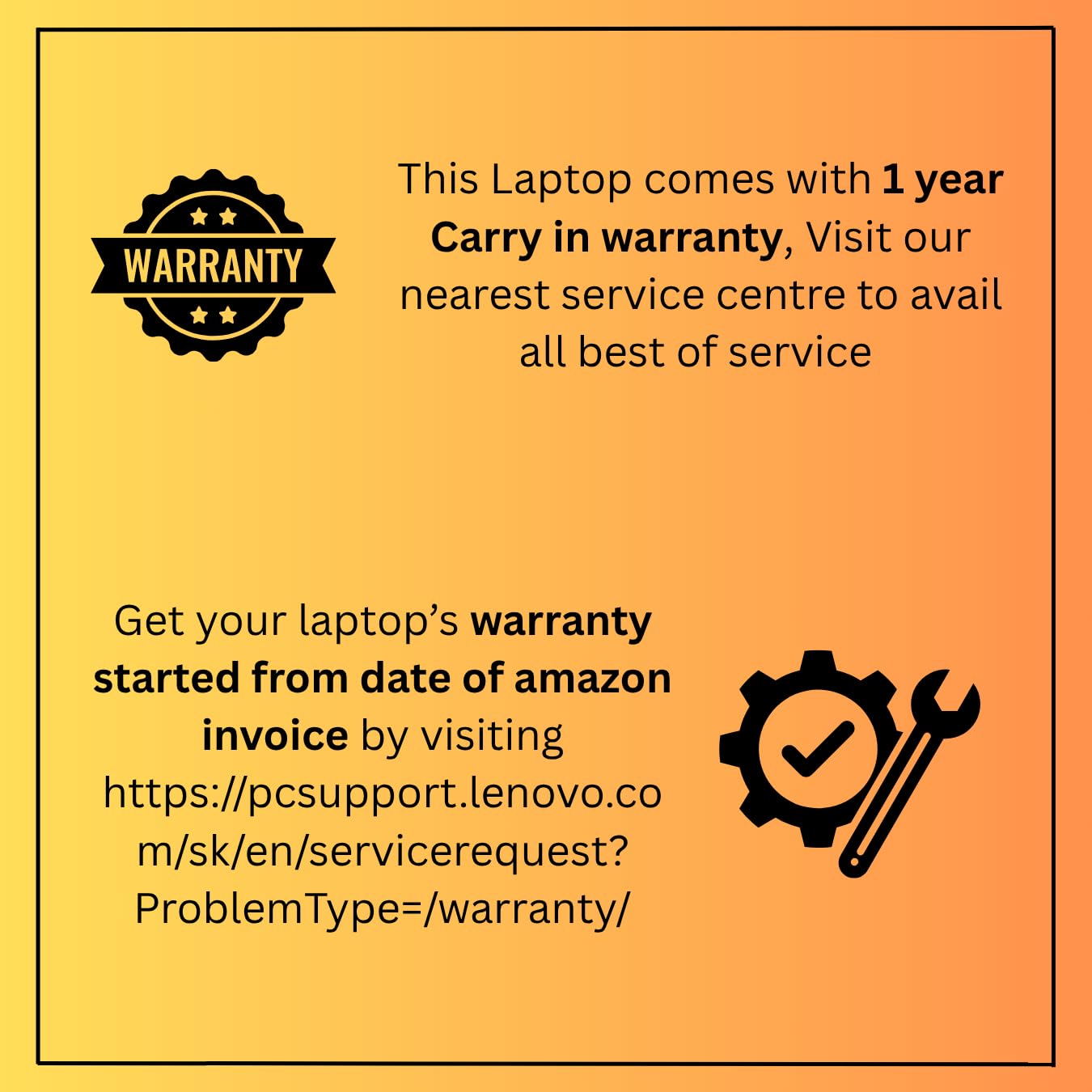
Image: A graphic detailing the 1-year carry-in warranty and providing instructions and a link for warranty registration via the Lenovo support websíða.


