Inngangur
This manual provides essential information for the safe and efficient use of your ASUS ROG Strix G18 G814 Gaming Laptop. Please read this guide thoroughly before operating your device to ensure proper setup, operation, and maintenance.
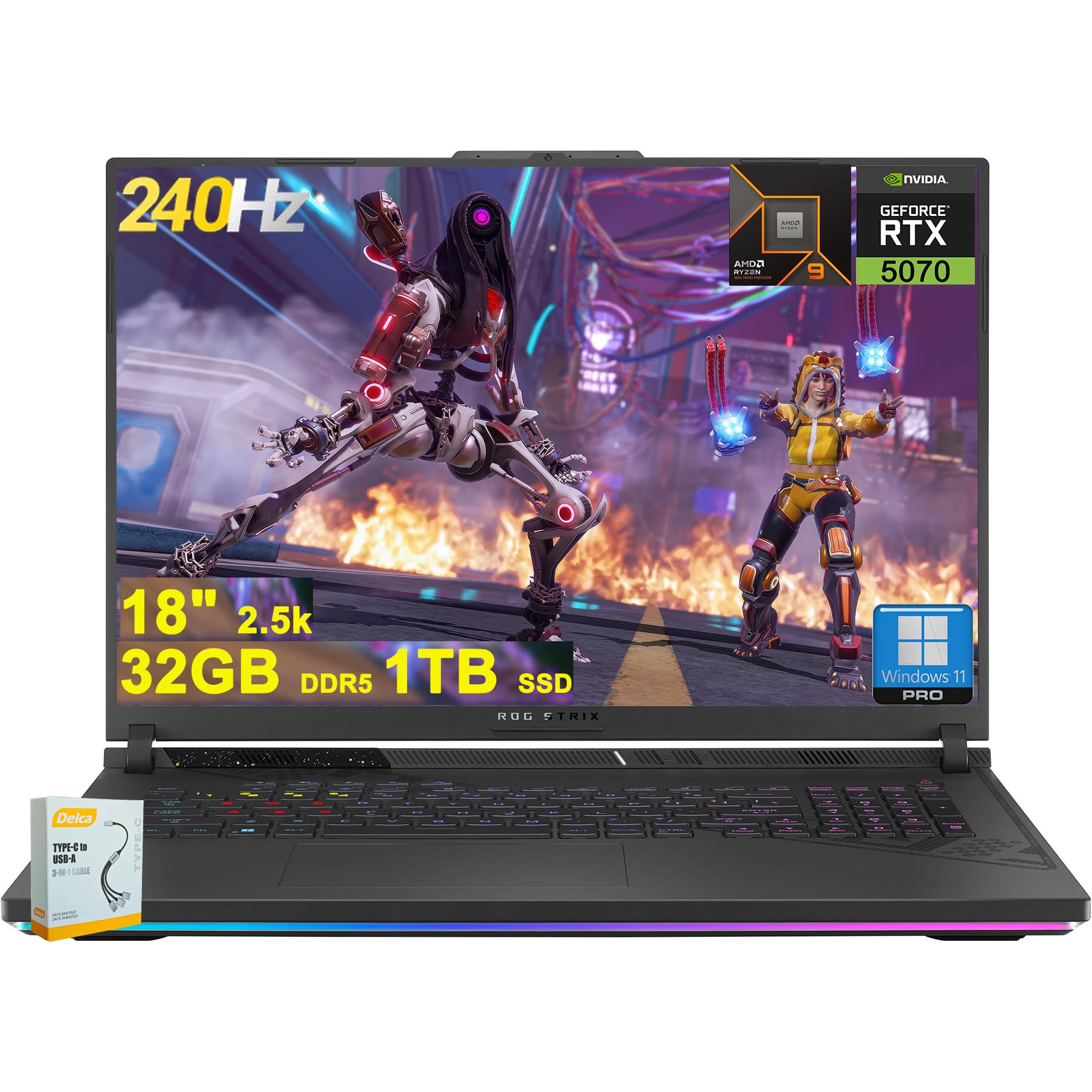
Figure 1: ASUS ROG Strix G18 G814 Gaming Laptop, front view með opinn skjá.
Hvað er í kassanum
Staðfestið að allir hlutir séu til staðar og í góðu ástandi þegar kassinn er opnaður.
- ASUS ROG Strix G18 G814 leikjatölva
- Rafmagnsbreytir/hleðslutæki

Figure 2: Contents of the ASUS ROG Strix G18 G814 package, including the laptop and power adapter.
Uppsetning
1. Fyrsta ræsing
- Tengdu straumbreytinn: Stingdu rafmagnsmillistykkinu í rafmagnsinntak fartölvunnar og síðan í vegginnstungu.
- Opnaðu fartölvuna: Opnaðu lokið á fartölvunni varlega.
- Kveikt á: Ýttu á rofann, sem er venjulega staðsettur á lyklaborðinu. Fartölvan mun hefja upphaflega ræsingarröð sína.
- Fylgdu leiðbeiningum á skjánum: Complete the Windows 11 setup process, including language selection, network connection, and user account creation.
2. Tengja jaðartæki
Connect external devices such as a mouse, keyboard, or external display to the available ports.

Mynd 3: Hlið view of the ASUS ROG Strix G18 G814, illustrating the various input/output ports including USB-A, USB-C, HDMI, and RJ45 Ethernet.
- USB-A 3.2: For standard USB devices like mice, keyboards, and external drives. (2 ports)
- Type USB 4: For high-speed data transfer, display output, and power delivery. (1 port)
- HDMI 2.1 FRL: Til að tengja við ytri skjái eða sjónvörp.
- RJ45 Ethernet: Fyrir snúrubundið nettengingu.
- Tengi fyrir heyrnartól/hljóðnema: Fyrir hljóðinntak/úttak.
Notkunarleiðbeiningar
Orkustjórnun
- Kveikt á: Ýttu á rofann.
- Lokaðu: Smelltu á Start hnappinn, síðan á Power og svo á Shutdown hnappinn.
- Svefnhamur: Close the lid or select Sleep from the Power menu.
Lyklaborð og snertiborð
The laptop features a 4-zone RGB backlit keyboard and a precision touchpad for navigation.

Mynd 4: Nærmynd view of the ASUS ROG Strix G18 G814's 4-zone RGB backlit keyboard and touchpad.
- Baklýsingastýring: Use the dedicated function keys (Fn + Fx) to adjust keyboard backlight brightness or effects.
- Bending snertiborðs: Refer to Windows settings for customizable multi-touch gestures.
Skjár og grafík
Your laptop is equipped with an 18-inch 2560x1600 IPS display with a 240Hz refresh rate and 100% DCI-P3 color gamut, powered by an NVIDIA GeForce RTX 5070 8GB graphics card.

Figure 5: Visual representation of the 18-inch IPS display with 2560x1600 resolution and 240Hz refresh rate.

Figure 6: Image highlighting the NVIDIA GeForce RTX 5070 graphics card, emphasizing its role in visual performance.
Hljóðkerfi
Experience enhanced audio with Smart Amp technology, Dolby Atmos support, and AI Noise-canceling for clear communication.

Figure 7: Visual depicting the audio features, including Dolby Atmos and AI Noise-Canceling Microphone.
Afköst og hugbúnaður
The laptop is powered by an AMD 16-core Ryzen 9 9955HX processor and runs on Windows 11 Pro. It includes 32GB DDR5 RAM and a 1TB SSD for fast performance and storage.

Figure 8: Image illustrating the AMD Ryzen 9 9955HX processor, highlighting its 16-core architecture.
- Stýrikerfi: Windows 11 Pro provides a secure and efficient computing environment.
- Vopnabúrskassi: Update Armoury Crate software for optimal system management and performance tuning.
Viðhald
Þrif á fartölvunni
- Skjár: Notaðu létt mjúkan, lólausan klút dampÞvoið með vatni eða skjáhreinsiefni. Forðist sterk efni.
- Lyklaborð og undirvagn: Notið mjúkan klút. Fyrir þrjósk óhreinindi, örlítið þurrt.amp cloth is acceptable. Ensure no liquid enters openings.
- Loftop: Periodically clean dust from the ventilation grilles using compressed air to maintain optimal cooling performance.
Umhirða rafhlöðu
- Forðastu mikinn hita.
- Ekki tæma rafhlöðuna alveg oft.
- Til langtímageymslu skal hlaða rafhlöðuna upp í um það bil 50-60%.
Úrræðaleit
| Vandamál | Möguleg lausn |
|---|---|
| Tölvan kviknar ekki á. | Gakktu úr skugga um að rafmagnstengið sé vel tengt bæði við fartölvuna og virka innstungu. Athugaðu hvort innstungan virki. |
| Skjárinn helst svartur eftir að kveikt er á honum. | Connect an external monitor to verify if the issue is with the laptop's display. Try pressing Fn + F6 (or the appropriate function key) to toggle display output. |
| Hæg frammistaða. | Close unnecessary applications. Check for background processes consuming high resources. Ensure drivers are updated, especially graphics drivers. Verify sufficient free storage space on the SSD. |
| Vandamál með Wi-Fi tengingu. | Restart the laptop and the wireless router. Check Wi-Fi settings in Windows. Ensure Wi-Fi drivers are up to date. |
| Long reboot time after BIOS updates. | This is normal behavior for some BIOS updates. Allow the system to complete the process, which may take several minutes. Do not interrupt the power. |
| Operating System discrepancy (e.g., Windows 11 Home instead of Pro). | Verify the installed OS version via System Information. If there is a discrepancy with the purchased specification, contact your retailer or ASUS support for clarification. |
Tæknilýsing
| Nafn líkans | ASUS ROG Strix G18 G814 |
| Örgjörvi | AMD 16-core Ryzen 9 9955HX (3 GHz) |
| Grafík | NVIDIA GeForce RTX 5070 8GB sérstakt minni |
| Skjár | 18-inch IPS, 2560x1600 resolution, 240Hz refresh rate, 100% DCI-P3 |
| vinnsluminni | 32GB DDR5 SDRAM |
| Geymsla | 1TB SSD (Solid State Drive) |
| Stýrikerfi | Windows 11 Pro |
| Þráðlaus tenging | Wi-Fi 6E (802.11ax) |
| Hafnir | 2x USB-A 3.2, 1x Type USB 4, 1x HDMI 2.1 FRL, 1x RJ45 Ethernet, Headphone/Mic Combo Jack |
| Lyklaborð | 4-svæðis RGB baklýst lyklaborð |
| Hljóð | Smart Amp, Dolby Atmos, AI Noise-canceling |
| Webkambur | FHD myndavél |
| Rafhlaða | 90Wh |
| Mál (LxBxH) | 11.57 x 15.71 x 1.21 tommur |
| Þyngd | 6.63 pund |
Ábyrgð og stuðningur
Fyrir upplýsingar um ábyrgð, tæknilega aðstoð eða fyrirspurnir um þjónustu, vinsamlegast vísið til opinberrar þjónustuvefs ASUS. websíðuna eða hafðu samband við söluaðilann þinn.
ASUS stuðningur Websíða: https://www.asus.com/support/
Please have your product model number (ROG Strix G18 G814) and serial number ready when contacting support.