Inngangur
This user manual provides comprehensive instructions for the Bigme B6 Color E-reader. Please read this manual carefully before using the device to ensure proper operation and to maximize its features. Keep this manual for future reference.
Vara lokiðview
Helstu eiginleikar
- Skjár: 6-inch color E-paper display (1448 x 1072 pixels) designed for an eye-friendly reading experience. Features blue light zero and flicker-free technology, certified by TÜV Rheinland for comfortable reading.
- Minni og geymsla: Equipped with 4GB RAM and 64GB internal storage, allowing for the storage of numerous e-books and documents.
- Stýrikerfi: Keyrir á Android 14 og veitir aðgang að fjölbreyttum forritum.
- Örgjörvi: Features an Octa-core CPU for quick response and efficient performance.
- Hönnun: Slim, compact, and lightweight black body for easy portability.
- Framljós: 36-level adjustable front light for comfortable reading in various lighting conditions.
- Tengingar: Supports Bluetooth and Wi-Fi for seamless data transfer and online access.
- File Samhæfni: Supports over 19 e-book formats including PDF, TXT, EPUB, EPUB3, HTML, HTM, AZW3, FB2, DOC, DOCX, MOBI, OEB, CBR, RPC, RPC, RTF, DJVU, ZIP.
- Audiobook Support: Allows for audiobook playback.
Innihald pakka
The Bigme B6 Color E-reader package includes the following items:
- Bigme B6 Color E-reader Main Unit
- Hlífðarmál
- Notendahandbók (þetta skjal)

Mynd: Framan og aftan view of the Bigme B6 Color E-reader. The device is black and features a slim design.

Image: Illustration of the Bigme B6 Color E-reader package contents, including the device, protective case, and user manual.
Uppsetning
Upphafsgjald
Before first use, fully charge your Bigme B6 E-reader. Connect the device to a power source using the provided USB cable. The charging indicator will show the charging status.
Kveikt/slökkt
- Til að kveikja á: Press and hold the power button located on the side/top of the device until the screen lights up.
- Til að slökkva á: Press and hold the power button until a power-off menu appears on the screen. Select "Power Off".
- Að sofa/vaka: Ýttu stuttlega á rofann til að setja tækið í dvalaham eða vekja það.
Upphafsuppsetningarhjálp
Upon first power-on, the device will guide you through an initial setup wizard. This typically includes:
- Val á tungumáli
- Wi-Fi nettenging
- Stillingar dagsetningar og tíma
- Account login (optional, for app stores or cloud services)
Fylgdu leiðbeiningunum á skjánum til að ljúka uppsetningunni.
Notkunarleiðbeiningar
Leiðsögn og viðmót
The Bigme B6 features an intuitive touch interface. Navigate through menus and content by tapping, swiping, and pinching on the screen.
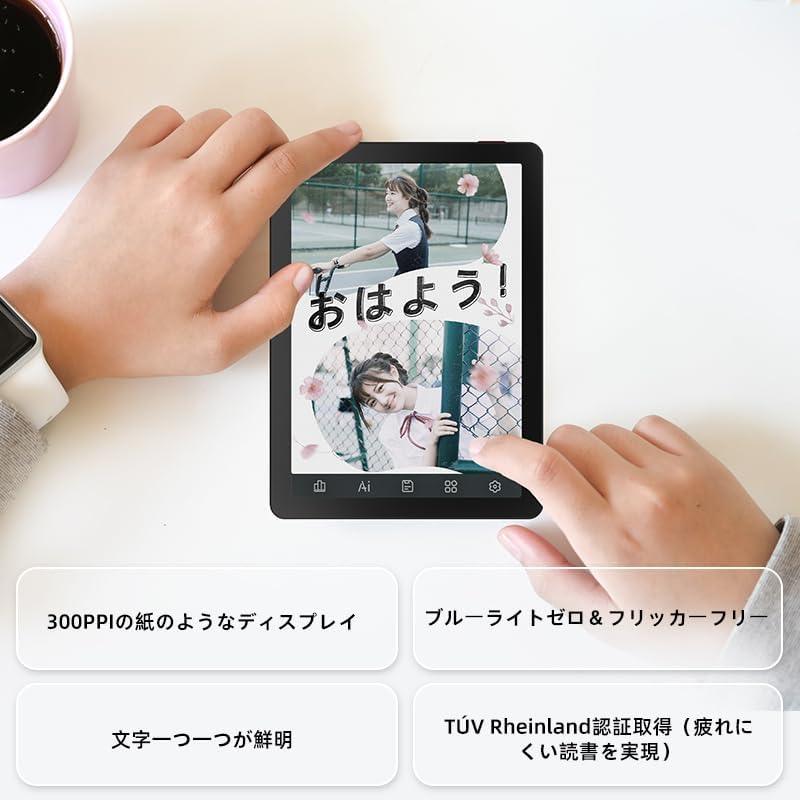
Image: A hand holding the Bigme B6 E-reader, highlighting its display features such as 300PPI, blue light zero, and clear text rendering.

Image: The Bigme B6 E-reader displaying its interface with customizable touch buttons at the bottom of the screen.
Að lesa rafbækur
- Opening Books: Ýttu á bókakápu úr bókasafninu þínu til að opna hana.
- Blaðsíðusnúningur: Tap the left or right side of the screen, or swipe horizontally, to turn pages.
- Adjusting Font/Light: Tap the center of the screen to bring up the reading menu. From here, you can adjust font size, font style, line spacing, and the 36-level front light.
- Merkingar og athugasemdir: Press and hold on text to select it. Options for highlighting, adding notes, or looking up definitions will appear.
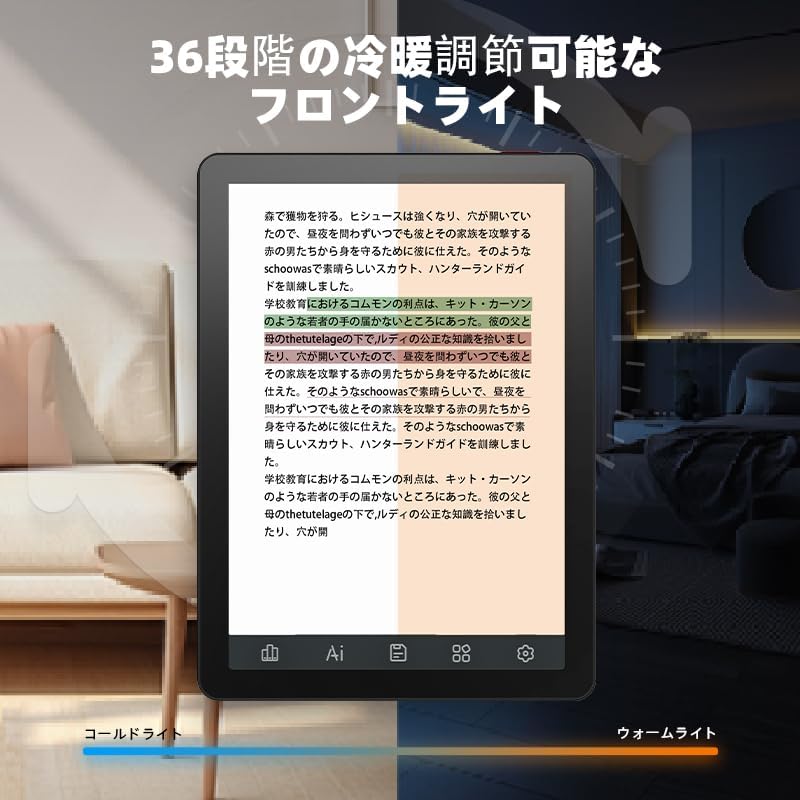
Image: The Bigme B6 E-reader displaying text with an illustration of adjustable front light levels, from cold light to warm light.

Image: The Bigme B6 E-reader displaying text with color elements, demonstrating the ability to read in color and highlight content.
Managing Your Library
The device supports various e-book formats, allowing you to expand your library without complex file viðskiptum.

Image: The Bigme B6 E-reader displaying its storage capacity of 4GB RAM and 64GB, indicating it can store tens of thousands of books.

Image: The Bigme B6 E-reader displaying a list of supported e-book formats, emphasizing its ability to expand the library without file umbreytingu.
Tengingar og gagnaflutningur
- Wi-Fi: Connect to Wi-Fi networks for downloading books, browsing the internet, and syncing data. Go to Settings > Wi-Fi to manage connections.
- Bluetooth: Pair with Bluetooth headphones or speakers for listening to audiobooks. Go to Settings > Bluetooth to manage devices.
- USB flytja: Connect the device to a computer using a USB cable to transfer files beint.

Image: The Bigme B6 E-reader next to a pair of headphones, illustrating its audiobook functionality.

Image: The Bigme B6 E-reader shown alongside a laptop, demonstrating seamless data synchronization capabilities.
Viðhald
Að þrífa tækið
- Notaðu mjúkan, lólausan klút til að þrífa skjáinn og líkamann tækisins.
- Do not use abrasive cleaners, alcohol, or chemical solvents, as these can damage the screen or finish.
- Avoid spraying cleaners directly onto the screen. Apply to the cloth first.
Geymsla
- Geymið tækið á köldum, þurrum stað, fjarri beinu sólarljósi og miklum hita.
- When not in use for extended periods, ensure the device is charged to about 50% to preserve battery health.
Hugbúnaðaruppfærslur
Periodically check for software updates to ensure optimal performance and access to new features. Updates can usually be found in the device's settings menu under "System Update" or "About Device".
Úrræðaleit
Algeng vandamál og lausnir
| Útgáfa | Möguleg orsök | Lausn |
|---|---|---|
| Ekki kveikir á tækinu | Lítil rafhlaða; Kerfisbilun | Hladdu tækið í að minnsta kosti 30 mínútur. Ef það svarar enn ekki skaltu framkvæma þvingaða endurræsingu með því að halda inni rofanum í 10-15 sekúndur. |
| Skjárinn svarar ekki | Tímabundinn hugbúnaðargalli | Restart the device. Ensure the screen is clean and dry. |
| Get ekki tengst Wi-Fi | Incorrect password; Router issue; Device Wi-Fi off | Double-check the Wi-Fi password. Restart your router. Toggle Wi-Fi off and on in device settings. |
| Books not appearing in library | Unsupported format; Incorrect file staðsetningu | Ensure the book format is supported (refer to specifications). Verify files are in the correct folder on the device. |
If you encounter issues not listed here or if the suggested solutions do not resolve the problem, please contact Bigme customer support.
Tæknilýsing
| Eiginleiki | Smáatriði |
|---|---|
| Nafn líkans | JP-B6 |
| Skjárstærð | 6 tommur |
| Skjátækni | E-Ink, Color E-paper |
| Skjáupplausn | 1448 x 1072 dílar |
| vinnsluminni | 4GB |
| Innri geymsla | 64GB |
| Stýrikerfi | Android 14 |
| Örgjörvi | Octa-core CPU (Mediatek) |
| Tengingar | Bluetooth, WiFi |
| Litur | Svartur |
| Vörumál | 15.66 x 13.86 x 0.58 cm |
| Þyngd hlutar | 215 grömm |
| Innifalið íhlutir | User Manual, Protective Case, E-reader main unit |
Ábyrgð og stuðningur
For warranty information and customer support, please refer to the documentation included with your purchase or visit the official Bigme webGeymið kaupkvittunina vegna ábyrgðarkröfu.
Tilföng á netinu:
- Bigme Official Websíða: www.bigme.com
- For further assistance, contact your retailer or the Bigme customer service team.


