1. Inngangur
The GEEKOM A7 MAX is a compact and powerful mini PC designed for a wide range of tasks, from office productivity and creative work to gaming and 4K video editing. It features an AMD Ryzen 9 7940HS processor, 16GB DDR5 RAM, and a 1TB PCIe Gen4 x4 SSD, along with AMD Radeon 780M Graphics. This manual provides essential information for setting up, operating, maintaining, and troubleshooting your device.
Video: GEEKOM A7 Max Product Overview. This video provides a visual introduction to the GEEKOM A7 Max Mini PC, highlighting its compact design and key features.
2. Hvað er í kassanum
- 1 x A7 MAX Mini PC
- 1 x HDMI snúru
- 1 x VESA festing
- 1 x straumbreytir
- 1 x Notendahandbók
3. Vöru lokiðview
The GEEKOM A7 MAX Mini PC is housed in an all-aluminum chassis, offering a sleek and durable design. It integrates high-performance components within a compact form factor.
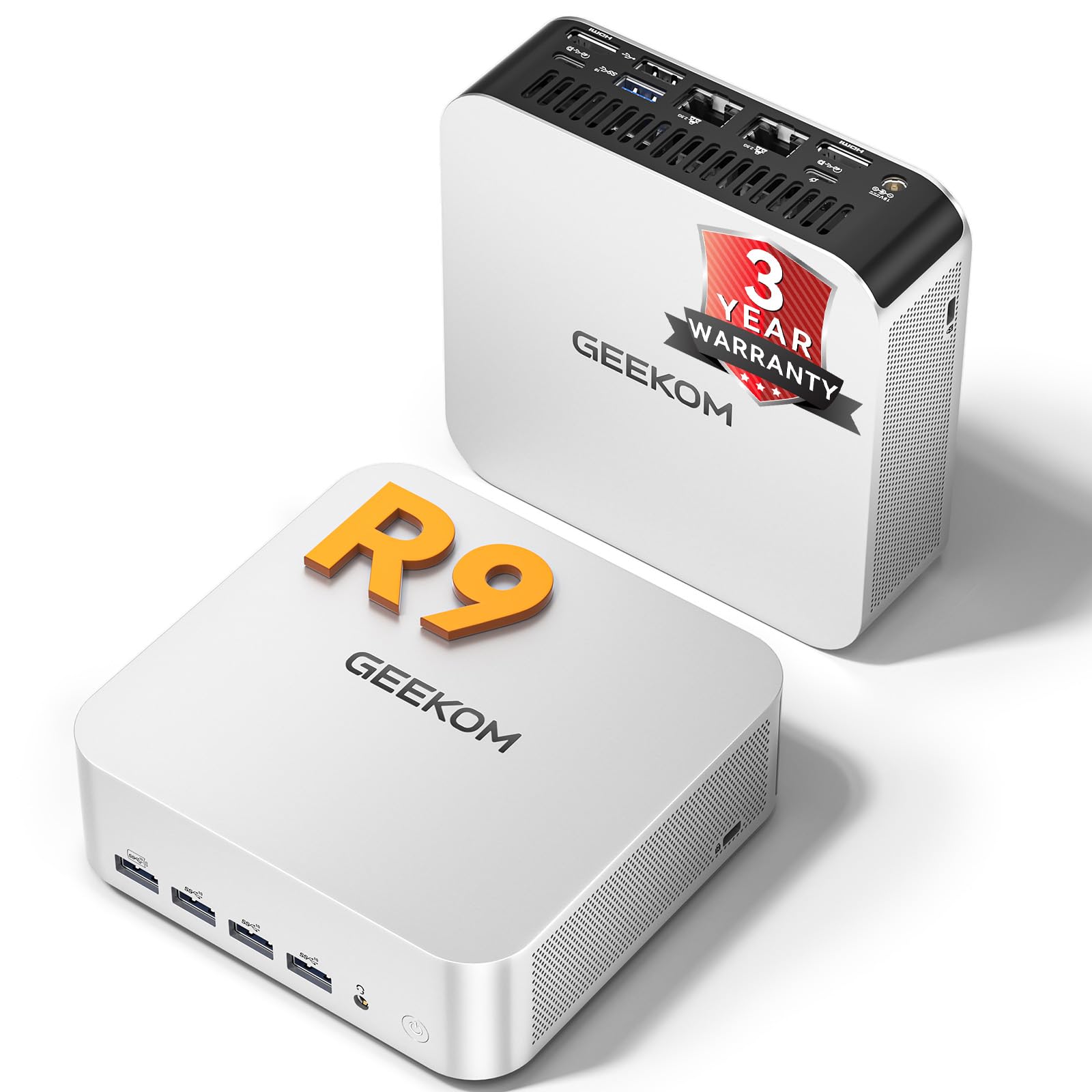
Image: The GEEKOM A7 MAX Mini PC, showcasing nett stærð og glæsileg hönnun.
3.1 Helstu eiginleikar
- Örgjörvi: AMD Ryzen 9 7940HS (8-core/16-thread, up to 5.2GHz)
- Grafík: AMD Radeon 780M (integrated, with ray tracing support)
- Minni: 16GB DDR5 vinnsluminni (hægt að stækka upp í 128GB)
- Geymsla: 1TB M.2 PCIe Gen4 x4 SSD (expandable up to 4TB)
- Stýrikerfi: Foruppsett Windows 11 Pro
- Tengingar: Dual 40Gbps USB4 ports, 5x USB 3.2, Dual Type-C, Dual HDMI, Dual 2.5G LAN, Wi-Fi 6E, Bluetooth 5.2, UHS-II SD card slot
- Kæling: Enhanced IceBlast 2.0 Cooling System

Mynd: Yfirview of the GEEKOM A7 MAX's main features, including processor, graphics, storage, memory, and connectivity options.
3.2 Hafnarskipulag
Familiarize yourself with the available ports on the front and rear of the GEEKOM A7 MAX for proper connectivity.

Image: A diagram illustrating the front and rear port configurations of the GEEKOM A7 MAX Mini PC, detailing USB, HDMI, LAN, and other connections.
- Framhöfn: 4x USB 3.2 Gen 2 Type-A, 1x SD Card Reader, 1x 3.5mm Audio Jack, 1x Power Button
- Hafnir að aftan: 1x DC In, 2x 2.5G RJ45 LAN, 2x USB4 (40Gbps, PD input/output), 1x USB 3.2 Gen 2 Type-A, 1x USB 2.0 Type-A, 2x HDMI 2.0, 1x Kensington Lock
4. Uppsetningarleiðbeiningar
- Tengja jaðartæki: Connect your keyboard, mouse, and monitor(s) to the appropriate USB and HDMI/USB4 ports.
- Rafmagnstenging: Connect the power adapter to the DC In port on the rear of the mini PC, then plug the adapter into a power outlet.
- Kveikt á: Press the power button on the front of the device. The power indicator light will illuminate.
- Upphafleg uppsetning: Follow the on-screen instructions to complete the Windows 11 Pro setup. Your device comes pre-installed with Windows 11 Pro.
- Nettenging: Connect an Ethernet cable to one of the 2.5G LAN ports or connect to a Wi-Fi network during the Windows setup process.
5. Notkunarleiðbeiningar
5.1 Afkastastillingar
The GEEKOM A7 MAX offers four performance modes to optimize power consumption and performance based on your needs:
- Quiet Mode (35W): Ideal for light tasks, browsing, and media consumption, minimizing fan noise.
- Balanced Mode (45W): Default mode for everyday use, balancing performance and efficiency.
- Performance Mode (54W): Suitable for more demanding applications and moderate gaming.
- High-Speed Mode (70W): Automatically activates under high load for peak performance in intensive tasks like gaming or video editing.

Image: Visual representation of the four intelligent performance modes (Quiet, Balanced, Performance, High-Speed) available on the GEEKOM A7 MAX.
5.2 Uppsetning margra skjáa
The GEEKOM A7 MAX supports up to four displays simultaneously, allowing for a highly efficient workstation. Connect displays using the 2x HDMI 2.0 ports and 2x USB4 ports.

Image: A setup showing the GEEKOM A7 MAX connected to four monitors, demonstrating its quad-display capability for enhanced productivity and entertainment.
5.3 Geymsla og minni
The device features 16GB of DDR5 memory and a 1TB NVMe SSD, providing a balanced configuration for most users. The memory is expandable up to 128GB, and the SSD can be upgraded to 4TB if needed.
Video: Explanation of optimal RAM and SSD configurations. This video discusses why the 16GB RAM + 1TB SSD setup is often the ideal choice for mini PCs, balancing performance and cost-effectiveness.
6. Viðhald
6.1 Kælikerfi
The GEEKOM A7 MAX features an Enhanced IceBlast 2.0 Cooling System with dual copper heat pipes and an enlarged silent fan. This system is designed for efficient heat dissipation and quiet operation (under 36dB). A built-in dust-cleaning mechanism helps maintain long-term stability.

Mynd: Sprenging view of the GEEKOM A7 MAX's cooling system, highlighting the copper heat pipes, silent fan, and optimized airflow for efficient heat management.
Video: GEEKOM IceBlast Improved Cooling System. This video demonstrates the advanced cooling technology used in GEEKOM mini PCs to maintain optimal temperatures and quiet operation.
6.2 Almenn umönnun
- Geymið tækið á vel loftræstu svæði til að koma í veg fyrir ofhitnun.
- Avoid exposing the mini PC to direct sunlight, high humidity, or extreme temperatures.
- Þrífið ytra byrði með mjúkum, þurrum klút. Notið ekki fljótandi hreinsiefni eða slípiefni.
- Ensure all cables are securely connected to prevent accidental disconnections.
7. Bilanagreining
7.1 Enginn kraftur
- Check if the power adapter is securely connected to both the mini PC and the power outlet.
- Staðfestu að rafmagnsinnstungan virki með því að stinga í samband annað tæki.
- Gakktu úr skugga um að aflhnappinum sé ýtt þétt niður.
7.2 Enginn skjár
- Confirm that the HDMI or USB4 cable is properly connected to both the mini PC and the monitor.
- Athugaðu hvort skjárinn sé kveikt á og stilltur á rétta inntaksuppsprettu.
- Prófaðu aðra snúru eða skjá ef mögulegt er.
7.3 Hægagangur eða frysting kerfisins
- Lokaðu óþarfa forritum sem keyra í bakgrunni.
- Ensure the device has adequate ventilation and is not overheating.
- Check for available Windows updates and driver updates.
- Keyrðu kerfisskönnun fyrir spilliforrit eða vírusa.
7.4 Önnur mál
For persistent issues or problems not listed here, please refer to the Warranty and Support section for assistance.
8. Tæknilýsing
| Eiginleiki | Smáatriði |
|---|---|
| Örgjörvi | AMD Ryzen 9 7940HS (8 kjarnar, 16 þræðir, allt að 5.2 GHz) |
| Grafík | AMD Radeon 780M (innbyggt) |
| vinnsluminni | 16GB DDR5 RAM (Expandable up to 128GB) |
| Geymsla | 1TB M.2 PCIe Gen4 x4 SSD (Expandable up to 4TB) |
| Stýrikerfi | Windows 11 Pro |
| Hámarks skjáupplausn | 7680 x 4320 pixlar (8K) |
| USB tengi | 2x USB4 (40Gbps), 5x USB 3.2, 1x USB 2.0 |
| Myndbandsúttak | 2x HDMI 2.0, 2x USB4 (supports up to 4 displays) |
| Netkerfi | Dual 2.5G RJ45 LAN, Wi-Fi 6E, Bluetooth 5.2 |
| Kortalesari | UHS-II SD Card Slot (up to 2TB) |
| Mál | 7.8 x 7.44 x 4.76 tommur |
| Þyngd | 3.56 pund |
9. Ábyrgð og stuðningur
The GEEKOM A7 MAX Mini PC comes with a 3-year warranty, reflecting the manufacturer's confidence in its quality and reliability. This includes 1 year of free replacement and 2 years of free repair.

Image: A graphic detailing GEEKOM's 3-year warranty policy, including free replacement and repair periods, and 24/7 assistance.
9.1 Hafðu samband við þjónustudeild
- Stuðningur Amazon seljanda: Log into your Amazon buyer's account, find your order, and click 'Get help' to contact the seller for product assistance.
- GEEKOM After-sales Team: Einnig er hægt að senda tölvupóst á shirley.li@geekom.tw til beins stuðnings.
9.2 Gæðatrygging
The GEEKOM A7 MAX has obtained CE, FCC, CB, and CCC certifications, ensuring quality and safety. The product undergoes rigorous testing, including drop tests, humidity tests, vibration tests, and temperature tests, to ensure durability and reliability.
Video: GEEKOM's Rigorous Quality Validation Process. This video showcases the extensive testing and quality control measures GEEKOM products undergo to ensure durability and performance.


