1. Inngangur
This manual provides essential information for setting up, operating, maintaining, and troubleshooting your Sharp Aquos QLED 55 Inch 4K Ultra HD Xumo Smart TV. Please read this manual thoroughly before using your television and retain it for future reference.
Mynd: Framan view of the Sharp Aquos QLED 55 Inch 4K Ultra HD Xumo Smart TV.
2. Öryggisupplýsingar
Always follow basic safety precautions when using this television to reduce the risk of fire, electric shock, and injury. Keep the television away from moisture, direct sunlight, and heat sources. Ensure proper ventilation and do not block any ventilation openings. Use only the power cord and accessories specified by the manufacturer. Refer to the full safety guidelines in the included printed manual.
3. Hvað er í kassanum
Your Sharp Aquos QLED 55 Inch 4K Ultra HD Xumo Smart TV package includes:
- Sharp Aquos QLED 55 Inch 4K Ultra HD Xumo Smart TV
- Raddfjarstýring
- Sjónvarpsstandur (2 stykki)
- Skrúfur fyrir sjónvarpsstand
- Rafmagnssnúra
- Notendahandbók (þetta skjal)
- Flýtileiðarvísir
4. Uppsetning
4.1 Festing sjónvarpsstandsins
- Leggið sjónvarpsskjáinn varlega með niður á mjúkan, sléttan flöt til að koma í veg fyrir skemmdir.
- Stilltu hvern standhluta saman við samsvarandi skrúfugöt neðst á sjónvarpinu.
- Festið hvern standstykki með meðfylgjandi skrúfum. Gangið úr skugga um að þær séu vel hertar.
4.2 Veggfesting (valfrjálst)
If you choose to wall mount your TV, ensure you use a VESA-compatible wall mount kit (sold separately) that supports the 55-inch screen size and weight. Follow the instructions provided with your wall mount kit. Remove the TV stand before mounting.
4.3 Tæki tengd
Connect your external devices (cable box, gaming console, soundbar, etc.) to the appropriate ports on the back of the TV. The Sharp Aquos QLED TV features multiple HDMI inputs for versatile connectivity.

Mynd: Aftan view of the Sharp Aquos QLED TV showing cable management through the stand.
4.4 Rafmagnstenging
Plug the power cord into the TV's power input, then into a wall outlet. The TV is now ready for initial setup.
5. Notkunarleiðbeiningar
5.1 Upphafleg uppsetning og nettenging
Upon first power-on, the TV will guide you through the initial setup process. This includes selecting your language, connecting to your Wi-Fi network (dual-band Wi-Fi supported for reliable streaming), and agreeing to terms and conditions. Follow the on-screen prompts.
5.2 Aðgerðir fjarstýringar
The included voice remote allows for intuitive navigation. Use the directional pad to move through menus, the OK button to select, and dedicated buttons for popular streaming services. The built-in voice search feature provides hands-free control for launching apps, adjusting volume, and switching inputs.
5.3 Xumo Smart TV Platform
The Xumo Smart TV system offers fast and intuitive access to your favorite streaming applications. The clean home screen allows for easy navigation and personalized content recommendations.
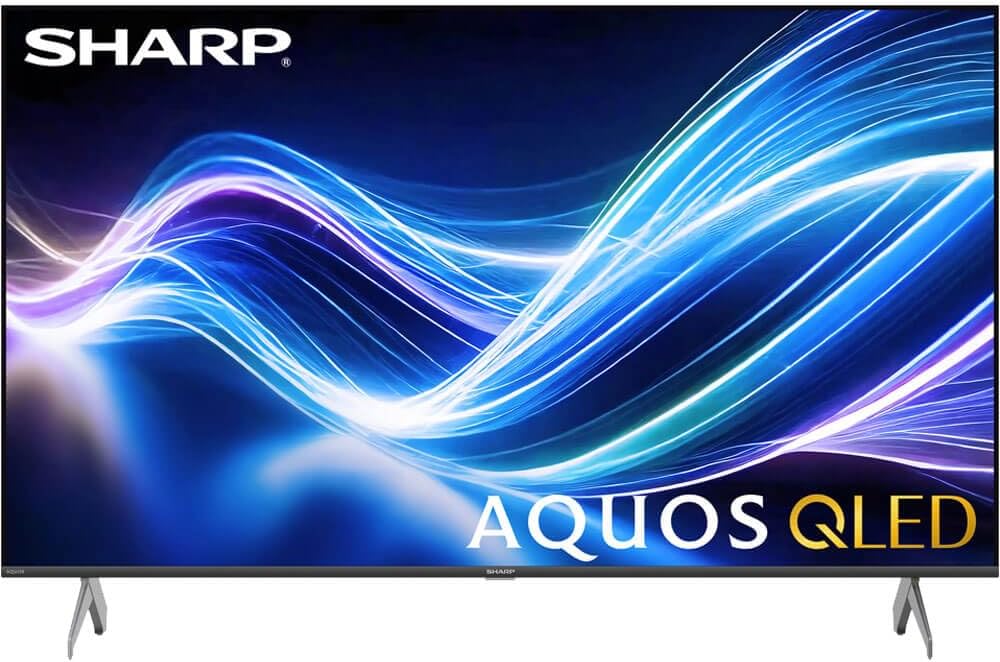
Image: The Xumo Smart TV home screen displaying various streaming apps and voice search functionality.
5.4 Mynd- og hljóðstillingar
Your Sharp Aquos QLED TV supports advanced picture and sound technologies:
- 4K QLED skjár: Enjoy vibrant, lifelike images with Quantum Dot color and enhanced brightness.
- Dolby Vision og HDR10: These premium HDR formats optimize contrast, depth, and clarity for cinematic picture quality. Access picture settings via the TV menu to fine-tune brightness, contrast, color, and sharpness.
- Immersive Audio: The TV features optimized sound processing for clear dialogue and enhanced bass. Connect Bluetooth headphones or speakers for wireless listening. Adjust audio modes (Standard, Music, Movie, Speech, Custom) in the sound settings.
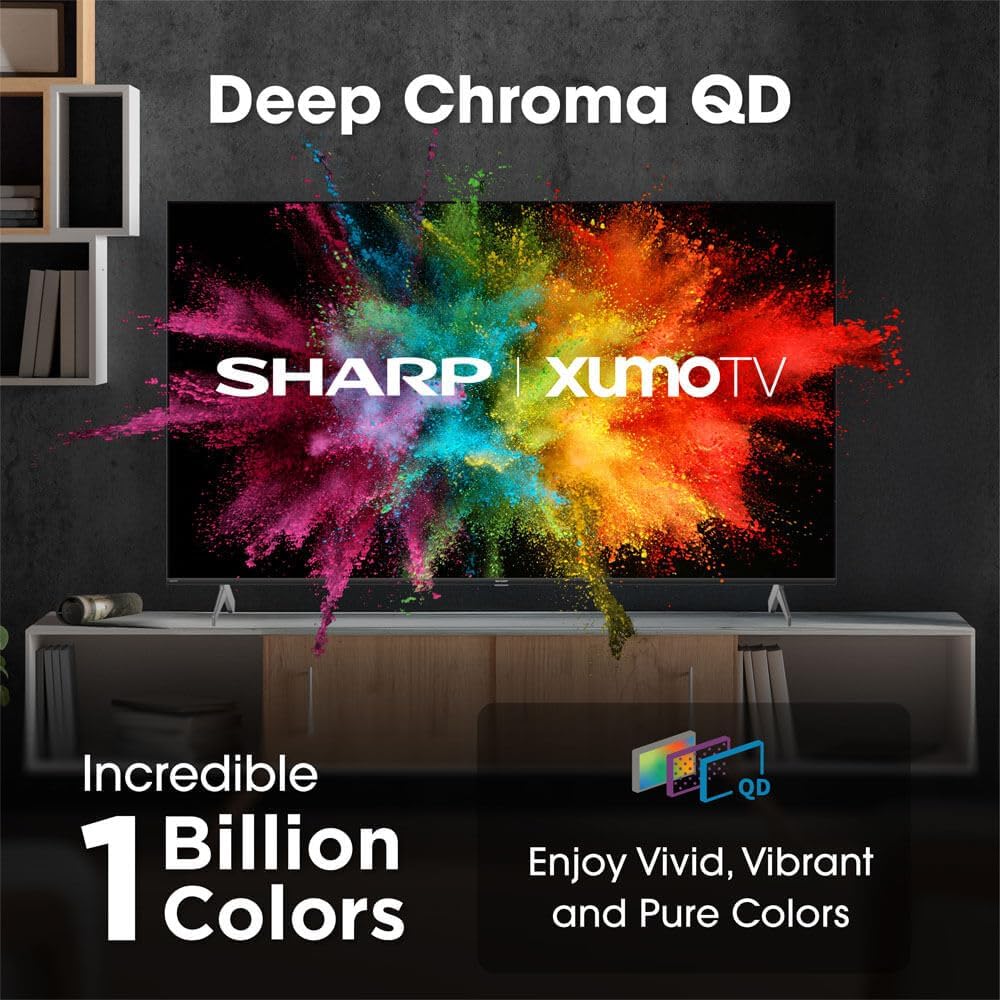
Image: Comparison of Dolby Vision enhanced picture quality against a standard display.

Image: Visual representation of Dolby Atmos creating immersive sound in a living room setting.
6. Viðhald
6.1 Þrif á sjónvarpinu
Til að þrífa skjáinn skaltu þurrka hann varlega með mjúkum, lólausum klút. Fyrir þrjósk bletti skaltu þurrka hann örlítið.ampen the cloth with water or a screen-cleaning solution. Never spray liquid directly onto the screen. Clean the TV's exterior with a soft, dry cloth.
6.2 Hugbúnaðaruppfærslur
Sjónvarpið þitt gæti fengið sjálfvirkar hugbúnaðaruppfærslur til að bæta afköst og bæta við nýjum eiginleikum. Gakktu úr skugga um að sjónvarpið þitt sé tengt við internetið til að fá þessar uppfærslur. Þú getur einnig athugað handvirkt hvort uppfærslur séu til staðar í stillingavalmynd sjónvarpsins.
7. Bilanagreining
| Vandamál | Möguleg orsök | Lausn |
|---|---|---|
| Enginn kraftur | Power cord not connected, power outlet not working. | Athugaðu tengingu rafmagnssnúrunnar, prófaðu aðra innstungu. |
| Engin mynd/hljóð | Incorrect input selected, external device off/disconnected. | Verify input source, check device power and connections. |
| Fjarstýring virkar ekki | Batteries low/dead, obstruction between remote and TV. | Skiptu um rafhlöður, fjarlægðu hindranir og paraðu fjarstýringuna aftur ef þörf krefur. |
| Vandamál með Wi-Fi tengingu | Router issues, incorrect password, weak signal. | Restart router, re-enter Wi-Fi password, move TV closer to router or use Ethernet. |
8. Tæknilýsing
- Vörumerki: Skarp
- Gerðarnúmer: 4TC55HP7050U
- Skjástærð: 55 tommur
- Skjátækni: QLED Smart
- Upplausn: 4K Ultra HD
- Endurnýjunartíðni: 60Hz
- Sérstakir eiginleikar: Flat, Dolby Vision, HDR10, Xumo Smart TV, Voice Remote, Bluetooth, Dual-band Wi-Fi
- Tengingartækni: RCA, HDMI (multiple ports)
- Stydd internetþjónusta: Netflix, Hulu, Amazon Prime Video (and more via Xumo platform)
- Þyngd hlutar: 32 pund
- Litur: Svartur
9. Ábyrgð og stuðningur
Fyrir upplýsingar um ábyrgð og tæknilega aðstoð, vinsamlegast skoðið ábyrgðarkortið sem fylgir vörunni eða heimsækið opinberu Sharp webGeymið kaupkvittunina sem sönnun fyrir kaup vegna ábyrgðarkröfu.