

DNAKE AC02C aðgangsstýringarstöð
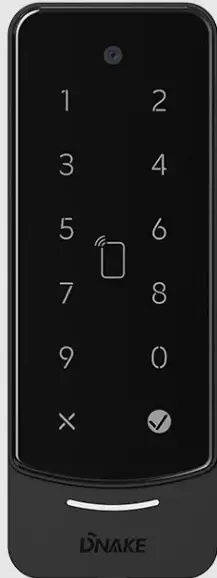
Tæknilýsing
- Gerð: DNAKE AC02C
- Útgáfa: V1.1
- Vara eiginleiki: Easy & Smart Intercom Solutions
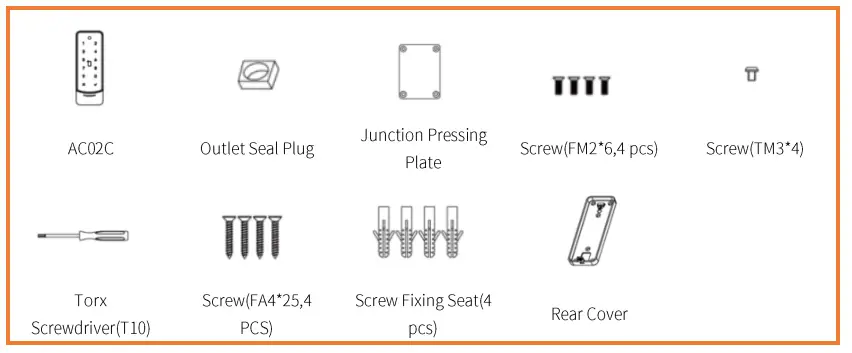
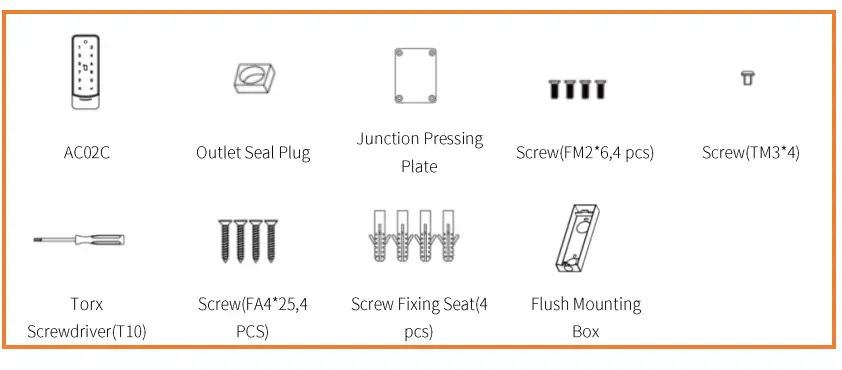
Innihald pakka
Check the package contents to ensure all items are included as per the list provided in the manual.
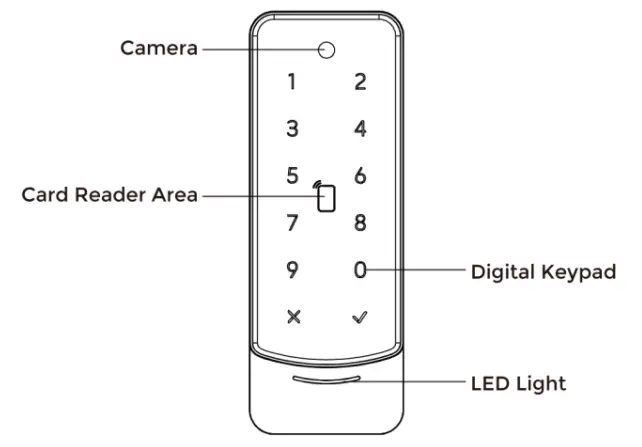
Yfirview
Get familiar with the overall structure and components of the DNAKE AC02C intercom system.
Grunnaðgerð
Learn the fundamental operations of the intercom system for making and receiving calls.
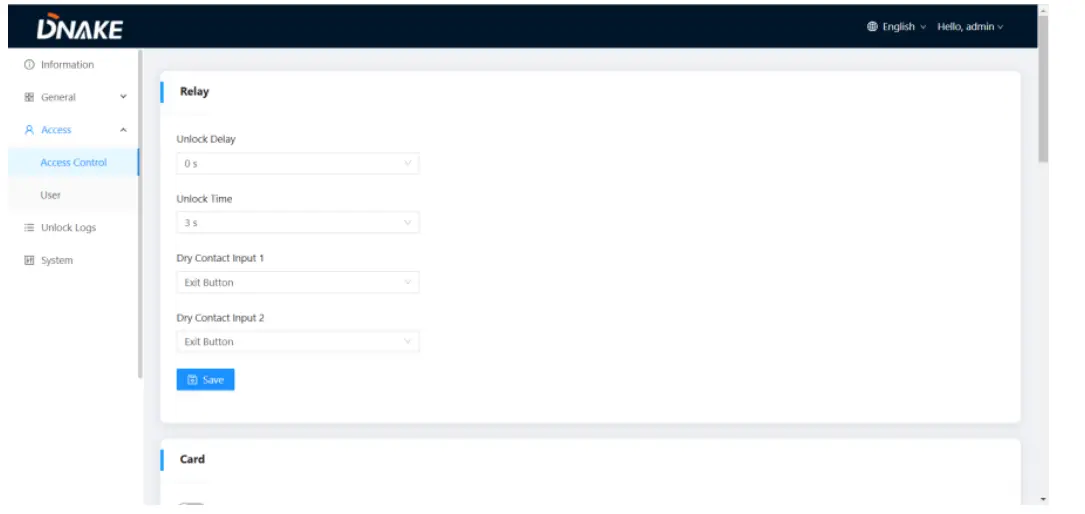
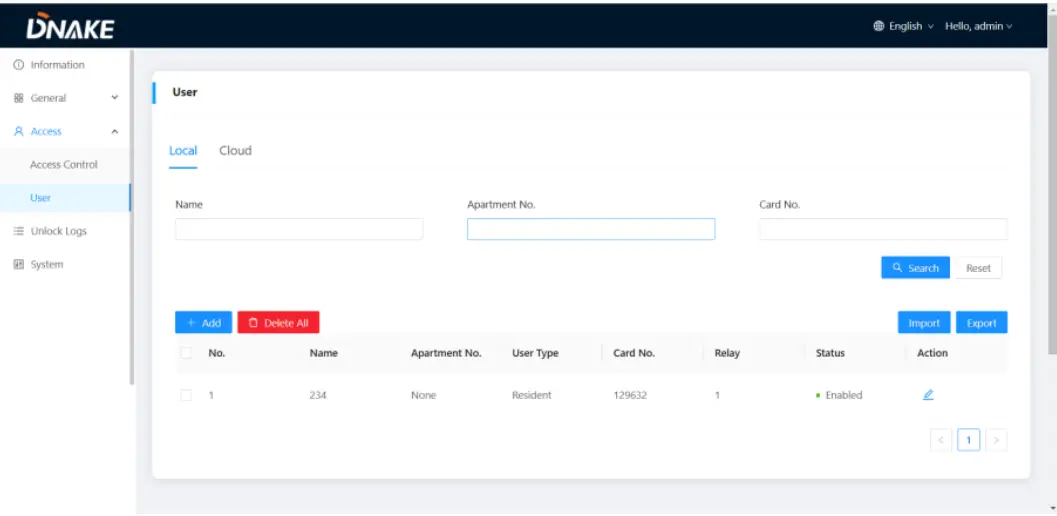
Web Stilling
Aðgangur að og stillingar í gegnum web interface for personalized preferences.
Kerfismynd
Refer to the system diagram to understand the connections and components within the setup.
Tækjabúnaður
Follow the provided instructions for proper wiring of the devices to ensure functionality.
Uppsetning
Step-by-step guide on installing the DNAKE AC02C intercom system in your desired location.
Úrræðaleit
If you encounter any issues, refer to the troubleshooting section for solutions to common problems.
Öryggisleiðbeiningar
Read and adhere to the safety instructions to ensure safe operation and installation of the product.
“`
ATHUGASEMD
Please follow the user manual for correct installation and testing. If there is any
doubt please call our tech-supporting and customer center.
Fyrirtækið okkar beitir okkur til umbóta og nýsköpunar á vörum okkar.
No extra notice for any change. The illustration shown here is only for reference.
If there is any difference, please take the actual product as the standard.
Meðhöndla skal vöruna og rafhlöðurnar aðskildar frá heimilissorpi.
When the product reaches the end of service life and needs to be discarded,
please contact the local administrative department and put it in the designated
collection points in order to avoid the damage to the environment and human
health caused by any disposal. We encourage recycling and reusing the material
auðlindir.
VÖRU EIGINLEIKUR
1. 50mm width slim design, suitable for narrow installation scenario
2. Aluminum alloy and 2.5D tempered glass
3. Multiple unlock method includes: RFID, NFC, Bluetooth, App remotely, Pin Code,
and QR Code unlock
4. Support Wiegand & R$485
5. Flush mounted & surface mounted
6. IP65 & IK08
TÆKNIFRÆÐI
Power Supply: Pot or DC 12V/2A
RFID Reader:13.56MHz and 125kHz
Vinnuhitastig: -40°C til +55°C
Geymsluhitastig: -40°C til +70°C
Working Humidity: 10% to 90% (non-condensing).. Add Cards by Admin Card
1.1. Bættu við öðrum kortum
Skref 1: Bankaðu einu sinni á stjórnandakortið;
Step 2: And then tap other cards immediately. Other cards you have tapped can
be used to open the door;
Skref 3: Bankaðu aftur á stjórnandakortið til að klára.
1.2. Eyddu öðrum kortum eitt af öðru
Skref 1: Bankaðu tvisvar á stjórnandakortið;
Step 2: And then tap other cards immediately. Other cards you have tapped will
be deleted;
Skref 3: Bankaðu aftur á stjórnandakortið til að klára.
1.3. Eyða öllum öðrum kortum
Bankaðu fimm sinnum á stjórnandakortið. Öllum öðrum kortum verður eytt.
Tips: The admin card can only be used to manage cards. It cannot be used to
opna dyrnar.
2. IP Broadcasting
If you want to check the IP address of the device, you can short press the
RESET button of the device or press and hold the “v” button on the device
screen for 5 seconds, and the device will broadcast the current IP address.1. Network (PoE)
Standard RJ45 interface is for the connection with PoE switch or other network
skipta.
PSE shall comply with IEEE 802.3af (Pot) and its output power not less than
15.4W and its output voltage ekki vera minna en 50V.
CAT-Se
Net
2. Power/Switching Value Output
The power interface of Access Control connects to 12V DC power.
Connect to the lock module (an independent power supply is necessary for theA Warning!
Kraftur
一三
1. When connecting to an inductive load device such as a
relay or electromagnetic lock, you are recommended to
COM
NC/NO
Læsa
Díóða
use a diode 1A/400V (included in the accessories) in anti-
kallkerfi
búnaði
parallel with the load device to absorb inductive load
binditage peaks. The access controlwill be better protected
ー..ー・
á þennan hátt.
3. Custom input configuration interface/Wiegand/RS485
• The input interface can be configured with various functions, such as the exit
button,door status sensor, and fire linkage interface.
• The interface can be connected to one IC/ID card reader or be used for
reading the information of built-in card reader.Card swiping device
connected to Weigand interface.
• +5V can power the Wiegand card swiping device,note that the current must
not exceed100mA.
• Enable to connect equipment with RS485 interface.Connect to the lock
module(independent power supply is necessary for the lock).The Access Control cannot start up or power off automatically.
• Check whether it has power-failure, and power it on again
The Access Control did not get IP address.
• Check if the DHCP is enabled on Access Control.
• Check whether the router can provide the IP address normally
Ekkert hljóð meðan á samskiptum stendur.
• Check whether the volume is set to the lowest.
Margmiðlun files er ekki hægt að spila venjulega.
• Check whether the system supports the file format. Please refer to the
multimedia setting for details.
Mifare SL3 card cannot be read in Access Control.
• The card reading mode needs to be ‘Full Card No.’
• Block Key needs to be entered correctly;
• Select the correct sectors and blocks.
Hitastig tækisins er of hátt.
• Long-term use leads to high temperature. It’s normal and will not affect
the device’s use life and performance.
Skjöl / auðlindir
 |
DNAKE AC02C aðgangsstýringarstöð [pdfNotendahandbók AC02C Aðgangsstýringarstöð, AC02C, Aðgangsstýringarstöð, Stjórnstöð, Stöð |